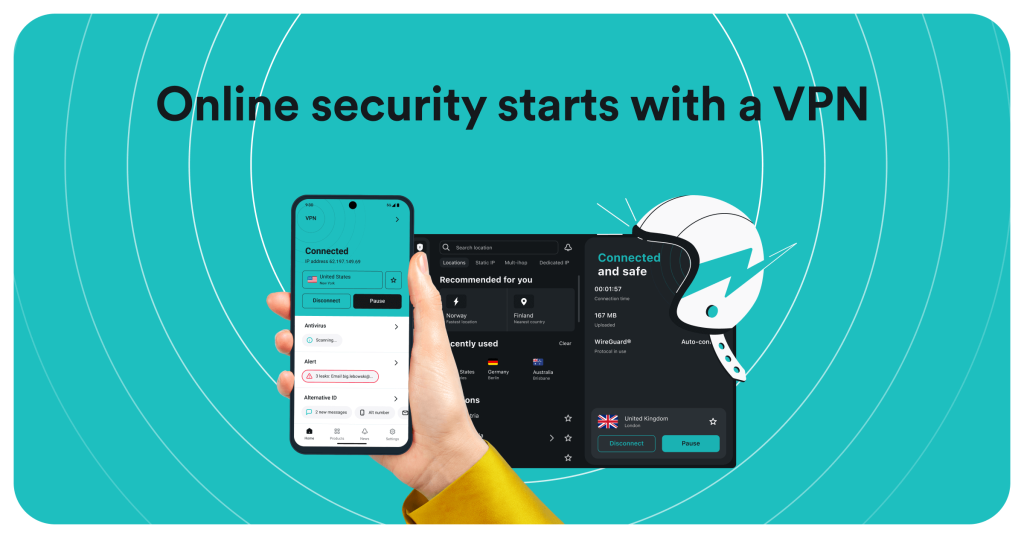
Choosing a VPN in 2026 usually comes down to a quiet trade-off: pay a premium for a polished, big-name service, or accept a cheaper tool that cuts corners somewhere you will eventually notice. Surfshark has spent years trying to break that pattern. It is the VPN that folds unlimited simultaneous connections, a modern WireGuard-based network, ad and tracker blocking, and a growing suite of privacy add-ons into a price that regularly lands near the bottom of the market. On paper it looks almost too generous.
So we spent time with the service, dug through its plan structure, cross-checked its privacy claims against independent reporting, and weighed the marketing against the fine print. The result is an honest look at where Surfshark genuinely shines, where it asks you to compromise, and whether the low headline price actually holds up once you understand how the pricing works. If you want a VPN that protects an entire household without counting devices, Surfshark deserves a serious look. But it is not perfect, and this review will be candid about the parts worth thinking twice about.
AnalyzeBench Score: 8.6 / 10
Best for: Households and heavy multi-device users who want unlimited connections, strong streaming performance, and a rich feature set without paying premium VPN prices.
What we loved:
- Truly unlimited simultaneous device connections on every plan
- Fast, modern WireGuard-based network with a large server footprint across 100+ countries
- Built-in CleanWeb ad, tracker, and malware-domain blocking at no extra cost
- Genuinely useful extras: MultiHop, Bypasser split tunneling, IP Rotator, and Camouflage Mode
- Independently audited no-logs policy and RAM-only servers
- A full 30-day money-back guarantee on all plans
Watch out for:
- The lowest advertised price requires a long two-year commitment paid upfront
- Renewal prices are meaningfully higher than the introductory rate
- Based in the Netherlands, part of the Nine Eyes intelligence-sharing arrangement
- The bundled Antivirus and identity tools are handy but not a replacement for dedicated security software
What makes Surfshark different
Most VPNs sell you a fixed number of connections. Five devices here, ten there, and if your household has more phones, laptops, tablets, and smart TVs than that, you either juggle logins or pay for a second plan. Surfshark’s defining move is to throw that limit out entirely. One subscription covers unlimited simultaneous devices, which reframes the whole value equation. A family of four with a dozen combined devices pays the same as a single user, and that alone makes Surfshark one of the most cost-effective options for anyone protecting more than a couple of gadgets.
The second thing that sets Surfshark apart is how much it packs in for the money. Where many budget VPNs strip features to hit a low price, Surfshark bundles ad and tracker blocking, split tunneling, multi-hop routing, and a rotating-IP tool into even its entry plan. Then, through its Nexus network technology, it layers on capabilities that used to be reserved for premium providers, such as building your own entry and exit server pairs or automatically changing your IP address every few minutes without dropping the connection.
Finally, Surfshark has evolved from a pure VPN into a small cybersecurity ecosystem. Its higher tiers add antivirus, a data-breach alert system, a private search engine, and identity-protection tools. Whether you need all of that is a separate question, but the ambition is clear: Surfshark wants to be the single subscription that handles the everyday privacy chores most people otherwise ignore.
The core service
Strip away the extras and Surfshark’s foundation is a fast, modern VPN. WireGuard is the default protocol, and it is the reason the service feels quick. WireGuard’s lean codebase delivers low latency and high throughput, and in independent 2026 testing Surfshark retained roughly 90 to 95 percent of base connection speed on nearby servers, with some reviewers recording download speeds in the hundreds of megabits per second. For streaming, gaming, and large downloads, that headroom matters, and in practice most users will not feel the VPN slowing them down on well-chosen servers.
The network itself spans 4,500-plus servers across 100-plus countries. Crucially, Surfshark runs RAM-only servers, meaning data is wiped on every reboot and nothing is written to a physical disk. That is a meaningful privacy design choice, not just a marketing line, because it limits what could ever be recovered from a seized server.
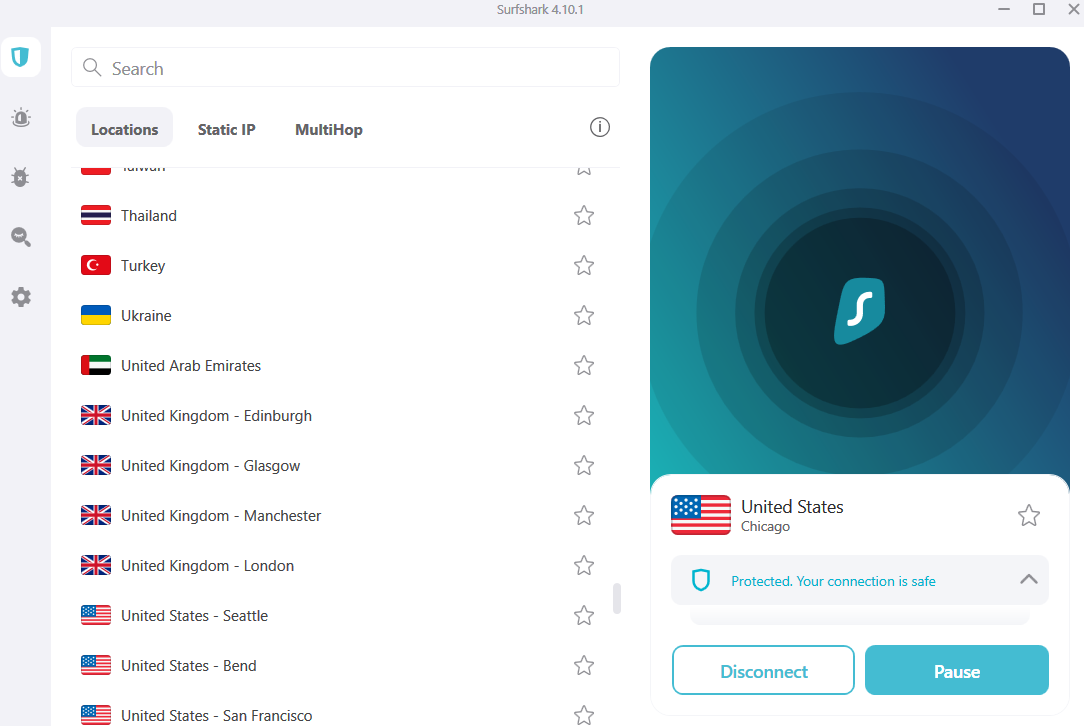
On features, the core toolkit is deep. CleanWeb blocks ads, trackers, and known malicious domains at the DNS level, which speeds up page loads and cuts clutter. Bypasser is Surfshark’s name for split tunneling, letting you route specific apps or sites outside the VPN tunnel, which is handy for banking apps that dislike VPNs or local devices that need your real IP. MultiHop routes your traffic through two servers for an extra layer of obfuscation, and Dynamic MultiHop lets you pick the entry and exit points yourself. Camouflage Mode disguises VPN traffic so it looks like ordinary browsing, useful on restrictive networks. It is a genuinely well-rounded set of tools, and most of it is available even on the cheapest plan.
On the privacy front, Surfshark operates a no-logs policy that has been independently audited, and its infrastructure has been reviewed by outside security firms. That is stronger assurance than an unaudited promise, though as with any VPN, an audit is a snapshot rather than a permanent guarantee.
Plans & pricing tiers
Surfshark sells three tiers, and the differences come down to how much of the broader security suite you want alongside the VPN. Every tier includes the unlimited-device VPN, the full server network, and the core features. Exact prices shift with promotions and the term length you choose, so treat the figures below as indicative rather than fixed, and always confirm the current rate at checkout.
Starter
The Starter plan is the pure VPN. You get the encrypted connection, unlimited simultaneous devices, CleanWeb ad and tracker blocking, MultiHop, Bypasser split tunneling, IP Rotator, and the complete server network. For the majority of people who simply want a fast, private connection across all their devices, Starter covers everything that actually matters. It is the plan we would point most readers toward first, especially if you already have antivirus and do not need the identity extras. Its lowest per-month cost typically comes on the two-year term, with month-to-month billing costing considerably more.
One
The One plan keeps everything in Starter and adds Surfshark’s security suite: Antivirus for real-time malware and webcam protection, Alert to notify you when your email or personal data appears in a known breach, and Search for ad-free, private web searches. If you like the idea of consolidating your VPN and a few everyday security tools into one subscription, One is the sensible middle choice. The Antivirus is capable for light protection, though power users with specific security needs may still prefer a dedicated product.
One+
One+ is the everything tier. It includes all of One’s features and layers on Incogni, Surfshark’s data-removal service that contacts data brokers on your behalf to get your personal information deleted, plus Alternative ID tools for creating throwaway email addresses and details. This is the plan for people who take data privacy seriously and want an active, ongoing effort to shrink their digital footprint. It costs the most per month, but Incogni sold on its own is not cheap, so the bundle can make sense if you genuinely want that service.
How to get the best deal
Surfshark’s pricing follows the standard VPN industry playbook, and understanding it saves you money. The lowest advertised per-month price is always tied to the longest commitment, typically the two-year plan paid in a single upfront charge. Shorter terms cost more per month, and month-to-month billing is dramatically more expensive, often several times the long-term rate.
The most important thing to understand is renewal. That eye-catching introductory price applies to your initial term. When the subscription renews, it typically does so at a higher rate, and on the two-year plan the renewal can climb noticeably from the intro figure. This is normal across the VPN market, but it means the honest way to think about Surfshark’s cost is to average the intro term and the renewal, not to fixate on the first-term headline number alone.
Two practical tips. First, take advantage of the 30-day money-back guarantee to test the service properly before you commit. It covers all plans, so you can install it across your devices, run your own speed and streaming checks, and request a full refund if it does not deliver. Second, pick the tier by what you will actually use. If you already run antivirus and do not care about data removal, Starter is the better value; paying for One or One+ only makes sense if you will genuinely use the extras. Buying more plan than you need is the easiest way to overpay.
Watch: Surfshark in action
If you would rather see the interface and setup before deciding, the walkthrough below covers Surfshark’s apps, key features, and everyday use.
Surfshark vs alternatives
Surfshark competes most directly with NordVPN and ExpressVPN, two of the best-known premium names. Here is how they stack up on the points that tend to drive a decision.
| Feature | Surfshark | NordVPN | ExpressVPN |
|---|---|---|---|
| Simultaneous devices | Unlimited | Limited (typically up to 10) | Limited (typically up to 8) |
| Core protocol | WireGuard | WireGuard-based (NordLynx) | WireGuard-based (Lightway) |
| Ad/tracker blocking | Yes (CleanWeb) | Yes (Threat Protection) | Yes (Threat Manager) |
| Multi-hop routing | Yes (MultiHop / Dynamic) | Yes (Double VPN) | Limited |
| Independently audited no-logs | Yes | Yes | Yes |
| Typical price positioning | Value / budget-friendly | Mid to premium | Premium |
| Money-back guarantee | 30 days | 30 days | 30 days |
The short version: ExpressVPN leans on simplicity and a long reputation for reliability at a premium price, NordVPN offers a large feature set and strong security credentials in the middle of the market, and Surfshark undercuts both on price while matching most of their core capabilities and beating them outright on device count. If unlimited connections and value are your priorities, Surfshark is hard to argue against. If you want the absolute longest track record or the most hands-off experience, the premium pair still have their appeal.
Speed, security & value
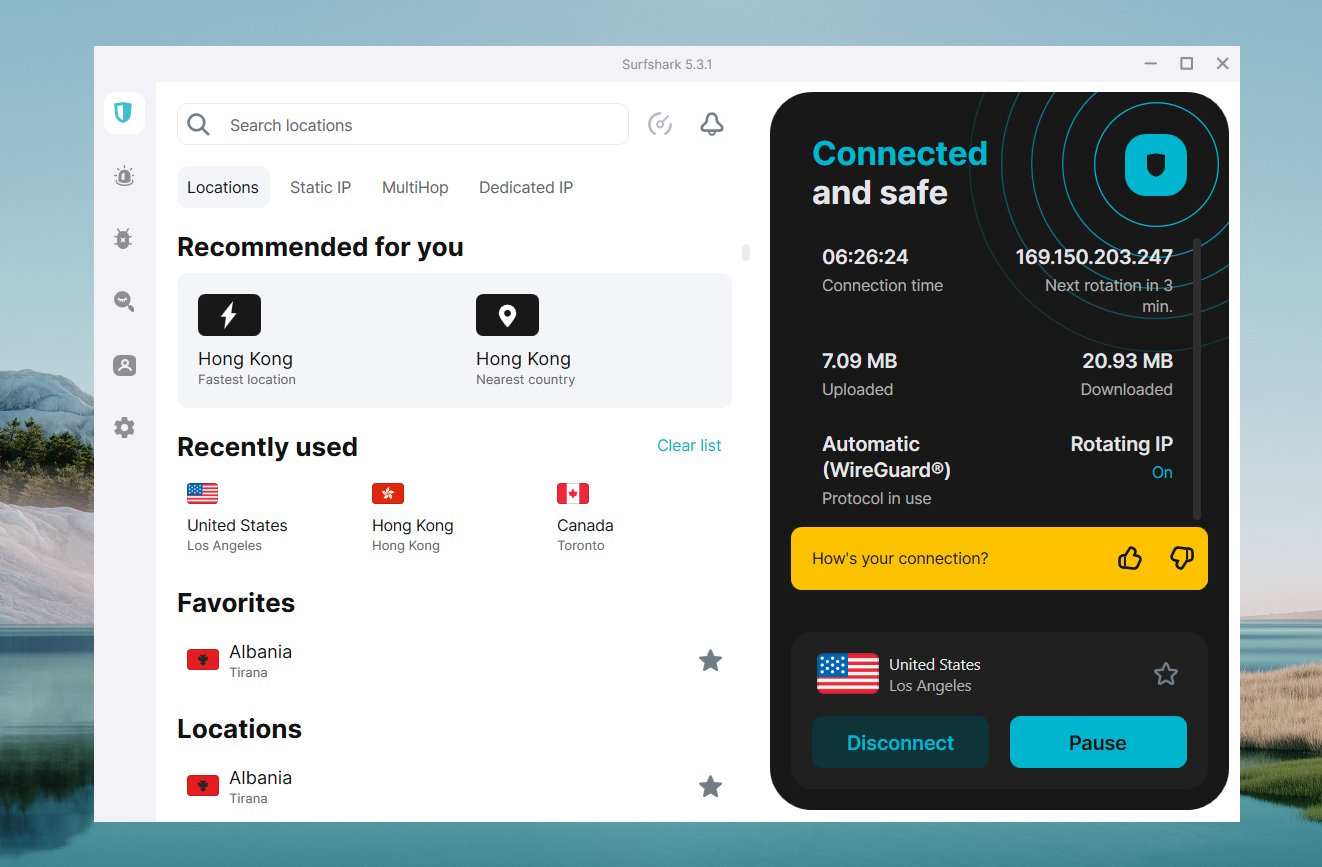
On speed, Surfshark is genuinely strong. WireGuard keeps overhead low, and real-world testing in 2026 shows the service retaining the large majority of your base connection speed on nearby servers. Long-distance connections naturally see more of a drop, as they do with any VPN, but for streaming in high definition, video calls, and everyday browsing you are unlikely to notice the tunnel. Streaming unblocking has also been a consistent strength, with reviewers reporting reliable access to multiple regional Netflix libraries and other major platforms.
On security, the fundamentals are solid: strong encryption, the modern WireGuard protocol, RAM-only servers, a kill switch, and an independently audited no-logs policy. CleanWeb adds a layer of protection against malicious domains, and MultiHop gives privacy-conscious users an extra option. It is important to be measured here, though. No VPN makes you anonymous, and Surfshark is no exception. A VPN encrypts your traffic and hides your IP from the sites you visit and from your network provider, but it is not a cloak of invisibility, and you should not treat it as protection against every online threat.
On value, this is where Surfshark clearly wins. The combination of unlimited devices, a full feature set, competitive speeds, and a low entry price is difficult to match. As long as you go in understanding the renewal pricing, the cost-to-capability ratio is among the best in the category.
Who should use it — and who should not
Surfshark is an excellent fit for households and anyone with a lot of devices. Because connections are unlimited, one subscription can cover every phone, laptop, tablet, and TV under one roof, which is exactly where competitors that cap device counts become frustrating or expensive. It is also a strong pick for streamers who want reliable access to regional libraries, for travelers who need a dependable connection on public networks, and for value-minded users who want a genuinely full-featured VPN without a premium price tag.
It is a weaker fit in a few cases. If you need a VPN for high-stakes anonymity, where your safety depends on it, you should approach any commercial VPN cautiously and research jurisdiction and threat models carefully rather than relying on marketing. If you specifically want a provider headquartered outside intelligence-sharing alliances, note that Surfshark operates from the Netherlands. And if you already pay for a robust standalone antivirus and data-removal service, the bundled extras in the higher tiers may be redundant, in which case the Starter plan is the smarter buy.
Honest limits
No review is complete without the caveats. The most practical one is pricing structure: the attractive headline rate depends on a long, prepaid commitment, and renewal costs more. That is standard for the industry, but it is still a real consideration, and anyone expecting the intro price to last forever will be disappointed.
On jurisdiction, Surfshark is based in the Netherlands, which participates in the Nine Eyes intelligence-sharing arrangement. Surfshark’s audited no-logs policy and RAM-only servers are designed so that there is little meaningful data to hand over even if compelled, but users with strict jurisdictional requirements should factor this in and decide for themselves.
The bundled security suite, while a nice value-add, should be understood for what it is. Surfshark Antivirus is capable for everyday protection but is not positioned as a heavyweight replacement for a dedicated security suite, and the identity tools are useful helpers rather than guarantees. Finally, as with every VPN, avoid treating Surfshark as a magic privacy shield. It is a strong tool that meaningfully improves your privacy and security posture, but good habits, strong passwords, and up-to-date software still do the heavy lifting.
Surfshark discount codes & deals
Surfshark almost always has a promotion running, and the best value comes from the long-term plans, which carry the steepest discounts off the monthly rate. Rather than hunting for a random coupon code that may or may not work, the most reliable way to secure the current offer is to go through an up-to-date deal link and confirm the price at checkout. Prices and promotions change frequently, so what matters is the rate shown when you actually subscribe.
Remember that every plan is backed by a 30-day money-back guarantee, so you can lock in a long-term deal, test Surfshark thoroughly across your devices, and still get a full refund if it does not meet your expectations. That safety net makes committing to the discounted longer term far less risky than it sounds.
Frequently asked questions
Does Surfshark really allow unlimited devices?
Yes. Every Surfshark plan supports unlimited simultaneous connections, so a single subscription can protect all the devices in your household at once without paying extra or juggling separate accounts.
Is Surfshark a no-logs VPN?
Surfshark operates a no-logs policy that has been independently audited, and it runs RAM-only servers that wipe data on reboot. No VPN can offer an absolute guarantee, but an audited policy paired with RAM-only infrastructure is stronger assurance than an unverified promise.
How fast is Surfshark?
Thanks to the WireGuard protocol, Surfshark is fast. Independent 2026 testing showed it retaining most of your base connection speed on nearby servers, which is more than enough for HD streaming, gaming, and large downloads. Speeds drop over very long distances, as they do with any VPN.
Does Surfshark work with streaming services?
In testing, Surfshark reliably unblocked multiple regional Netflix libraries and other major streaming platforms. Streaming access can change over time as services update their systems, but Surfshark has a consistently good track record here.
What is the difference between the Starter, One, and One+ plans?
Starter is the pure VPN with all core features. One adds Surfshark’s Antivirus, Alert breach monitoring, and private Search. One+ adds everything in One plus Incogni data removal and Alternative ID tools. The VPN itself is identical across all three tiers.
Is there a money-back guarantee?
Yes. All Surfshark plans come with a 30-day money-back guarantee, which is generous compared with the shorter windows some competitors offer. It lets you test the service risk-free before committing.
Does a VPN make me completely anonymous?
No. A VPN encrypts your traffic and hides your IP address from the websites you visit and from your network provider, which is a meaningful privacy improvement. But it does not make you invisible or immune to every threat, and it should be one part of a broader approach to online safety.
Understanding VPNs: what they do and how to choose one
A VPN, or virtual private network, creates an encrypted tunnel between your device and a server run by the VPN provider. Your internet traffic flows through that tunnel, which means the websites you visit see the VPN server’s IP address instead of yours, and your internet provider or the operator of a public Wi-Fi network can no longer read the contents of your traffic. In plain terms, a VPN improves your privacy by hiding where you are connecting from and by scrambling your data so it cannot be easily intercepted on the network.
What a VPN does well is protect you on untrusted networks, keep your browsing private from your provider, let you access content as if you were in another location, and shield your IP from the sites and services you use. What it does not do is make you anonymous, protect you from malware you download yourself, or defend against giving away your own information by logging into accounts. It is a privacy and security layer, not a force field, and understanding that distinction keeps your expectations realistic.
When choosing a VPN, a few criteria matter most. Look for a genuinely audited no-logs policy, because a provider that keeps records can undermine the whole point. Check the protocol; modern options like WireGuard offer the best balance of speed and security. Consider the jurisdiction the company operates from if that matters to your threat model. Weigh the server network, since more locations mean more options and often better speeds. Factor in device limits, especially if you have a household to cover. And pay close attention to the full pricing picture, including renewal rates, not just the introductory headline. Finally, favor providers that offer a money-back guarantee so you can verify the speeds and streaming performance yourself before committing.
Measured against those criteria, Surfshark performs well across the board: audited no-logs, WireGuard by default, a large network, unlimited devices, and a fair 30-day guarantee, all at a price that undercuts most premium rivals. Its trade-offs, chiefly the renewal pricing and its Nine Eyes jurisdiction, are real but manageable if you go in informed. For most people who want strong, affordable, whole-household protection, it is an easy service to recommend.