I’ve had Speechify installed on three devices for the better part of two months now — a laptop I write on, a phone I commute with, and a tablet that mostly exists to hold PDFs I swore I’d read. That’s the honest starting point for this review: Speechify isn’t a tool I tested for an afternoon and forgot about. It’s one I kept using, which for a text-to-speech app is the real test.
Speechify started as a simple idea — turn any text into audio you can listen to instead of read — and has grown into a broader audio suite that now includes a full voiceover studio, AI voice cloning, and a developer API. That’s a lot of surface area for one product, and part of this review is figuring out whether Speechify does all of it well, or whether it’s spread itself thin chasing every AI-audio trend at once.
Short version: the core reading experience is genuinely excellent, the voice quality has improved a lot, and the pricing is reasonable if you actually use it daily. But there are real rough edges — billing complaints show up often enough in user reviews that I can’t wave them away, and the credit-based Studio pricing takes some getting used to. If you want to try it yourself while you read the rest of this breakdown, you can try Speechify with its free plan before spending anything.
AnalyzeBench Score: 8.2 / 10
Best for: Students, professionals, and content creators who want to turn reading into listening across every device, plus creators who need quick AI voiceovers without hiring a studio.
What we loved:
- Natural-sounding voices with genuine emotional inflection, not the flat robotic cadence of older TTS tools
- Works everywhere — browser extension, desktop app, iOS, Android, and even a Chrome-based OCR mode for scanned pages
- Reading speeds up into the high single digits without turning into gibberish, which is a big deal for power users
- Speechify Studio makes it fast to generate voiceovers for videos and slides without touching a separate tool
- Free plan is actually usable for testing the product before you commit to a subscription
Watch out for:
- Billing and cancellation complaints show up repeatedly in user reviews — read the terms before you subscribe
- Studio’s credit system takes some math to understand, and heavy voiceover use can burn through credits fast
- Premium’s monthly price ($29) is steep if you only listen occasionally; annual billing is where the real value is
- Android app has had more stability complaints than iOS in recent reviews
- Voice selection, while large, still has some accents and languages that sound noticeably better than others
What makes Speechify different
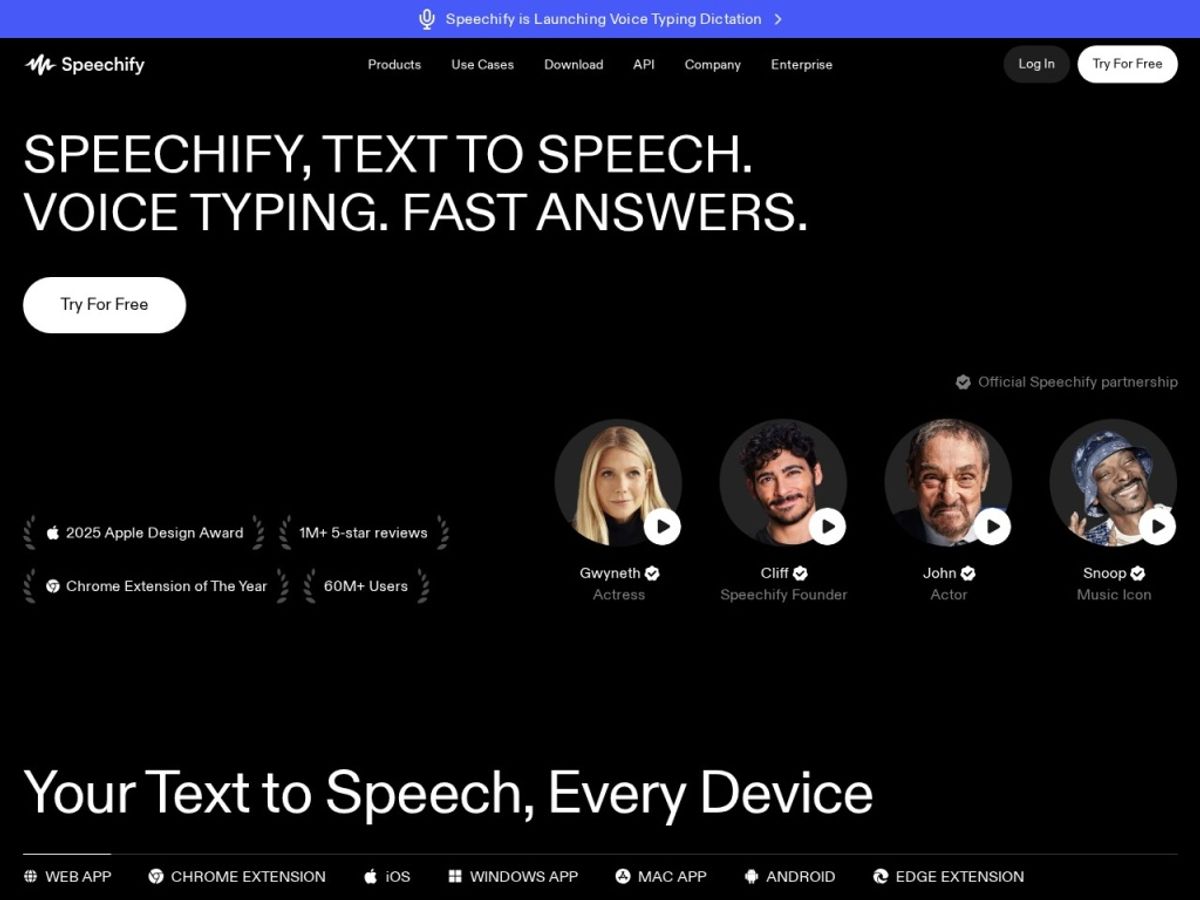
The text-to-speech category is crowded. Every operating system has a built-in screen reader, browsers have accessibility extensions baked in, and a dozen apps promise “natural AI voices.” What separates Speechify from the pack, in my experience, is that it treats listening as the primary interface rather than a bolt-on accessibility feature. The reading experience — word highlighting, speed control, voice switching — feels designed for people who want to consume long documents as audio every single day, not just occasionally for accessibility needs.
The second thing that stands out is how far the company has pushed past plain reading. Speechify Studio turns the same voice engine into a voiceover tool for YouTube videos, presentations, and e-learning content, and the voice cloning feature lets you build a synthetic version of your own voice (or a licensed one) from a short sample. That’s a meaningfully different product than the “read my PDF aloud” app Speechify started as, and it’s part of why the pricing structure feels more complex than competitors that stayed narrowly focused on reading.
The third differentiator is scale of adoption. Speechify claims tens of millions of users and a large voice/language library, and it picked up an Apple Design Award for inclusivity — which tracks with how widely it’s used in classrooms and by people with dyslexia or ADHD. That kind of traction usually means active development and a support org that has seen most tickets before. Not a guarantee of quality, but a signal worth weighing. If accessibility is what brought you here, spend ten minutes with the free version of Speechify to see if the reading experience clicks before evaluating anything else.
The core features
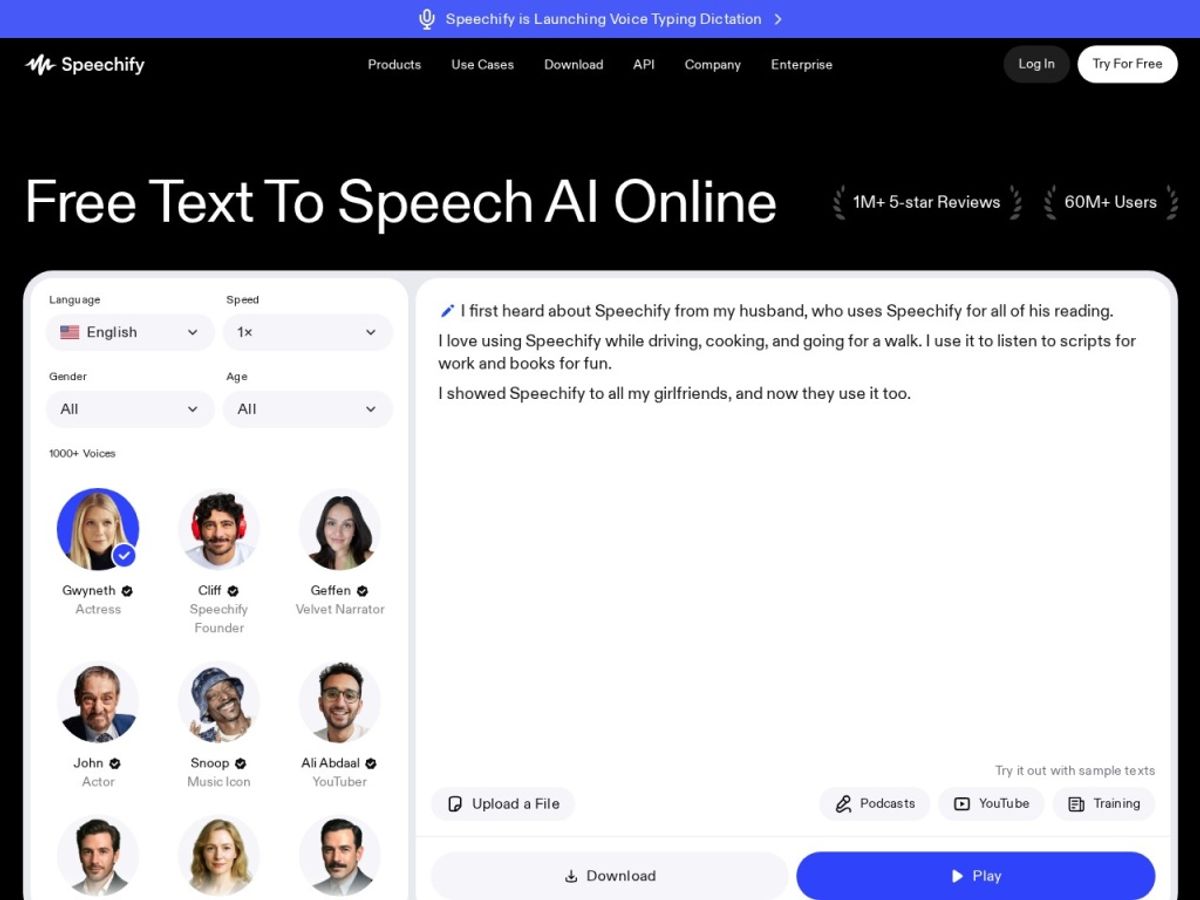
Speechify’s feature set splits cleanly into two halves: the reader (for consuming text as audio) and Studio (for producing audio content). Here’s what stood out in each during testing.
TTS Reader across devices
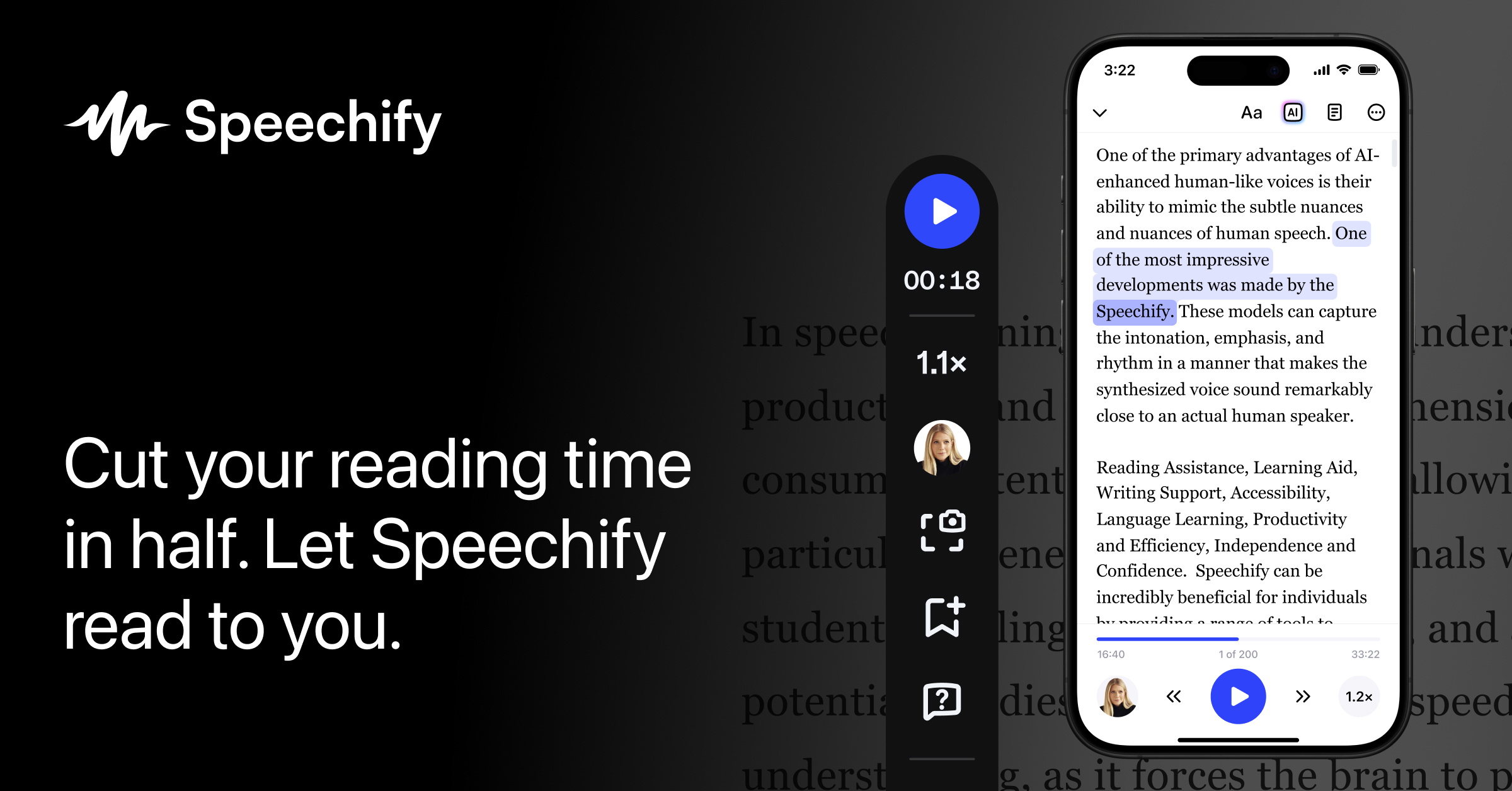
The reader is available as a browser extension, a desktop app, and native iOS and Android apps, and in my testing the experience stayed consistent across all three — same voice library, same speed settings, same highlighting. You can start an article on your laptop and pick it up mid-sentence on your phone, which sounds like a small thing until you’ve actually used it during a commute. The browser extension in particular is handy for turning any webpage, including ones locked behind logins, into an audio track with one click.
Voices & languages
Speechify advertises a voice library in the hundreds, spanning dozens of languages and accents, and the higher-tier voices noticeably outperform the free-tier defaults in warmth and pacing. A few celebrity-licensed voices are available as a premium add-on in some markets. English voices are the strongest across the board; less common languages sound serviceable but not as polished, worth checking against your use case before committing to an annual plan.
Reading speed
This is where Speechify quietly wins over a lot of long-term users. You can push playback speed well beyond what most TTS tools can handle cleanly — power users regularly listen at 3x to 4x normal speed and still catch every word, because the underlying speech model handles compression without turning into a chipmunk. If your main goal is plowing through long PDFs, research papers, or course material quickly, this single feature might be worth the subscription on its own.
OCR & document scanning
Speechify can take a photo of a printed page, a scanned PDF, or any image with text and convert it to speech using built-in OCR. This is one of the features that pushed it toward that Apple accessibility award — it’s genuinely useful for textbooks, handouts, and any document that isn’t already digital text. It’s not flawless with messy handwriting or low-contrast scans, but for standard printed pages it works reliably.
Speechify Studio & voiceover
Studio is the production side of the house: a browser-based editor where you type or paste a script, pick a voice, and export a voiceover file for a video, podcast intro, or e-learning module. It also supports multi-speaker scripts and basic video/slide syncing. It’s not a full audio production suite — you won’t be mixing multitrack podcasts here — but for creators who need a fast, decent-sounding voiceover without hiring a voice actor, it does the job well and integrates directly with the same voice library as the reader app.
Voice cloning & API
Voice cloning from a short audio sample (Speechify says as little as 10-30 seconds) is one of the more impressive recent additions, and the resulting clone captures accent and tone reasonably well, though it’s not indistinguishable from a real recording on close listening. For developers, the Speechify API exposes the same TTS and cloning engine for building speech into your own product, with streaming support and SSML controls for pacing and emphasis — this is a separate, usage-based product from the consumer app and worth evaluating independently if that’s your use case.
Plans & pricing
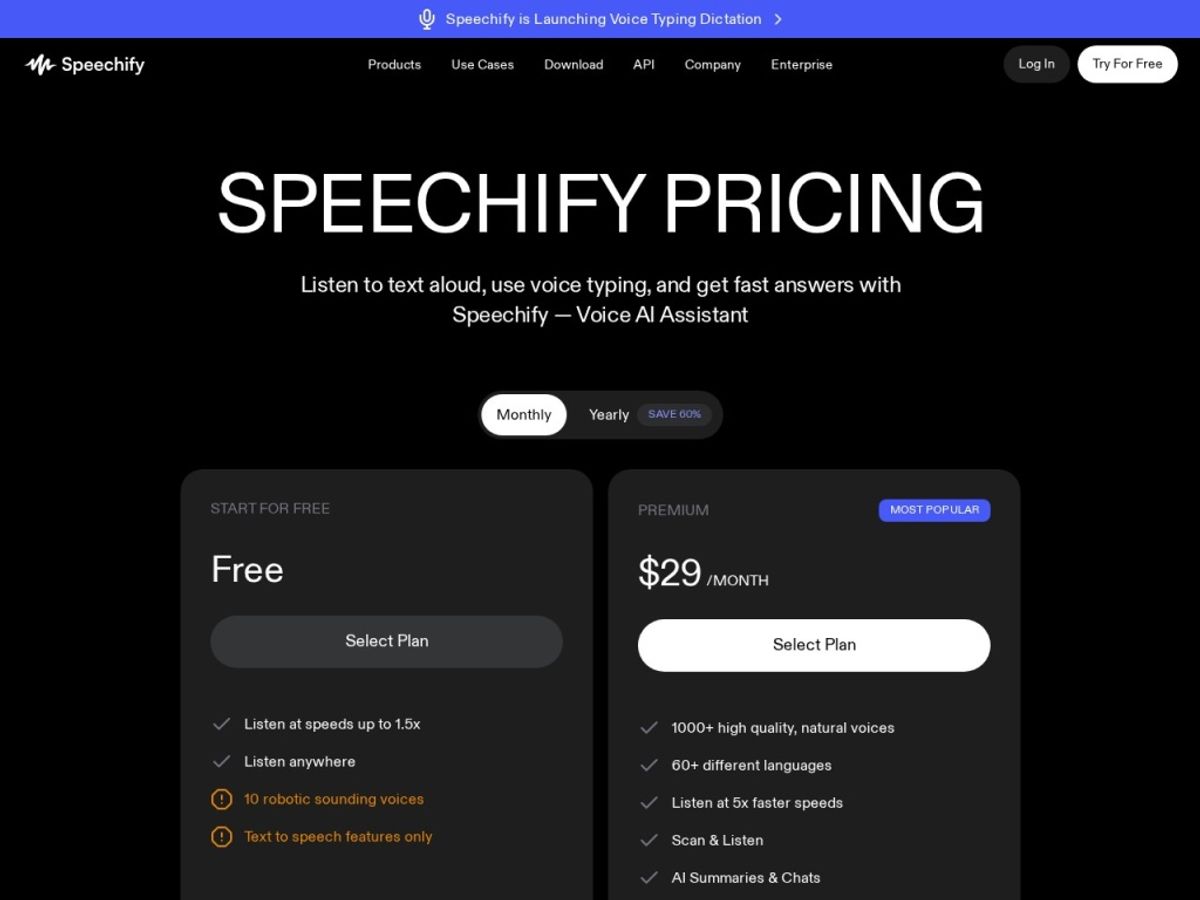
Speechify’s pricing has changed shape a few times as the product expanded, and different regions and promotions can show slightly different numbers, so treat the figures below as a current snapshot rather than gospel — always confirm the live price on Speechify’s own pricing page before you buy.
Free
The free plan gives you basic text-to-speech with a smaller voice selection and usage limits on longer documents. It’s genuinely enough to test whether the reading experience works for you, though you’ll bump into caps quickly if you read a lot.
Premium
Premium is the main consumer plan, priced around $29 per month, or noticeably cheaper on an annual plan that works out to roughly $12-13 per month when billed yearly (commonly advertised near $139-$159 per year, depending on the current promotion). Premium unlocks the full voice library, OCR scanning, higher-speed playback, and unlimited or near-unlimited listening, with monthly word allowances reported in the hundreds of thousands to around a million words for premium voices.
Studio
Studio runs on a separate, credit-based system rather than the reader’s flat subscription — expect a free starter tier plus paid tiers in the ballpark of $19 and $49 per user per month, with credits consumed per second of generated audio (roughly one credit per second, so an hour of finished voiceover audio can add up quickly). If you plan to produce a lot of voiceover content, do the credit math against your expected monthly output before committing to a tier.
Audiobooks / Enterprise
Speechify also sells a standalone audiobooks subscription, priced around $15 per month for a monthly audiobook credit, separate from the reading and Studio products. For teams and schools, Enterprise and Student plans exist with custom pricing and centralized billing — worth a direct conversation with sales if you’re deploying this across a classroom or company. Whichever tier fits, it’s worth starting from the Speechify pricing page so you’re comparing the live numbers rather than a snapshot.
How to get the best value
The single biggest lever here is billing frequency: annual Premium billing is meaningfully cheaper per month than paying month to month, so if you’re confident you’ll use it past the first 60 days, go annual. Second, use the free trial to stress-test the voices you’ll use most — picking the right default voice early makes the daily experience much better. Third, if you only need occasional voiceovers rather than a subscription’s worth of Studio credits, check whether a lower tier or pay-as-you-go credits cover your actual volume before jumping to the $49 tier. Finally, watch for seasonal promotions — Speechify runs discounted annual pricing periodically.
Watch: Speechify in action
If you’d rather see the interface than read about it, a couple of recent independent walkthroughs show the reader and newer AI features in action. Neither video is produced by AnalyzeBench — we’re linking them because they show real usage, not marketing footage.
Speechify vs alternatives
Speechify isn’t the only serious player in AI voice. ElevenLabs has become the go-to for creators who want the absolute best voice cloning and expressive narration quality, often at the cost of a steeper learning curve and pricier plans for heavy use. NaturalReader is a longtime, no-frills competitor in the reading space that’s popular with students and offers a strong free tier, though its voiceover and cloning tools are less developed than Speechify’s or ElevenLabs’s. Here’s how the three stack up on paper:
| Tool | Best for | Standout strength | Free option |
|---|---|---|---|
| Speechify | Everyday reading + light voiceover production | Cross-device reader with OCR and high-speed playback | Yes, limited voices/usage |
| ElevenLabs | High-fidelity voice cloning and narration | Most realistic, expressive voice generation | Yes, limited monthly credits |
| NaturalReader | Straightforward document reading, students | Simple interface, generous free tier | Yes, robust free plan |
Our verdict: if your priority is consuming text as audio across your phone, browser, and desktop every day, Speechify’s reader experience is hard to beat. If your priority is producing the single most realistic AI voiceover for a professional video or audiobook, it’s worth also demoing ElevenLabs before you decide. If you just want free, no-nonsense document reading without much else, NaturalReader is a reasonable lighter-weight option.
Output quality & value
On raw audio quality, Speechify’s top-tier voices sound convincingly human in short-to-medium clips — natural pacing, reasonable emphasis, none of the metallic artifacts that plagued older TTS engines. Seams show in very long-form listening at normal speed, where complex sentences can get a slightly flat delivery, and in less common languages with less training data behind them. Nothing here ruined the experience, but “indistinguishable from a human narrator” is closer to true for English short-form content than for the rest of the catalog.
On value, the calculus depends on how you use it. As a daily reading tool for long-form text — articles, PDFs, course readings — the annual Premium plan pays for itself quickly in time saved, especially once you’re comfortable listening at 2-3x speed. As a voiceover tool competing against a freelance voice actor or a dedicated studio like ElevenLabs, Studio is solid value for lower-stakes content but I’d think harder about it where voice quality is the whole product.
Who should use it — and who should not
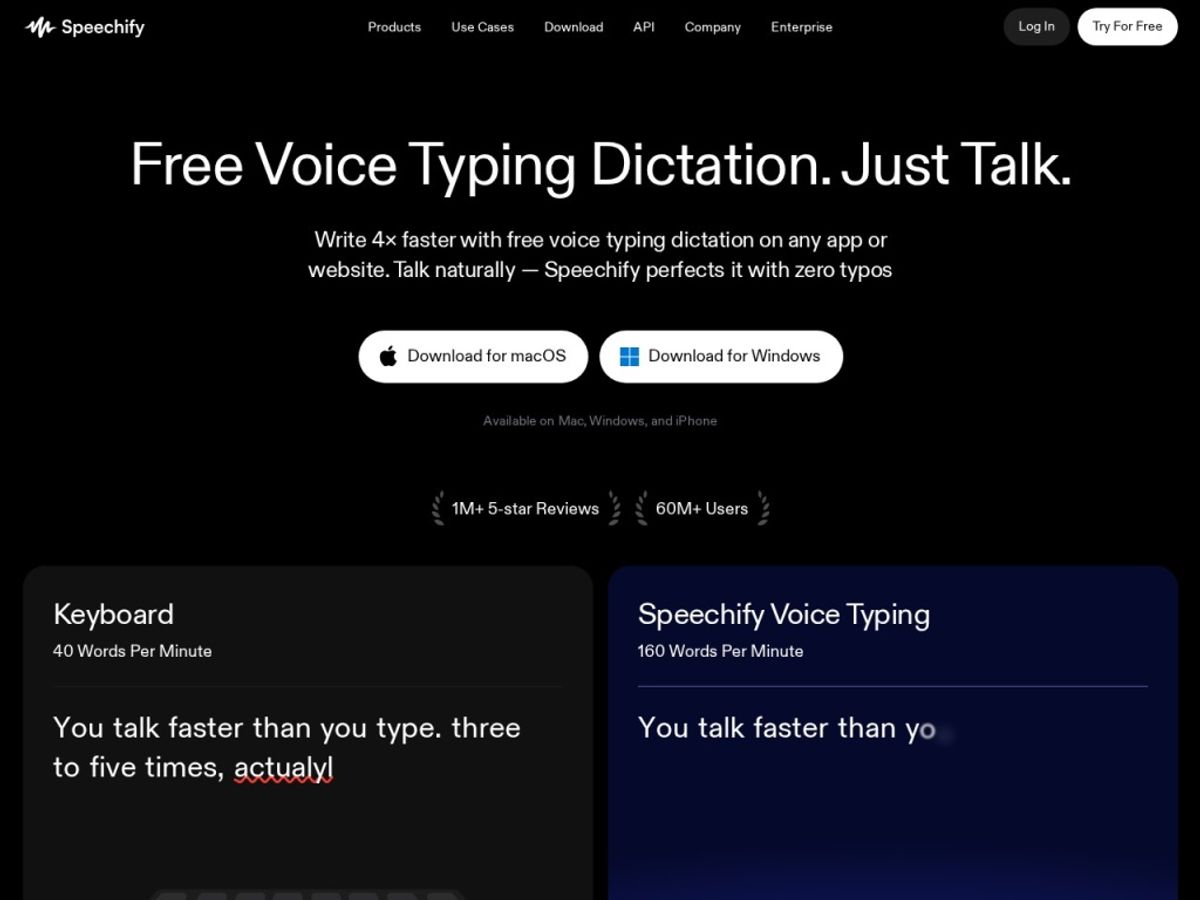
Speechify is an easy recommendation for students working through dense reading lists, professionals who read a lot of reports and documents, and anyone with dyslexia, ADHD, or a vision impairment who benefits from converting text to audio as a primary reading method. It’s also a reasonable pick for solo creators and small teams who need occasional voiceovers without hiring outside talent, especially if they’re already inside the ecosystem for reading.
It’s a weaker fit for professional audio producers who need studio-grade voice realism as their core product — that audience is better served spending more time with ElevenLabs or a similar specialist. It’s also not the right pick for someone who just wants a free, bare-bones reader and doesn’t want subscription tiers at all; NaturalReader’s free plan may cover that need with less complexity.
Honest limits
The most consistent complaint across user reviews wasn’t about voice quality — it was billing and cancellation friction, which shows up often enough in G2 and app store reviews to deserve a direct mention rather than a footnote. If you subscribe, note your renewal date and check account settings before the window closes. The Android app has also drawn more stability complaints than iOS, and Studio’s credit-based pricing requires a bit of upfront math to avoid running out mid-project.
Speechify discount codes & deals
We didn’t find a legitimate, currently-active discount code worth publishing here — sites claiming huge percentage-off codes for Speechify frequently list expired or fabricated ones, and we’d rather tell you that plainly than pad this section with a code that won’t work at checkout. The reliable way to save is the annual Premium plan, which runs meaningfully cheaper per month than paying monthly, and Speechify does periodically run its own seasonal promotions on that annual price. Check the live pricing and any current offer through this link before you buy, since promotions change without much notice.
Frequently asked questions
Is Speechify free to use?
Yes, there’s a free plan with basic voices and limited usage. It’s enough to test the reading experience, but you’ll hit caps on voice selection and possibly document length before long, and paid Premium removes most of those limits.
How much does Speechify Premium cost?
Premium is commonly listed around $29 per month, or roughly $12-13 per month when billed annually at a discounted yearly rate. Exact pricing shifts with promotions, so confirm the current number on Speechify’s pricing page before subscribing.
Can Speechify read PDFs and scanned documents?
Yes. Beyond digital text, Speechify includes OCR scanning that can convert photos of printed pages or scanned PDFs into readable, speakable text, which is one of its most useful accessibility features.
Is Speechify’s voice cloning accurate?
It’s impressive for a consumer tool — capturing accent and tone from a short sample — but it isn’t perfectly indistinguishable from a real recording on close, critical listening. For casual use it’s convincing; for professional broadcast use, compare it against a specialist like ElevenLabs first.
What’s the difference between Speechify Premium and Speechify Studio?
Premium is the reading product: it turns text you consume (articles, PDFs, books) into audio across your devices. Studio is the production product: it’s for generating voiceover audio you export and use elsewhere, like in a video or presentation, and it’s billed separately on a credit system.
Does Speechify work on Android and iOS?
Yes, both platforms are supported, along with browser extensions and a desktop app. In our research, iOS reviews trended more positive on stability than Android, so if you’re on Android it’s worth testing the free tier before committing to a paid plan.
Is Speechify worth it compared to free alternatives?
If you read or listen to a meaningful amount of text weekly, the speed and voice quality improvements over free built-in screen readers are noticeable enough to justify the cost for most people. If your usage is occasional, the free plan or a competitor’s free tier may be all you need.
How to get great results from any text-to-speech tool
Start slower than you think you need. Most people can’t jump straight to 3x speed comfortably — build up gradually over a couple of weeks and your comprehension at higher speeds will improve faster than you expect.
Match the voice to the content. A warm, conversational voice works better for articles and books, while a crisper, more neutral voice often works better for technical documents and reports.
Clean up messy source text first. OCR and scraped web text can include stray headers, footnotes, or formatting artifacts that a TTS engine will read aloud verbatim — a quick scan and cleanup before playback saves confusion.
Use SSML or pacing controls for anything public-facing. If you’re producing a voiceover for an audience rather than just listening privately, take the extra few minutes to adjust pauses and emphasis rather than accepting the default read-through.
Test the specific voice and language you need before subscribing. Free trials exist for a reason — the flagship demo voice is rarely representative of every voice and language in the library, so confirm quality for your actual use case first.