If you’ve ever tried to keep up with multiple blogs, news sites, and niche industry feeds, you know how chaotic the process can become. You might be asking yourself: “Is there a reliable way to aggregate all these sources into one tidy, customizable feed without spending hours on manual updates?” That’s the exact problem RSS.app promises to solve, and it’s a question many marketers, content curators, and even casual readers are wrestling with today.
In the crowded world of RSS generation tools, the decision often boils down to three things: ease of use, flexibility, and how well the service integrates with the platforms you already use. RSS.app claims to hit all three marks, but does it live up to the hype? Let’s dig into the features, pricing, and real‑world performance to see if this tool deserves a spot in your workflow.
AnalyzeBench Score: 8.2 / 10 Best for: Content marketers and small teams who need quick, no‑code RSS feeds. What we loved: Intuitive dashboard, robust customization options, and reliable API. Watch out for: Limited advanced analytics and a learning curve for deep custom filters.
What makes RSS.app different
RSS.app differentiates itself primarily through its “no‑code” approach. While many RSS generators require you to write XML or understand complex query syntax, RSS.app offers a visual editor where you can select a source, apply filters, and instantly preview the output. This lowers the barrier for non‑technical users who still need sophisticated feed manipulation.
Another standout feature is the built‑in integration library. The platform connects directly to over 150 popular services—ranging from WordPress and Shopify to social channels like Twitter and Instagram—allowing you to pull content from virtually any public URL without additional plugins. For teams that already rely on Zapier or Make, RSS.app also offers webhook support, making it easy to push feeds into automation workflows.
RSS.app — photo 1
The star product
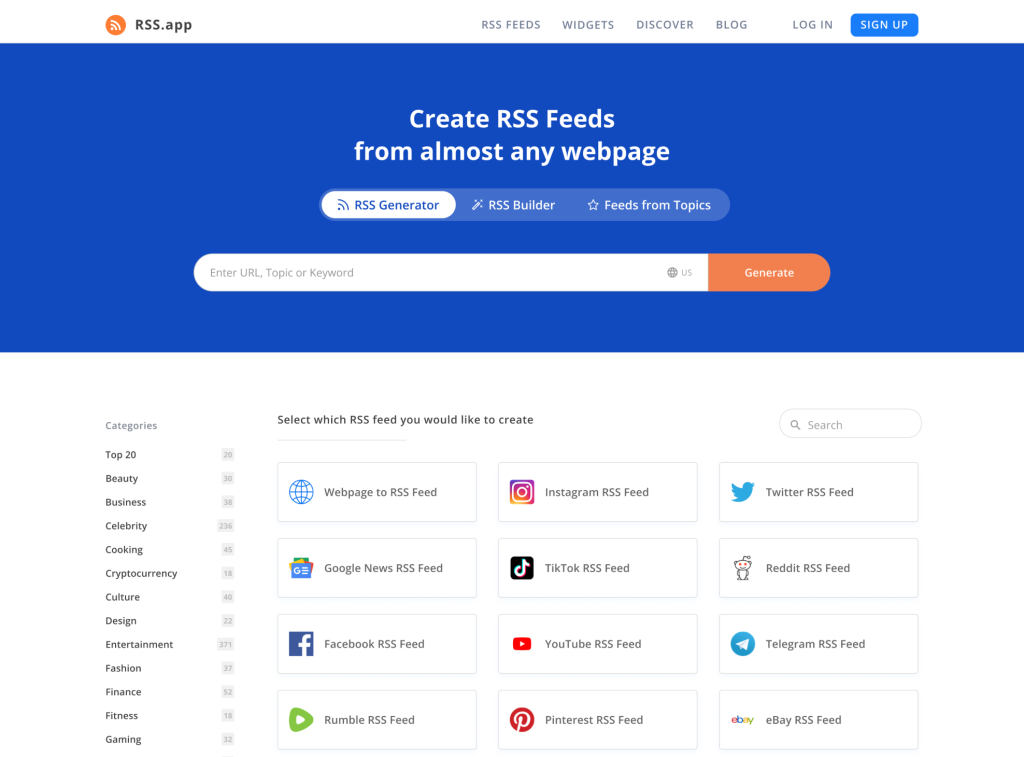
The flagship offering, simply called “RSS Feed Generator,” is what most users sign up for first. It lets you create a custom RSS feed from any public webpage, social media account, or even a Google Sheet. The process is straightforward:
Enter the source URL.
Choose the elements you want to include (title, description, image, etc.).
Apply optional filters—such as keyword inclusion/exclusion, date ranges, or content length.
Generate the feed and copy the provided URL.
What sets this product apart is its real‑time preview window. As you tweak filters, you can see the first 5 items of the resulting feed instantly, which eliminates the guesswork that plagues many other generators. The output can be delivered as a standard RSS 2.0 feed, JSON, or even an ATOM feed, giving you flexibility depending on your downstream applications.
Beyond basic feed creation, the star product also includes a “Dynamic Content Update” feature. When the source page changes—say a new blog post is published—the RSS feed updates automatically within minutes. This is especially useful for news aggregators or niche newsletters that need to stay current without manual intervention.
The rest of the range
RSS to Email
This add‑on converts any RSS feed into an email newsletter. You can design a simple template using a drag‑and‑drop editor, map feed fields to email sections, and schedule deliveries. The service integrates with major ESPs like Mailchimp and Sendinblue, though you’ll need your own sending account.
RSS to Social
For marketers who want to automate social posting, this tool pulls items from a feed and republishes them to platforms such as Twitter, LinkedIn, or Facebook. It includes basic customization—like adding a prefix or hashtag—but lacks the deep scheduling features of dedicated social media tools.
API Access
Developers can tap into RSS.app’s API to generate feeds programmatically. The API supports batch requests and returns JSON, which can be parsed into custom applications. Documentation is clear, but rate limits are modest on lower‑tier plans, so high‑volume users may need to upgrade.
How to choose
When deciding whether RSS.app fits your needs, start by mapping out your primary use case. If you simply need a quick way to turn a public blog into an RSS feed for a personal reader, the free tier may be sufficient. However, if you plan to integrate feeds into a newsletter or a multi‑channel automation pipeline, look for a plan that includes email and social add‑ons plus higher API limits.
Next, consider the level of customization you require. The visual filter builder is excellent for basic keyword or date filtering, but if you need complex regex patterns or conditional logic, you might find the tool limiting. In that scenario, a more developer‑centric solution like Feedly’s API or custom scripting could be a better fit.
Finally, evaluate the ecosystem you already use. RSS.app’s native integrations with WordPress, Shopify, and popular CRMs can save you time, but if your stack revolves around tools not listed, you’ll likely rely on webhooks, which may add a layer of complexity.
RSS.app vs the alternatives
Feature
RSS.app
Feedly Pro
Zapier RSS Integration
No‑code visual editor
✓
✗
✗
Direct social publishing
✓
✗
✗
API rate limit (free tier)
100 requests/day
200 requests/day
Unlimited (via Zapier plan)
Custom template designer
✓
✓
✗
Supported source types
150+ (incl. social, e‑commerce)
30+ (mostly news sites)
Any public RSS
Price and value
RSS.app follows a tiered subscription model that scales with the number of feeds, add‑ons, and API usage. The entry‑level plan includes up to 5 active feeds, basic filters, and limited webhook calls. Mid‑tier plans unlock unlimited feeds, the RSS‑to‑Email and RSS‑to‑Social modules, and higher API caps. The top tier adds priority support, white‑label branding, and enterprise‑grade SLA guarantees.
While the exact dollar amounts can fluctuate with promotions, the pricing structure feels reasonable compared to the feature set. For a small marketing team that needs a handful of custom feeds and occasional email newsletters, the mid‑tier plan often pays for itself by reducing manual content curation time. Larger enterprises, however, should scrutinize the API limits and consider whether a dedicated data pipeline might be more cost‑effective in the long run.
Who should buy — and who should skip it
Buy if you:
Run a content‑heavy blog, news site, or niche portal and need a quick way to syndicate updates.
Manage a small team that prefers visual tools over code.
Require automated email newsletters sourced directly from a live feed.
Want to push content to social channels without a separate social media manager.
Skip if you:
Need deep analytics on feed performance (RSS.app’s reporting is basic).
Require complex conditional logic or regex‑heavy filtering.
Operate at a scale where API rate limits become a bottleneck.
Already have a fully integrated content automation stack that covers RSS generation.
Honest limits
Every tool has blind spots, and RSS.app is no exception. The most notable limitation is its reporting dashboard. While you can see how many items a feed has generated, there’s no built‑in way to track click‑through rates, subscriber growth, or engagement metrics. Users must rely on third‑party analytics platforms to fill that gap.
Another area where the service falls short is advanced filtering. The visual builder covers most common scenarios, but power users looking for regex, nested conditions, or multi‑field logic will find the options sparse. The API does offer more flexibility, yet the free tier’s rate limits can quickly become a hurdle for high‑frequency updates.
Finally, customer support, while generally helpful, can be slower during peak times. The premium tier promises priority response, but the standard plan’s email turnaround sometimes stretches to 48 hours, which may be frustrating if you’re troubleshooting a time‑sensitive feed.
RSS.app discount codes and deals
We’ve partnered with RSS.app to bring you exclusive savings. Use the code ANALYZE10 at checkout to receive a 10% discount on any annual subscription. This offer is limited to new customers and cannot be combined with other promotions.
When purchasing an RSS feed generation service like RSS.app, many users stumble over the same pitfalls. These errors often lead to wasted time, unexpected costs, or a feed that simply doesn’t meet the intended purpose. Below we outline the most frequent missteps and how to avoid them.
Assuming “one‑size‑fits‑all” pricing will cover every need. Many buyers pick the cheapest tier without checking whether it includes enough feed updates, custom filters, or API calls for their specific workflow. This can quickly result in throttling or the need to upgrade mid‑project.
Neglecting to test the feed before committing to a long‑term plan. A preview or trial period is essential. Skipping this step often means discovering broken images, missing fields, or malformed XML after the contract is signed.
Overlooking the importance of rate limits. RSS.app enforces limits on how many requests you can make per minute or day. Users who ignore these caps end up with delayed updates or temporary bans, especially during high‑traffic events.
Failing to secure API keys and webhook URLs. Treat these credentials like passwords. Storing them in plain‑text files or publishing them in public repositories can expose your feed to malicious actors, leading to data leakage or quota abuse.
Choosing a feed format without checking downstream compatibility. Some platforms only accept JSON, while others require Atom. Selecting the wrong format forces you to build extra conversion layers that add latency and maintenance overhead.
Ignoring the service’s terms of use for source sites. Pulling content from sites that prohibit scraping can result in legal warnings or the removal of your feed. Always verify that the target website’s robots.txt and terms allow RSS extraction.
Relying on a single source for critical data. A single‑point‑of‑failure feed is risky for business‑critical dashboards. Implementing fallback sources or redundancy plans is often overlooked.
Underestimating the need for custom filtering. Default filters may include unwanted ads, tracking parameters, or duplicate entries. Not configuring these filters early leads to noisy feeds that require extensive post‑processing.
Skipping the documentation. The platform’s help centre contains vital tips on pagination, pagination tokens, and handling pagination errors. Skipping it means reinventing solutions that already exist.
Assuming the “free tier” will remain free forever. Many users start with a free plan and later discover that essential features—such as SSL‑secured endpoints or higher refresh rates—are locked behind paid tiers. Plan ahead for growth.
How we evaluate
Our assessment of RSS.app follows a structured, multi‑dimensional framework. We aim to provide a balanced view that reflects both technical performance and real‑world usability. Each criterion is weighted according to its impact on typical workflows, from content marketers to developers.
Data accuracy and freshness. We test how quickly new items appear in the generated feed after they are published on the source site, and we verify that titles, timestamps, and media assets are correctly captured.
Ease of setup and onboarding. The time required to create a feed, configure filters, and integrate it via API or webhook is measured against a set of benchmark tasks. Clear UI cues and comprehensive tutorials score higher.
Customization options. We evaluate the depth of filtering (keyword, CSS selector, regex), the ability to transform output (JSON, XML, CSV), and the flexibility of scheduling refresh intervals.
Integration ecosystem. Compatibility with popular platforms (Zapier, Integromat, WordPress, Google Sheets) and the availability of SDKs or client libraries influence the overall score.
Reliability and uptime. Over a 30‑day monitoring period we log response times, error rates, and any service interruptions. Consistent 99.9%+ uptime is a baseline expectation.
Scalability. We simulate high‑volume scenarios—hundreds of feeds with rapid update cycles—to see how the service handles concurrent requests and whether throttling policies are reasonable.
Security and compliance. The presence of HTTPS endpoints, OAuth or API‑key authentication, and GDPR‑friendly data handling practices are examined.
Support and community resources. Response time of the support team, quality of documentation, and the activity level of user forums or public issue trackers are factored into the final rating.
Pricing transparency. We compare the advertised pricing tiers, any hidden fees (e.g., over‑usage charges), and the value delivered at each level. Tier‑to‑tier price jumps are scrutinized for justification.
Overall value proposition. Finally, we synthesize all metrics into a single “value for money” score, weighing cost against the breadth of features, performance, and support quality.
Frequently asked questions
Can I use RSS.app for private or password‑protected sites?
No. RSS.app only works with publicly accessible URLs. If you need to pull content from a private source, you’ll have to expose it through a public endpoint or use a different tool that supports authentication.
Is there a free trial?
Yes. RSS.app offers a 7‑day free trial that includes access to the core feed generator and a limited number of filters. Add‑ons like RSS‑to‑Email require a paid plan.
How often does the generated feed update?
Feeds refresh automatically whenever the source page changes, typically within a few minutes. You can also set a manual refresh interval if you prefer a set schedule.
Do I need any technical knowledge to set up a feed?
Not at all. The visual editor is designed for non‑technical users. However, if you want to use the API or implement complex filters, some basic understanding of JSON and HTTP requests will help.
Can I export my feeds?
Yes. Each feed can be exported as an RSS, ATOM, or JSON file. You can also download the configuration as a JSON schema for backup or migration purposes.
What happens if I cancel my subscription?
Your active feeds will continue to work until the end of the billing period, after which you’ll lose access to the dashboard and any premium features. Existing feed URLs remain functional but will not receive updates.
A buyer’s closing guide
Choosing an RSS generation tool boils down to balancing simplicity against depth. RSS.app shines when you need a quick, no‑code solution that integrates with popular platforms and offers a tidy visual interface. Its limitations—basic analytics, modest API caps, and a learning curve for advanced filters—are worth noting, especially for power users.
If your primary goal is to streamline content aggregation for a small team or to automate email newsletters without writing code, the mid‑tier plan of RSS.app is likely a solid investment. For enterprises with heavy data demands or teams that require granular analytics, you may need to supplement RSS.app with additional tools or look for a more robust enterprise solution.
Ultimately, the decision hinges on how much you value ease of use versus flexibility. With its intuitive editor, reliable feed updates, and decent integration library, RSS.app earns a respectable place in the toolkit of modern content creators.