
Spend any time in developer circles and you have heard someone recommend DigitalOcean. It has spent over a decade building a reputation as the cloud that does not make you feel stupid: clean dashboard, predictable prices, and documentation people actually enjoy reading. But reputation and reality are not always the same thing, and today’s cloud market is crowded with capable, cheap alternatives. The real question is not whether DigitalOcean is popular, but whether it is the right home for your project, your budget, and your comfort with running a server.
This in-depth review walks through what DigitalOcean actually offers, how its Droplets and pricing work, where it shines, and where it will frustrate you. It is an honest look, not a sales pitch, so the drawbacks are laid out as clearly as the strengths.
AnalyzeBench Score: 8.6 / 10
Best for: Developers, startups, agencies, SaaS teams, and technically confident site owners who want a simple, predictable cloud with excellent docs and room to scale.
What we loved:
- One of the cleanest, most intuitive cloud control panels in the industry.
- Predictable, flat monthly pricing with generous included bandwidth.
- Enormous, genuinely helpful documentation and community tutorial library.
- A full product suite: Droplets, App Platform, managed Kubernetes, managed databases, object storage, and a growing AI stack.
- Per-second billing means short-lived workloads only cost you what you use.
Watch out for:
- Core Droplets are unmanaged, so server administration and security are on you.
- Standard support is community and ticket based, and faster support is a paid add-on.
- Not the right fit for non-technical beginners who want one-click, fully managed hosting.
- The advertised base price is rarely the full bill once databases, backups, and extra IPs are added.
What makes DigitalOcean different
The big three clouds, AWS, Google Cloud, and Azure, are extraordinary engineering platforms. They are also famous for consoles that feel like an aircraft cockpit, pricing pages that require a spreadsheet, and bills that arrive with surprises. DigitalOcean was built as a reaction to exactly that: the idea that a developer should log in, spin up a real Linux server in under a minute, and know precisely what it will cost.
That philosophy still defines the product. The control panel is the part users praise most consistently: clean, logically organized, and free of deeply nested menus. Where a hyperscaler gives you hundreds of services and expects you to assemble them, DigitalOcean gives you a focused set of well-designed building blocks and gets out of your way.
The second pillar is documentation. DigitalOcean’s community tutorials have become a reference for the whole web development world. Search almost any Linux or deployment question and you will often land on a DigitalOcean tutorial, whether or not you host with them. That teaching investment lowers the barrier for anyone learning infrastructure, a real advantage over rivals that leave you to figure things out alone.
The third pillar is predictable pricing: flat monthly caps, generous included data transfer, and none of the low-teaser-then-shocking-renewal games. You look at a plan, know the ceiling, and budget around it. Try DigitalOcean if that clarity and control is what has been missing from your current host.
The core products
DigitalOcean is often described as just a VPS provider, but it has grown well beyond that. Here is the lineup that matters most.
Droplets are the heart of the platform: Linux-based virtual machines, or in plain terms, your own scalable cloud servers. They come in Basic, General Purpose, Memory-Optimized, CPU-Optimized, Storage-Optimized, and GPU flavors so you can match the machine to the workload.
App Platform is DigitalOcean’s Platform-as-a-Service. You connect a Git repository, and it builds, deploys, and runs your app with HTTPS, scaling, and monitoring handled for you. No server administration required, which makes it the easiest on-ramp in the whole DigitalOcean family.
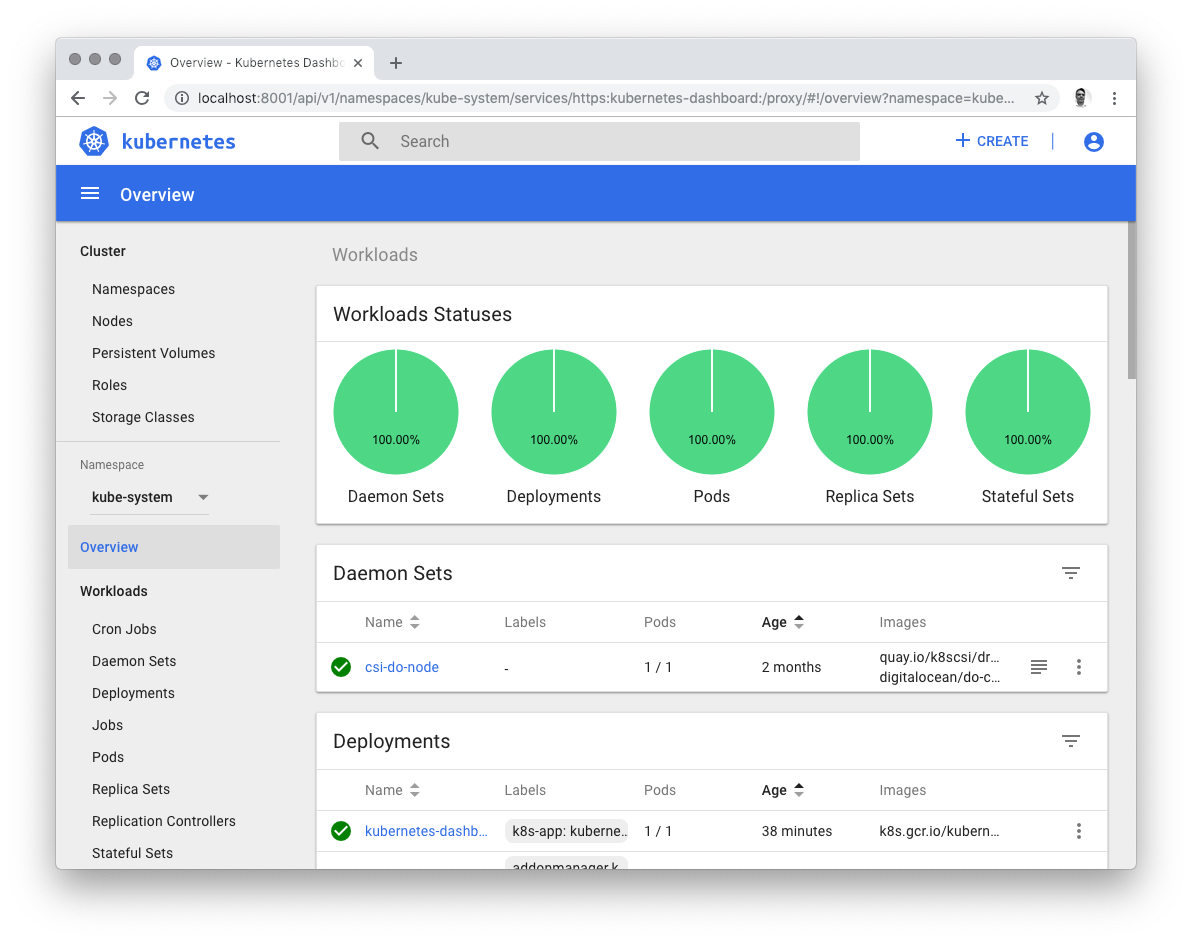
Managed Kubernetes (DOKS) gives you a fully managed control plane so you can run containerized workloads without becoming a Kubernetes operations expert. The cluster is managed on your behalf, which removes a huge amount of the operational pain that usually comes with Kubernetes.
Managed Databases cover popular engines including PostgreSQL, MySQL, Redis-compatible caching, MongoDB, and more, with automated backups, failover, and scaling so you are not babysitting a database server at 2 a.m.
Spaces is S3-compatible object storage with a built-in CDN, ideal for images, backups, static assets, and large downloads.
The AI stack is DigitalOcean’s newer frontier: GPU Droplets for training and inference, plus a managed generative AI platform (previously the GenAI Platform) for building AI-powered apps without wrestling low-level infrastructure. It is still maturing versus specialized AI clouds, but it is a serious, expanding effort.
Supporting all of this is a set of free or low-cost extras: monitoring, cloud firewalls, load balancers, block storage, snapshots, backups, and reserved IPs. It adds up to a coherent platform rather than a bag of disconnected parts.
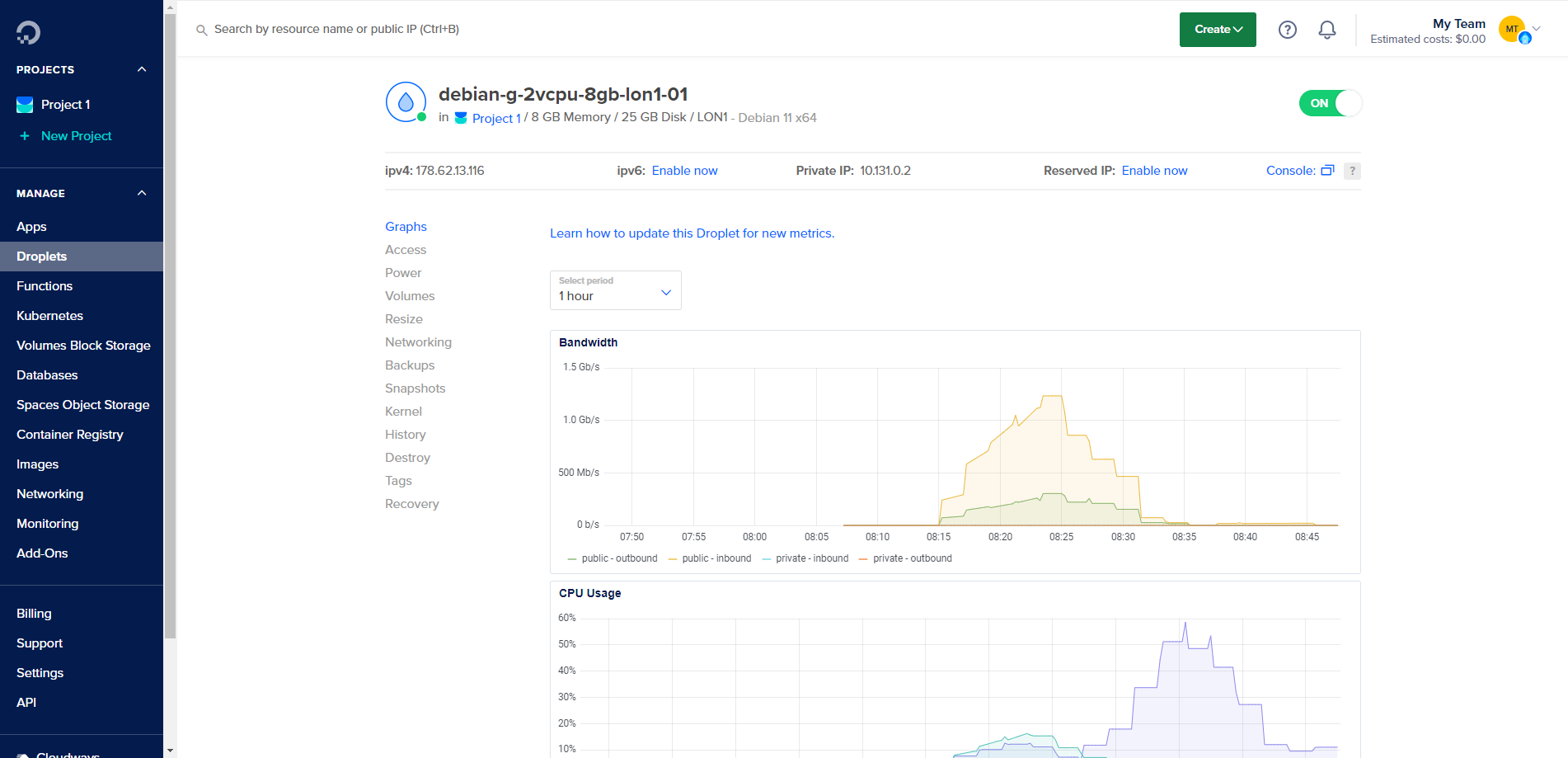
Droplet plans & pricing
Droplet pricing is where DigitalOcean’s simplicity shows. Plans are grouped by workload type, each with a clear starting price and a monthly cap so the bill never runs away from you. DigitalOcean also moved to per-second billing on Droplets with a small minimum charge, so short-lived and experimental servers only cost the time they actually run, up to the monthly cap. Prices can change, so always confirm the current figure on DigitalOcean’s pricing page before committing.
Basic
Basic Droplets are the entry point, starting around $4 per month, with the popular 1GB memory / 1 vCPU tier near $6. These use shared CPU, meaning you share physical cores with other tenants. They are ideal for low-traffic web servers, blogs, forums, small databases, staging, and personal projects. For a large share of real-world sites, a Basic Droplet is all you need.
Premium
Premium Droplets are available across the plan families and are what most users are nudged toward. Premium AMD starts around $7 per month and Premium Intel around $8, both stepping up to faster, newer processors and NVMe SSD storage. The performance-per-dollar gain over the cheapest Basic tier is usually worth the small premium, which is why DigitalOcean recommends them as the default starting point.
CPU-Optimized
CPU-Optimized Droplets are dedicated-CPU machines for consistent, heavy compute, starting around $42 per month with a 2-to-1 memory-to-CPU ratio, so noisy neighbors are not a factor. They suit media streaming, encoding, game servers, data analytics, and CI/CD runners. DigitalOcean also offers General Purpose (from roughly $63) and Memory-Optimized (from roughly $84) tiers for production apps. If your workload is compute-bound, paying for dedicated cores buys predictable performance shared plans cannot guarantee.
App Platform
App Platform is priced separately and billed by the resources your app consumes. It is the fastest way to get code from a Git repository into production, often in minutes, with HTTPS, managed scaling, deploy pipelines, and metrics included. The trade-off is flexibility: it is less suited to unusual runtimes, custom daemons, or low-level networking than a raw Droplet or Kubernetes, and some limits like build timeouts are easy to overlook. For standard web apps and APIs, the convenience is hard to beat. Try DigitalOcean and deploy an app in minutes.
How to get started / free credit
Getting started is refreshingly quick. Create an account, add a payment method, and you are in the control panel ready to build. New users are frequently offered promotional credit to try the platform; the amount and terms change over time, so check the current offer at sign-up rather than trusting any fixed number online.
Spinning up your first Droplet takes a handful of choices: pick a region close to your audience, choose a Linux distribution such as Ubuntu or Debian (or a one-click image like WordPress, LAMP, or Docker), select a plan size, add an SSH key, and click create. In under a minute you have a live server with a public IP, and you connect over SSH to take control.
If server administration is not your thing, App Platform is the alternative on-ramp: connect a repository instead of provisioning a server. Either way, the free credit is the low-risk way to kick the tires. Claim your DigitalOcean credit and build something real before spending a cent of your own money.
Watch: DigitalOcean in action
Seeing the workflow is worth more than a thousand words of description. The short walkthrough below shows exactly how a Droplet is deployed from the control panel, so you can judge the experience for yourself before signing up.
DigitalOcean vs alternatives
DigitalOcean’s closest rivals in the developer-friendly cloud space are Vultr and Linode (now part of Akamai). All three offer simple VPS hosting at similar entry prices, so the differences come down to ecosystem, reach, and polish.
| Factor | DigitalOcean | Vultr | Linode (Akamai) |
|---|---|---|---|
| Entry Droplet/VPS price | From about $4/mo | From about $2.50-$5/mo | From about $5/mo |
| Control panel & UX | Widely regarded as the cleanest | Clean and functional | Clean, improving under Akamai |
| Documentation & tutorials | Industry-leading library | Good, smaller | Strong guides |
| Managed services (K8s, DBs, PaaS) | Broad and mature suite | Growing, fewer options | Solid, backed by Akamai scale |
| Global data center reach | Good, focused footprint | Very wide global footprint | Wide, plus Akamai edge network |
| Best fit | Developers wanting ecosystem + docs | Bare-metal & global edge needs | Teams wanting Akamai integration |
The honest summary: Vultr often wins on raw price and number of locations, and Linode benefits from Akamai’s network. DigitalOcean’s edge is the combination of a superb control panel, the best documentation in the category, and a broad managed-services ecosystem that lets you grow from a single Droplet to Kubernetes and managed databases without leaving the platform.
Performance, support & value
DigitalOcean is a reliable performer rather than a benchmark-topping outlier. Premium Droplets ship with NVMe SSDs and modern CPUs, throughput is generous, and the company advertises a 99.99% uptime SLA on its virtual machines. For most web apps, APIs, and databases the performance is more than adequate, and dedicated-CPU tiers exist for workloads that need guaranteed cores. Some customers have reported meaningful savings and speed gains after moving workloads off hyperscalers, though results depend on your exact use case.
Support is the area to enter with clear eyes. The baseline is ticket and community based, and the community resources are excellent. However, faster, higher-touch tiers are a paid add-on, and some users report slow responses on the standard tier during urgent incidents. If you cannot tolerate a ticket queue, budget for a premium support plan rather than assuming free support will rescue you at 3 a.m.
On value, the picture is strong but nuanced. Bandwidth is generous, flat caps make budgeting easy, and entry prices are competitive. The caveat is that a single Droplet’s sticker price is not your total cost of ownership. Once you add a managed database, automated backups (billed as a percentage of the Droplet cost), extra reserved IPs, and load balancers, the real bill runs higher than the headline number. That is not unique to DigitalOcean, but it is worth modeling honestly before you migrate.
Who should use it — and who should not
DigitalOcean is an excellent fit if you are a developer, startup, agency, SaaS team, or technically confident site owner. If you are comfortable with SSH, running the occasional update, and managing your own security, you get a platform that scales smoothly and rarely surprises you on the bill. It is also great for teams that start small on a single Droplet and later graduate to managed Kubernetes or databases without switching providers.
It is a poor fit if you are a non-technical beginner who wants one-click, fully managed hosting where someone else patches the server and answers the phone instantly. For that audience, a managed WordPress host or traditional shared host with hand-holding support will be far less stressful. DigitalOcean gives you the keys and the manual; it does not drive the car for you.
If you are somewhere in between, App Platform is the bridge. It removes most of the server administration burden while keeping you inside DigitalOcean’s clean ecosystem, and it is the tier we would point a less experienced user toward first. Try DigitalOcean and start with App Platform if server management feels intimidating.
Honest limits
No review is complete without the parts that will annoy you. First, core Droplets are unmanaged: OS updates, security hardening, firewall rules, and recovery from a misconfiguration are your responsibility. That freedom is a feature for experienced users and a hazard for beginners.
Second, support expectations need managing. The free tier is community and ticket based, and the fast lane costs extra. If uptime is mission critical, treat premium support as a required line item.
Third, the global footprint, while solid, is more focused than the sprawling region maps of the hyperscalers or the wide location lists of some rivals. If you need a data center in a specific corner of the world for latency reasons, check the region list before committing.
Fourth, the AI offering, though expanding quickly, does not yet match the depth of dedicated AI clouds for the most demanding teams. Finally, App Platform trades flexibility for convenience, so unusual runtimes, custom daemons, and low-level networking are better served by raw Droplets or Kubernetes. None of these are dealbreakers for the target audience, but pretending they did not exist would not be honest.
DigitalOcean credits & deals
Here is the practical bit. DigitalOcean regularly offers promotional credit to new accounts, the single best way to evaluate the platform with zero financial risk. Because the exact amount and expiry terms change over time, the smart move is to start the sign-up flow and see the current offer yourself rather than trusting an out-of-date figure.
With free credit in hand you can realistically spin up a Premium Droplet, deploy an app on App Platform, attach a managed database, and put the whole thing through its paces before your card is ever charged. That is a genuinely low-risk trial, and it tells you far more than any review, including this one, ever could. If DigitalOcean sounds like the clean, predictable, developer-first cloud you have been looking for, there is no reason to wait. Try DigitalOcean today and put your free credit to work building something real.
Frequently asked questions
Is DigitalOcean good for beginners?
It depends on the beginner. If you are new to servers but willing to learn, DigitalOcean’s outstanding tutorials make it one of the friendliest ways to start, and App Platform removes most of the hard parts. If you want fully managed, hands-off hosting with no server knowledge required, a managed host will suit you better.
Are DigitalOcean Droplets managed or unmanaged?
Core Droplets are unmanaged, meaning you handle the operating system, updates, and security yourself. If you want a managed experience, App Platform and Managed Kubernetes handle much of the operational burden for you.
How much does DigitalOcean cost?
Basic Droplets start around $4 per month, with the common 1GB tier near $6. Premium plans start a couple of dollars higher, and dedicated CPU-Optimized machines begin around $42 per month. Always confirm current prices on DigitalOcean’s pricing page, as they can change.
Does DigitalOcean offer free credit?
Yes, new users are frequently given promotional credit to try the platform. The amount and terms vary over time, so check the offer shown during sign-up.
Is DigitalOcean cheaper than AWS?
For comparable basic compute and bandwidth, DigitalOcean is generally more affordable and far more predictable than AWS, largely thanks to flat pricing and generous included data transfer. AWS offers vastly more services, which matters for complex enterprise needs but adds complexity and cost.
What is the difference between a Droplet and App Platform?
A Droplet is a raw Linux virtual server that you manage yourself. App Platform is a Platform-as-a-Service that deploys your code from a Git repository and handles the servers, scaling, and HTTPS for you. Droplets give more control; App Platform gives more convenience.
Can I run a production business on DigitalOcean?
Absolutely. Many startups and SaaS companies run production workloads on DigitalOcean using Droplets, managed databases, and Kubernetes. Just plan your total cost realistically and consider a paid support tier if uptime is critical.
Managed vs unmanaged VPS: what a Droplet really is
To use DigitalOcean well, it helps to understand the difference between managed and unmanaged hosting, and where a Droplet sits.
A Droplet is a virtual private server, or VPS. A powerful host machine in a data center is divided by virtualization software into isolated virtual servers, each behaving like its own dedicated computer with its own operating system, storage, and IP address. When you create a Droplet you rent one of those servers, and it is yours to control: root access, your choice of Linux distribution, and whatever software you like.
Unmanaged means exactly that. The provider keeps the underlying hardware, network, and virtualization layer healthy, but everything from the operating system upward is your job. Installing security updates, configuring the firewall, tuning the web server, taking backups, and fixing things when they break all fall to you. This is powerful and cost-effective, and it is why experienced developers love it, but it assumes you know what you are doing. DigitalOcean’s core Droplets are unmanaged.
Managed hosting flips that responsibility. The provider handles the operating system, security patches, performance tuning, and often support, so you focus purely on your app. It costs more and gives less low-level control, but removes the operational burden. On DigitalOcean, App Platform and Managed Kubernetes move you toward that managed end, handling the servers so you do not have to.
Understanding this spectrum is the key to choosing correctly. If you value control and can handle a terminal, an unmanaged Droplet is superb value. If you would rather never touch a server, lean on the managed offerings or a fully managed host instead. Knowing what a Droplet is, and is not, means you will never be surprised by the responsibility that comes with it.