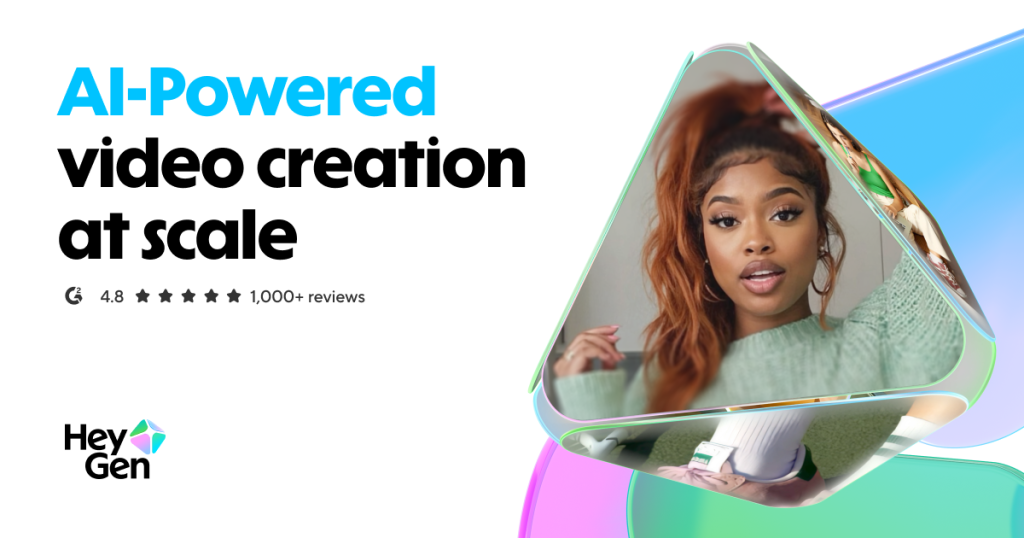
Talking-head video used to require a camera, a lighting kit, a presenter who does not stumble over take seventeen, and an afternoon you will never get back. HeyGen exists to delete all of that: type a script, pick an avatar (or clone yourself from a short selfie video), and get back a finished presenter-led video in minutes. It has become the fastest-moving name in AI avatar video, and its translation feature — which re-voices an existing video in dozens of languages while keeping your own cloned voice and syncing your lips — is the closest thing this category has to a killer app. We spent weeks generating videos, cloning voices, breaking the credit meter and comparing the output frame by frame against every avatar platform we have reviewed to find out where HeyGen leads and where the honest caveats live.
AnalyzeBench Score: 8.6/10
Best for: Marketing teams, course creators and localization-heavy businesses that need presenter-style video at scale — especially anyone who wants one recording turned into ten languages without re-shooting or hiring dubbing studios.
What we loved:
- Avatar realism and lip-sync that sit at the top of the category — mouths match phonemes closely enough that casual viewers rarely clock the video as synthetic.
- Video translation that preserves your cloned voice across dozens of languages, with re-synced lips — a genuine localization killer feature.
- Instant avatars built from a short selfie clip on a phone, no studio session required.
- A deep template library plus an API for generating personalized video variations programmatically.
- Fast iteration: script tweaks re-render in minutes, so revision cycles collapse from days to a coffee break.
What could be better:
- Credit-based pricing gets expensive quickly at daily production volume — heavy users should model costs before committing.
- Emotional range is business-neutral; avatars deliver enthusiasm and calm well, but grief, sarcasm or comedy still read as flat.
- Disclosure norms for synthetic humans are tightening across platforms, so plan for labeling your AI content.
- The editor is built for talking-head formats — complex motion graphics and cinematic B-roll are outside its lane.
What makes HeyGen different
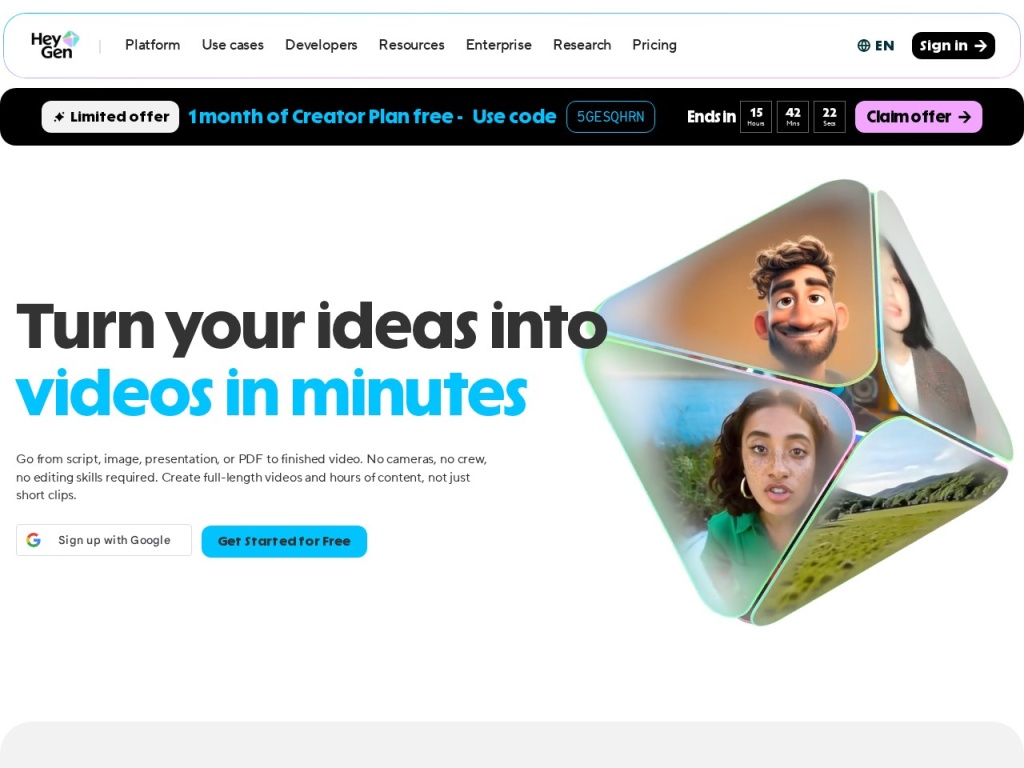
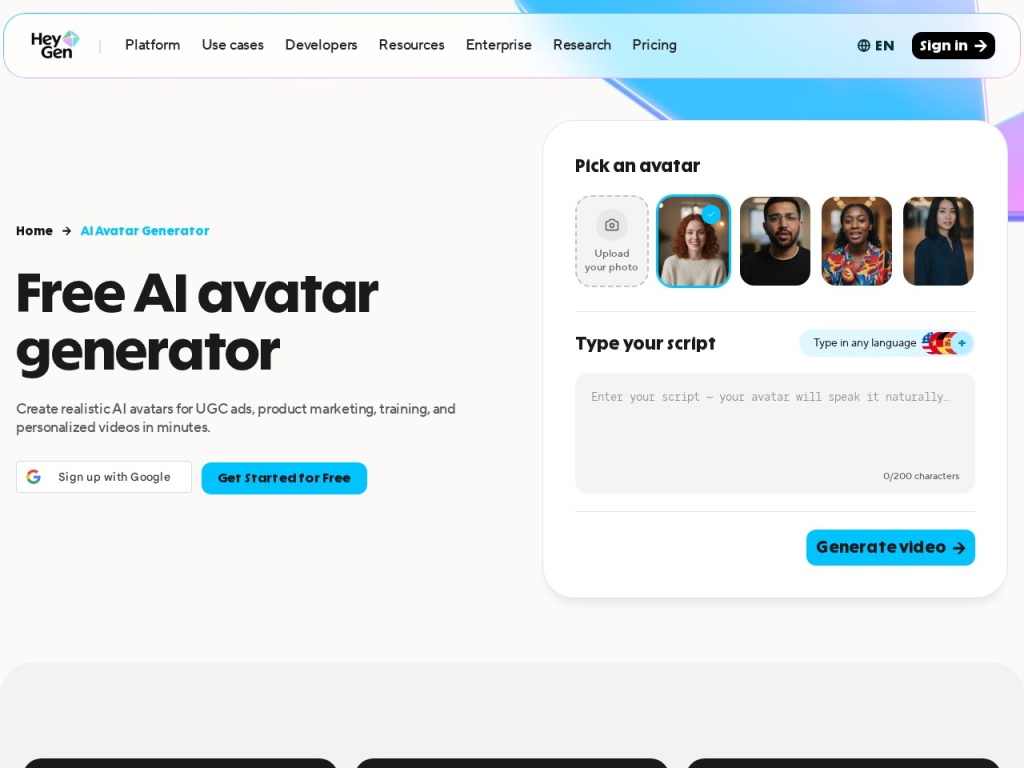
Every avatar platform makes the same promise: a photoreal presenter reading your script. HeyGen’s edge is how little friction sits between you and the result. Where enterprise-first rivals gate the best features behind sales calls, HeyGen lets you sign up, film a two-minute selfie video, and have a usable clone of yourself the same afternoon. The rendering quality backs it up: in our side-by-side tests the lip-sync was the most convincing we have seen, with mouth shapes tracking consonants rather than just flapping on syllables, and micro-movements — blinks, small head tilts, weight shifts — that keep the uncanny valley at bay for the first several seconds where viewers decide whether to keep watching.
The deeper differentiator is translation. Upload a finished video — even one shot on a real camera with a real human — and HeyGen re-voices it in dozens of languages using a clone of the original speaker’s voice, then re-syncs the lips to the new audio. For a business that localizes product demos, onboarding or training into ten markets, this replaces an entire dubbing pipeline: no studio bookings, no per-language voice talent, no mismatched mouths. It is the feature competitors are now racing to copy, and in our testing it remained the most polished implementation of the idea on the market.
Key features
Avatars and lip-sync
HeyGen offers hundreds of stock avatars across ages, ethnicities and settings, plus custom avatars built from your own footage. The lip-sync engine is the star: output at 1080p holds up on a laptop screen at normal viewing distance, and gestures are timed to sentence rhythm rather than looping awkwardly. Stock avatars are fine for internal training; customer-facing work is where a custom avatar of a real team member earns its keep.
Video translation with voice cloning
The translation workflow takes an existing video, transcribes it, translates the script, synthesizes the speaker’s cloned voice in the target language and re-animates the mouth to match. We ran an English explainer through Spanish, German and Japanese: the Spanish and German versions were usable with light script review, and even the Japanese pass — a much harder phonetic jump — was watchable. Always have a native speaker sanity-check translations before publishing; the tech is remarkable, not infallible.
Instant avatars from a selfie clip
Record roughly two minutes of yourself talking to a phone camera in good light, grant the on-camera consent statement, and HeyGen builds a personal avatar that can then read any script in your cloned voice. The result is honest about its inputs — film yourself stiff and badly lit and your avatar will be stiff and badly lit — but a careful recording produces a double that colleagues genuinely mistake for a real take.
Templates, personalization and the API
A large template library covers sales outreach, product updates, training modules and social formats. The API is the sleeper feature: teams generate hundreds of personalized variations — a prospect’s name, company and use case woven into the script — programmatically. That turns avatar video from a content format into an infrastructure primitive, which is exactly how the highest-volume HeyGen customers use it.
Plans & pricing
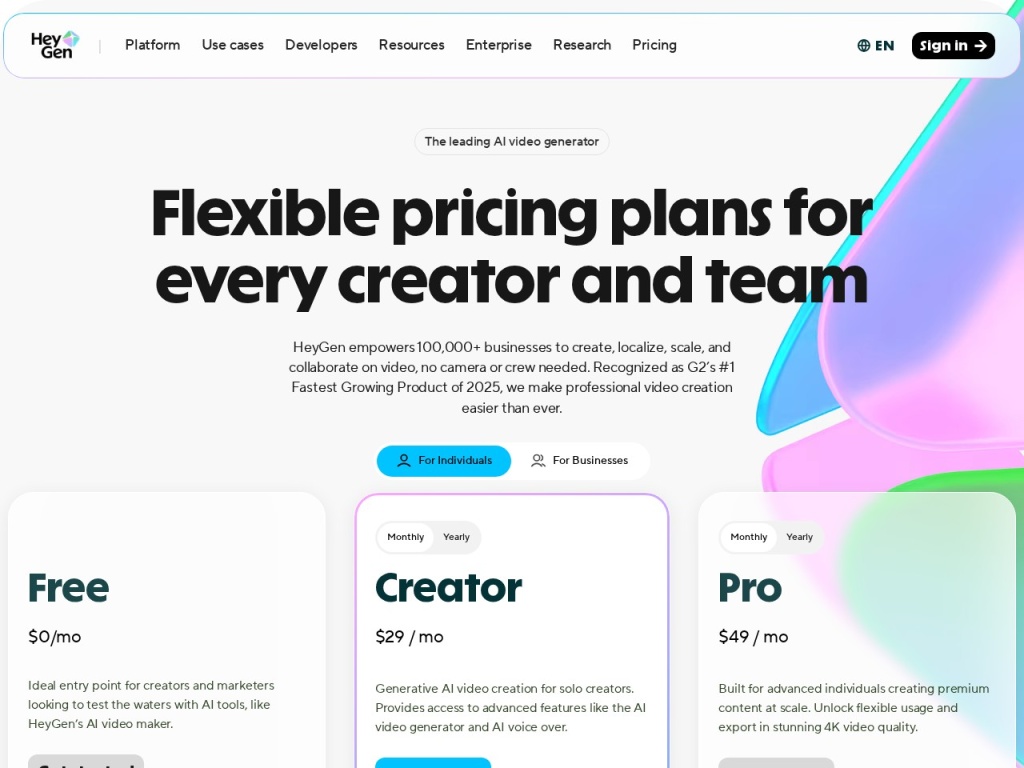
HeyGen sells a free tier for testing, a Creator plan aimed at individuals, a Team plan for collaboration, and custom Enterprise agreements that unlock higher volumes, API scale and governance controls. Pricing is credit- and seat-based, and the numbers move with promotions and packaging changes, so treat the figures below as a snapshot and check the current pricing page before you buy.
| Plan | Typical monthly (annual billing) | Best for |
|---|---|---|
| Free | $0 | Testing quality with watermarked, limited videos |
| Creator | ~$24–29 | Individuals producing regular short videos |
| Team | ~$30–39 per seat | Collaboration, brand kits, faster rendering |
| Enterprise | Custom | API scale, SSO, governance and volume pricing |
The economics reward planning. Occasional producers do fine on Creator; a team publishing daily across markets can burn through credits quickly, and at that point the per-video math on an Enterprise deal — or a comparison against re-shooting with humans — is worth an hour of spreadsheet time. The free tier is genuinely useful for judging avatar quality on your own script before spending anything.
How to get started
- Sign up free and generate one video with a stock avatar using your real script — judge quality on your words, not the demo reel.
- Record your instant-avatar footage: two minutes, good light, eye contact with the lens, natural gestures, and read the consent statement clearly.
- Build a brand template — logo, colors, lower-thirds — so every future video starts 80% finished.
- Test the translation pipeline on one finished video in your two most important languages, and have native speakers review the output.
- If volume is the plan, run a small API pilot before committing to a tier, so credit consumption is measured rather than guessed.
Total setup time is an afternoon, and most of it is the selfie recording. The single highest-leverage step is lighting and audio quality on your source clip — every video your avatar ever makes inherits it.
Common setup mistakes to avoid
Three missteps account for most disappointing first runs. Recording the avatar source clip badly: dim rooms, laptop microphones and reading off-screen notes produce a shifty, muffled clone — treat the recording like a real shoot, because it is one. Writing for the page instead of the ear: avatars read exactly what you type, so long clauses and unspoken abbreviations sound robotic; read every script aloud once before rendering. And skipping the disclosure plan: platforms and several jurisdictions increasingly expect synthetic media to be labeled, so decide where the “made with AI” note lives before you publish, not after a takedown notice arrives.
Watch: HeyGen in action
HeyGen vs alternatives
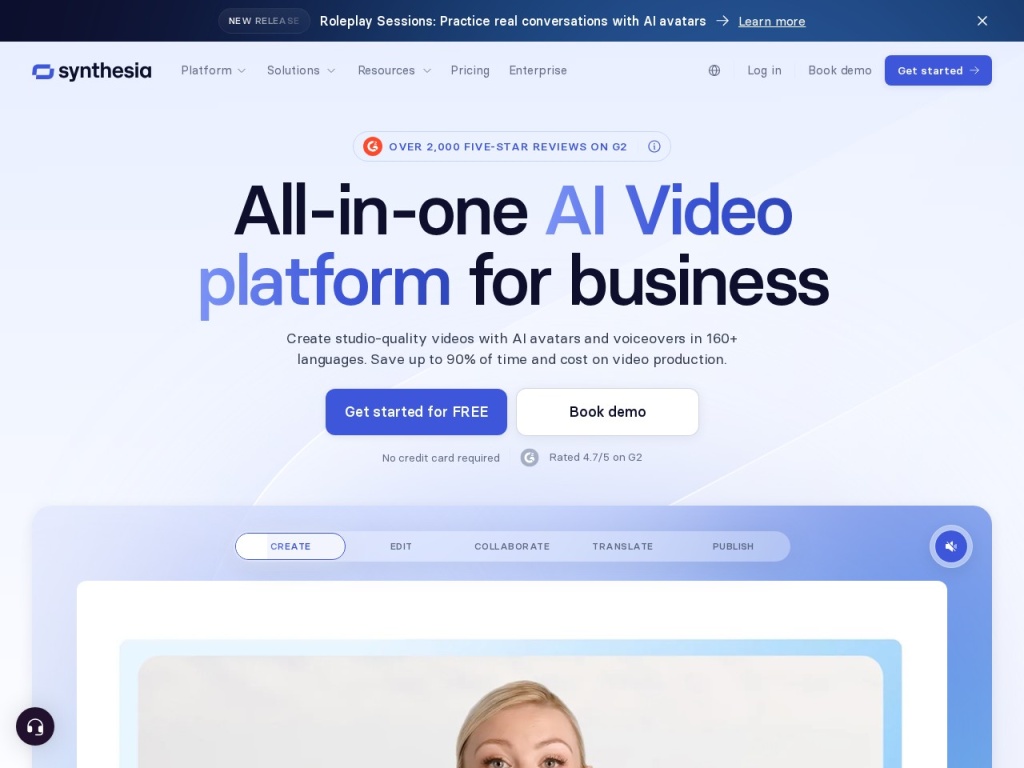
Against Synthesia, the trade is speed versus governance: Synthesia wins on enterprise controls, compliance paperwork and SCORM-flavored training workflows, while HeyGen wins on avatar realism, self-serve speed and the translation pipeline — startups and marketing teams usually land on HeyGen, large regulated organizations on Synthesia. Pictory is a different job entirely: it assembles stock footage and captions from blog posts, with no presenter, and is the better pick for faceless content at volume. If your bottleneck is voice rather than face, pairing a script tool with Murf or ElevenLabs for narration over screen recordings costs less than any avatar plan. For the full category map, our best AI video tools guide ranks all of them by use case.
Performance, support & value
Performance: rendering a one-minute avatar video typically took a few minutes in our tests, fast enough to iterate a script three times in half an hour. Output quality was consistent across renders — no lottery of good and bad takes — and the translation jobs, while slower, came back within the same working session. Uptime was a non-issue during our testing window.
Support: documentation is strong and the in-app guidance is genuinely good at catching mistakes (it warned us about a noisy source recording before we wasted credits). Human support is responsive on paid tiers, with the usual pattern of priority queues for Team and Enterprise; free-tier users should expect self-serve answers.
Value: for occasional presenter videos, the Creator tier undercuts a single hour of studio time. The value question sharpens at scale — daily rendering across languages consumes credits fast — but even then the comparison is not against other software, it is against camera crews, dubbing studios and re-shoots, and HeyGen wins that comparison by an order of magnitude.
A note on disclosure and platform policy
The regulatory and platform environment around synthetic humans is tightening, and buyers should plan for it rather than be surprised by it. Several social platforms now require or automatically apply AI-content labels, ad networks are adding synthetic-media disclosure checkboxes, and the direction of travel in the EU and several US states is toward mandatory labeling of photoreal synthetic people. None of this is a reason to avoid avatar video — training, ads and owned-channel content remain squarely viable — but it is a reason to bake a disclosure line into your templates now.
HeyGen itself is on the responsible end of the category: custom avatars require recorded consent from the person being cloned, voice cloning is consent-gated, and the company publishes moderation policies that block impersonation of public figures. Our practical advice: label synthetic presenters in customer-facing video, keep the consent recordings of any employee avatars on file, and revisit platform rules quarterly, because they are changing faster than most content calendars.
What real users say
Aggregated review sentiment for HeyGen is strongly positive, with two themes repeating across G2, Trustpilot and creator communities: disbelief at how good the lip-sync is on first render, and genuine cost savings replacing filmed talking-head content — several agencies describe cutting per-video production cost by 80–90% for training and product updates. The translation feature draws the most enthusiastic reviews of all, particularly from teams selling into multiple European markets.
The recurring criticisms match our testing. Credit consumption is the loudest complaint — users describe hitting monthly limits faster than expected once they start iterating — followed by the emotional flatness of avatars on scripts that need humor or gravity, and occasional pronunciation stumbles on brand names and niche jargon (fixable with the phonetic override, which many users discover late). Nobody credible claims the output passes for cinema; everybody agrees it passes for a competent corporate presenter, which is the actual job.
Who should use it — and who should not
Choose HeyGen if you produce presenter-style video regularly — training modules, product explainers, sales outreach, localized marketing — and the cost or logistics of filming humans is the bottleneck. It is the default recommendation we give marketing teams localizing into multiple languages, solo founders who need a face on camera without being on camera, and course creators updating lessons faster than they could re-shoot them.
Skip it if your videos depend on real emotional range or comedy (a human on an iPhone will beat any avatar), if your entire strategy is organic short-form on platforms that de-boost labeled synthetic content, or if your videos are faceless stock-and-captions compilations — Pictory-style assembly tools do that job cheaper. And if you need one video a quarter, buy the free or lowest tier and stop there.
Honest limits
HeyGen is a talking-head machine, not a film studio. Avatars gesture within a business-neutral band; scripts that need anger, grief or a comic beat fall flat. The credit model punishes unplanned iteration at volume. Translation output needs native review before it ships to customers. And the disclosure environment means some distribution channels will label — and possibly down-rank — your content as AI-generated. None of these are dealbreakers for the target customer; all are worth pricing in before you commit.
HeyGen deals
HeyGen discounts annual billing meaningfully — typically the equivalent of a couple of months free — and runs periodic promotions around product launches and Black Friday. Credit top-up pricing changes more often than plan pricing, so heavy users should recheck before renewal. We track working offers on our deals page as they appear.
Frequently asked questions
Can HeyGen clone my own face and voice? Yes — record a short consent-gated selfie video and HeyGen builds a custom avatar with your cloned voice; higher tiers offer studio-quality avatar capture for more polish.
How many languages does video translation support? Dozens — the list grows regularly and covers all major business languages; quality is strongest in widely spoken European languages, so have native speakers review less common ones.
Is there a free plan? Yes, with watermarked, limited videos — enough to judge avatar and lip-sync quality on your own script before paying.
Does HeyGen have an API? Yes; it is used for programmatic personalization at scale, such as generating hundreds of prospect-specific outreach videos from a template.
Will platforms label my HeyGen videos as AI? Increasingly yes — several platforms auto-detect or require disclosure of synthetic media, so plan your labeling rather than fighting it.
Can someone clone a person without their permission? HeyGen requires recorded consent for custom avatars and blocks impersonation of public figures; no moderation is perfect, but the policy posture is among the strictest in the category.
HeyGen or Synthesia? HeyGen for realism, speed and translation on self-serve budgets; Synthesia for enterprise governance, compliance and structured training content.
How to choose an AI avatar video tool: a practical guide
Start with the job: presenter-led training and marketing points you at avatar platforms; faceless social content points you at stock-assembly tools; polishing real footage points you at an editor, and mixing these up wastes money on the wrong subscription. Then test lip-sync with your own script — every platform demos beautifully on its own reel, and the differences only appear on your product names, your jargon and your sentence rhythm. Third, model volume honestly: credit-based pricing is cheap at four videos a month and expensive at four a day, so estimate a realistic monthly output and price all tiers against it, including the enterprise conversation if the number is large. Fourth, check the localization pipeline if you sell in more than one language, because translation quality and voice preservation vary more between platforms than avatar quality does. Finally, read each vendor’s consent and moderation policies and each platform’s synthetic-media rules, because distribution — not generation — is where AI video strategies now succeed or fail. HeyGen’s combination of category-leading lip-sync, consent-gated cloning and the strongest translation workflow we have tested is exactly what this checklist is designed to surface, which is why it scores as well as it does here.