I’ve spent the better part of a month feeding InVideo AI everything from a 30-second product prompt to a full YouTube script, mostly because I wanted to know if “type a sentence, get a finished video” is actually true in 2026 or just a landing-page fantasy. The short version: it’s closer to true than I expected, but the credit system will test your patience faster than the AI tests your patience.
InVideo AI is a browser-based, prompt-to-video generator that turns a single line of text into a scripted, voiced, and edited video complete with stock footage, captions, and background music. It also does the more manual stuff — templates, a drag-and-drop timeline, AI avatars, and voice cloning — so it functions as both a one-shot AI generator and a traditional editor depending on how much control you want. That dual identity is InVideo’s biggest selling point and, as I’ll get into, also the source of most of its friction.
Before we go further: if you make regular content for YouTube, TikTok, or client work and you’re currently paying an editor or burning hours in Premiere for straightforward talking-head or explainer videos, this tool is worth a real look. Try InVideo AI and see how the free plan handles your first prompt before committing to anything.
AnalyzeBench Score: 8.0 / 10
Best for: Content creators, marketers, and small teams who need fast, script-to-screen social and YouTube videos without hiring an editor.
What we loved:
- Genuinely fast turnaround — a rough first cut from a single prompt in a few minutes, not hours
- Text-based editing (“change the voice,” “shorten scene 3”) actually works for straightforward requests
- Huge stock media and template library, so you’re rarely starting from a blank canvas
- Voice cloning and AI avatars are good enough for social/UGC-style content at a fraction of premium-avatar pricing
- Free plan is genuinely usable for testing the workflow before you pay anything
Watch out for:
- Credit pools (AI minutes, stock downloads, voice clones) are separate and easy to burn through faster than expected
- 4K export is gated behind higher tiers, not available on the entry paid plan
- Motion and cinematic quality lag behind dedicated generative-video tools like Sora or Veo
- Longer or more complex prompts sometimes need several regenerations to land right
- Free plan’s watermark and weekly export cap make it a demo, not a workflow
What makes InVideo AI different
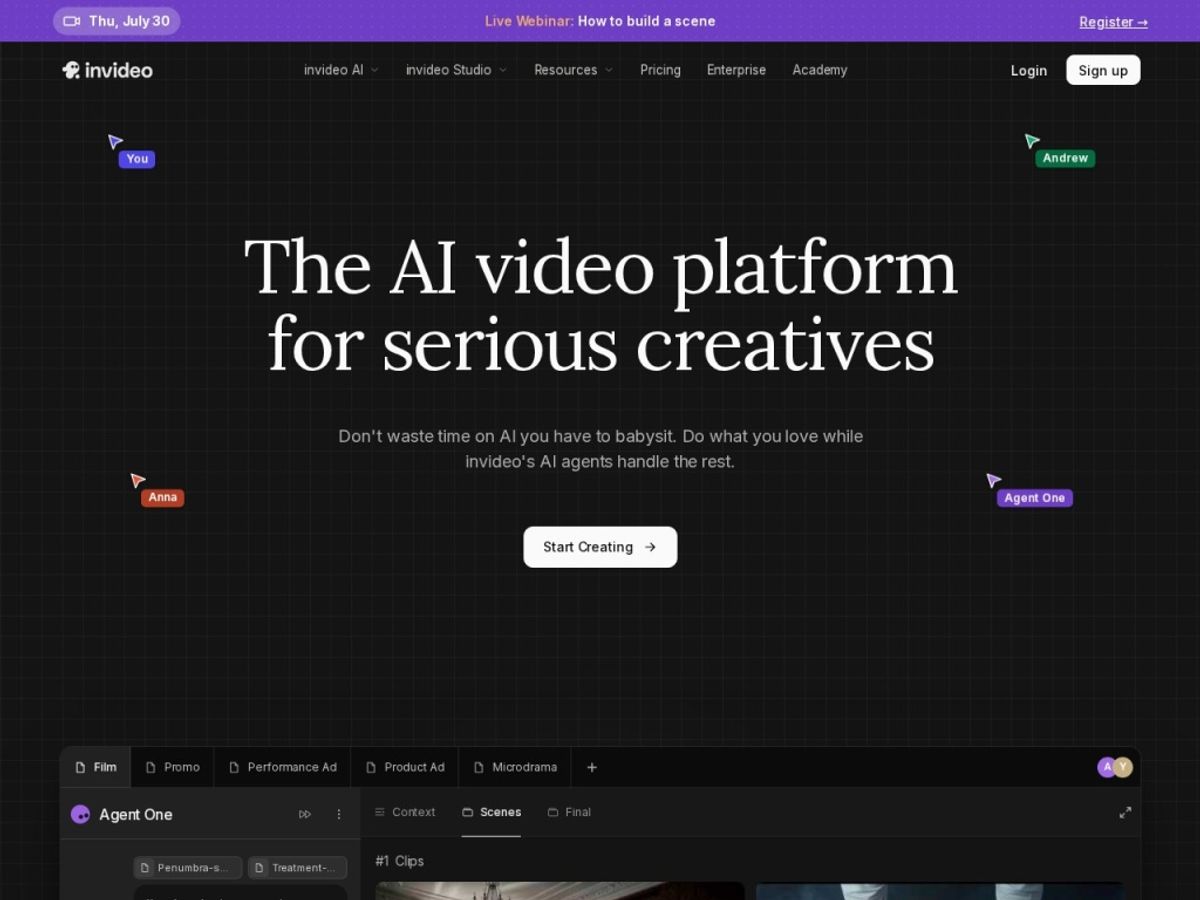
Most AI video tools pick a lane: either they’re a prompt-to-video generator (type text, get a clip) or they’re a template-based editor (pick a layout, drop in your footage). InVideo AI tries to be both, and for the most part it pulls it off. You can start with nothing but a topic sentence and let the AI agent write the script, pick scenes, source stock footage, generate a voiceover, and assemble a rough cut — or you can start from one of its thousands of templates and build manually with a conventional timeline editor.
The part that actually changed my workflow is the text-command editing. Instead of scrubbing a timeline to swap a clip or rewrite a line, you type what you want changed — “make the intro shorter,” “swap the narrator’s voice for something more energetic,” “replace the stock clip in scene 4” — and the AI applies it. It doesn’t nail every request on the first try, especially anything structurally ambitious, but for the 80% of edits that are routine housekeeping, it’s a real time saver.
Where it separates itself from cheaper, narrower competitors is breadth: AI script generation, a large stock library, voice cloning, AI avatars, and a proper manual editor are all in one subscription instead of stitched together across three tools. If that breadth sounds useful for your workflow, Try InVideo AI free and run one real project through it before judging the paid tiers.
The core features
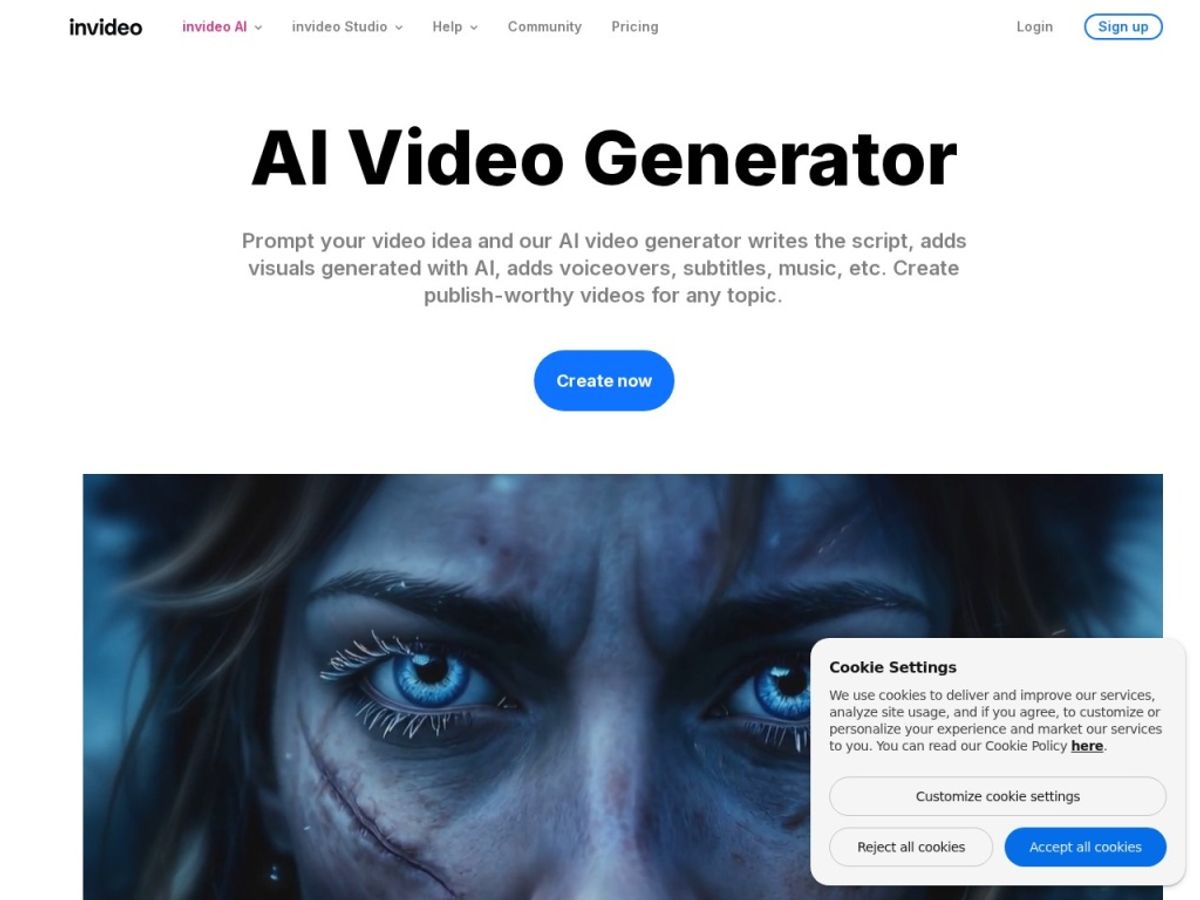
InVideo AI’s feature set spans the full production pipeline — from idea to exported file — rather than doing one narrow thing exceptionally well. Here’s what actually matters day to day.
Prompt-to-Video Generation
This is the headline feature: describe your video in a sentence or two — topic, length, platform, tone — and InVideo’s AI agent drafts a full first cut, including scene selection, pacing, and voiceover. In our tests, vague prompts produced vague, generic-feeling videos, while detailed prompts (specifying audience, 2-3 key points, and tone) produced noticeably tighter, more usable drafts. Treat the prompt box like a creative brief, not a search query, and results improve fast.
AI Script & Scene Generation
Under the hood, a script-writing model (InVideo uses GPT-family models among others) generates the narration and breaks it into scenes, each matched automatically to relevant stock or generated visuals. You can regenerate the script alone, edit it line by line, or lock sections you like while regenerating the rest — useful when the overall structure works but one paragraph feels off.
Stock Media Library
Scenes pull from a large built-in library (iStock-sourced footage and images, among other sources) so you’re rarely stuck with an empty scene. Paid plans include a monthly allotment of stock downloads rather than unlimited access, which is worth knowing before you assume every asset is free to use as much as you like.
AI Voiceover & Voice Cloning
The text-to-speech voices are solid for explainer and social content — not indistinguishable from a human narrator, but well past the robotic tone older TTS tools produced. Voice cloning lets you upload a short sample and generate narration in your own voice across dozens of languages; it’s a genuinely useful feature for creators who want consistency across a channel without recording every single video themselves.
Edit via Text Commands
Rather than opening a traditional timeline for every tweak, you can type instructions — “replace the visual in scene 2,” “make the pacing faster,” “change the music to something upbeat” — and the AI applies them directly. This is the feature that most changes the day-to-day experience of using InVideo versus a conventional editor, because minor revisions stop requiring you to hunt through a timeline.
Templates & AI Avatars
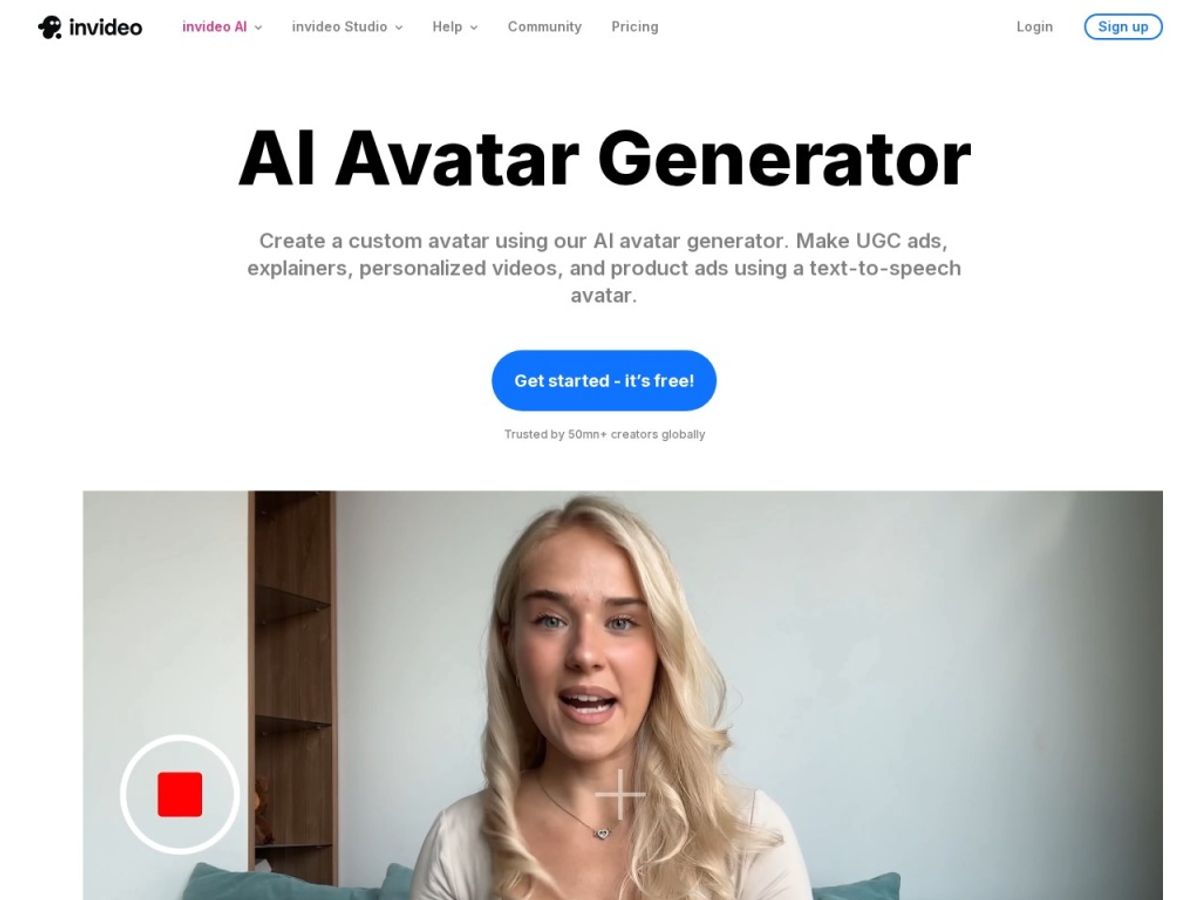
The template library covers thousands of formats — YouTube intros, Instagram Stories, product promos, real-estate walkthroughs, and more — so structured content doesn’t need to start from a blank prompt. AI avatars (a growing library of digital presenters, plus the ability to build a UGC-style avatar from your own short video or photo) let you produce talking-head content without a camera or a human presenter, though the realism is a tier below dedicated avatar specialists.
Plans & pricing
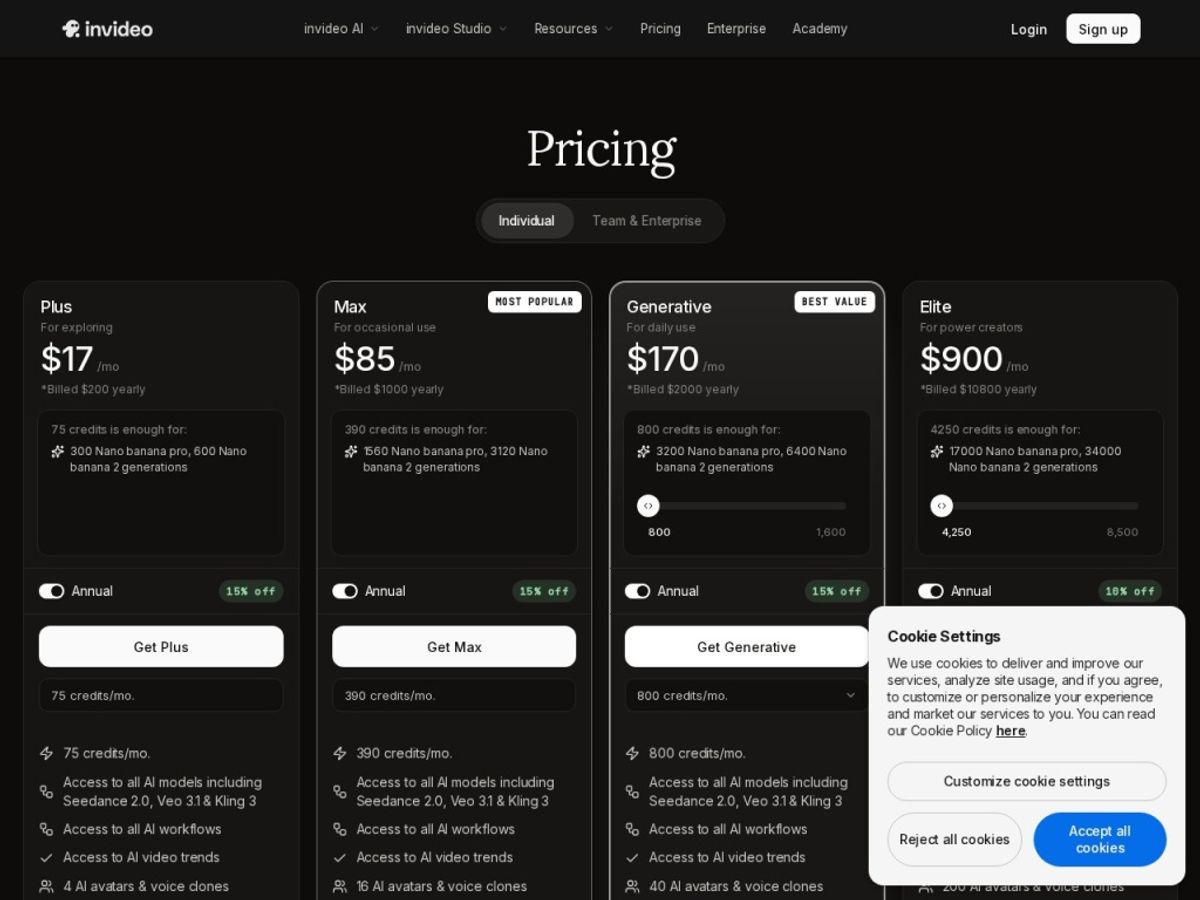
InVideo AI’s pricing has shifted more than once over the past year as it’s layered in generative-model access (Sora, Veo) on top of its original tiers, so treat the numbers below as a snapshot rather than gospel — always confirm current pricing directly on InVideo AI’s pricing page before you buy.
Free
The free plan gives you access to the AI generator itself, with a limited weekly allotment of generation minutes and an InVideo watermark stamped on every export. It’s genuinely useful for testing whether the workflow suits you, but the watermark and low weekly cap make it a proof-of-concept tier rather than something you’d publish from regularly.
Plus
Plus lands around the mid-$20s per month billed monthly (noticeably cheaper billed annually). It removes the watermark and adds a monthly pool of AI generation minutes, stock-asset downloads, voice clones, and voiceover minutes. 4K export is typically not included at this tier — check the current spec before assuming it is.
Max
Max sits roughly in the $50-60/month range billed monthly, with meaningfully larger monthly pools across AI minutes, stock downloads, and voice clones than Plus, plus higher-resolution export. This is the tier most regular creators and small teams end up on once they outgrow Plus’s limits.
Generative / credits
A higher, credit-based tier (sometimes marketed around the $100-120/month mark) bundles access to premium generative video models like Sora and Veo directly inside InVideo’s workflow. This tier is aimed at users who specifically want cutting-edge AI-generated footage rather than stock-assembled video, and pricing here is the most likely to change as underlying model costs shift — hedge accordingly and verify before committing.
Whichever tier you’re eyeing, it’s worth starting on the free plan first. Try InVideo AI to see how far the free minutes get you before you pick a paid plan.
How to get the best value
Because InVideo splits its allowances into separate pools — AI generation minutes, stock downloads, voice clones, voiceover minutes — the fastest way to blow through a plan is to treat all of them as unlimited. Before you commit to a tier, sketch out roughly how many videos you make a month and how long each one runs, then compare that against the plan’s stated minute and download allotments rather than just its price.
Billing annually knocks a meaningful chunk off the monthly-equivalent cost on both Plus and Max, and since InVideo’s core workflow doesn’t change month to month, annual billing is the more sensible default if you already know you’ll use it past a trial month. If you’re not sure yet, don’t skip the free plan just to “get to the good stuff” — it’s the cheapest way to learn whether your specific use case (explainer videos, UGC ads, YouTube long-form, whatever it is) actually benefits from InVideo’s particular strengths before you pay for a full month you might not use.
Finally, watch your stock-download and voice-clone usage specifically, not just AI minutes — reviewers across the board flag these as the pools that run out first, often well before the headline “AI minutes” allowance does.
Watch: InVideo AI in action
Reading about a prompt-to-video workflow only goes so far — it’s worth watching one actually happen. The demo below walks through generating a video from a prompt and shows the resulting output quality, which is the fastest way to judge whether the AI’s stock-footage pacing and voiceover feel matches what you’re picturing for your own content.
InVideo AI vs alternatives
InVideo AI isn’t the only prompt-to-video tool worth considering, and picking between it and its closest rivals mostly comes down to what kind of video you’re making most often. Pictory leans harder into repurposing long-form content (podcasts, webinars, blog posts) into short clips, while Synthesia is built almost entirely around polished, corporate-grade AI avatar presenters rather than general video assembly.
| Tool | Best for | Standout strength | Free option |
|---|---|---|---|
| InVideo AI | Social + YouTube content from a prompt or template | All-in-one: script, voice, stock, editing, avatars | Yes, watermarked, weekly cap |
| Pictory | Repurposing long-form content into short clips | Automatic highlight/clip extraction from long videos | Limited trial, no permanent free tier |
| Synthesia | Corporate training and polished avatar presenters | Best-in-class avatar realism and lip-sync | Limited trial, no permanent free tier |
If your main need is turning a script or topic into a finished social video quickly, InVideo AI’s breadth makes it the more flexible everyday pick. If you’re specifically repurposing long recordings into clips, Pictory’s workflow is more purpose-built for that single job. And if avatar realism for corporate or training content is the priority above everything else, Synthesia is worth the premium.
Output quality & value
On output quality, InVideo AI is genuinely good at what it’s designed for: fast, competent social and explainer video with reasonable pacing, decent stock-footage matching, and voiceovers that sound natural enough not to distract from the message. It is not, and doesn’t pretend to be, a cinematic-motion generator — footage sourced from its stock library or assembled from templates looks like well-produced stock-based video, not the fluid, camera-like motion you get from a dedicated generative model like Sora or Veo at their best.
Value-wise, the calculation depends heavily on volume. If you’re making one or two videos a month, the free plan or entry-level Plus tier is defensible. If you’re producing daily or near-daily content, the separate credit pools for minutes, downloads, and voice clones mean your real monthly cost is often the Max tier, not the advertised Plus price — factor that in before comparing InVideo’s sticker price against competitors that don’t split usage into as many buckets.
Who should use it — and who should not
InVideo AI is a strong fit for solo creators, small marketing teams, and agencies that need a steady stream of social clips, YouTube videos, or product explainers without hiring a dedicated editor or paying for multiple single-purpose AI tools. If your workflow benefits from having script generation, stock assembly, voiceover, and light avatar work under one login, the subscription earns its keep quickly.
It’s a weaker fit if you need cinematic-quality generative footage as the core output, in which case a dedicated model-first tool will outperform InVideo’s stock-assembly approach. It’s also not the right pick if you make only the occasional video and don’t want to think about credit pools at all — in that case, a pay-per-video tool or a simpler one-purpose generator may cost less overall.
Honest limits
The credit system is the recurring complaint across independent reviews, and our own testing backs it up: AI generation minutes, stock downloads, and voice clones are tracked separately, and it’s easy to hit one ceiling (usually stock downloads or voice clones) well before you’ve used up your headline AI-minutes allowance. That mismatch between marketing (“unlimited-feeling” AI video) and the actual metered reality is worth going in expecting.
Motion and visual sophistication are also a real ceiling — InVideo AI wins on speed and workflow breadth, not on producing footage that looks hand-shot or cinematic. For anything where visual polish is the entire point (a brand film, a high-end ad), plan to treat InVideo’s output as a strong first draft rather than a final deliverable.
InVideo AI discount codes & deals
We don’t publish promo codes we haven’t verified ourselves, and we’d rather tell you plainly: the most reliable saving is billing annually, which brings the effective monthly cost on both Plus and Max down noticeably compared to paying month to month. Beyond that, InVideo periodically runs seasonal promotions directly on its own pricing page, so check there for anything current rather than trusting a coupon code from a random review site.
If you’re going to commit to a paid plan either way, going through our link doesn’t cost you anything extra and helps support the independent testing we do on this site. Try InVideo AI to see current pricing and any active offers.
Frequently asked questions
Is InVideo AI actually free to use?
Yes, there’s a genuine free plan, but it caps you to a limited number of AI generation minutes per week and stamps a watermark on every export. It’s suitable for testing the workflow, not for regular publishing.
Does InVideo AI remove the watermark?
Watermark removal kicks in on the paid Plus tier and above. The free plan keeps the watermark on all exports regardless of video length.
Can I clone my own voice in InVideo AI?
Yes, paid plans include a set number of voice clone slots per month (a small number on Plus, more on Max), letting you generate narration in your own voice across multiple languages from a short sample recording.
What’s the difference between InVideo AI and the older InVideo Studio?
InVideo Studio is the traditional timeline-based editor the company built its reputation on. InVideo AI is the newer prompt-to-video layer built on top of that same asset library, letting you generate a rough cut from text before dropping into manual editing if needed.
Does InVideo AI support 4K export?
4K is typically reserved for higher tiers (Max and above) rather than the entry-level Plus plan — confirm current export specs on InVideo’s pricing page before assuming your tier includes it.
How does InVideo AI compare to Synthesia for avatars?
InVideo’s avatars are solid for social and UGC-style content but noticeably less polished than Synthesia’s, which specializes almost exclusively in avatar realism for corporate and training video. If avatar quality is your single priority, Synthesia is the stronger dedicated choice.
Is InVideo AI worth it for a solo YouTuber?
For a creator making a video every week or two, Plus is usually enough to cover the workload, and the text-command editing genuinely saves time on routine revisions. Heavier weekly output usually pushes you toward Max once you start hitting stock-download or voice-clone limits.
How to get great results from any AI video generator
Write briefs, not search queries. Specify topic, target length, platform, tone, and 2-3 concrete points you want covered — vague one-line prompts reliably produce generic, forgettable output.
Regenerate selectively, not entirely. If the script works but one scene is off, ask the tool to fix that scene specifically rather than throwing out the whole draft and starting over.
Budget your credits before you start a project. Check your remaining AI minutes, stock downloads, and voice-clone allowance before a big production push so you’re not stopped mid-project.
Treat AI output as a first draft. Even strong generations benefit from a manual pass — tightening pacing, swapping a weak stock clip, or adjusting music timing — before you publish.
Match the tool to the job. Use prompt-to-video for quick social and explainer content, and lean on templates or manual editing for anything where structure and brand consistency matter more than speed.