
Webflow is what happens when a design tool grows a production-grade CMS and hosting business. Fifteen years in, it remains the professional standard for visually-built websites: box-model-true design control, a CMS that handles real content operations, enterprise-grade hosting on a global CDN, and — since its AI turn — page generation and optimisation layers on top. Site plans run roughly $14-39/month (CMS and Business tiers), with e-commerce and enterprise above.
The core trade is explicit: Webflow demands you understand how the web actually works — flexbox, grid, relative units, collection structures — and repays that literacy with output no template builder matches. It is a tool you learn, not a tool you merely use.
Our verdict: the most capable visual development platform for marketing sites and content operations that have outgrown template builders — and overkill for the five-page brochure site that Framer or Durable ships in a day. Score: 8.6 / 10.
→ Try Webflow — see current pricing

What makes Webflow different
The Designer is a visual front end over real HTML/CSS — classes, breakpoints and interactions map one-to-one to production code, so nothing you build is trapped in a proprietary abstraction. The CMS is the moat for content teams: collections with references, multi-reference fields and conditional visibility power sites with thousands of structured items. Interactions handle scroll and state animation without code, and the export hatch (static code) plus a mature API keep the lock-in honest.
Pricing
| Plan | Price (annual) | Fits |
|---|---|---|
| Starter (free) | $0 | Learning on webflow.io subdomain |
| Basic | ~$14/mo | Simple site, custom domain, no CMS |
| CMS | ~$23/mo | Blogs and content sites — the default |
| Business | ~$39/mo | Traffic scale, more CMS items |
Workspace seats bill separately for teams, which surprises first-time buyers; freelancers on client-billed site plans avoid most of it.
The learning curve, honestly
Webflow University remains the best free web-design education on the internet, and it needs to be: expect two-to-four weeks of evening study before real fluency. Designers with CSS mental models convert fastest; template-builder refugees face unlearning before learning. The payoff curve is steep in both directions — frustrating week one, unmatched control by month two.
Webflow vs the alternatives
Against Framer: Webflow wins structural control, CMS depth and integrations; Framer wins speed-to-beautiful and interaction delight — content operations choose Webflow, brand sites increasingly choose Framer. Against WordPress: Webflow trades the plugin universe for zero-maintenance hosting and design freedom without theme wrestling. Against Wix/Squarespace: different sport entirely — those are template products; Webflow is a design tool.
Pros, cons and limits
Pros: production-true design control; serious CMS; excellent hosting and Core Web Vitals; Webflow University; clean code export; mature ecosystem of templates and freelancers.
Cons: real learning curve; seat and site pricing adds up; e-commerce trails Shopify badly; complex logic needs third-party tools; occasional feature-release pacing complaints from long-time users.
Webflow deals
Annual billing saves ~20-25%; the free Starter plan is a full sandbox and the correct evaluation path.
Inside the Designer: why the class system is the whole game
Webflow's power and its learning curve share one root: the class system. Every style lives on a reusable class, exactly as CSS intends — name a button style once, reuse it everywhere, change it globally. Combo classes layer variations without duplication, and the style panel exposes the real box model: margin, padding, position, flex and grid behave precisely as they will in production because they are production. The failure mode of every abandoned Webflow project is the same: unnamed classes multiplying ("Div Block 47") until the project collapses under its own entropy. The success pattern is equally consistent — adopt a naming convention (the community's Client-First methodology is the de facto standard) in week one, and the project stays maintainable at any size. This is the honest dividing line in who should buy Webflow: people willing to think in systems get compounding returns; people wanting to push boxes around get punished.

Components (symbols with property overrides) complete the system: navbars, cards and CTAs defined once, instanced everywhere, edited globally with per-instance content. Add variables for colours and type scales — design tokens, effectively — and a disciplined Webflow project behaves like a design system that happens to be a live website.
The CMS in production: powers and ceilings
Collections are relational-lite: reference and multi-reference fields link authors to posts, projects to categories, team members to offices, and collection pages template thousands of items from one design. Conditional visibility and filtered collection lists build surprisingly app-like directory and marketplace fronts without code. The editor role gives clients a safe content surface — they edit items, not layouts, which ends the client-broke-the-site genre entirely. The ceilings, honestly mapped: item limits per plan (generous for marketing, confining for true publications), nesting depth in collection lists, and no native user-generated content — apps and integrations (Memberstack, Wized, Xano) extend into app territory, at the cost of the simplicity that made Webflow attractive. The sizing rule: content sites and marketing operations, superb; actual web applications, wrong foundation.
.png&w=1200&output=jpg)
Interactions and the taste question
The Interactions panel (IX2) drives scroll-progress animations, parallax, hover states, page transitions and Lottie playback from a timeline UI — the portfolio-site fireworks Webflow is famous for. Two professional notes temper the fun: performance budgets matter (heavy interaction stacks tank mobile scores, and Google notices), and the fashion cycle has moved toward restraint — the current high-end look is type, spacing and one signature motion, not scroll-jacked spectacle. The mature use of IX2 is punctuation, not prose.
Webflow AI and the platform's direction
The AI layer — component and page generation from prompts, AI-assisted style edits, localisation — accelerates scaffolding usefully but has not changed the product's nature: it drafts within the class system, and you refine with the same fundamentals. The sharper strategic story is Webflow's consolidation of the "website experience platform" ambition: Optimize (A/B testing and personalisation) and Analyze (privacy-first analytics) bolt growth tooling onto the build tool, aimed squarely at marketing teams replacing a stack of point tools. Early verdicts: convenient, credible, priced for teams rather than freelancers — and none of it dilutes the core Designer-CMS-Hosting triangle that earns the subscription.
Total cost of ownership, honestly modelled
A freelancer's working reality: free Starter workspace, client sites on CMS plans (~$23/month each, billed to clients), zero maintenance hours — against a WordPress equivalent of hosting, premium theme, builder licence, security plugin and the monthly update anxiety. An in-house team's reality: site plan plus per-seat workspace costs, which climb with collaborators and surprise at renewal — the line item to negotiate. Both profiles typically land cheaper than their WordPress TCO once maintenance hours are priced at any honest rate, and dramatically cheaper than agency retainers for the class of change (copy, content, new landing pages) that Webflow's Editor makes self-serve.
Migration realities
Inbound: CSV import populates collections cleanly; design migrates by rebuild (there is no theme-import shortcut, and that is by design — the rebuild is where the quality jump happens). Redirect mapping in project settings preserves SEO equity, and staging on webflow.io lets the switchover happen in an afternoon. Outbound: static export covers design-and-content sites but not CMS-driven or interactive features — for those, leaving means rebuilding, the same lock-in-by-capability every hosted platform carries. The honest framing: you are renting excellence; the export hatch keeps the rent honest for simple sites and symbolic for complex ones.
Webflow as a career asset
A dimension most reviews skip: Webflow proficiency is itself a marketable skill with a visible market. Agencies specialising in Webflow builds bill $5,000-50,000 per site; freelancers with a credible portfolio charge $50-150/hour; and the certified-partner directory functions as a lead channel for the top tier. The template marketplace pays creators real money (top authors report five figures annually), and the job boards of design-forward companies increasingly list Webflow by name alongside Figma. For a designer deciding where to invest learning hours, the calculus differs from a business choosing a builder: the platform's difficulty is the barrier that keeps the rates high, and Webflow University's free education is the subsidised on-ramp. The realistic arc — first client site within a month of study, confident delivery within three, specialisation (CMS architectures, interactions, migrations) within a year — maps to income faster than most design-adjacent skills currently do.

For the Vietnamese freelance market specifically, the arbitrage runs both directions: local businesses pay local rates for template-based delivery, while international clients on Upwork and partner directories pay global rates for the same skill — and Webflow's zero-maintenance model suits cross-time-zone client relationships better than WordPress retainers ever did, because nothing breaks at 3am your time.
Performance and SEO: the technical audit
Out of the box: global CDN (Fastly-backed), automatic WebP conversion and responsive image variants, minified assets, SSL everywhere, and HTML that validates — the technical-SEO floor most WordPress stacks spend plugin money approximating. Core Web Vitals on a disciplined build score green without effort; the caveats are self-inflicted (interaction overload, uncompressed hero videos, font hoarding). Structured data beyond the basics is manual-but-possible via custom code embeds and CMS-driven JSON-LD — a pattern worth templating once. The remaining SEO work is the universal kind: information architecture, content quality, and links, where the platform neither helps nor hinders. Teams migrating from slower stacks routinely report ranking gains attributable to nothing but the speed delta — the cheapest SEO win in the catalogue.
The decision, compressed
Choose Webflow when: the site is a marketing or content operation, design quality is a business input, someone on the team will invest in learning it properly, and zero-maintenance hosting is worth rent. Choose against when: the project is an application (wrong tool), a five-page brochure (heavier than needed — Framer or Durable), a plugin-dependent publication (WordPress), or a store (Shopify). That clarity — knowing exactly what it is for — is itself the mark of a mature platform, and after fifteen years Webflow's edges are sharper, not blurrier. The professional standard remains earned. Score: 8.6 / 10.
Common Webflow mistakes that cost projects
The recurring failure catalogue, assembled from rescue projects. Skipping the naming convention until "cleanup later" — there is no later; entropy wins. Building desktop-first with breakpoint patches instead of letting flex and grid reflow naturally — the source of most responsive misery. Treating the CMS as an afterthought and hard-coding content that should have been collections — the mistake that turns a two-hour update into a two-day one. Buying a template and fighting its class architecture instead of studying it first — templates teach or torment depending on the order. Animating before the layout settles — interactions built on shifting structure break twice. And launching without the redirect map on migrations — the silent SEO haemorrhage that surfaces in analytics a month late. Each mistake is an hour of prevention against a week of cure, and the pattern underneath them all is the same: Webflow rewards planning because it is real front-end development wearing a visual interface — the people who respect that ship calm projects, and the people who fight it write the one-star reviews.
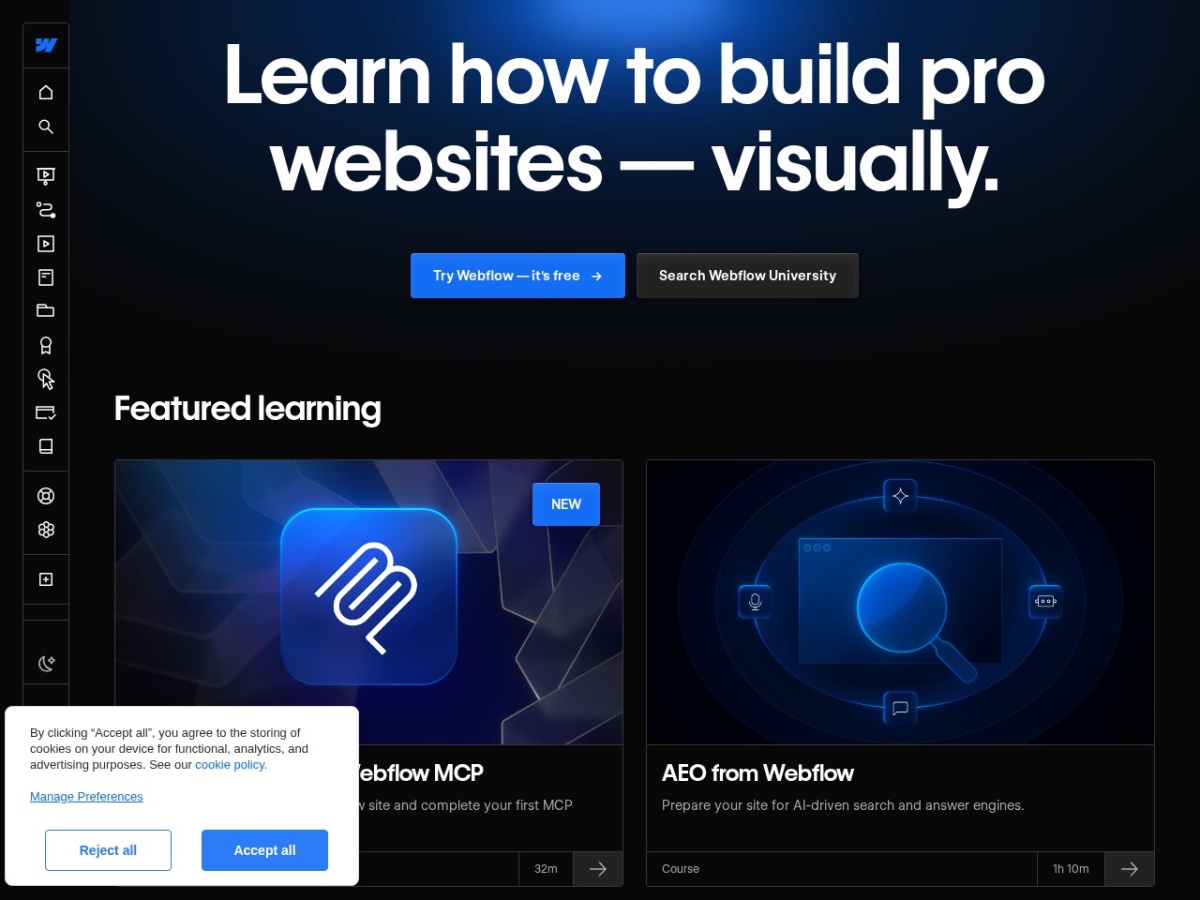
The closing perspective for the fence-sitters: the free Starter plan plus Webflow University's 21-day course is a complete, costless evaluation that doubles as a web-fundamentals education. Take it before reading another comparison post — three weeks of building answers what no review, including this one, can settle about fit. The platform's fifteen-year lesson is that visual development done honestly — no abstraction lies, no maintenance debt — was worth the learning curve all along. Score: 8.6 / 10.
Webflow in 2026: the state of the platform
The recent trajectory rewards a status check. Feature velocity has answered the community's historical pacing complaints: variables and component slots matured the design-system story, the AI tooling moved from demo to daily scaffold, and the Optimize/Analyze acquisitions signal the marketing-platform ambition clearly. Pricing has crept upward at the workspace layer — the line item agencies watch — while site plans held stable, and the localisation product opened the multi-language market that used to require third-party workarounds. The competitive pressure from Framer has been visibly productive: interaction tooling and publishing speed improved fastest exactly where the challenger pressed. The takeaway for a 2026 buyer: the platform is investing from strength rather than defending from decline, and the classic Webflow bet — learning curve for ceiling — pays out on the same terms it always has, with more ceiling than ever.
FAQ
Is Webflow good for SEO?
Technically excellent — clean markup, fast hosting, full meta/schema control. Content and links remain your job.
Can a non-designer learn it?
Yes, via Webflow University, with real time investment. If that investment is unattractive, Framer or Durable fit better.
Webflow or WordPress for a blog?
At publication scale with plugins and workflows, WordPress; for a designed content site under a few thousand items, Webflow is calmer to operate.
Does Webflow handle e-commerce?
Small catalogs, yes; serious stores belong on Shopify — even Webflow agencies say so.
What about the AI features?
Useful accelerants for layout drafts and copy, secondary to the platform's core value. Buy it for the Designer and CMS.
The 30-day path to Webflow competence
Week one: Webflow University's 21-Day Portfolio course on the free plan. Week two: rebuild your current site's homepage — the comparison teaches faster than tutorials. Week three: model your content in collections, build the listing and detail templates. Week four: interactions pass, SEO settings, custom domain on a paid plan, launch. The learning curve is the price; the ceiling is the product. Score: 8.6 / 10.
{“@context”:”https://schema.org”,”@type”:”Review”,”name”:”Webflow review”,”itemReviewed”:{“@type”:”SoftwareApplication”,”name”:”Webflow”,”applicationCategory”:”WebApplication”,”operatingSystem”:”Web”},”reviewRating”:{“@type”:”Rating”,”ratingValue”:”8.6″,”bestRating”:”10″,”worstRating”:”1″},”author”:{“@type”:”Organization”,”name”:”AnalyzeBench”},”publisher”:{“@type”:”Organization”,”name”:”AnalyzeBench”}}



