
When you’re hunting for a reliable web‑scraping service, the biggest question on most buyers’ minds is whether the tool can actually get the data they need without getting blocked, throttled, or tangled in legal gray areas. You also want to know if the service will fit into your existing workflow—whether you’re a solo developer building a niche price‑monitoring script or part of a larger data‑engineering team handling dozens of concurrent crawls.
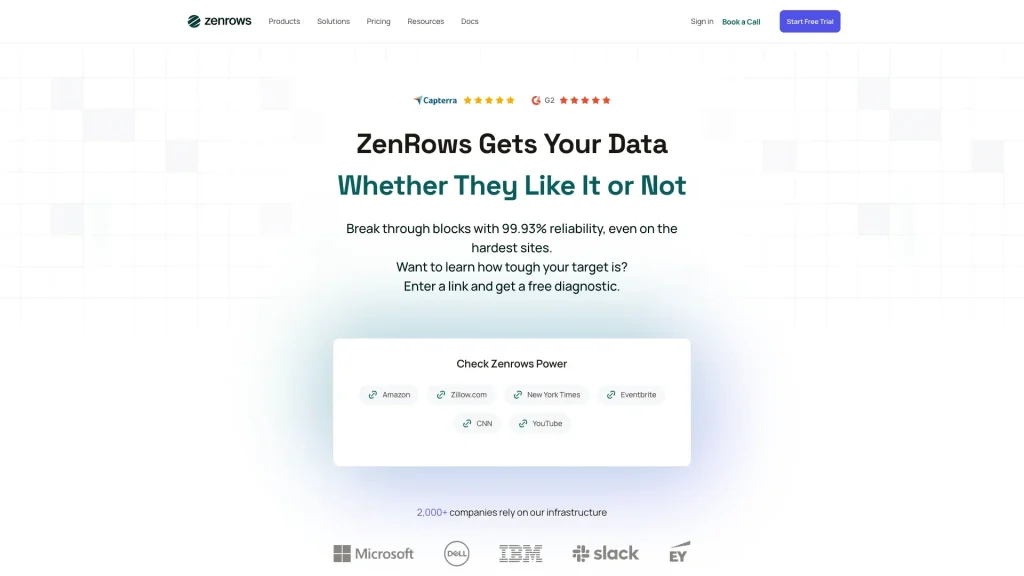
ZenRows promises to take the pain out of web‑scraping by handling proxy rotation, CAPTCHAs, and JavaScript rendering on your behalf. But does it deliver on that promise across real‑world scenarios, and how does it stack up against the alternatives you might already be using? In this review we’ll dig into the features, performance, pricing, and support to give you a clear picture of what you can expect.
Verdict: ZenRows is a solid, well‑engineered scraping‑as‑a‑service platform that shines for users who need a hassle‑free way to bypass anti‑scraping measures without managing their own infrastructure. It isn’t the cheapest option on the market, and power users who demand granular control over every request may find it limiting, but for most developers and small‑to‑mid‑size teams it hits the sweet spot between ease of use and reliability.
AnalyzeBench Score: 8.3 / 10
Best for: Developers and marketers who need reliable data extraction without building a proxy pool.
What we loved: Automatic CAPTCHA solving, built‑in JavaScript rendering, and transparent API usage logs.
Watch out for: Higher price tiers compared with DIY solutions and limited customization of proxy strategies.
What makes ZenRows different
ZenRows positions itself as a “scraping‑as‑a‑service” platform, meaning you don’t have to spin up your own proxy infrastructure or write custom rotation logic. The core differentiator is its “Smart Proxy” engine, which automatically detects when a target site is presenting a bot challenge (such as Cloudflare IUAM, reCAPTCHA, or fingerprinting scripts) and responds with the appropriate mitigation technique. This is done behind the scenes, so you simply send a request to ZenRows’ endpoint and receive the rendered HTML (or JSON) back.
Another notable feature is the integrated JavaScript rendering service. Many modern websites rely heavily on client‑side rendering, which can break traditional HTTP‑only scrapers. ZenRows runs a headless Chromium instance in the cloud, executes the page’s scripts, and returns the fully rendered DOM. The service also supports “stealth mode” options that randomize headers, user‑agents, and other fingerprinting vectors to mimic real browsers more closely.
From a developer’s perspective, the API is REST‑ful and returns clear JSON error messages, making it easy to integrate into existing Python, Node.js, or Ruby pipelines. The platform also provides a dashboard where you can monitor request logs, see success/failure rates, and adjust settings like timeout limits or custom headers on the fly.
The star product
The flagship offering from ZenRows is its “Standard Scraping” plan, which bundles proxy rotation, CAPTCHA solving, and JavaScript rendering into a single API endpoint. When you send a request, you include your target URL and a few optional parameters (e.g., render=true for JS rendering, proxy_type=smart for advanced rotation). ZenRows then handles the entire request lifecycle:
- Request intake: ZenRows receives your API call and parses the parameters.
- Proxy selection: The Smart Proxy engine selects an appropriate exit node based on geographic targeting and the known anti‑scraping measures of the target domain.
- Challenge handling: If the target site serves a CAPTCHA or JavaScript challenge, ZenRows automatically solves it using its built‑in solver pool or headless browser.
- Response delivery: The final HTML (or rendered JSON) is sent back to your application, along with metadata such as request duration, proxy IP used, and any challenges encountered.
In practice, this means you can pull product listings from e‑commerce sites, extract news articles, or gather public data from government portals with minimal code. The platform also offers a “Retry on Failure” feature that automatically re‑attempts a request with a different proxy if the first attempt is blocked, further reducing the need for manual error handling.
Performance-wise, most users report sub‑second response times for static pages and a few seconds for JavaScript‑heavy sites—reasonable for a cloud‑based service. The service also provides rate‑limit headers so you can programmatically respect your plan’s limits and avoid unexpected throttling.
The rest of the range
Enterprise tier
For organizations that need higher throughput, dedicated IP pools, and SLA guarantees, ZenRows offers an Enterprise tier. This plan includes custom contract terms, priority support, and the ability to whitelist your own IP ranges for outbound traffic. It also provides on‑premise gateway options for teams that must keep data within a private network.
Add‑on services
Beyond the core scraping package, ZenRows sells a few optional add‑ons. The most popular is the “Advanced CAPTCHA Solver,” which leverages third‑party solving services for the toughest image‑based challenges. Another add‑on is “Data Extraction Templates,” pre‑built XPath/JSONPath snippets that let you pull structured data without writing your own parsing logic.
Free trial and pay‑as‑you‑go
If you’re not ready to commit to a monthly plan, ZenRows provides a limited free trial that includes a small number of requests per day. There’s also a pay‑as‑you‑go option where you purchase request credits that never expire, allowing occasional users to test the service without a recurring bill.
How to choose
Picking the right ZenRows plan hinges on three primary factors: request volume, complexity of target sites, and the level of support you need. If you’re only pulling a few hundred pages per month from static sites, the free trial or a low‑tier plan will likely suffice. However, as soon as you start dealing with JavaScript‑heavy pages or sites protected by Cloudflare’s anti‑bot system, you’ll want a plan that includes rendering and smart proxy rotation.
Another consideration is compliance. Some industries have strict data residency requirements, so the Enterprise tier’s option to choose specific geographic exit nodes or even host a private gateway can be a deciding factor. Finally, think about how much time you can afford to spend on error handling. ZenRows’ automatic retry and challenge‑solving features can save you hours of debugging, which is often worth the extra cost.
ZenRows vs the alternatives
| Feature | ZenRows | ScraperAPI | BrightData (formerly Luminati) |
|---|---|---|---|
| Automatic CAPTCHA solving | Built‑in, optional advanced solver | Basic, extra cost for premium | Enterprise‑grade, higher cost |
| JavaScript rendering | Headless Chromium on demand | Limited, separate add‑on | Full browser pool, configurable |
| Custom proxy pools | Smart rotation, limited customization | Simple rotation, no custom IPs | Full control over IP selection |
| Pricing transparency | Tiered plans, pay‑as‑you‑go credits | Per‑request pricing, clear tiers | Complex pricing, volume discounts |
| Support level | Email & chat, priority for Enterprise | Email support, slower response | Dedicated account managers for Enterprise |
Price and value
ZenRows follows a tiered subscription model that scales with the number of monthly requests you need. The entry‑level tier starts at a modest price point and includes a few thousand requests, basic proxy rotation, and limited rendering. As you move up the ladder, you gain access to unlimited JavaScript rendering, higher concurrency limits, and the option to purchase additional request credits.
While ZenRows is not the cheapest scraper‑as‑a‑service on the market, its value proposition lies in the reduction of engineering overhead. By offloading proxy management and challenge solving to ZenRows, teams can reallocate developer hours toward core product features rather than maintaining a custom scraping stack. For many small‑to‑mid‑size businesses, the time saved translates into a net positive ROI, even if the per‑request cost is slightly higher than a DIY setup.
It’s also worth noting that ZenRows offers a transparent “pay‑as‑you‑go” credit system for occasional users, which can be more cost‑effective than committing to a monthly plan that you won’t fully utilize. The free trial provides a low‑risk way to evaluate performance before any financial commitment.
Who should buy — and who should skip it
Buy it if you:
- Need a quick, reliable way to scrape sites that employ modern anti‑bot techniques.
- Prefer not to manage your own proxy infrastructure or CAPTCHA solving services.
- Run a small‑to‑mid‑size operation where developer time is at a premium.
- Require JavaScript rendering on a regular basis.
Skip it if you:
- Are a large enterprise that needs full control over proxy IP ranges, custom routing, or on‑premise deployment.
- Have an in‑house team comfortable building and maintaining a proxy pool, and you’re looking to minimize per‑request cost.
- Only need to scrape static pages with minimal anti‑scraping measures, making a simple HTTP client sufficient.
Honest limits
Despite its strengths, ZenRows does have a few constraints that potential buyers should be aware of. First, the platform’s “smart” proxy rotation is a black box; you can’t manually select specific IPs or data‑center locations beyond the broad geographic filters. This can be a drawback if you need to scrape location‑sensitive content that requires precise IP targeting.
Second, while the automatic CAPTCHA solver works well for most common challenges, there are edge cases—particularly with newer, image‑based puzzles—that may still result in failed requests. In those instances, you’ll need to rely on the optional advanced solver, which adds extra cost.
Third, the service enforces rate limits based on your plan. If you exceed those limits, you’ll encounter HTTP 429 responses, and the platform will not automatically upgrade you mid‑session. This means you need to implement proper back‑off logic in your code, which somewhat defeats the “hands‑off” promise.
Finally, ZenRows’ documentation, while comprehensive, can be a bit dense for newcomers. The onboarding process involves several steps—API key generation, setting up request headers, configuring optional rendering—which may require a learning curve for non‑technical users.
ZenRows discount codes and deals
If you’re ready to give ZenRows a try, keep an eye out for seasonal promotions that can shave a few percent off the subscription price. New users often receive a credit boost on the pay‑as‑you‑go model, effectively granting extra free requests during the first month. For larger teams, contacting sales directly can sometimes unlock volume‑based discounts or extended trial periods.
Regardless of the offer, the most straightforward way to start is to sign up for the free trial and test a handful of real‑world requests. Once you’ve confirmed the service meets your needs, you can upgrade to a paid tier and apply any available promo code at checkout.
Frequently asked questions
What types of websites can ZenRows scrape?
ZenRows can handle static HTML pages, JavaScript‑heavy single‑page applications, and sites protected by common anti‑bot services such as Cloudflare, Akamai, and reCAPTCHA. It may struggle with highly customized fingerprinting scripts that require manual tweaking.
Do I need to install any software to use ZenRows?
No. ZenRows is accessed via a simple HTTP API. All you need is an API key and the ability to make HTTP requests from your preferred programming language.
How does ZenRows handle data privacy?
ZenRows states that it does not store the content of the pages you request beyond the short time needed for processing. Request logs are kept for monitoring and billing purposes, and you can delete your data via the dashboard.
Can I use ZenRows for commercial purposes?
Yes. ZenRows’ terms of service allow commercial usage, provided you comply with the target site’s legal restrictions and do not engage in activities that violate applicable laws.
What happens if a request fails due to a new anti‑scraping measure?
The platform will return an error code indicating the type of failure. If you have the “Retry on Failure” option enabled, ZenRows will automatically attempt the request with a different proxy. Otherwise, you’ll need to handle the error in your code.
Is there a way to test my scraping code before committing to a paid plan?
Yes. ZenRows offers a free trial with a limited number of requests per day. This allows you to experiment with different configurations and verify that the service can retrieve the data you need.
A buyer’s closing guide
Choosing a web‑scraping service is all about balancing convenience, cost, and control. ZenRows excels at removing the technical friction of dealing with proxies, CAPTCHAs, and JavaScript rendering, making it a strong candidate for developers who value speed of implementation over deep customization. Its pricing is transparent, and the tiered model scales reasonably well for growing teams.
If you’ve evaluated the free trial, confirmed that ZenRows can reliably fetch the data you need, and are comfortable with the per‑request cost relative to the time saved, the next step is to select the plan that matches your anticipated request volume. For occasional users, the pay‑as‑you‑go credits provide flexibility; for teams with predictable workloads, a monthly subscription offers better budgeting certainty.
Remember to factor in the limits discussed earlier—especially the lack of granular IP selection and the potential need for an advanced CAPTCHA add‑on. If those constraints are acceptable for your use case, ZenRows is likely to be a worthwhile investment.
Final score recap: AnalyzeBench Score: 8.3 / 10



