

If you have ever stared at a spreadsheet of crypto transactions in the days before a tax deadline, you already know why tools like CoinTracker exist. Between exchange trades, wallet transfers, staking rewards, airdrops, and the occasional DeFi experiment, keeping an accurate record of what you own and what you owe can turn into a genuine headache. CoinTracker (cointracker.io) positions itself as the bridge between two jobs most crypto holders would rather not do by hand: tracking a portfolio across many accounts, and turning that mess of activity into clean, IRS-ready tax forms.
In this review we look at what CoinTracker actually does well, where it frustrates people, how it compares to Koinly and CoinLedger, and who should (and should not) bother with it. This is an honest, informational review, not financial or tax advice. Everyone’s tax situation is different, so treat this as a starting point and confirm anything important with a qualified tax professional before you file.
AnalyzeBench Score: 8.4 / 10
Best for: Crypto investors in the US who want portfolio tracking and tax reporting in one place, especially people already using Coinbase, TurboTax, or H&R Block who value a smooth path from synced transactions to filed forms.
What we loved:
- Broad exchange and wallet syncing, with hundreds of supported integrations under one dashboard.
- An official Coinbase partnership plus direct TurboTax and H&R Block export, which makes filing far less painful.
- A genuinely useful free tier for portfolio tracking, so you can try before paying.
- Clean, readable tax forms (Form 8949 and Schedule D) and support for multiple cost-basis methods.
- A strong public reputation, with a Trustpilot rating around 4.7 out of 5 across well over a thousand reviews.
Watch out for:
- Pricing that scales with your transaction count, which can get expensive for very active traders.
- Customer support is the most common complaint, with response times that some users find slow during tax season.
- Advanced optimization tools like full tax-loss harvesting sit behind higher-tier plans.
- Synced data still needs human review; heavy DeFi and NFT users may have to reconcile edge cases manually.
What makes CoinTracker different
Plenty of apps track a crypto portfolio, and plenty of services calculate crypto taxes. CoinTracker’s core pitch is that it does both in a single account, so the numbers you watch all year are the same numbers that feed your tax return. That continuity matters more than it sounds. When your portfolio tracker and your tax engine are the same product, you are far less likely to end up with mismatched cost basis, missing transfers, or double-counted transactions.
The other thing that sets CoinTracker apart is its relationships. It is the official crypto tax partner of Coinbase, and it integrates directly with TurboTax and H&R Block. For a large share of US crypto users, that combination covers where they buy crypto and how they file taxes, so the whole workflow can happen without exporting CSV files and praying they import correctly somewhere else.
CoinTracker has also leaned hard into the arrival of the IRS Form 1099-DA, the new digital-asset reporting form that changes how exchanges report your activity to the government. The company has built tooling around reconciling those forms so you do not accidentally overpay because a broker reported proceeds without the matching cost basis. If you have crypto on major US exchanges, this is a timely and practical feature rather than marketing fluff.
Ready to see how your own accounts sync? You can try CoinTracker on the free tier before committing to a paid plan.
The star features
A few capabilities are the reason most people choose CoinTracker, and they are worth understanding in detail.
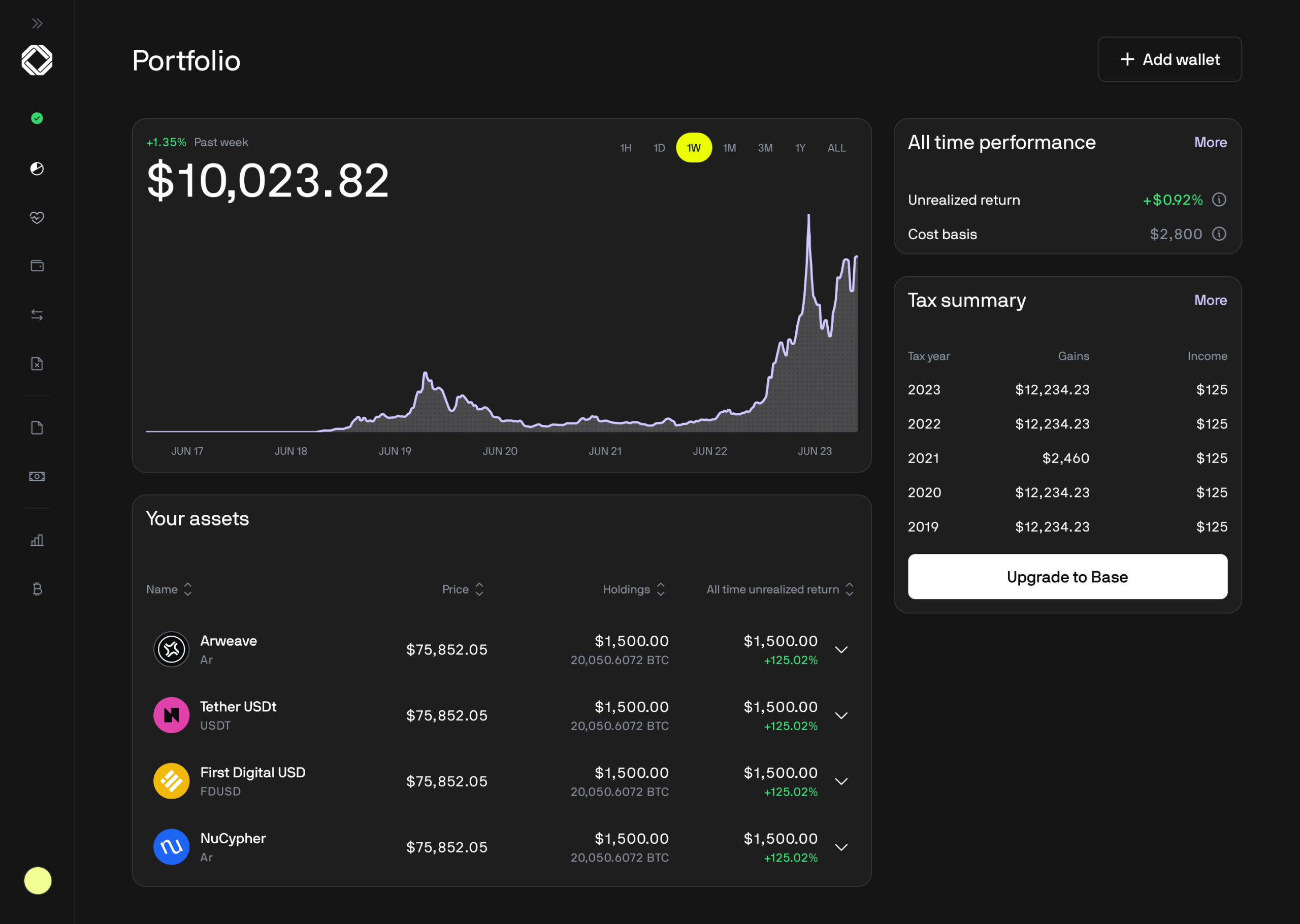
Unified portfolio tracking. Once your exchanges and wallets are connected, CoinTracker gives you a live dashboard of your holdings, allocation, and realized and unrealized gains and losses. Instead of checking five apps to know your net worth in crypto, you get one view that updates as transactions come in. For people spread across several platforms, this alone can justify the tool.
Automatic exchange and wallet syncing. CoinTracker connects to a large catalog of exchanges and wallets, numbering in the hundreds. You link accounts by read-only API keys or public wallet addresses, and it pulls in your transaction history. The breadth of support is one of the platform’s strongest points, and it covers the major exchanges most US users rely on.
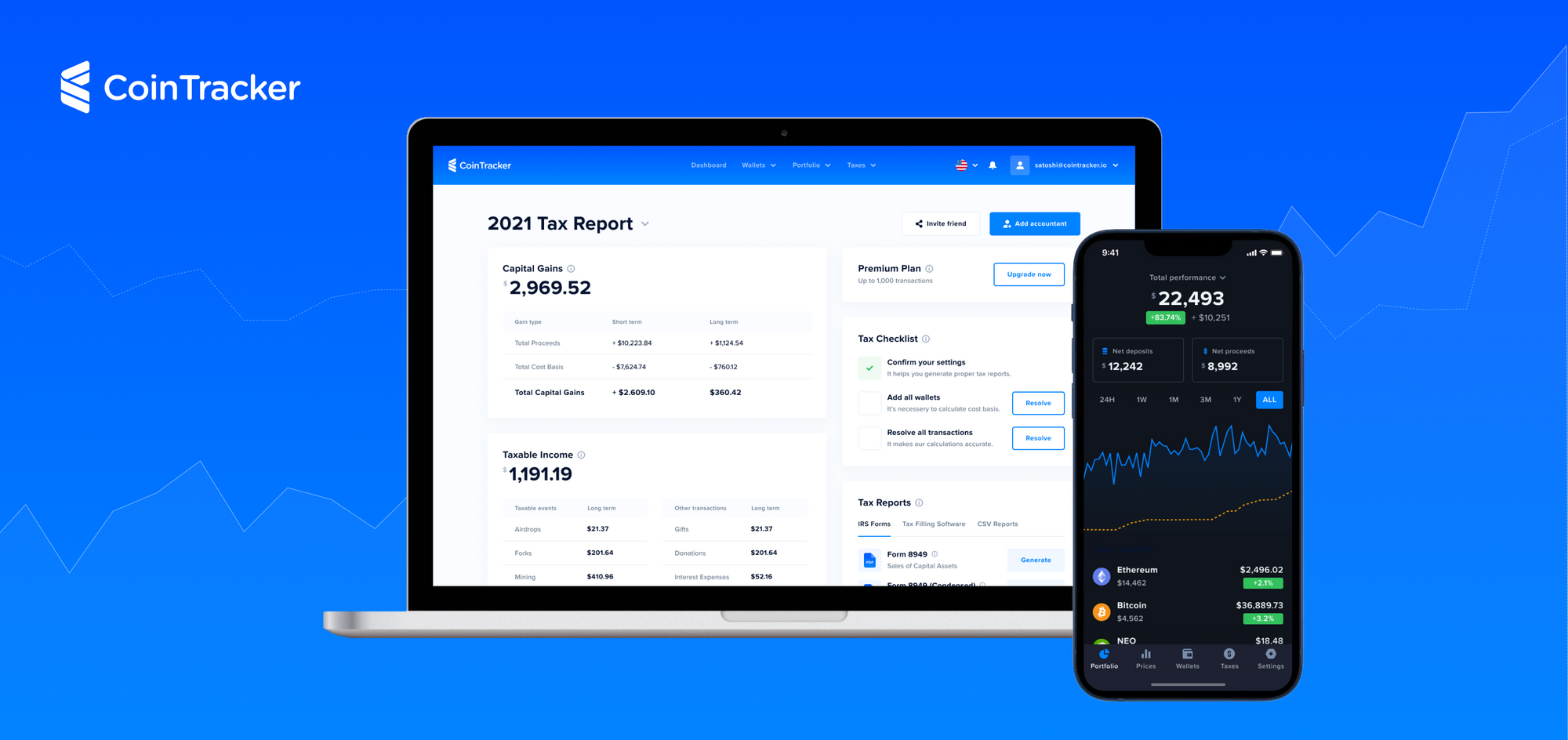
Tax reports and IRS forms. When it is time to file, CoinTracker generates the forms that matter, including Form 8949 and Schedule D, populated with your crypto transactions. You can file through the platform’s supported paths or export the data. This is the payoff for a year of tracking: the software turns raw activity into documents your accountant or tax software can actually use.
TurboTax and H&R Block integration. Rather than manually keying in totals, you can push your CoinTracker data into TurboTax or H&R Block. Combined with the Coinbase partnership, this is the feature that most reduces filing friction and is a big reason the tool is popular with mainstream US filers.
1099-DA reconciliation. With brokers now issuing 1099-DA forms, mismatches between what an exchange reports and your actual cost basis can inflate your apparent gains. CoinTracker’s reconciliation tooling is designed to catch those gaps so your reported numbers reflect reality.
The rest of the feature set
Multiple cost-basis methods
CoinTracker supports different accounting methods for calculating gains, so you can align with the approach your tax situation calls for. Because method choice can meaningfully change your tax outcome, this is a place to consult a tax professional rather than guess.
Tax-loss harvesting tools
On higher-tier plans, CoinTracker highlights opportunities to realize losses that can offset certain gains. Used carefully, this can lower a tax bill, though the full toolset is reserved for paid, higher plans.
Tax lot detail
The platform breaks activity down to the individual tax-lot level, which helps when you want to understand exactly how a gain or loss was calculated instead of trusting a single summary number.
DeFi and NFT support
CoinTracker handles a range of DeFi and NFT activity, particularly on its higher plans. Complex on-chain activity can still require manual review, but the coverage is broad enough for most users.
Mobile apps
CoinTracker offers iOS and Android apps so you can check your portfolio, transaction history, and balances on the go, with hundreds of thousands of app downloads to date.
Data export
If you prefer to hand a file to your accountant, you can export your data rather than filing directly, which keeps the tool flexible for people who work with a CPA.
Security posture
Connections use read-only API keys and public addresses, so the app can see your transactions without the ability to move funds. That is the standard, sensible model for this category of software.
How to get started / get the best results
Getting real value out of CoinTracker is mostly about feeding it complete, accurate data. Here is a sensible path.
- Create a free account first. Start on the free tier to see how syncing feels with your specific exchanges before paying for anything. You can try CoinTracker without a card.
- Connect every account. Link all exchanges and wallets, including old or dormant ones. Missing accounts are the number one cause of wrong cost basis and phantom gains.
- Use read-only API keys. Where possible, connect exchanges with read-only keys and wallets with public addresses so the app can never move funds.
- Review as you go. Do not wait until April. Verify synced transactions periodically through the year so errors are easy to fix while you still remember the context.
- Reconcile transfers. Make sure moves between your own wallets are tagged as transfers, not sales, so you are not taxed on money you simply relocated.
- Confirm before filing. Once forms are generated, have a tax professional review anything unusual, especially if you had heavy DeFi, staking, or NFT activity.
Watch: CoinTracker in action
The walkthrough below shows how the platform tracks activity and produces tax forms, which is helpful if you want to see the workflow before signing up.
CoinTracker vs alternatives
CoinTracker is not the only serious option. Koinly and CoinLedger are the two competitors most people weigh against it. Here is a high-level comparison.
| Feature | CoinTracker | Koinly | CoinLedger |
|---|---|---|---|
| Main focus | Portfolio tracking plus tax reporting in one | Tax reporting with strong international support | Tax reporting with a simple, guided flow |
| Exchange and wallet syncing | Hundreds of integrations | Very broad, strong global coverage | Broad, focused on popular platforms |
| US filing integrations | Official Coinbase partner, TurboTax and H&R Block | TurboTax and other export options | TurboTax and TaxAct, exports to CPAs |
| Free tier | Yes, for portfolio tracking; upgrade to download forms | Yes, preview reports free; pay to download | Yes, preview free; pay to download forms |
| Best suited for | US users wanting tracking plus filing together | Global users with complex, multi-country needs | Users who want the simplest tax-only workflow |
The short version: CoinTracker shines when you want tracking and taxes unified and you file in the US. Koinly is often favored by international users with more complex jurisdictions, and CoinLedger appeals to people who just want a straightforward, tax-focused flow. The right pick depends on where you live and how complicated your activity is.
Pricing & value
CoinTracker uses a tiered model, with a free plan for portfolio tracking and paid plans that unlock tax-form downloads and more advanced features. Paid tiers are generally priced according to how many transactions you need to process, with entry-level plans covering modest activity and higher tiers scaling up to very large transaction counts, DeFi support, tax-loss harvesting, and additional review options.
Because CoinTracker updates its plans and prices over time, and because the exact numbers vary by tax year and promotions, we are not going to quote specific figures that might be stale by the time you read this. The important structural points are these: the free tier lets you track a portfolio and preview your situation, but downloading finished tax forms requires a paid plan; and your cost is driven mainly by transaction volume, so light users pay little while very active traders pay considerably more. Check the current plans on the site for exact pricing.
On value, the calculus is simple. If CoinTracker saves you hours of manual reconciliation and helps you avoid overpaying because of unreconciled 1099-DA data, it can easily pay for itself. If you have only a handful of transactions a year, the free tier plus a cheap plan is plenty. Want to check where your own activity lands? You can try CoinTracker and see your transaction count before choosing a plan.
Who should use it — and who should not
You should probably use CoinTracker if you hold crypto across multiple exchanges and wallets, you file taxes in the US, you use Coinbase, TurboTax, or H&R Block, and you want one place to both watch your portfolio and generate tax forms. It is also a strong fit if you want the 1099-DA reconciliation tooling that has become important now that brokers report to the IRS.
You might want to look elsewhere if you are primarily an international filer with complex multi-country obligations, in which case a tool with deeper global coverage may serve you better. Extremely high-frequency traders with hundreds of thousands of transactions should price out the top tiers carefully, and anyone whose activity is almost entirely exotic DeFi may find that manual reconciliation eats into the time savings. If you only ever bought and held on a single exchange, you may not need dedicated software at all.
Honest limits
No tool is perfect, and it is only fair to be clear about CoinTracker’s rough edges. The most persistent complaint in user reviews is customer support, where response times can lag, particularly during the busy tax season when everyone needs help at once. If you anticipate needing hands-on help, factor that in.
Pricing is another honest limitation. Because cost scales with transaction volume, active traders can find the higher tiers pricey, and some of the most useful optimization features, like full tax-loss harvesting, are locked to those higher plans. Finally, syncing is powerful but not magic: automated imports still need human review, and complicated DeFi or NFT activity can require manual cleanup. Treat CoinTracker as a very capable assistant, not a fully hands-off autopilot.
CoinTracker discount codes & deals
Crypto tax tools frequently run seasonal promotions, especially in the run-up to filing deadlines, and pricing can shift between tax years. Rather than chase a code that may have expired, the most reliable move is to check the current offer directly. Start on the free tier, connect your accounts, and see your real transaction count so you only pay for the plan you actually need.
Ready to simplify your crypto taxes? Try CoinTracker and see your portfolio and tax picture in one place.
Frequently asked questions
Is CoinTracker free to use?
There is a free tier that covers portfolio tracking, so you can connect accounts and monitor your holdings without paying. Downloading finished tax forms requires upgrading to a paid plan. This makes it easy to try the tool before deciding whether to pay.
Does CoinTracker work with TurboTax?
Yes. CoinTracker integrates directly with TurboTax and also with H&R Block, and it is the official crypto tax partner of Coinbase. That combination is a major reason it is popular with US filers who want a smooth path from synced transactions to a completed return.
How many exchanges and wallets does CoinTracker support?
CoinTracker connects to hundreds of exchanges and wallets, covering the major platforms most US users rely on. You link accounts with read-only API keys or public wallet addresses so the app can read your history without the ability to move funds.
Is CoinTracker accurate?
CoinTracker is well regarded for accuracy, holding a Trustpilot rating around 4.7 out of 5 across well over a thousand reviews. That said, automated syncing still benefits from human review, and complex DeFi or NFT activity may need manual reconciliation before you file.
Can CoinTracker help with the new 1099-DA form?
Yes. CoinTracker has built tooling specifically to reconcile 1099-DA forms, which brokers now issue to report your digital-asset activity to the IRS. Reconciliation helps ensure you are not taxed on inflated gains due to missing cost basis.
How much does CoinTracker cost?
Pricing is tiered and driven mainly by how many transactions you need to process, with a free tracking tier and paid plans that unlock form downloads and advanced features. Because plans and prices change over time, check the current pricing on the site for exact figures.
Is CoinTracker safe?
CoinTracker connects to your accounts using read-only API keys and public wallet addresses, meaning it can see transactions but cannot move your funds. That is the standard security model for reputable crypto tax software.
Understanding how crypto tax reporting works and cost basis methods
To get the most out of any crypto tax tool, it helps to understand the basics of how the reporting works. This section is educational and general, not tax advice, so confirm specifics with a qualified professional.
In the US, most crypto activity is treated as property for tax purposes. That means when you sell, trade, or spend crypto, you may realize a capital gain or loss based on the difference between what you received (the proceeds) and what you originally paid (the cost basis). Simply holding crypto is generally not a taxable event, but disposing of it usually is, and certain activities like staking rewards or airdrops can count as income when received.
Cost basis is the linchpin of the whole calculation. It is essentially what you paid to acquire a coin, including fees. If your cost basis is recorded incorrectly, or missing entirely because a coin was transferred in from another platform, your calculated gain can be far higher than reality, and you could overpay. This is exactly why complete syncing and careful transfer tagging matter so much, and why the arrival of the 1099-DA form, which reports proceeds and sometimes basis, has made reconciliation such an important feature.
When you have multiple purchases of the same coin at different prices, a cost-basis method decides which units you are considered to have sold. Common methods include FIFO (first in, first out), where the earliest coins you bought are treated as the first ones sold; LIFO (last in, first out), where the most recently acquired coins are treated as sold first; and HIFO (highest in, first out), where the highest-cost coins are treated as sold first, which can minimize a gain in some situations. The method you use can change your tax outcome, and the rules and permissibility of each method can depend on your jurisdiction and how you track lots, so it is genuinely worth a conversation with a tax professional.
Finally, gains are typically split into short-term (assets held one year or less, often taxed at higher ordinary rates) and long-term (assets held more than a year, often taxed at lower rates). Good software surfaces this distinction so you can see the holding-period impact of a sale. The bottom line: crypto tax software like CoinTracker does the heavy lifting of gathering data and running the math, but understanding cost basis and holding periods helps you sanity-check the results and make smarter decisions. When in doubt, consult a tax professional before you file.
Want to stop wrestling with spreadsheets? Try CoinTracker and bring your portfolio and tax reporting together in one place.



