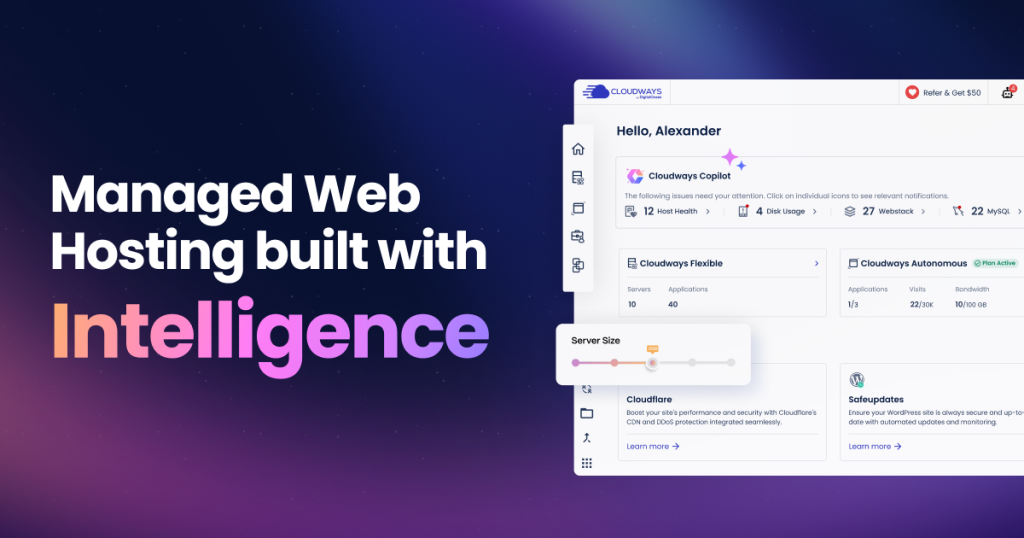
If you have spent any time researching web hosting, you have probably run into a frustrating fork in the road. On one side sits cheap shared hosting that buckles the moment your traffic grows. On the other side sits raw cloud infrastructure from providers like DigitalOcean, AWS, or Google Cloud that is powerful and affordable, but expects you to be a part-time system administrator. Cloudways was built to live in the gap between those two worlds, and it does so more convincingly than almost anything else on the market.
Cloudways is a managed cloud hosting platform. Instead of owning data centers, it sits as a management layer on top of five well-known cloud providers, letting you deploy a server in a couple of clicks and then handling the fiddly server administration for you. In 2022 it was acquired by DigitalOcean, which explains why the DigitalOcean integration in particular feels so polished. In this review we dig into what the platform actually does well, where it genuinely falls short, and who should think twice before signing up.
AnalyzeBench Score: 8.5 / 10
Best for: Freelancers, agencies, bloggers, and growing eCommerce stores who want cloud-level speed and pay-as-you-go pricing without learning Linux server administration.
What we loved:
- Genuine choice of five cloud providers (DigitalOcean, Vultr, Linode, AWS, Google Cloud) on one dashboard.
- Pay-as-you-go, no-contract billing with no nasty renewal price hikes.
- A serious performance stack baked into every server: object caching, full-page caching, and an enterprise CDN option.
- Free one-click staging, free SSL, daily backups, SSH/SFTP access, and free site migration.
- Unlimited applications and sites per server, limited only by the resources you provision.
Watch out for:
- No email hosting bundled in, and no domain registration at all.
- Several useful extras (email, premium CDN, advanced monitoring) are paid add-ons that stack up.
- The dashboard assumes some comfort with cloud concepts; true beginners face a learning curve.
- Live chat on entry-level plans is time-boxed before it converts to a ticket.
What makes Cloudways different
The core idea behind Cloudways is deceptively simple: keep the price and power of raw cloud infrastructure, but strip away the part where you have to configure and babysit a server. When you sign up, you are not buying a fixed “hosting plan” in the traditional sense. You are choosing an underlying cloud provider, picking a server size, and letting Cloudways install and tune a complete, optimized web stack on top of it.
That distinction matters. With a company like SiteGround or Bluehost, you rent a slice of a server and the host decides most of the technical details. With Cloudways, you effectively rent a whole virtual server from a top-tier cloud provider, and Cloudways acts as your managed operations team. You get root-level power without root-level responsibility.
The second thing that sets it apart is the absence of cPanel. Cloudways built its own custom control panel, called the Console, from the ground up. There is no clutter of legacy hosting tools you will never touch. Instead you get a focused interface for launching servers, deploying applications, cloning sites, managing staging environments, and monitoring performance. Longtime cPanel users sometimes need a day or two to adjust, but most people find the streamlined approach refreshing once the initial unfamiliarity wears off.
Finally, there is the pricing philosophy. Cloudways bills per server on a pay-as-you-go basis. There are no long lock-in contracts, no deeply discounted introductory rate that triples on renewal, and no per-site pricing. Host one WordPress site or twenty on the same server; you pay for the server, not the number of installs. For agencies juggling many client sites, that alone can be transformative for margins.
The core service
At its heart, Cloudways is managed cloud hosting optimized primarily for WordPress and WooCommerce, though it also supports Laravel, Magento, Drupal, and plain PHP applications. Every server you launch comes pre-configured with a performance-focused stack rather than a bare operating system.
That stack typically includes object caching through Redis and Memcached to accelerate database queries, full-page caching to serve pages quickly, and PHP-FPM tuned for fast processing. On the WordPress side, Cloudways ships its own free caching plugin, Breeze, which is designed to play nicely with the server-level caching rather than fighting it. For content delivery, there is the Cloudways CDN as an inexpensive add-on, and Cloudflare Enterprise integration for those who want edge caching, a web application firewall, and image optimization across a global network of points of presence.
Beyond raw speed, the managed layer covers the operational essentials. You get free SSL certificates via Let’s Encrypt with one-click installation, automated backups (with configurable frequency), a one-click staging environment for testing changes safely, and a dedicated firewall plus optional malware protection. Team collaboration features let agencies add members with scoped permissions and transfer server ownership when a client relationship changes. Server-level access is available too, so developers can use SSH, SFTP, WP-CLI, Git deployment, and cron jobs without restriction.
In late 2025 Cloudways expanded its lineup with Autonomous, a fully managed, Kubernetes-based WordPress product with built-in autoscaling. Where the standard Flexible offering asks you to pick and size a server yourself, Autonomous handles the infrastructure automatically, scaling resources up and down in response to real traffic and billing based on compute used. It bundles Cloudflare Enterprise CDN, Object Cache Pro, and edge caching by default. It is a compelling option for sites with unpredictable traffic spikes, though it sits at a higher price point than the entry-level Flexible servers.
Plans & pricing
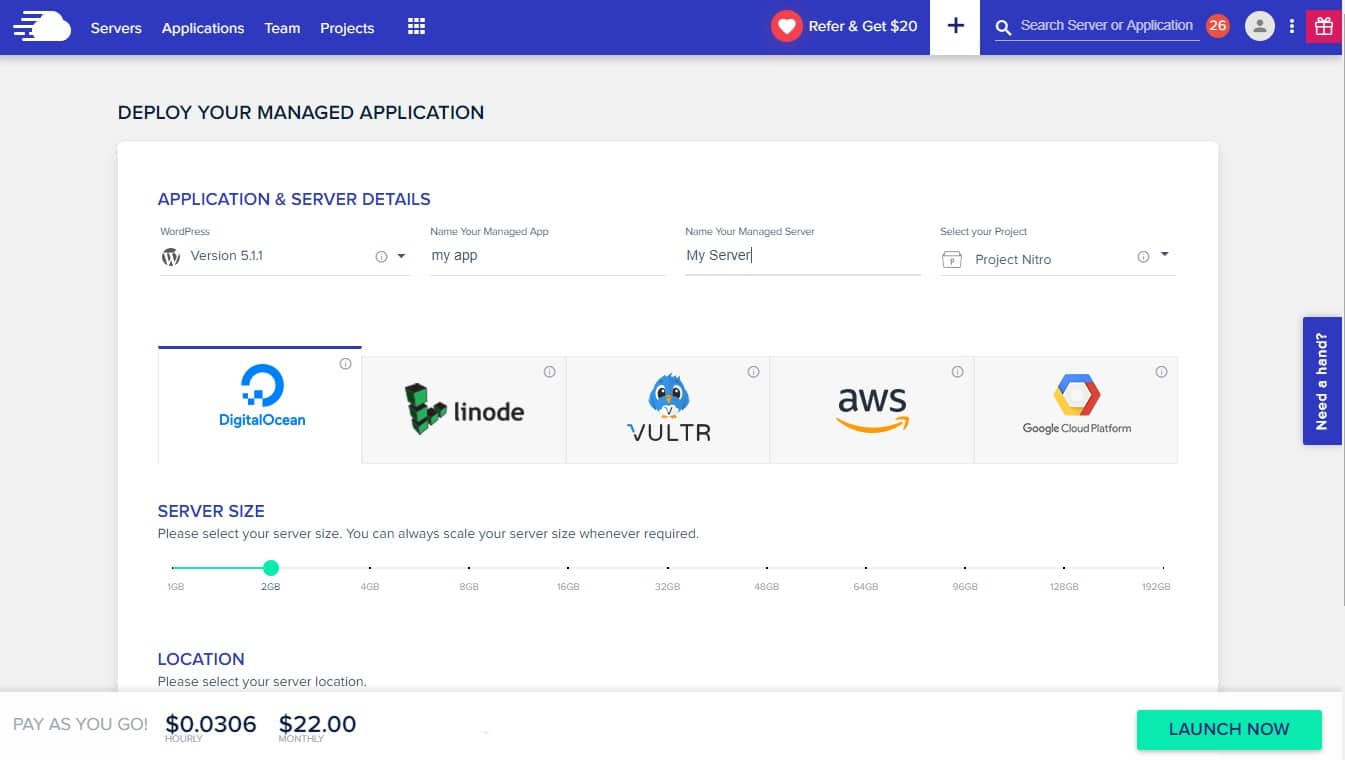
Because Cloudways is billed per server and the server cost is determined by which cloud provider you choose, pricing is best understood provider by provider. All plans share the same pay-as-you-go model, the same managed features, and the same 3-day free trial with no credit card required. The figures below reflect the entry-level 1GB configurations at the time of writing; always confirm current numbers on the pricing page, since cloud provider costs can shift.
DigitalOcean
DigitalOcean is the most popular choice on the platform and, since the acquisition, the most deeply integrated. Entry-level DigitalOcean servers start at roughly the $11 to $14 per month range for a 1GB configuration, with Premium NVMe options offering strong balanced performance for WordPress. For most freelancers and bloggers, this is the sweet spot of price and performance. Try Cloudways on DigitalOcean if you want the best value entry point.
Vultr
Vultr servers start at around $14 per month for a comparable 1GB configuration and are known for a broad spread of global data center locations. High-frequency compute options are available for workloads that benefit from faster single-core performance. Vultr is a solid pick when you want a data center geographically closer to a specific audience.
Linode (Akamai)
Linode, now part of Akamai, also starts in the neighborhood of $14 per month at the 1GB tier. It has a long-standing reputation for reliability and consistent performance, making it a dependable middle-ground option between the budget-friendly DigitalOcean and the premium enterprise clouds.
AWS (Amazon Web Services)
Amazon Web Services sits at a distinctly higher price point, with entry configurations landing in the low-to-mid $20s per month and climbing from there. The premium buys you Amazon’s enterprise-grade infrastructure and reach. AWS makes sense for businesses that specifically need Amazon’s ecosystem, compliance posture, or scale.
Google Cloud (GCE)
Google Cloud is the most expensive provider on the platform, with entry servers commonly starting in the mid-$30s per month. It appeals to organizations already invested in Google’s cloud, or those wanting Google’s network performance and global backbone. For a simple blog it is overkill; for a demanding enterprise application it can be exactly right.
How to get the best deal / free trial
The single best way to evaluate Cloudways is to use the free trial. You can spin up a server and deploy a real site without entering payment details, which is unusual and genuinely useful. It gives you enough time to migrate a test copy of your site, run some speed tests, and poke around the Console before committing a cent.
To keep costs sensible once you go live, a few practical tips help. Start on the smallest DigitalOcean server that comfortably runs your site; because you can vertically scale a server later in a click, there is no reason to over-provision on day one. Use the free migration service rather than paying a developer to move your site. And be deliberate about add-ons: only enable paid extras like premium email volume or Cloudflare Enterprise when you actually need them, since they are billed on top of the base server. When you are ready, you can start your free Cloudways trial and have a server running within minutes.
Watch: Cloudways in action
If you prefer to see the dashboard and setup flow before reading further, the walkthrough below covers launching a server, deploying WordPress, and touring the Console.
Cloudways vs alternatives
Cloudways does not exist in a vacuum. Two names come up constantly when people weigh their options: SiteGround, the popular all-purpose host, and Kinsta, the premium managed WordPress specialist. Here is how they stack up on the dimensions that matter most.
| Factor | Cloudways | SiteGround | Kinsta |
|---|---|---|---|
| Hosting type | Managed cloud on your choice of 5 providers | Shared and cloud, host-managed | Managed WordPress on Google Cloud |
| Entry price | From roughly $11-$14/mo (DigitalOcean) | Low intro rate, higher on renewal | Typically from around $35/mo |
| Billing model | Pay-as-you-go, no contract, flat renewal | Annual terms, renewal price jump | Monthly or annual, fixed tiers |
| Email hosting | Paid add-on only | Included | Not included |
| Control panel | Custom Console (cloud-oriented) | Custom Site Tools (beginner-friendly) | MyKinsta (polished, WP-focused) |
| Best fit | Value seekers wanting cloud power and flexibility | Beginners wanting an all-in-one package | Those wanting fully managed premium simplicity |
The short version: SiteGround is the friendliest for a first-time site owner who wants email and hosting in one tidy bundle. Kinsta is the premium, hands-off choice for people happy to pay more for a beautiful dashboard and fully managed WordPress. Cloudways sits between them, offering cloud-grade performance and flexibility at a lower entry price, in exchange for a slightly more technical experience and a few unbundled extras.
Performance, support & value
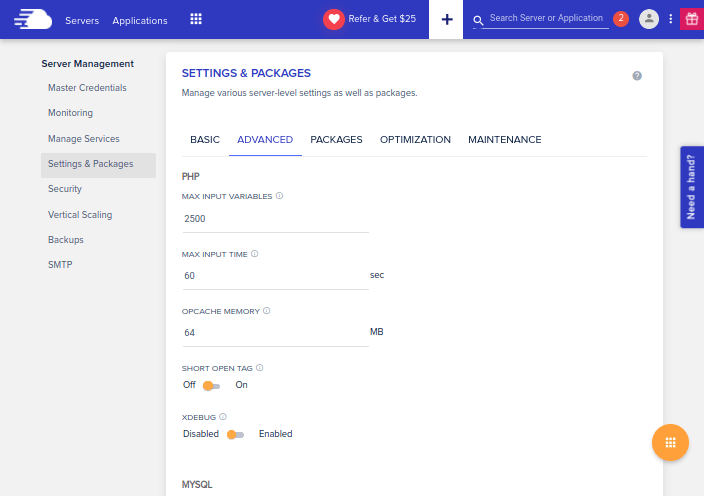
On performance, Cloudways consistently earns its reputation. The combination of NVMe-backed servers, layered caching, and an optional enterprise CDN produces fast time-to-first-byte figures that place it firmly among the quickest managed hosts. In head-to-head comparisons its speed is broadly comparable to premium rivals, often within a small margin, which is impressive given the lower entry cost. The 2026 introduction of the NGINX-based Lightning Stack pushed the performance baseline higher still for dynamic, modern applications.
Support is a genuine strength, with a couple of caveats worth naming. Cloudways offers 24/7 live chat and a well-regarded knowledge base, and the more recent addition of an AI-powered Copilot helps diagnose common server issues quickly. The caveat is that on entry-level plans, live chat sessions are time-limited before your conversation is converted into a support ticket. For deep or complex issues, upgrading to a premium support tier gives you faster, more thorough assistance. Most users find the standard support perfectly adequate for day-to-day questions.
On value, the picture is clear. If you are comfortable with a slightly more technical dashboard, the cost-to-performance ratio is among the best in the managed hosting space, particularly on DigitalOcean and Vultr. You get infrastructure that would cost significantly more elsewhere, managed for you, with transparent billing. See Cloudways plans to compare the provider options side by side.
Who should use it — and who should not
Cloudways is an excellent fit for freelancers and agencies who manage multiple client sites and want to control costs while delivering fast, reliable hosting. It suits growing blogs and content sites that have outgrown shared hosting, WooCommerce and Magento stores that need dependable speed under load, and developers who want SSH, Git, WP-CLI, and staging without renting and configuring a bare cloud server themselves.
It is a weaker fit for a few groups. Absolute beginners launching their very first small website may find the cloud-oriented dashboard more than they need, and would likely be happier with an all-inclusive host that bundles email and a domain. Anyone who wants a single provider to handle their domain registration, professional email, and hosting in one place will find Cloudways deliberately narrow, since it does neither domains nor bundled email. And extremely budget-constrained hobbyists running a tiny personal page can find cheaper shared options, though they will sacrifice performance to do so.
Honest limits
No honest review skips the trade-offs, and Cloudways has real ones. The most cited is email: there is no email hosting bundled with your plan. You can add mailboxes as a paid add-on, but many users simply route email through a separate service such as Google Workspace, which is an extra bill and an extra setup step.
Domains are the other notable gap. Cloudways does not sell or register domain names, so you will register and manage your domain elsewhere and point it at your Cloudways server. This is straightforward for anyone who has done it before, but it is one more moving part for a newcomer.
Then there is the add-on economics. The base server price is attractive, but a fully featured setup with premium email volume, Cloudflare Enterprise CDN, and advanced monitoring will cost more than the headline figure suggests. It is still competitive, but budget for the extras you actually plan to use rather than assuming the entry price is your final bill. Finally, because you are provisioning real server resources, exceeding what you allocated can lead to additional charges or the need to scale up, so a little capacity planning goes a long way.
Cloudways discount codes & deals
Cloudways regularly runs promotions, and the pay-as-you-go model means any discount applies cleanly without a renewal trap waiting later. The most reliable way to make sure you land the current best offer, plus the risk-free 3-day trial with no credit card required, is to go through an up-to-date link rather than an old coupon that may have expired.
Ready to test it yourself? Start your free Cloudways trial here and launch a real server in minutes, then decide with your own speed tests in hand.
Frequently asked questions
Does Cloudways include a domain name?
No. Cloudways does not register or sell domain names. You buy your domain from a registrar of your choice and point it at your Cloudways server. The process is well documented, but it is a separate step from your hosting.
Does Cloudways include email hosting?
Not by default. Email is available as a paid add-on billed per mailbox, or you can connect a third-party service like Google Workspace or Microsoft 365. Many users prefer the third-party route for a fuller-featured inbox.
Which cloud provider should I choose on Cloudways?
For most people, DigitalOcean offers the best balance of price and performance and is the most deeply integrated. Vultr and Linode are strong alternatives, especially for specific data center locations. AWS and Google Cloud make sense mainly if you specifically need those ecosystems, and they cost noticeably more.
Is Cloudways good for beginners?
It is more approachable than raw cloud hosting, but its dashboard assumes some comfort with cloud concepts. A motivated beginner can absolutely learn it, especially with the free trial, but someone who wants the simplest possible all-in-one experience may prefer a more traditional host.
Can I host multiple websites on one Cloudways server?
Yes. Pricing is per server, not per site, so you can host as many applications as the server’s resources allow. This is a major reason agencies and multi-site owners favor the platform.
Does Cloudways offer a free trial?
Yes. There is a 3-day free trial that does not require a credit card, which lets you launch a server, deploy a site, and evaluate performance before paying anything.
What is Cloudways Autonomous?
Autonomous is a fully managed, Kubernetes-based WordPress product that autoscales resources with traffic and bundles enterprise CDN and caching. It removes server sizing decisions entirely, at a higher price than entry-level Flexible servers, and suits sites with spiky or unpredictable traffic.
Managed vs unmanaged cloud hosting: what is the difference?
Understanding this distinction is the key to understanding why a platform like Cloudways exists at all. Unmanaged cloud hosting is what you get if you sign up directly with a provider like DigitalOcean or AWS and rent a bare virtual server, often called a droplet or instance. You receive a blank server with an operating system and nothing else. From there, you are responsible for everything: installing and configuring the web server, securing it, setting up caching, applying updates and security patches, configuring backups, and troubleshooting when something breaks at 2 a.m. It is inexpensive and infinitely flexible, but it demands real system administration skill and time.
Managed cloud hosting takes that same underlying infrastructure and layers professional operations on top. A managed provider like Cloudways installs an optimized web stack for you, keeps the server patched and secured, configures caching and backups, and provides support when things go wrong. You still benefit from the performance and pay-as-you-go economics of the cloud, but you are freed from the administrative burden. In practice, you trade a small management premium for a large amount of saved time and reduced risk.
The right choice depends on who you are. If you are a seasoned DevOps engineer who enjoys tuning servers and wants absolute control, unmanaged hosting will be cheaper and more configurable. If you are a business owner, agency, blogger, or developer who would rather spend time building and growing your site than administering Linux, managed cloud hosting is the pragmatic answer. Cloudways is popular precisely because it delivers the cost and speed advantages of unmanaged cloud infrastructure while removing the parts most people neither enjoy nor have time for. For the majority of website owners, that trade is well worth making, and it is why we rate the platform as highly as we do.