
Linode has been a fixture of the developer-cloud world since 2003, long before “cloud” was a marketing word. It built a reputation on one simple idea: give developers clean, predictable Linux virtual machines at a flat price, with documentation good enough that you rarely needed to open a support ticket. In 2022 the company was acquired by Akamai, and today the platform operates under the banner of Akamai Connected Cloud. The Linode brand still lives on at linode.com, but the invoices, the support emails, and much of the roadmap now flow through Akamai’s global edge network.
That transition is the single biggest question hanging over any Linode review today. Is this still the friendly, no-nonsense VPS host that indie developers loved, or has it become an enterprise-first platform where individuals are an afterthought? The short answer: Linode is still one of the best-value developer clouds you can buy, but the experience now comes with a corporate coat of paint that not everyone will love. Here is the honest, in-depth breakdown.
AnalyzeBench Score: 8.4 / 10
Best for: Developers, startups, and small-to-midsize teams who want predictable flat-rate pricing, a genuinely clean control panel, and full root access to Linux VMs without the sprawling complexity (and surprise bills) of the hyperscale clouds.
What we loved:
- Flat, predictable pricing that starts at around $5/month, with a generous bundled transfer allowance and low egress overage fees.
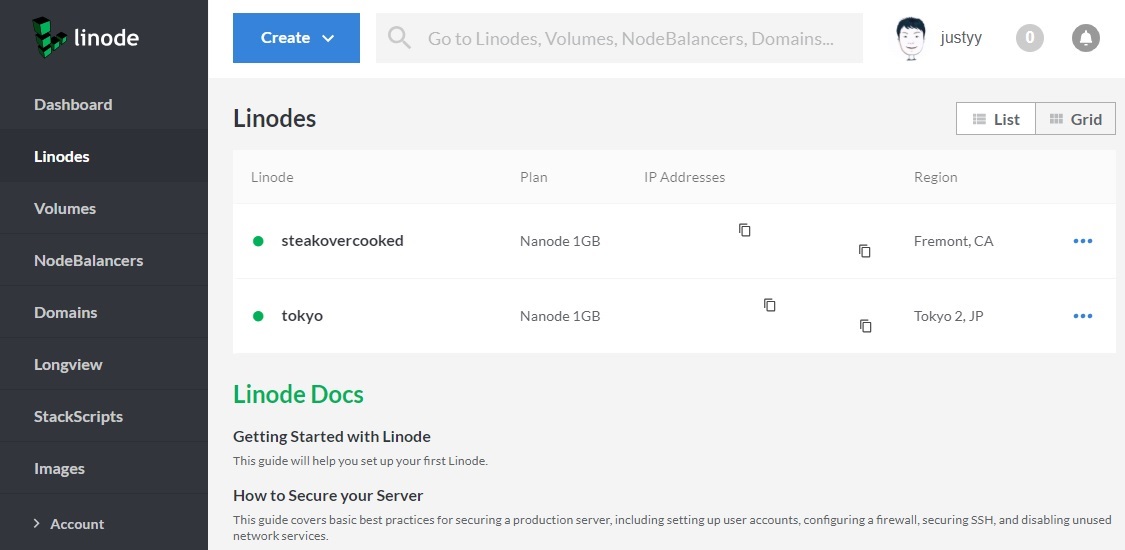
- Cloud Manager is one of the cleanest control panels in the industry, refined over two decades.
- Documentation and community Q&A are consistently rated best-in-class alongside DigitalOcean.
- A full product suite now sits behind the VMs: managed Kubernetes (LKE), managed databases, S3-compatible object storage, GPU instances, and Akamai’s edge footprint.
- 41 compute regions across 36 cities, a big jump from the 11 data centers Linode ran before the acquisition.
Watch out for:
- It is an unmanaged platform. You configure your own monitoring, backups, security, and failover.
- Hands-on management (24/7 monitoring and incident response) is a paid add-on, not included.
- There is no live chat support at any tier, which is unusual in this price bracket.
- The Akamai rebrand creates friction: cross-domain redirects, akamai.com support emails, and enterprise messaging that can feel off-putting to solo developers.
Try Linode if a clean, honest VPS with real room to grow is what you are after. Now let’s get into the detail.
What makes Linode different
The developer-cloud category is crowded. DigitalOcean, Vultr, Hetzner, and a dozen others all sell cheap Linux VMs with hourly billing. What separated Linode historically was a combination of maturity, transparency, and support quality. It was one of the first independent hosts to offer SSD storage, hourly billing with a monthly cap, and a control panel that treated developers as competent adults rather than hand-holding them through wizards.
Since the Akamai acquisition, the differentiator has shifted. Linode is no longer just an independent VPS host; it is the compute layer of one of the world’s largest content delivery and edge networks. Akamai operates thousands of points of presence globally, and the strategic pitch is that you can run your application close to your users, then push static and cached content even closer via Akamai’s edge. For latency-sensitive workloads, streaming, gaming backends, and AI inference at the edge, that reach is a genuine advantage that pure-play VPS competitors cannot match.
The flip side is philosophical. Linode used to feel like a company built for the person deploying the server; Akamai is built for the enterprise buying a platform. The technology underneath is arguably better than ever, but the brand voice has changed. If you value substance over marketing, the substance is still there.
The core products
Linode is no longer a one-trick VPS host. The current catalog covers most of what a modern application needs.
Compute (Shared, Dedicated, High Memory): The heart of the platform. Shared CPU plans put you on cores shared with other tenants, which is fine for bursty and low-traffic workloads. Dedicated CPU plans reserve full physical cores so you get consistent, predictable performance with no noisy-neighbor contention. High Memory plans skew the ratio toward RAM for in-memory databases and caching.
Linode Kubernetes Engine (LKE): Managed Kubernetes with a free control plane on the standard tier, so you pay only for the worker nodes. A high-availability control plane is available as a paid add-on. LKE supports node pools, autoscaling, and GPU-enabled clusters, and it is one of the more approachable managed Kubernetes offerings for teams that don’t want to babysit a control plane themselves.
Managed Databases: Fully managed MySQL and PostgreSQL with automated backups, patching, and failover. You can run a single-node standalone cluster for development or a three-node high-availability cluster for production, and the service is backed by dedicated hardware rather than shared instances.
Object Storage: S3-compatible storage that works with existing AWS S3 SDKs and tooling. It is the natural home for backups, static assets, user uploads, and anything you would otherwise stuff onto a bucket.
GPU Instances: NVIDIA-powered instances with drivers and CUDA pre-installed, suited to machine learning, rendering, and scientific computing. Akamai has been leaning hard into AI inference at the edge, and GPU compute is central to that story.
Networking and edge: NodeBalancers (load balancing), Cloud Firewall, DNS Manager, private networking, and Block Storage round out the stack. Sitting behind all of it is Akamai’s edge network, which is the piece no other budget-friendly VPS host can replicate.
Plans & pricing
Pricing is where Linode still shines, and it is refreshingly easy to reason about. Every plan bundles CPU, RAM, storage, and a transfer allowance into a single flat number. There are no per-request charges lurking in the fine print and no need to run a spreadsheet to estimate your bill. Prices can vary slightly by region, so always confirm on the pricing page for your chosen location.
Shared CPU
The entry point. Shared CPU plans start around $5/month for a 1 vCPU instance with roughly 1 GB of RAM and 25 GB of SSD storage, scaling up through larger configurations with more cores, memory, and disk. These are the right choice for personal projects, staging environments, small web apps, and anything where you don’t need guaranteed sustained CPU. The bundled transfer allowance starts at around 1 TB on the smallest plan and grows with the instance size.
Dedicated CPU
When you need consistent performance, Dedicated CPU plans reserve full physical cores so you get 100% of each core’s capacity at all times. Entry-level dedicated plans start in the mid-$30s per month and scale up substantially from there for large multi-core configurations. These are the plans to reach for with production databases, CI/CD runners, video encoding, game servers, and any workload that suffers when CPU is contended.
High Memory
High Memory plans tilt the resource ratio toward RAM, which is ideal for in-memory caches, large databases, and analytics workloads that are memory-bound rather than CPU-bound. You pay a premium per gigabyte of RAM compared to shared plans, but far less than you would provision the equivalent memory on a hyperscaler.
Managed add-ons
Layered products are priced on top. LKE bills for worker nodes at standard compute rates with a free control plane. Managed Databases start with single-node clusters and rise to three-node HA configurations. GPU instances are billed hourly with a monthly cap. Object Storage is priced per stored gigabyte with a modest included allowance. Because egress overage is low (a fraction of a cent per gigabyte in most regions), bandwidth-heavy applications land far cheaper here than on AWS or Google Cloud, where egress is notoriously expensive.
The overall picture: Linode competes at the low end on headline price and wins decisively on predictability. You will not get a surprise four-figure bill because a cron job went rogue.
How to get started / free credit
Getting started is straightforward. You create an account at linode.com (or via the Akamai-branded signup), verify your email, add a payment method, and you are in Cloud Manager. New accounts are routinely offered promotional cloud credit to trial the platform, and Akamai runs larger credit programs for qualifying businesses and enterprise migrations. The exact credit amount and duration change over time and by promotion, so check the current offer before you sign up rather than assuming a specific figure.
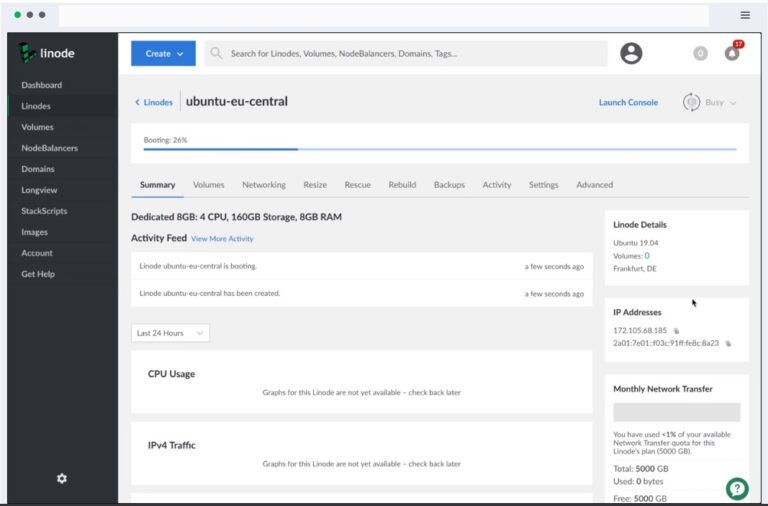
From the dashboard, deploying your first server takes a couple of minutes: pick a region, choose a distribution or a one-click Marketplace app, select a plan, set a root password or SSH key, and click create. Within about a minute you have a booted Linux box with a public IP and full root access. The Marketplace also offers one-click installers for WordPress, databases, game servers, and dozens of other applications.
Ready to spin up your first box? Try Linode and claim whatever new-account credit is currently on offer.
Watch: Linode in action
If you would rather see the control panel before you commit, this official walkthrough tours Cloud Manager and shows how the deployment flow actually feels in practice.
Linode vs alternatives
Linode’s closest competitors are DigitalOcean and Vultr. All three sell flat-rate Linux VMs to developers, and honestly you would be well served by any of them. The differences are at the margins.
| Factor | Linode (Akamai) | DigitalOcean | Vultr |
|---|---|---|---|
| Entry price | ~$5/mo shared CPU | ~$4-6/mo basic droplet | ~$5/mo, with cheaper IPv6-only options |
| Global reach | 41 regions plus Akamai edge network | ~15 data center regions | 30+ locations worldwide |
| Managed Kubernetes | LKE, free standard control plane | DOKS, free control plane | VKE, free control plane |
| Documentation | Excellent, best-in-class | Excellent, best-in-class | Good, less extensive |
| Live chat support | None at any tier | Available on paid plans | Available |
| Standout strength | Edge network and enterprise scale | Developer ecosystem and app platform | Widest raw location count and bare metal |
DigitalOcean edges ahead on developer ecosystem polish and offers live chat on paid plans. Vultr wins on sheer number of locations and offers bare-metal options Linode does not emphasize. Linode’s trump card is the Akamai edge network and the headroom to scale from a $5 box up to enterprise-grade distributed infrastructure without changing providers.
Performance, support & value
On raw performance, Linode holds its own. Dedicated CPU plans deliver consistent, contention-free compute, and independent benchmarks have generally placed Linode in the same competitive tier as DigitalOcean and Vultr for CPU, disk, and network throughput. The NVMe-backed storage on newer plans is fast, and the network benefits from Akamai’s backbone. Linode publishes a 99.99% monthly uptime SLA for compute services and a separate 99.9% SLA for managed non-compute services such as LKE, Object Storage, NodeBalancers, and Managed Databases.
Support is more nuanced, and it is where you need to set expectations correctly. Standard support is free and comes via ticket and 24/7 phone. The team is competent and the documentation is thorough enough that many issues never require a ticket at all. However, there is no live chat at any tier, which stands out in 2026 when competitors offer it. And some users report slower turnaround on account, billing, and fraud-flag tickets, particularly for brand-new accounts. If you need proactive monitoring and hands-on incident response, Linode Managed is a paid add-on layered on top of your instances rather than something included by default.
On value, the verdict is clear: for the money, Linode is excellent. Predictable pricing, low egress, a mature control panel, and a full product suite add up to a strong total package. You are trading away the white-glove, fully-managed experience in exchange for control and cost efficiency. For the target audience, that is exactly the right trade.
Who should use it — and who should not
Linode is a great fit if you are a developer or a technical team comfortable administering your own Linux servers. If you can SSH into a box, configure a firewall, set up backups, and read excellent documentation when you get stuck, you will feel right at home and you will save real money versus the hyperscalers. Startups that want room to grow, agencies running client sites, SaaS builders, and anyone burned by unpredictable AWS bills should shortlist it. The edge network makes it especially compelling for latency-sensitive and globally distributed workloads.
It is a poor fit if you want someone else to run the server for you. If you are a non-technical business owner who needs a host to install updates, monitor uptime, and fix things without you lifting a finger, an unmanaged VPS is the wrong tool, and Linode’s paid managed tier still assumes a fair amount of technical ownership. Likewise, if 24/7 live chat is a hard requirement, a fully-managed host will serve you better than Linode’s ticket-and-phone model.
Honest limits
No review is complete without the caveats, so here they are plainly. First, this is unmanaged infrastructure. Production-grade reliability is your responsibility to assemble: monitoring, off-instance backups, security hardening, and failover do not come pre-configured. Second, support has real gaps. The absence of live chat and reports of slow ticket turnaround for new and flagged accounts are legitimate concerns if fast human help matters to you. Third, the Akamai transition still creates friction. You will bounce between linode.com and akamai.com, receive support correspondence from Akamai domains, and wade through enterprise messaging that can feel mismatched with a $5 VPS. Long-time customers have largely adjusted, but new users notice it.
Finally, the free new-account credit is a nice on-ramp but not a permanent free tier. Once it is exhausted you pay from the first dollar, so treat any promotional balance as a trial rather than an ongoing perk. None of these limits are dealbreakers for the intended audience, but you should walk in with clear eyes.
Linode credits & deals
New accounts are typically offered promotional cloud credit that lets you trial the platform for a period before you pay out of pocket, and Akamai maintains larger credit programs aimed at businesses migrating meaningful workloads. Because these offers rotate and the exact amounts change, the smartest move is to check the current promotion at signup rather than budgeting around a fixed number. Whatever the headline credit, the underlying value proposition, flat pricing and low egress, is what makes Linode worth it over the long run, not a one-time bonus.
If you have been meaning to migrate off an overpriced hyperscaler or you simply want a clean, dependable VPS to build on, this is a low-risk way to test the waters. Try Linode, deploy a small instance, and see how the flat-rate model feels against whatever you are paying today. If it does fit, you have found a platform that scales with you.
Frequently asked questions
Is Linode still Linode, or is it Akamai now?
Both, in practice. Akamai acquired Linode in 2022 and the platform is now branded Akamai Connected Cloud, but the Linode name and the linode.com site remain in use. The products you knew are still here, expanded with Akamai’s edge network, though billing and support correspondence now come through Akamai.
Is Linode managed or unmanaged?
The core VPS product is unmanaged: you get full root access and you are responsible for configuring, securing, and maintaining your servers. A paid Linode Managed add-on provides 24/7 monitoring and incident response, but even that assumes you own the technical setup.
How much does Linode cost?
Shared CPU plans start at roughly $5/month, with Dedicated CPU plans beginning in the mid-$30s and scaling up from there. Every plan bundles CPU, RAM, storage, and a transfer allowance into one flat price, and egress overage is very low compared to the hyperscalers. Prices can vary by region.
Does Linode offer a free trial or credit?
There is no permanent free tier, but new accounts are generally offered promotional cloud credit to trial the platform, and Akamai runs larger credit programs for qualifying businesses. Check the current offer at signup, as amounts change over time.
How does Linode compare to DigitalOcean?
They are close competitors with similar pricing and both have excellent documentation. DigitalOcean has a slightly more polished developer ecosystem and offers live chat on paid plans; Linode counters with more global regions and access to Akamai’s edge network for latency-sensitive workloads.
Does Linode support Kubernetes?
Yes. Linode Kubernetes Engine (LKE) is a managed Kubernetes service with a free standard control plane, so you pay only for worker nodes. It supports node pools, autoscaling, and GPU-enabled clusters, with an optional paid high-availability control plane for production.
Is Linode good for beginners?
It is beginner-friendly for anyone comfortable with basic Linux administration, thanks to a clean control panel and outstanding documentation. It is not the right choice for non-technical users who need a fully hands-off, managed hosting experience.
Understanding managed vs unmanaged VPS
Because Linode is fundamentally an unmanaged platform, it is worth understanding what that term actually means before you buy, since it is the difference that trips up most first-time cloud buyers.
A managed VPS is one where the provider handles the operating system and much of the server administration for you: installing and patching the OS, monitoring uptime, configuring security, managing backups, and responding when something breaks, often with a control panel like cPanel layered on top. You pay a premium for this convenience, but you can largely treat the server as a service. Managed hosting suits businesses without in-house technical staff and anyone who values their time more than the cost savings.
An unmanaged VPS, which is what Linode sells by default, hands you a bare Linux machine with root access and gets out of your way. The provider keeps the hardware, network, and hypervisor running, and everything above that line, OS updates, firewall rules, web server configuration, backups, monitoring, and security, is your responsibility. In exchange you get full control, lower cost, and no restrictions on how you configure it. Unmanaged hosting is the right choice for developers and technical teams who know their way around a terminal and want maximum flexibility for minimum spend.
The practical takeaway is to match the model to your skills and your time. If you can comfortably administer a Linux box, or you have someone on the team who can, unmanaged platforms like Linode deliver far more value and the control that serious projects eventually need. If server administration is not something you want to own, either budget for the managed add-on tier or choose a fully-managed host from the start. Linode’s excellent documentation and strong community soften the unmanaged learning curve considerably, but they do not eliminate the responsibility. Go in knowing which side of that line you are on, and the platform will reward you.