Email marketing platforms have converged so hard on the same feature list that most comparisons come down to price and taste. GetResponse is one of the few that still has a genuinely different answer to “why us?” — it bundles a visual automation builder, landing pages, conversion funnels and, uniquely among mainstream email tools, native webinars into a single subscription. The company has been at this since 1998, which makes it one of the oldest independent players in the space, and it now serves hundreds of thousands of customers in more than two dozen languages. We built campaigns inside it, wired up automations, ran the pricing math against every list size we could think of, and compared the results with the other email platforms we have reviewed to see where GetResponse earns its keep and where the bill starts to sting.
AnalyzeBench Score: 8.4/10
Best for: Small businesses, course creators and marketers who want email, automation, landing pages and webinars in one tool instead of stitching together three subscriptions.
What we loved:
- Visual automation builder that is genuinely drag-and-drop — triggers, conditions and actions snap together on a canvas.
- Native webinars built into the platform — no Zoom bolt-on, and registrants flow straight into your lists and funnels.
- AI campaign generator that drafts a full email series, subject lines and landing page from a short prompt.
- Landing pages, popups and conversion funnels included, so a small business can skip a separate page builder.
- A genuinely free tier plus a 30-day trial of the paid features, so you can test everything before spending a cent.
What could be better:
- List-size pricing climbs steeply once you pass roughly 10,000 contacts — big lists should model costs carefully.
- The best features (webinars, advanced automation) sit on the mid and upper tiers, not the entry plan.
- The template library is large but some designs feel dated next to newer rivals.
- Webinar attendee caps on standard plans mean big events push you toward the pricier tiers.
What makes GetResponse different
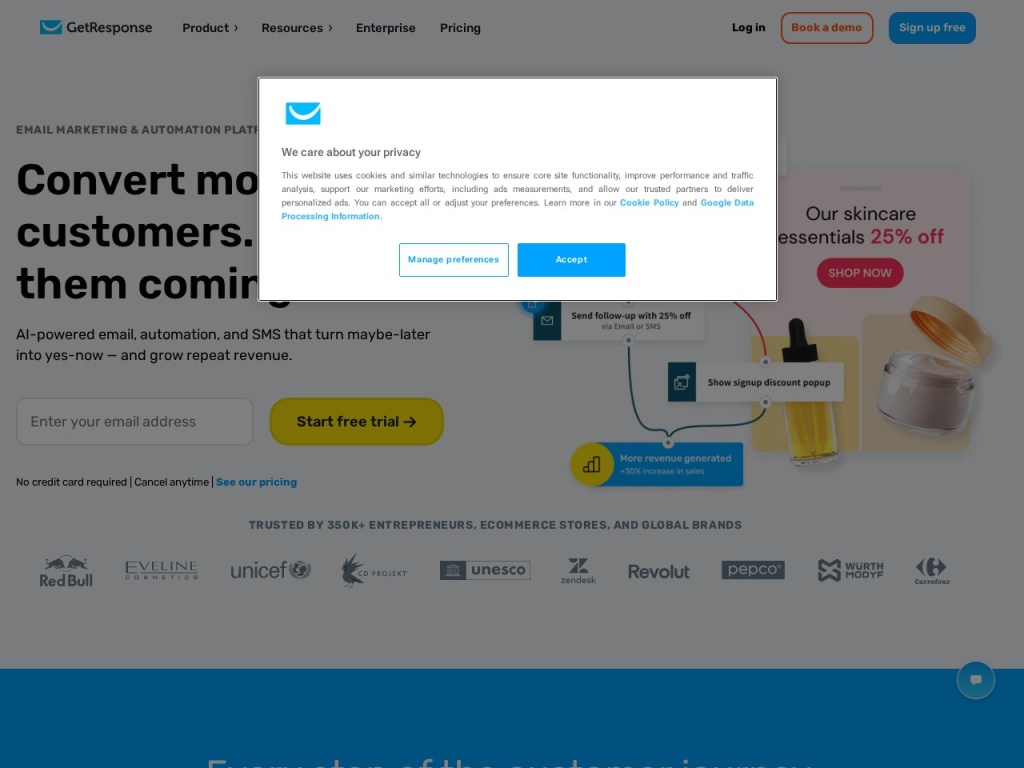
Most email tools grew in one direction: Mailchimp from newsletters, Kit from creator broadcasts, Brevo from transactional mail. GetResponse grew into a marketing suite. The same login covers broadcast email, autoresponders, a visual automation workflow builder, landing pages, popup forms, a basic website builder, paid ads integrations, SMS and web push on higher tiers — and webinars, which nobody else in this price class offers natively. For a solo course creator or a small team, that consolidation is the entire pitch: one bill, one contact database, one place where a webinar signup can trigger an email sequence that ends in a sales page, with every step tracked.
The second differentiator is how quickly the platform has leaned into AI. The AI campaign generator will draft a themed email series, generate subject lines tuned by its optimization data, and assemble a landing page from a prompt describing your business. The output is a first draft, not a finished campaign — but as a way to get from blank screen to working funnel in twenty minutes, it works, and it is woven through the product rather than bolted on as a separate “AI credits” upsell. Combined with a deliverability record the company has defended for years — it publishes a claimed 99% deliverability rate and enforces list-quality rules that keep shared sending reputation clean — the platform feels engineered by people who have been sending email since before some competitors existed.
Key features
Visual automation builder
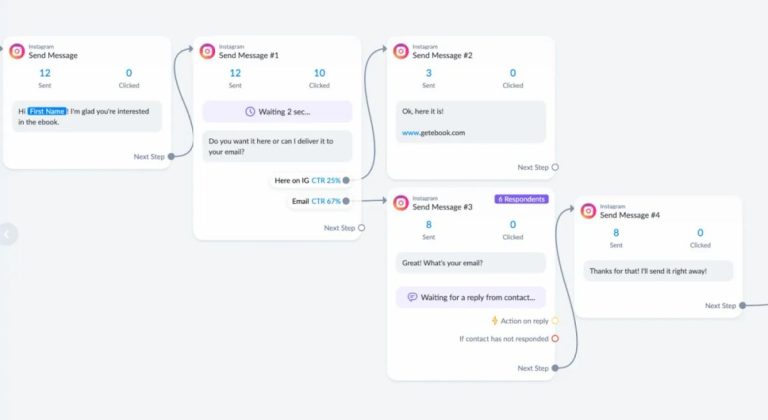
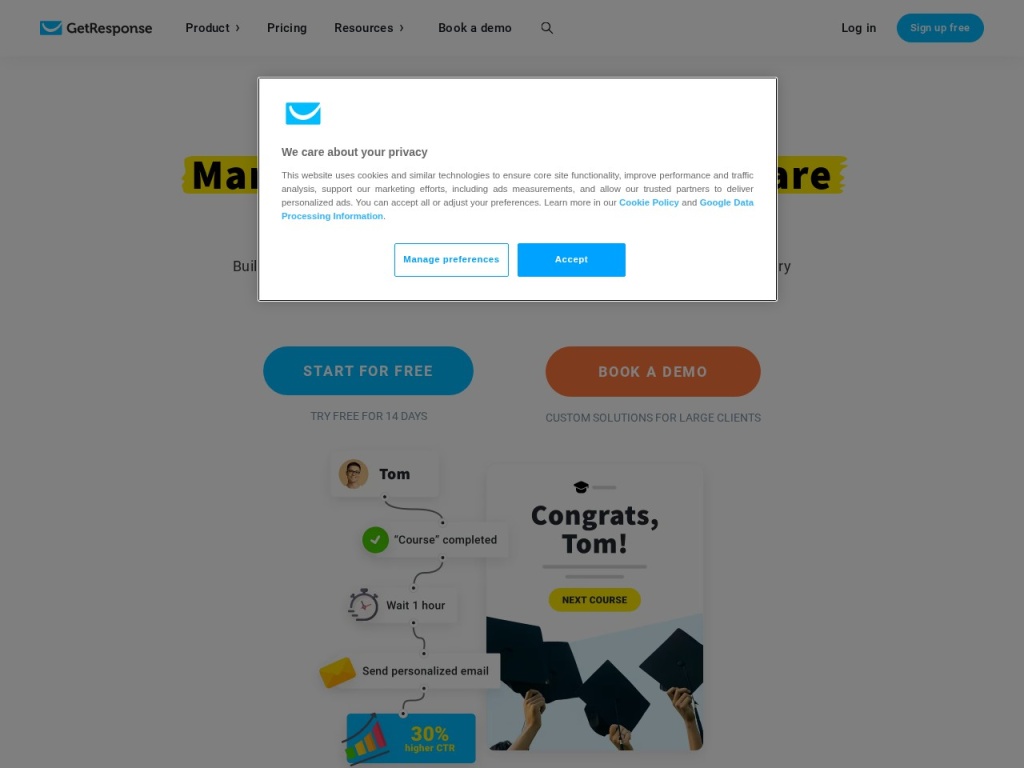
Automations are built on a canvas of triggers (“subscribed to list”, “clicked link”, “abandoned cart”), conditions and actions, connected by drag-and-drop arrows. Scoring and tagging are built in, so you can grade engagement over time and branch flows accordingly. It is closer to a marketing-automation platform than a simple autoresponder — abandoned-cart and web-event triggers on ecommerce plans reach into territory usually reserved for far more expensive suites.
Native webinars
This is the feature no direct rival matches. Webinars run inside GetResponse — registration pages, reminder emails, live rooms with screen sharing, polls, whiteboards and recordings — and attendees are ordinary contacts you can segment and automate against. Attendee limits scale with plan tier, so check the current caps if you run large events, but for the classic “webinar funnel” playbook the integration saves a separate webinar subscription entirely.
AI campaign generator
Point the AI at your industry and goal and it drafts the email series, subject lines and landing page copy. Subject-line suggestions draw on the platform’s engagement data rather than generic language models alone. Treat it as an accelerant: everything it produces is editable, and the sensible workflow is to let it build the skeleton and then rewrite in your own voice.
Landing pages, funnels & forms
The landing page editor ships with templates, A/B testing and a free-tier allowance, while Conversion Funnels chain pages, emails, webinars and even payment processing into prebuilt sequences for lead magnets and product launches. It will not replace a dedicated page builder for design-obsessed teams, but for most small businesses it removes an entire tool from the stack.
Plans & pricing
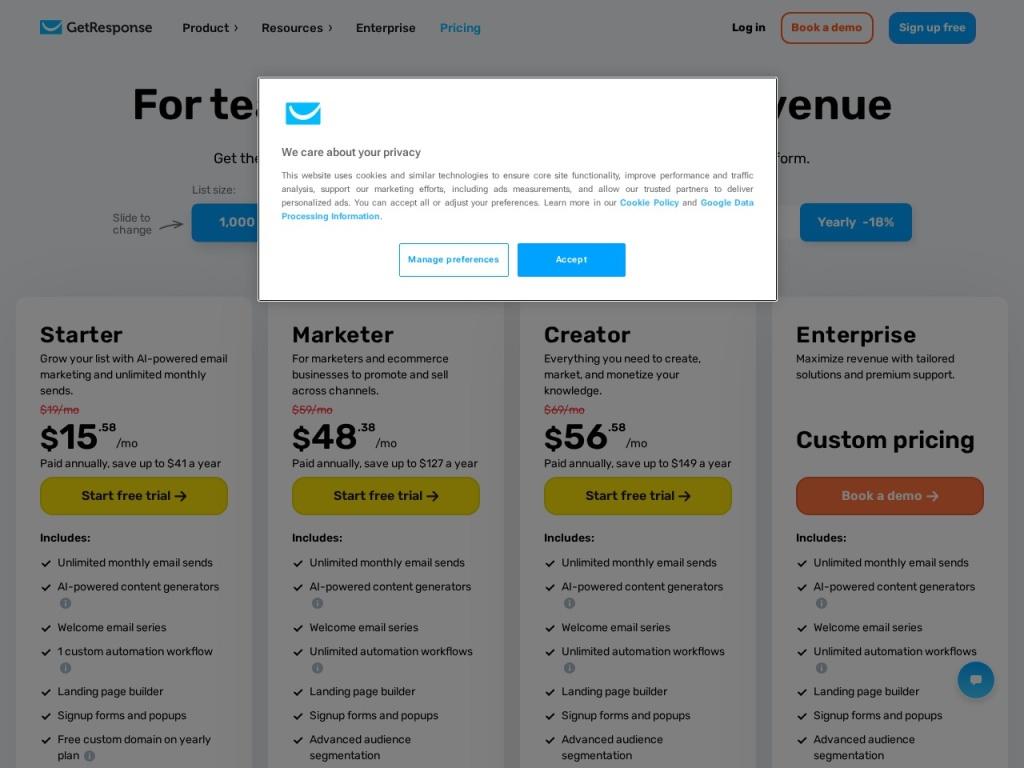
GetResponse prices by contact count, with four self-serve tiers plus an enterprise product (GetResponse MAX). The free plan covers up to about 500 contacts with newsletters and a landing page — a real free tier, not a demo. Paid plans scale with list size and unlock more of the suite as you climb. Prepaying for 12 or 24 months cuts the bill meaningfully (historically around 18% and 30% respectively). The numbers below are the approximate starting points at a 1,000-contact list on monthly billing; exact figures move with promotions and list size, so check current pricing before you commit.
| Plan | What it adds | Typical monthly from (1,000 contacts) |
|---|---|---|
| Free | Newsletters, 1 landing page, website builder | $0 |
| Email Marketing | Autoresponders, AI tools, basic segmentation | ~$15–19 |
| Marketing Automation | Automation builder, webinars, advanced segmentation | ~$49–59 |
| Ecommerce Marketing | Abandoned cart, product recommendations, promo codes, larger webinars | ~$97–119 |
The pattern to watch is list growth: at 10,000+ contacts every tier jumps substantially, and past 25,000 the gap between GetResponse and leaner competitors widens. If your list is large but your needs are simple, a cheaper newsletter-first tool may serve you better; if you actually use the automation and webinars, the bundle still tends to undercut buying those capabilities separately.
How to get started
- Start with the free plan or the 30-day trial — the trial unlocks the paid features so you can judge the automation builder and webinars properly.
- Import your contacts with proper consent records; GetResponse’s compliance checks are stricter than average, which protects deliverability for everyone.
- Set up your sending domain with SPF, DKIM and DMARC records — the setup wizard walks you through the DNS entries.
- Build one simple automation first (a welcome series triggered by signup) before attempting a full funnel.
- Connect your store or website tracking snippet so web events and ecommerce data can drive segmentation.
Expect a productive first afternoon rather than a productive first hour: the suite is broad, and the onboarding checklist is worth following in order. Support runs 24/7 by live chat in several languages, with email support alongside; phone support is reserved for the MAX enterprise tier.
Common setup mistakes to avoid
Three mistakes cause most rocky starts. Skipping domain authentication: sending from a free mailbox domain or without DKIM torpedoes inbox placement no matter how good the platform’s reputation is — do the DNS work first. Importing a stale list: GetResponse’s deliverability record exists because it polices list quality, and a years-old list full of dead addresses can get sends throttled; run a cleaning pass before import. And building the mega-automation on day one: a twelve-branch workflow you built before understanding tags and scoring becomes unmaintainable fast. Start with a welcome series, watch it run, then expand.
Watch: GetResponse walkthrough and demo
GetResponse vs alternatives
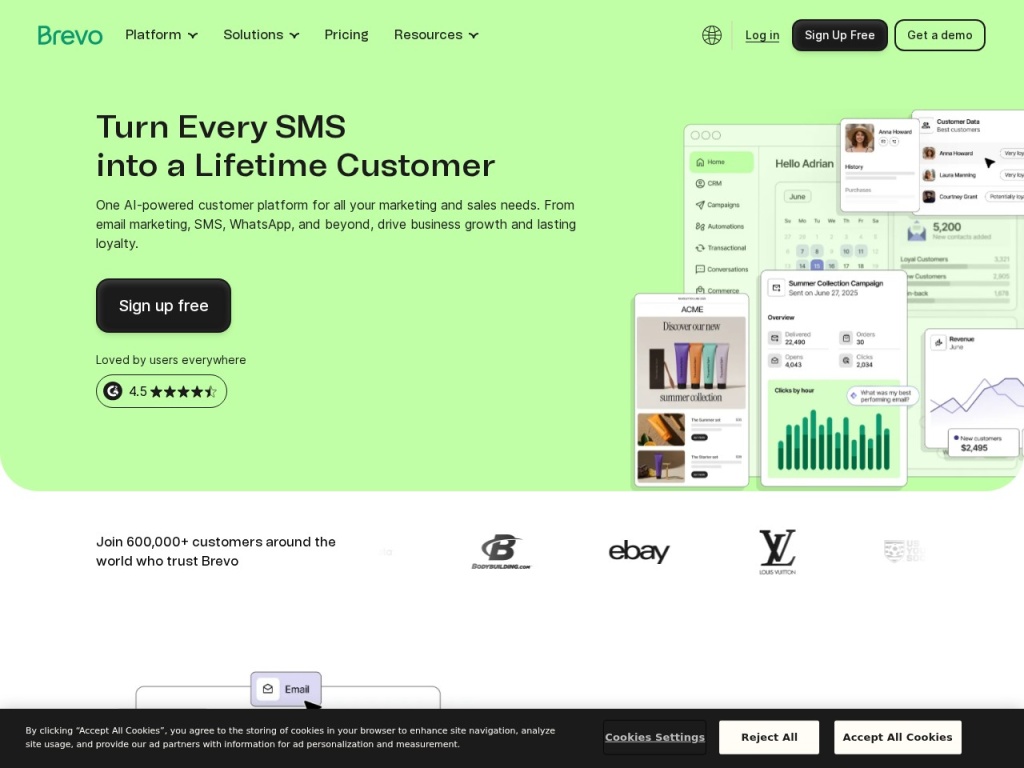
Against Mailchimp, GetResponse wins on automation depth and outright owns the webinar use case, while Mailchimp counters with a bigger integration ecosystem and more familiar branding. Against Brevo, the fight is about pricing models: Brevo charges by email volume rather than list size, which makes it dramatically cheaper for big lists that mail rarely — but its automation and page tooling are thinner. Against Kit (ConvertKit), the split is audience: Kit is leaner and friendlier for newsletter-first creators, GetResponse is broader for businesses running funnels, products and events. And if your marketing leans heavily on content and SEO, note that GetResponse is an execution tool, not a research one — teams often pair it with a research suite like Semrush for the top of the funnel.
Performance, support & value
Deliverability: this is the metric that matters most for an email platform, and GetResponse’s record is strong. The company publishes a claimed 99% deliverability rate, and independent seed-list tests generally place it in the upper group of mainstream platforms — with the usual caveat that your own domain reputation, authentication and list hygiene move the needle more than platform choice does.
Support: 24/7 live chat with real humans, multilingual coverage, and an unusually deep help center with courses attached. Chat responses in our checks came back within a few minutes. The absence of phone support below the enterprise tier will bother some traditional businesses, but the chat quality made us not miss it.
Value: for a 1,000–5,000 contact list that actually uses automation, pages and webinars, the bundle is hard to beat — you are replacing two or three subscriptions. For a 50,000-contact list that sends one newsletter a week, the math flips and volume-priced rivals win. Value here is a function of how much of the suite you use.
Our testing notes: building a real funnel
We built a complete lead-magnet funnel during testing: landing page, thank-you page, five-email welcome automation and a webinar registration flow. Total build time was under three hours, most of it spent on copy rather than fighting the tools. The automation canvas behaved predictably — the one rough edge is that complex workflows get visually crowded, and there is no way to comment or annotate branches for a teammate. The AI generator’s first draft of the welcome series was serviceable-generic: correct structure, usable subject lines, copy that needed a human rewrite. As a scaffold it saved perhaps an hour.
The webinar experience surprised us most. Setup to live room took about fifteen minutes, reminder emails were automatic, and the recording plus attendee segmentation appeared without extra work — attendees who stayed past a threshold could be routed into a hotter follow-up sequence with two clicks on the canvas. Running the same play with a separate webinar tool means webhooks, a Zapier bill and a tagging scheme you maintain by hand. This is the workflow where GetResponse’s bundle stops being a feature list and starts being a genuine advantage.
What real users say
Aggregated review sentiment for GetResponse is solidly positive with consistent themes. Users praise the breadth — “everything in one place” appears constantly — along with the automation builder’s learnability and the responsiveness of chat support. Long-term customers, some dating back a decade or more, credit the platform’s stability and steady deliverability. The webinar feature earns specific loyalty from coaches and course sellers who would otherwise be paying for a separate events platform.
The recurring criticisms match our own findings: pricing that accelerates uncomfortably as lists grow, key features gated to higher tiers, and occasional grumbles about dated-looking email templates. A minority mention aggressive upsell prompts inside the app. Notably rare are the complaints that actually kill email platforms — deliverability collapses, surprise account suspensions, unresponsive support — which is the pattern you want to see from a vendor you will trust with your list.
Who should use it — and who should not
Choose GetResponse if you are a small business, creator or marketing team that will use at least three of its pillars — email, automation, landing pages, webinars — and your list sits under roughly 25,000 contacts. Course creators and coaches running webinar funnels are the single best-fit customer we can describe: no other mainstream platform serves that playbook with one subscription.
Skip it if you only need a simple newsletter (leaner tools cost less and get out of your way), if your list is very large but low-touch (volume-based pricing elsewhere will save real money), or if you need deep CRM-grade sales pipelines — GetResponse automates marketing, not a sales team. Enterprise senders should be looking at the MAX tier or dedicated infrastructure rather than the self-serve plans.
Honest limits
GetResponse’s breadth is also its weakness: each individual module has a dedicated competitor that does that one thing better. The landing page builder trails purpose-built page tools on design flexibility, the website builder is basic, webinar rooms lack some polish of dedicated event platforms, and the email template gallery needs a refresh. Pricing by list size punishes hoarding — you pay for unengaged contacts unless you prune. And while the free tier is real, the features that justify the platform live on the Marketing Automation tier and above, so budget for that tier when you compare. None of this undermines the core case; all of it belongs in your evaluation.

GetResponse deals
GetResponse discounts prepayment heavily — roughly 18% off for annual billing and about 30% off for two years — and runs seasonal promotions on top, with Black Friday historically the deepest. The 30-day trial requires no card, so the sensible sequence is: trial first, then commit to the longest term you are confident in. We track working offers on our deals page as they appear.
Frequently asked questions
Does GetResponse have a free plan? Yes — up to around 500 contacts with newsletters, a landing page and the website builder, plus a 30-day trial of the paid features.
Are webinars really included? Yes, natively, on the Marketing Automation tier and above. Attendee caps scale with your plan, so check current limits for large events.
How does GetResponse pricing work? By contact count and tier. Costs climb as your list grows — noticeably past 10,000 contacts — with discounts of roughly 18% and 30% for 12- and 24-month prepay.
Is GetResponse good for ecommerce? Yes on the Ecommerce Marketing tier: abandoned-cart flows, product recommendations and promo codes with Shopify, WooCommerce and Magento integrations.
How is GetResponse’s deliverability? Among the stronger mainstream platforms — the company claims 99% and enforces list-quality rules. Your own authentication and list hygiene still matter most.
Does GetResponse offer phone support? No on self-serve plans — support is 24/7 live chat and email. Phone and dedicated managers come with the enterprise MAX tier.
Can I migrate from Mailchimp or Kit easily? Yes — contact imports, template rebuilding and automation mapping are straightforward, and the support team assists with larger moves.
How to choose an email marketing platform: a practical guide
Start by writing down which jobs you actually need done — newsletters only, automated sequences, landing pages, ecommerce flows, events — because the honest answer removes half the market immediately. Then model the cost at your list size today and at three times that size: platforms diverge wildly as lists grow, and the cheapest tool at 1,000 contacts is often the priciest at 30,000. Check the pricing axis too — list-based pricing (GetResponse, Mailchimp) rewards frequent senders with big engagement, while volume-based pricing (Brevo) rewards big lists that mail rarely. Next, verify deliverability the practical way: authenticate a test domain, send to seed addresses across Gmail, Outlook and Yahoo, and see where you land. Interrogate support before you pay, ideally at an inconvenient hour. Finally, weigh consolidation honestly: a suite like GetResponse earns its price only if it replaces other subscriptions, so count what you would cancel. That arithmetic — jobs, growth, deliverability, support, consolidation — is exactly the test GetResponse scores 8.4 on: broad, reliable and fairly priced for the businesses that use its breadth.