
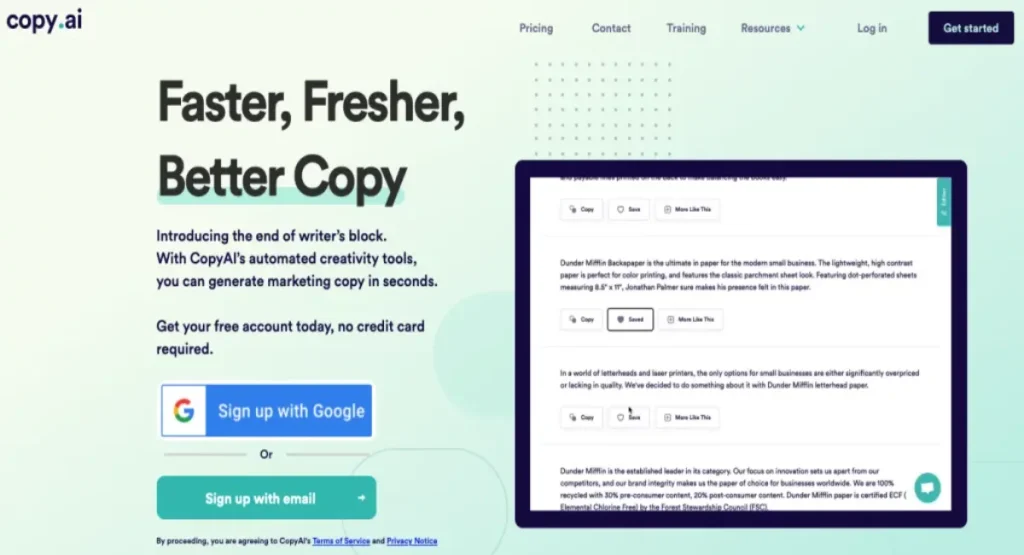
AI writing tools split into two camps: lightweight “type a prompt, get a paragraph” apps for bloggers and social managers, and heavyweight automation platforms built for revenue teams that want AI wired into their whole go-to-market motion. Copy.ai is unusual because it started firmly in the first camp and spent recent years migrating to the second — and understanding that journey is the key to deciding whether it fits you.
Copy.ai launched as one of the earliest AI copywriting apps, known for template-driven output: product descriptions, ad headlines, cold emails, blog intros. Today it positions itself as a “GTM AI” platform with Workflows, Copy Agents, Tables, and a chat interface that pulls from your own brand knowledge. That repositioning brings real power, but also complexity and a pricing structure that has moved sharply upmarket. Below we cover what it does well, where it frustrates users, what plans cost, and who should sign up — honest pros and cons, not a sales pitch.
If you want to follow along, you can try Copy.ai here and explore the free-to-start chat before committing.
AnalyzeBench Score: 8.2 / 10
Best for: B2B marketing, sales, and operations teams that want to automate repeatable content and go-to-market tasks at scale, plus individual marketers who want a capable AI writing assistant grounded in their own brand voice.
What we loved:
- Workflows are genuinely differentiated — chain research, generation, and data steps into a repeatable pipeline instead of babysitting a chat window.
- Brand Voice and Infobase keep output on-message and grounded in your own product details.
- Access to multiple underlying models (OpenAI, Anthropic, Google) from one interface, so you are not locked to a single LLM.
- The chat tier is affordable and gives unlimited words, which is rare among AI writing tools.
- 90-plus templates still make quick, one-off copy fast to produce.
Watch out for:
- A very large price gap between the entry chat plan and the workflow-heavy Growth tier — no cheap middle ground for small teams that want automation.
- Workflows have a real learning curve; the “codify your process” promise takes setup before it pays off.
- Like every AI tool, output still needs human editing and fact-checking.
- Some users report friction with billing and support responsiveness.
What makes Copy.ai different
Most AI writing tools are a friendly wrapper around a language model with a library of prompts. Copy.ai still has that layer, but its strategic bet is on Workflows: multi-step automations that stitch together AI actions (generate, summarize, categorize, extract) and procedural actions (search the web, scrape a page, call an integration). Instead of manually walking an AI through a five-step process every time, you build the process once and run it repeatedly — across a list of accounts, a spreadsheet of products, or an inbound lead queue.
That shift reframes the product. Where a copywriting app helps one person write faster, Copy.ai helps a team codify how they do sales research, account planning, or CRM enrichment, then scale that without adding headcount. For a solo blogger it can feel like overkill; for a marketing ops or sales development leader, it is the entire point.
The other real differentiator is model flexibility. Copy.ai routes to OpenAI, Anthropic, and Google models rather than betting on one, so you are less exposed if a single provider’s quality slips. Combined with Brand Voice and the Infobase knowledge store, output feels less generic than a raw chatbot session.
The core features
Chat
The everyday workspace looks like ChatGPT, but it is wired into your Brand Voice and Infobase from the first message. Ask for “a launch email for our new plan” and you get output that already knows your product name, tone, and positioning, rather than a bland template you have to rewrite. Chat gives unlimited words even on the entry paid tier.
Templates and tools
The original heart of the product: 90-plus pre-built tools for specific formats — blog outlines, product descriptions, ad copy, social captions, subject lines. Ideal for quick, one-off pieces where you do not need a full workflow, and the fastest path to a usable draft.
Workflows and Copy Agents
The flagship feature. You describe a process in plain English, and Copy.ai helps assemble a chain of steps that research, generate, transform, and output content automatically. Copy Agents extend this into more autonomous, goal-driven runs, and a Workflow Library of prebuilt templates means you do not start from scratch.
Brand Voice
Brand Voice trains the AI on your existing content so output consistently matches your tone and style. For teams juggling multiple writers or products, this is a meaningful consistency lever and one of the features that separates Copy.ai from a generic chatbot.
Infobase
A persistent store of company information — product facts, positioning, boilerplate, personas — that the AI pulls from automatically. It reduces repetitive prompting and keeps copy grounded in your real details, which helps with the accuracy and E-E-A-T concerns that plague generic AI content.
Tables and Actions
Newer “intelligence layer” components. Tables act as a structured data backbone for workflows (a spreadsheet the AI can read and write), while Actions are the building blocks workflows are assembled from. Together they push Copy.ai closer to a real automation platform than a writing app. Multi-language support across 25-plus languages rounds out the toolkit.

Plans & pricing
Copy.ai’s pricing has shifted as the product moved upmarket, so read the tiers carefully. Self-serve plans cover two very different needs: affordable unlimited chat on the low end, and workflow-credit-heavy automation on the high end. Prices below reflect current public pricing; confirm on the official page before buying.
Free / trial access
Copy.ai has historically offered a free plan to try the core writing tools, and you can generally start using chat without paying upfront. It is the right way to test the interface and output quality before committing. If you only need occasional short-form copy, the free experience may be enough on its own.
Chat
The entry paid tier runs about $29/month billed monthly, or roughly $24/month billed annually (about $288/year). It includes 5 seats, unlimited words in chat, unlimited chat projects, and access to OpenAI, Anthropic, and Google models. For solo marketers, freelancers, and small teams that mainly want a strong AI writing assistant with brand context, this is the value sweet spot.
Growth
The first workflow-focused tier, and a big jump: around $1,000/month (billed roughly $12,000/year). It includes 75 seats, unlimited chat words, and 20,000 workflow credits per month — aimed at businesses running automated content and go-to-market pipelines at volume.
Expansion
About $2,000/month (roughly $24,000/year), with 150 seats and 45,000 workflow credits per month, for larger teams scaling their AI automations across more use cases and users.
Scale
Around $3,000/month (roughly $36,000/year), with 200 seats and 75,000 workflow credits per month, for organizations deploying generative AI broadly across departments.
Enterprise
Custom-priced, adding guided jumpstart implementation, API access and bulk workflow runs, 20-plus integrations, unlimited customizable workflows, a designated account team, and enterprise-grade security. Pricing is quote-based.
The key takeaway: workflow credits are the real currency on the higher tiers, and a single complex run can consume many credits. If automation is your goal, scope your expected usage carefully. Check current Copy.ai pricing before deciding, since tiers and numbers change.
How to get the best value / free plan
Because Copy.ai spans a huge price range, match the plan to how you will use it, and start small.
- Start on free or the trial. Test output on your real content, not a demo prompt. Build a Brand Voice profile and load a few Infobase facts so you are evaluating the tool the way you would use it.
- Choose annual billing if you commit. The annual option on Chat drops the effective monthly rate by roughly 20%.
- Do not overbuy workflow credits. If you only need writing, Chat’s unlimited words is all most individuals and small teams require. Only step up to Growth once you have a concrete, repeatable automation that justifies the leap.
- Build from the Workflow Library. Check the prebuilt templates before constructing anything custom — they shortcut most of the setup learning curve.
- Consolidate tools. If Copy.ai replaces two or three point solutions, the higher tiers get easier to justify.
Ready to test it against your own use case? Get started with Copy.ai and evaluate the free experience before spending anything.
Watch: Copy.ai in action
If you prefer to see the interface and workflow builder before signing up, this walkthrough covers practical ways teams use the platform.
Copy.ai vs alternatives
Copy.ai competes in a crowded field. Two of the closest comparisons are Jasper (the enterprise-marketing incumbent) and Writesonic (a value-focused all-rounder). Here is how they stack up.
| Dimension | Copy.ai | Jasper | Writesonic |
|---|---|---|---|
| Primary focus | GTM automation + AI writing via Workflows | Enterprise marketing content and campaigns | Affordable AI writing plus SEO content |
| Standout feature | Multi-step Workflows and Copy Agents | Brand voice, campaigns, integrations | SEO tooling and budget output |
| Entry price | Free to start; Chat around $29/mo | Higher entry point, typically pricier | Generally the cheapest of the three |
| Automation depth | Deep — its core differentiator | Moderate, campaign-centric | Lighter, writing-centric |
| Best fit | Sales/marketing ops teams scaling processes | Established marketing teams and agencies | Solo creators and small teams on a budget |
The short version: pick Copy.ai when repeatable automation and go-to-market scale matter most, Jasper when polished brand-marketing workflows and integrations are the priority, and Writesonic when budget and SEO writing lead.

Output quality & value
Raw writing quality is strong but not magically different from other tools built on the same models — it uses the same OpenAI, Anthropic, and Google engines under the hood. What tips quality in Copy.ai’s favor is context. With Brand Voice and Infobase configured, first drafts land noticeably closer to publishable, with fewer generic phrases and less factual drift. Skip that setup and you get output roughly comparable to a plain chatbot.
For short-form copy — ads, subject lines, product blurbs, social posts — the templates produce fast, usable drafts that need light editing. For long-form content, expect meaningful revision: tightening structure, verifying claims, injecting real expertise. That is not a Copy.ai weakness specifically; it is true of every AI writing tool, and anyone promising publish-ready long-form with no editing is overselling.
On value, the picture is bimodal. The Chat tier is excellent value — unlimited words with brand context for around $29/month is competitive with anything on the market. The workflow tiers are a different calculation: at $1,000/month and up, value depends entirely on whether you operationalize the automation. Teams that build real pipelines and replace manual labor report strong returns; the platform’s own case studies cite figures like $2.6M in cost savings and 80% lower content-operations cost for large deployments. Buy the automation tier and never implement it, and it will feel expensive.
Who should use it — and who should not
Copy.ai is a strong fit if you are:
- A B2B marketing, sales, or revenue-operations team running repeatable, high-volume content or research processes you want to automate.
- A marketer or small team that wants a capable AI writing assistant grounded in your own brand voice, at a reasonable monthly cost.
- An organization trying to consolidate several point tools (writing, research, enrichment) into one platform.
- A team willing to invest setup time to configure Brand Voice, Infobase, and workflows properly.
You should probably look elsewhere if you are:
- A casual blogger or hobbyist who only needs occasional paragraphs — a cheaper or free general chatbot may serve you just as well.
- A small team that wants workflow automation but cannot justify the large jump to the Growth tier.
- Someone expecting fully hands-off, publish-ready long-form content with no editing.
- A user who just wants the single cheapest AI writer, where a budget competitor may win on price alone.
Honest limits
- The pricing cliff. The gap between the ~$29 Chat tier and the ~$1,000 Growth tier is enormous. Small teams that want automation but not enterprise volume have no comfortable middle option.
- Workflow complexity. The headline feature has a learning curve. Building effective workflows takes time and iteration before the “codify your process” promise pays off.
- Credit consumption. Workflow credits can be consumed quickly by complex runs, and estimating usage in advance is not always straightforward.
- Editing still required. Output can include inaccuracies or off-tone phrasing and needs human review — non-negotiable for anything public-facing.
- Support and billing friction. Some users report slow support responses and difficulty with subscription changes. Experiences vary, but it is a recurring theme.
- Frequent repositioning. The product and pricing have changed direction more than once, making it harder to predict where features and costs land next.
Copy.ai discount codes & deals
The best “deal” on Copy.ai is not a coupon code — it is choosing the plan structure that fits you. Annual billing on the Chat tier cuts the effective monthly rate by roughly 20% versus paying monthly. The free-to-start experience is also, in effect, the most valuable discount available: it lets you validate quality and fit before spending a cent.
Public promo codes for Copy.ai come and go and are rarely reliable, so we do not recommend chasing them. Instead, start free, confirm the tool earns its place in your stack, then lock in annual billing on the tier that matches your usage. For teams eyeing the automation plans, the real “deal” is implementation: a Growth subscription only pays off if you actually build and run the workflows.
Want the best value? Get started with Copy.ai here — try it free, then move to annual billing once it proves itself for your team.
Frequently asked questions
Is there a free version of Copy.ai?
Copy.ai has historically offered a free way to get started with its core writing tools, so you can test the chat interface and templates before paying. Free access is limited and excludes the full workflow and advanced features, but it is enough to evaluate output quality. Check the current pricing page for the latest free-tier details.
What are workflow credits?
A workflow credit represents the computational cost of running a step inside a workflow — generating text, searching the web, scraping a page. A single run can consume multiple credits depending on its steps and output. Paid tiers include a monthly credit allotment (for example, 20,000 on Growth), and you can add more as needed.
What is the difference between Chat and Workflows?
Chat is an interactive, ChatGPT-style assistant for producing content on demand, grounded in your Brand Voice and Infobase. Workflows are prebuilt, repeatable automations that chain multiple steps together so you can run the same process at scale without doing it manually each time. Chat is for one-off writing; Workflows are for operationalizing a process.
Does Copy.ai replace tools like ChatGPT?
For marketing and go-to-market use cases, it can. Copy.ai uses the same underlying models as general chatbots but adds brand context, templates, and automation on top. If your needs are purely general-purpose conversation, a standard chatbot may be enough; if you want brand-consistent, process-driven content, Copy.ai adds structure a raw chatbot lacks.
Is Copy.ai good for SEO content?
It can help produce SEO drafts quickly, especially with Infobase context for accuracy and workflows to standardize your process. But as with any AI tool, published SEO content still needs human editing, fact-checking, and genuine expertise. Treat it as a strong first-draft engine, not an automatic ranking machine.
How many languages does Copy.ai support?
Copy.ai supports output in 25-plus languages, including English, Spanish, French, German, Portuguese, Japanese, and Chinese, making it viable for localization and international marketing teams.
Can I cancel or change my plan?
Self-serve users can upgrade or downgrade at any time; upgrades are prorated and downgrades are typically credited on the next bill. Some users report friction with billing and cancellation, so keep records of changes and confirm them in your account settings.
How to get good results from an AI writing tool
Whether you choose Copy.ai or a competitor, the tool is only as good as how you use it. These principles consistently separate great output from generic filler.
- Feed it context first. The biggest quality lever is giving the AI your real details — product facts, audience, tone, examples you like. The principle is universal: garbage in, garbage out.
- Be specific in your prompts. “Write a blog post” produces mush. “Write a 150-word intro for small-business owners on why cash-flow forecasting matters, in a plain, encouraging tone” produces something usable. Specify audience, length, angle, and tone.
- Iterate instead of accepting the first draft. Treat the first output as a starting point. Ask for revisions, alternative angles, or a different tone — the second and third passes are usually far better.
- Always fact-check. AI can state wrong figures, invent sources, or misremember details with total confidence. Verify every claim, statistic, and name before anything goes public.
- Add human expertise. AI is excellent at structure and speed but weak at genuine insight and firsthand experience. The best results pair AI drafting with a human editing in real expertise.
- Standardize what works. Once a prompt or process produces great output, save it as a template or workflow. Repeatability is where AI tools deliver compounding time savings.
Follow those habits and almost any capable AI writer will serve you well — and a context-aware platform like Copy.ai especially so. Ready to put them into practice? Try Copy.ai and start with one real task from your week.



