
Most video editors make you scrub a timeline hunting for the moment someone said the wrong thing. Descript flips the entire model: it transcribes your recording, and you edit the video by editing the text. Delete a sentence in the transcript and the corresponding footage disappears; cut every “um” in the project with one click; fix a flubbed word by typing the correction and letting a cloned voice speak it. For podcasters, course creators and anyone who publishes talking content, it is the biggest workflow rethink the category has seen. We edited real podcast episodes, rescued bad audio, cloned our own voices and pushed heavy multitrack projects through it to find out where the magic holds and where the timeline still wins.
AnalyzeBench Score: 8.5/10
Best for: Podcasters, course creators, YouTubers and marketing teams who edit talking-heavy recordings — interviews, lessons, webinars — and want to work at the speed of a word processor rather than a timeline.
What we loved:
- Editing video by editing the transcript is genuinely transformative — a 60-minute interview rough cut takes minutes, not hours.
- One-click filler-word removal strips every “um,” “uh” and “you know” across an entire project.
- Studio Sound rescues bad audio — echoey rooms and laptop microphones come out sounding close to a treated studio.
- Overdub voice cloning (consent-gated) lets you fix flubbed words by typing the correction instead of re-recording.
- Clips, auto-captions and eye-contact correction turn one long recording into a week of vertical social content.
What could be better:
- Transcription hour quotas on each tier are real ceilings for high-volume podcasters and course factories.
- Heavy multitrack video projects demand a strong machine — older laptops will feel it.
- This is not a motion-graphics or color-grading tool; finishing work still belongs in a traditional NLE.
- Transcript-based editing is only as good as the transcript — heavy accents and crosstalk still need manual cleanup.
What makes Descript different
Every other editor treats the waveform as the source of truth and the transcript as an afterthought. Descript inverts that: the transcript is the interface. Highlight a rambling tangent and press delete — the audio and video go with it. Search for the moment a guest mentioned pricing the way you would search a document. Rearrange an argument by dragging paragraphs. For talking content, this maps to how editors actually think — in words, not in waveforms — and the speed difference is not incremental. In our testing, a rough cut that takes two to three hours on a timeline took twenty to thirty minutes in Descript, and the gap widens with the length of the source material.
The 2026 releases pushed the same philosophy into new territory. Multicam AI switching cuts between camera angles automatically based on who is speaking, turning a two-person interview into a properly switched program with no manual cutting. Eye-contact correction subtly redirects a presenter’s gaze toward the lens when they read from notes. And the clips workflow finds highlight-worthy moments in long recordings and packages them as captioned vertical clips. Individually these are features rivals also ship; together, inside a transcript-first editor, they form a pipeline where one recording session becomes an episode, a highlights reel and a week of social posts without leaving the app.

Key features
Text-based editing
The core loop: import a recording, get a transcript in minutes, then cut, rearrange and tighten by editing text. Word-level timing means cuts land cleanly on syllable boundaries, and a “shorten word gaps” command compresses dead air across a whole episode in one pass. Filler-word removal is the gateway drug — one click, and hundreds of “ums” vanish with edits you can review and veto individually.
Studio Sound and audio rescue
Studio Sound is a regeneration-style audio filter that removes room echo, background noise and the boxy quality of laptop and phone microphones. On our test recordings — a kitchen-table interview and a webinar captured through a conferencing app — the processed audio sounded near-studio, with the usual caveat that extreme settings can add a slightly processed sheen to voices. For podcasters with remote guests on unpredictable setups, it is worth the subscription by itself.
Overdub voice cloning, consent-gated
Overdub builds a clone of your voice — with recorded consent required, so you cannot clone someone else — and then speaks any correction you type. Flubbed a product name in minute 42? Type the fix, and your cloned voice patches it seamlessly. Used for corrections and short pickups it is nearly undetectable; used for whole paragraphs it drifts toward flat delivery, which is the honest boundary of the feature.
Clips, captions, eye contact and multicam
The repurposing suite finds strong moments in long recordings, crops them to vertical, styles animated captions and exports platform-ready clips for Shorts, Reels and TikTok. Eye-contact AI fixes the read-from-notes gaze, and the multicam switcher cuts between angles on speaker changes. None of it requires timeline skills, which is precisely the point — the whole pipeline is operable by whoever owns the content calendar, not just the editor.
Plans & pricing
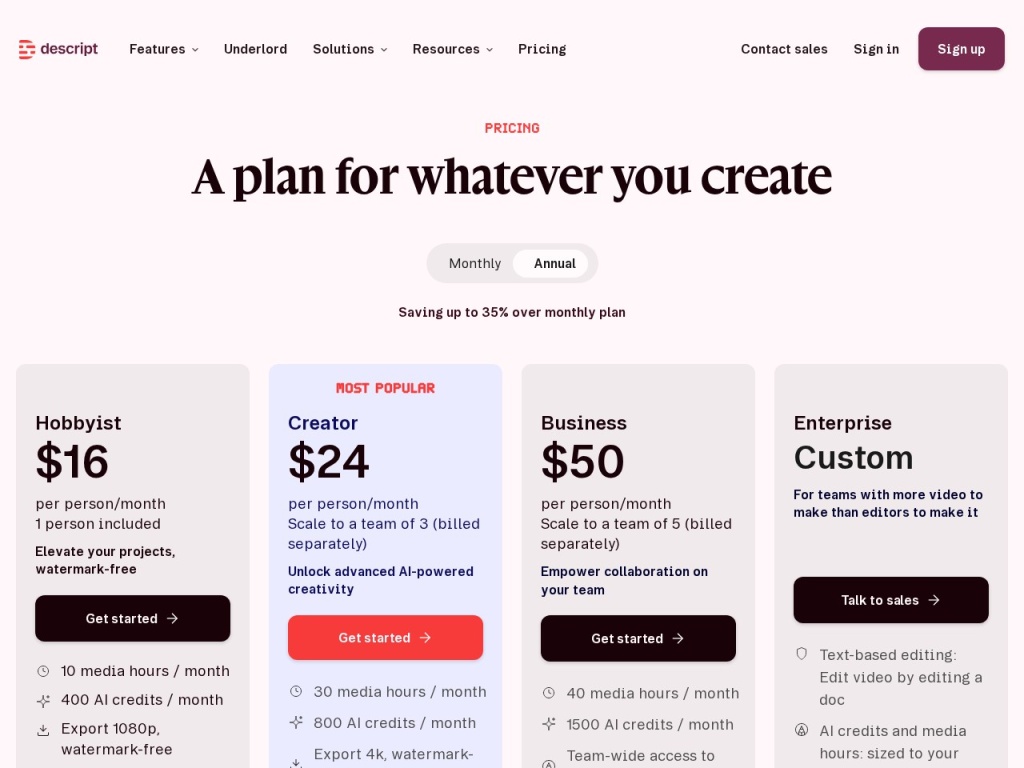
Descript sells a free tier for evaluation, Hobbyist and Creator tiers for individuals, and a Business tier for teams — with transcription hours, watermark-free exports, Overdub vocabulary and AI-feature limits scaling up the ladder. Prices are per editor per month and shift with packaging changes, so verify current numbers on the pricing page before you buy; the figures below are a snapshot.
| Plan | Typical monthly (annual billing) | Best for |
|---|---|---|
| Free | $0 | Testing the workflow with limited transcription hours |
| Hobbyist | ~$12–16 | Casual creators publishing occasionally |
| Creator | ~$24 | Serious podcasters and YouTubers, watermark-free 4K exports |
| Business | ~$40–50 per editor | Teams needing more hours, seats and priority support |
The variable to watch is transcription hours. A weekly hour-long podcast with raw multitrack recordings consumes quota faster than the marketing pages suggest, and hitting the ceiling mid-month is the most common upgrade trigger. Price the tier against your realistic recorded (not published) hours — most people record three to five times what they ship.
How to get started
- Sign up free and import one real recording — judge transcription accuracy on your voices, accents and jargon, not a demo file.
- Do a full edit pass in text only: cut tangents, remove filler words, tighten gaps — resist the timeline until the words are right.
- Run Studio Sound on your worst-sounding track and A/B it against the original before applying it project-wide.
- Record your Overdub consent statement and train your voice clone early — it improves with more training audio.
- Build a captioned-clip template with your brand fonts and colors so repurposing becomes a two-click routine, then export a test to each platform.
Expect the first project to take longer than promised while your instincts migrate from timeline to text; by the second or third, most editors report cutting their edit time by half or more. Keep your old NLE installed for finishing work — the tools are complements, not rivals.
Common setup mistakes to avoid
Three missteps cause most rocky starts. Editing on autopilot with filler removal: one click deletes every “um,” but some fillers are load-bearing — a thoughtful pause before an answer reads as authentic, and stripping all of them can make a guest sound clipped, so review the automated edits rather than blanket-accepting them. Underestimating hardware: a two-camera, three-hour multitrack project will punish an old laptop with slow scrubbing and long export times — close other apps, use proxy-friendly settings, and consider the desktop app over the browser for heavy work. And skipping the transcript correction pass: names, jargon and product terms transcribed wrong will propagate into captions and clips, so fix the transcript first — it is the single source of truth for everything downstream.
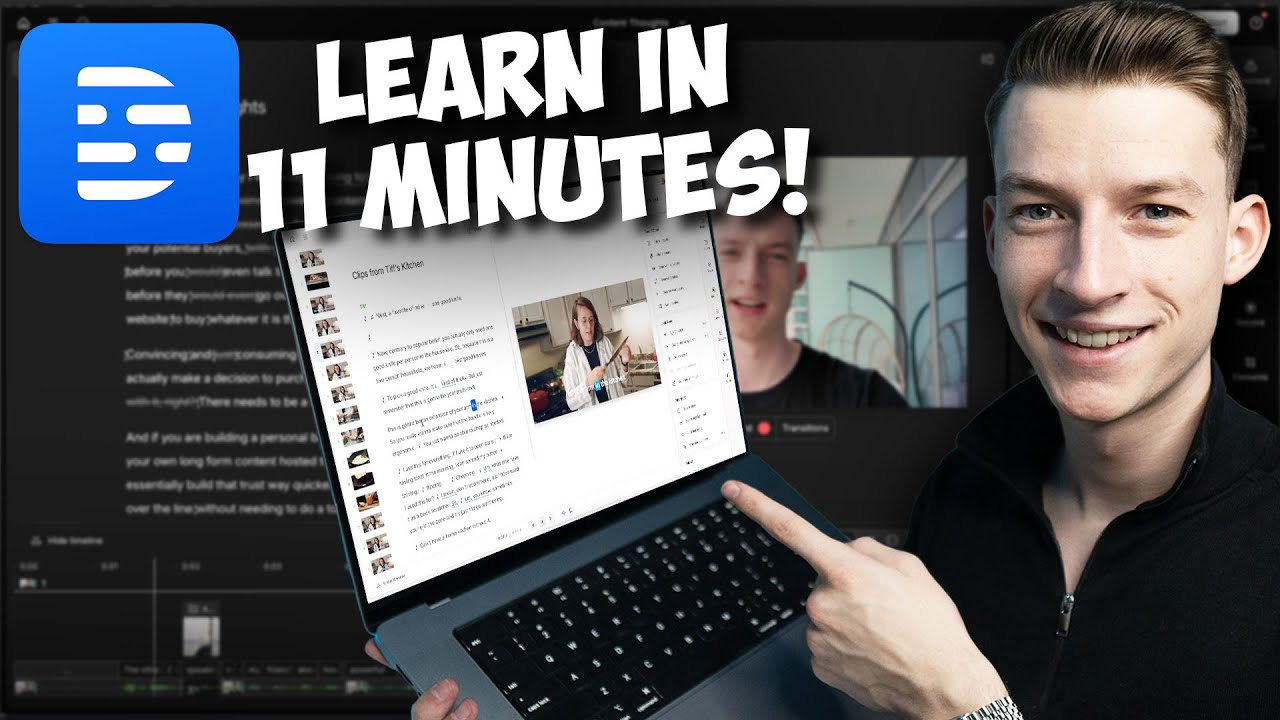
Watch: Descript in action
Descript vs alternatives
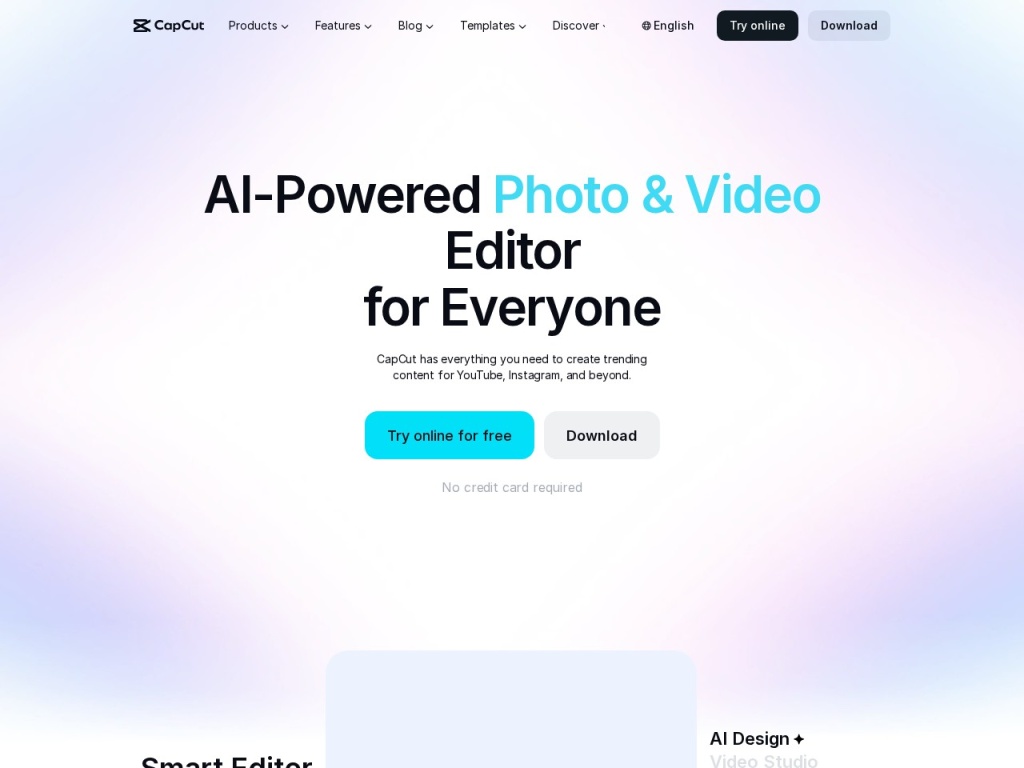
Against CapCut, the trade is depth versus meme-speed: CapCut is faster for trend-driven vertical edits with effects and templates, and it is free, but it offers nothing like transcript editing, Studio Sound or Overdub — creators who publish talking content usually keep both, cutting substance in Descript and occasionally styling in CapCut. Pictory solves a different problem entirely — assembling stock footage and captions from text for faceless content — and is not an editor for real recordings. If narration quality is your gap, ElevenLabs produces more expressive synthetic voices than Overdub and pairs well with Descript for narrated courses. And if you want a presenter without a camera at all, that is avatar territory — see our HeyGen review — or the full category map in our best AI video tools guide.
Performance, support & value
Performance: transcription came back at several times real-time speed in our tests, and text edits applied instantly. The honest caveat is heavy projects — multicam 4K with Studio Sound across multiple tracks pushed fans to full speed on a mid-range laptop, and export times stretched accordingly. On a recent machine with plenty of RAM, the experience stayed smooth throughout.
Support: documentation and in-app tutorials are excellent, the community is large enough that most questions are already answered, and human support is responsive on paid tiers with priority routing for Business. The product ships updates at a fast clip, which cuts both ways — new AI features arrive constantly, and occasionally a workflow shifts under your feet between releases.
Value: measured against edit hours saved, Creator-tier pricing is easy to justify for anyone publishing weekly — if Descript saves a podcaster two hours per episode, the subscription pays for itself in the first week of the month. The value case weakens only for creators whose content is mostly visual rather than verbal, where transcript editing has little to grab onto.
Our testing notes: the workflow in practice
The headline finding from our weeks inside Descript: the speed gain is real and it compounds. A 74-minute two-person interview went from raw import to a publishable rough cut in 26 minutes — filler words stripped, three tangents deleted, gaps tightened — a task we clocked at just over two hours in a traditional editor with the same source. Transcription accuracy on clear English audio was excellent, dipping predictably on crosstalk and one guest’s rapid delivery; the correction pass took ten minutes and paid for itself in caption quality downstream.
Studio Sound impressed us most where it mattered most: a guest recorded on earbuds in a reverberant room came out sounding acceptably close to the host’s treated-studio track. Overdub handled a dozen word-level corrections invisibly, though a full test paragraph in the cloned voice read noticeably flatter than the real speaker. The multicam AI switcher produced a cut we shipped with only four manual overrides across an hour. Our lasting impression: Descript does not make editing decisions better — it makes them dramatically cheaper, and that changes how much content one person can responsibly publish.
What real users say
Aggregated sentiment across G2, community forums and podcaster groups is enthusiastic, with a consistent arc: skepticism about editing video “in a Word doc,” followed by conversion after the first project. The most-praised features track our findings — filler-word removal, Studio Sound on remote guests, and the clips pipeline that turned repurposing from a chore into a habit. Course creators are a notably loyal cohort, citing the ability to update a lesson by retyping a sentence instead of re-recording a module.
The criticisms are equally consistent: performance complaints on older hardware, transcription-hour quotas that high-volume users bump into, occasional bugs riding along with the rapid release cadence, and the learning curve of unlearning timeline habits. A minority of professional editors find the precision tools too coarse for finishing work and round-trip to a traditional NLE — which matches our advice to treat Descript as the assembly-and-story tool, not the grading suite.
Who should use it — and who should not
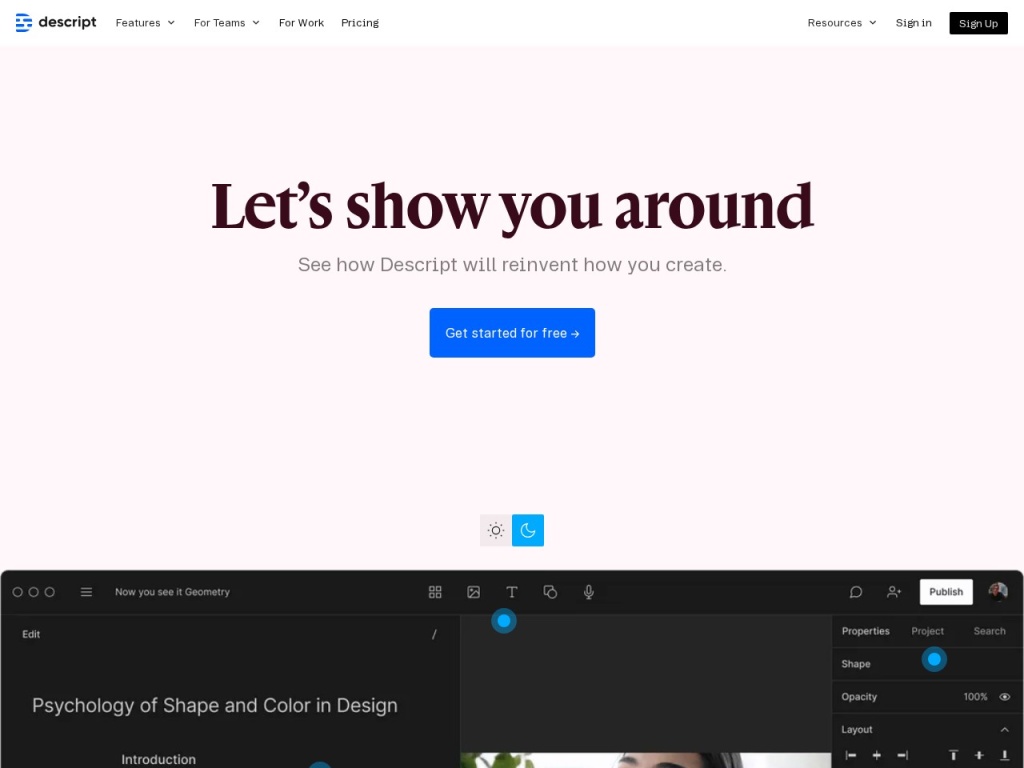
Choose Descript if your content is people talking: podcasts, interviews, courses, webinars, video essays, sales enablement. It is the default recommendation we give podcasters (the audio toolchain alone justifies it), course creators (retype-to-fix is a superpower for maintaining a catalog), and small marketing teams that need one recording to become many assets without a dedicated editor on staff.
Skip it if your work is motion graphics, music videos, color-critical brand films or effects-heavy short-form — traditional NLEs and CapCut-style tools serve those jobs better. Skip it too if your machine is elderly and your projects are heavy, or if your recordings are in languages or acoustic conditions where transcription accuracy collapses, because everything in Descript flows downstream from the transcript.
Honest limits
Descript is an assembly tool for talking content, and it is honest about the edges. There is no serious color grading, motion design or audio mastering here. Transcription quotas cap high-volume workflows. The desktop app wants modern hardware for multitrack video. Overdub is convincing for corrections, not for narrating whole chapters. And the transcript-first model means garbage in, garbage out: bad recordings with heavy crosstalk lose most of the workflow’s advantages. None of this undermines the core proposition; all of it belongs in your evaluation.
Descript deals
Descript’s annual billing discount — typically around 20% versus monthly — is the reliable deal, and the company runs periodic promotions for students, educators and around Black Friday. Packaging changes more often than prices here, so recheck what each tier includes at renewal. We track working offers on our deals page as they appear.
Frequently asked questions
Does Descript really let me edit video by editing text? Yes — the transcript is the editing interface; deleting words removes the corresponding audio and video with word-level precision.
Can Overdub clone anyone’s voice? No — Overdub requires a recorded consent statement from the voice’s owner, so you can clone yourself but not other people.
How accurate is the transcription? Excellent on clear English audio, weaker on heavy accents, crosstalk and noisy rooms; a quick correction pass fixes names and jargon and improves captions downstream.
Is Descript good for making vertical clips? Yes — the clips workflow finds highlights, crops to vertical, adds styled captions and exports platform-ready files for Shorts, Reels and TikTok.
What kind of computer do I need? Anything modern handles podcasts easily; multicam 4K video projects want a recent processor and plenty of RAM, and older laptops will struggle.
Descript or CapCut? Different jobs: Descript for cutting the substance of talking content, CapCut for fast trend-styled vertical edits — many creators use both in sequence.
Can Descript replace my podcast audio chain? For most independent podcasters, yes — recording, transcript editing, Studio Sound, show notes and export cover the full pipeline without a separate DAW.
How to choose a text-based editing tool: a practical guide
Start by auditing what you actually publish: if the value of your content lives in the words — interviews, lessons, commentary — transcript-first editing will repay its learning curve many times over, but if the value lives in the visuals, a timeline editor remains the right home. Second, test transcription on your hardest real recording, not a clean demo: your accents, your crosstalk, your room — accuracy there determines whether the whole workflow accelerates you or fights you. Third, count hours honestly: tally the raw hours you record in a typical month, compare them against tier quotas, and remember you record far more than you ship. Fourth, weigh the repurposing pipeline as seriously as the editor, because for most teams the clips-and-captions output is where the subscription actually earns its money. Finally, check the ethics gates — consent-based voice cloning, disclosure norms for synthetic corrections — because tools that skip those gates create risks that surface later, in public. Descript’s combination of genuinely faster editing, consent-gated cloning and a complete repurposing pipeline is precisely what this checklist is built to find, which is why it scores as strongly as it does here.



