Fliki answers a simple creator prayer: paste a script, a blog URL or even a PowerPoint, and get back a finished video — stock visuals matched to each line, subtitles burned in, and narration from a library of 2,000+ AI voices across 80+ languages. For faceless YouTube channels, affiliate marketers and multilingual social teams, that pipeline is the whole business.
Fliki is not trying to be Runway — it assembles videos from stock and voice rather than generating cinematic footage. The question is whether its speed, voice quality and pricing beat rivals like Pictory and InVideo at the script-to-video game. We tested it end to end.
Our verdict: Fliki is one of the fastest, most multilingual script-to-video tools available, with class-leading voice breadth and a genuinely useful blog-to-video flow — just watch the credit consumption and accept stock-based visuals. Score: 8.2 / 10.
→ Try Fliki — see current pricing
What is Fliki and who is it for
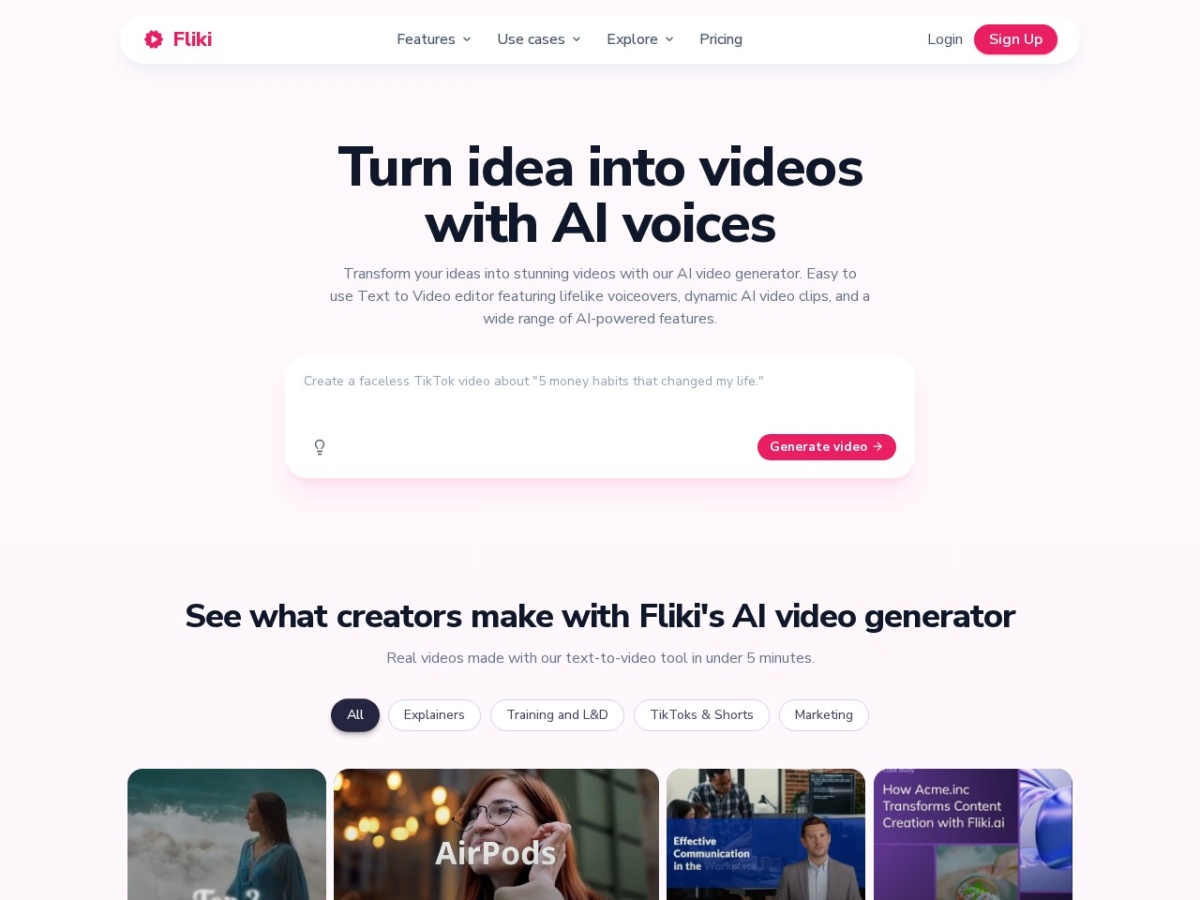
Fliki is a web-based text-to-video platform built around a slide model: you feed it input (script, idea, blog URL, PowerPoint), it splits the content into scenes, then pairs each scene with an AI voiceover, matched stock footage or images, and automatic subtitles. Minutes later you have a publishable draft.
It is built for volume creators: faceless YouTube and TikTok channels, bloggers repurposing articles into video, marketers localising content into dozens of languages, and educators producing narrated explainers. The voice library is the differentiator — few tools come close on language and dialect coverage.
It is not for cinematic work: visuals come from stock libraries and AI images, not Runway-class generation. If you need filmic motion or brand-shot footage, this is a different lane.
Fliki pricing and plans
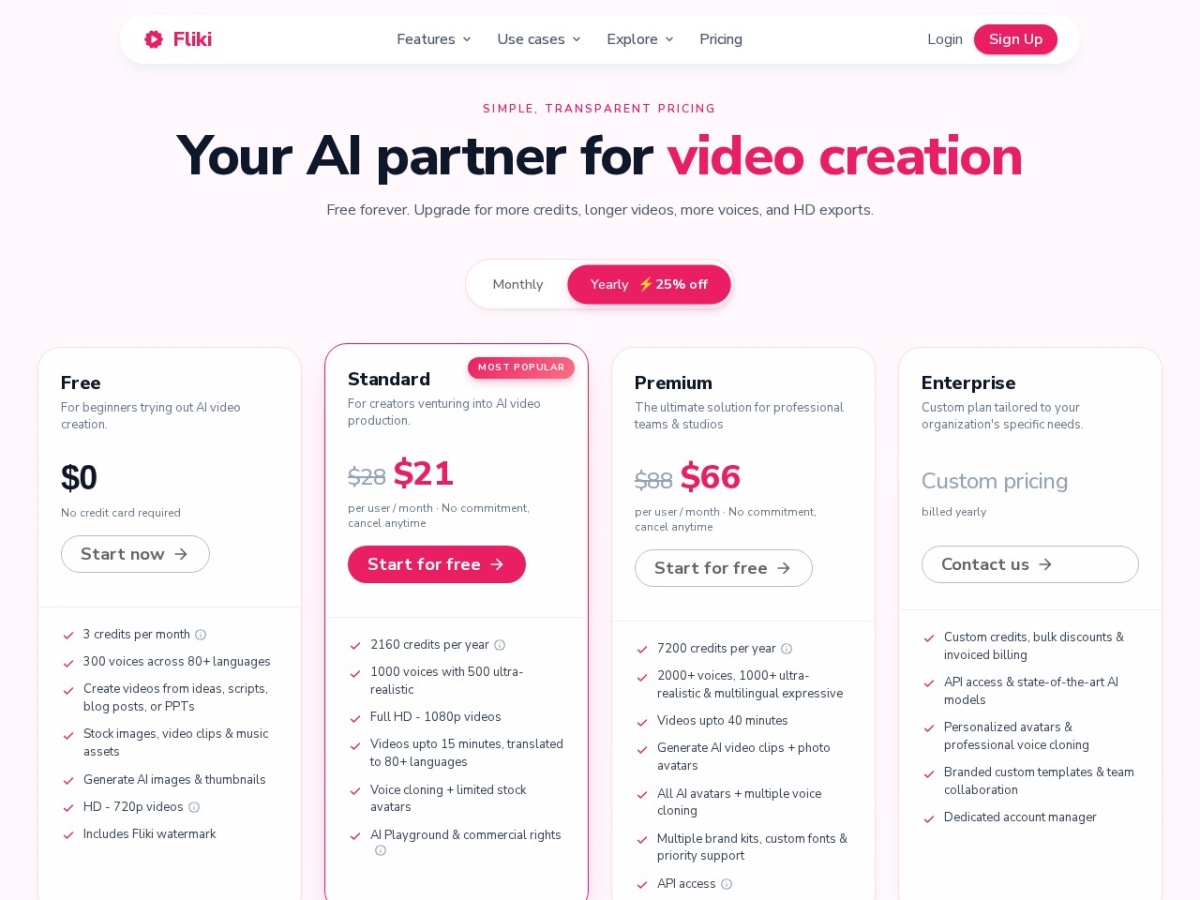
The Free tier gives 5 minutes of 720p video monthly with a watermark — enough to evaluate the flow. Standard at $21/month annual ($28 monthly) unlocks 120 minutes/month, 1080p export, no watermark and 900+ voices. Premium at $66/month annual ($88 monthly) jumps to 600 minutes, the full voice library, voice cloning and commercial rights. Enterprise is custom.
The billing gotcha worth knowing: credits are consumed while editing and previewing, not just on export — the most common user complaint. Budget minutes with iteration in mind, and preview sparingly on long projects.
| Plan | Price (annual) | Minutes/mo | Key unlocks |
|---|---|---|---|
| Free | $0 | 5 (720p, watermark) | Trial |
| Standard | $21/mo | 120 | 1080p, 900+ voices |
| Premium | $66/mo | 600 | Voice cloning, commercial rights |
Voices: the differentiator
Fliki voice library is its crown jewel: 2,000+ voices spanning 80+ languages and 100+ dialects, consistently rated its top strength. Quality on the newer neural voices is close to ElevenLabs-tier for narration, and the breadth means you can localise one video into dozens of markets without touching another tool.
Premium voice cloning creates a custom AI copy of your own voice — a real differentiator for personal brands wanting consistent narration at scale without recording every script.
The script-to-video workflow
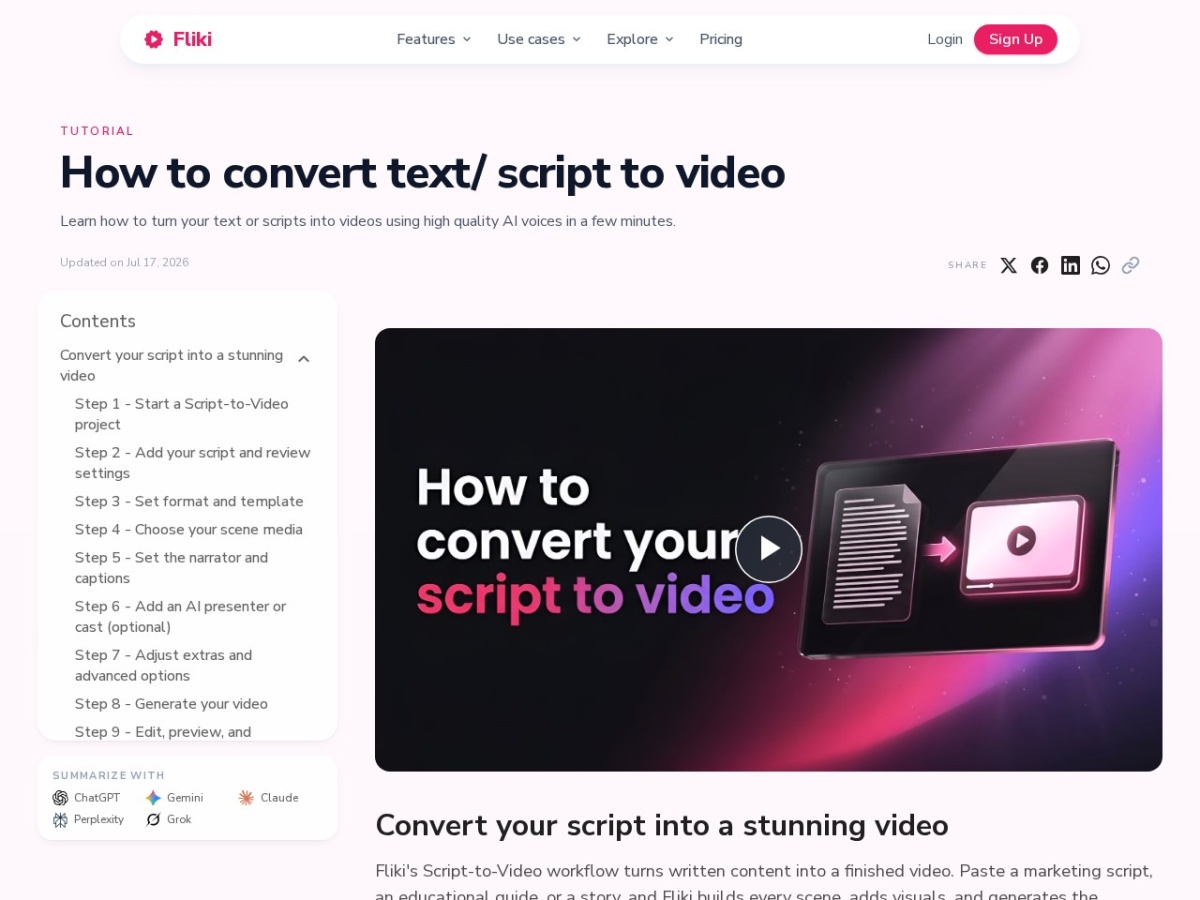
The pipeline is genuinely fast: paste a blog URL and Fliki extracts the content, scenes it, matches stock from built-in libraries, adds narration and subtitles, and assembles a draft in minutes. The slide-based editor then lets you swap visuals, tweak the script per scene, adjust voices and restyle subtitles.
PowerPoint import is an underrated workflow — slides become narrated video almost automatically, which trainers and educators will love. Idea-to-video mode drafts the script for you when you start from nothing.
Ease of use
Fliki is one of the easiest video tools we have tested — the slide metaphor keeps everything understandable, and there is no timeline complexity unless you want it. First video takes under ten minutes from signup. Non-editors can genuinely use it, which is exactly the point.
Fliki vs the alternatives
Against Pictory (the closest rival), Fliki wins on voice breadth and languages while Pictory counters with long-video summarisation strengths. InVideo leans template marketing; Runway-class tools generate rather than assemble. For multilingual script-to-video at volume, Fliki leads its lane.
| Tool | Best for | Edge |
|---|---|---|
| Fliki | Multilingual script-to-video | 2,000+ voices, 80+ languages |
| Pictory | Blog & long-video repurposing | Summarisation |
| InVideo | Marketing templates | Template depth |
| Runway | Cinematic generation | Gen-4 quality |
Pros and cons
Pros: Fastest blog/script-to-video flow we have tested; unmatched 2,000+ voice, 80+ language library; voice cloning on Premium; PowerPoint-to-video; auto-subtitles and matched stock; beginner-proof slide editor; useful free trial tier.
Cons: Credits burn during editing/previews, not just export; stock-based visuals can feel generic without curation; 720p and watermark on free; cinematic motion is out of scope; heavy volume needs Premium.
Who should use Fliki — and who should not
Use it if you run faceless channels, repurpose written content into video, or need one tool to localise narration across many languages — the time savings are immediate and compounding.
Look elsewhere if you need filmic, generated footage (Runway), template-first marketing videos (InVideo), or you resent credit-based billing.
Frequently asked questions
Is Fliki free?
There is a free tier with 5 minutes of 720p watermarked video monthly — enough to test. Paid plans start at $21/month annual for 120 minutes and 1080p.
How many voices does Fliki have?
Over 2,000 AI voices across 80+ languages and 100+ dialects — the broadest multilingual voice library in its category, with cloning on Premium.
Can Fliki turn my blog into a video?
Yes — paste the URL and it scenes the article, matches stock visuals, narrates and subtitles it automatically. It also imports PowerPoint.
Why did my Fliki credits run out so fast?
Credits are consumed during editing and previewing as well as export — the most common complaint. Preview sparingly and plan minutes for iteration.
Does Fliki give commercial rights?
Commercial usage rights come with the Premium tier, alongside voice cloning and the full voice library.
The bottom line
Fliki nails a specific, valuable job: turning written content into narrated, subtitled, multilingual video at speed. The voice library is genuinely best-in-class for breadth, the workflow is beginner-proof, and for volume creators the economics work. Understand the credit model, curate your stock picks, and it will quietly become your content team. Score: 8.2 / 10.