
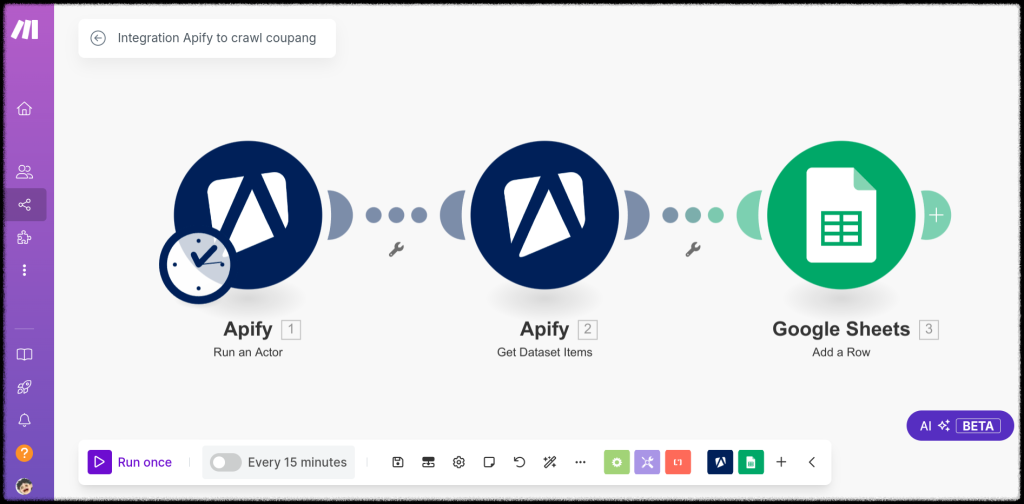
In every automation power user’s life there comes a Zapier invoice that starts the search for alternatives. Make (formerly Integromat) is where that search usually ends. It is a visual automation platform where workflows are drawn as flowcharts rather than checklists, priced per operation at rates that routinely land at a fifth of Zapier’s cost for the same busy workflow — and equipped with data tools that make complex, multi-record automations genuinely elegant instead of merely possible. The catch is spelled out in every honest review, including this one: Make asks more of you up front. We built the same real workflows here that we built on rivals, deliberately broke things to test the debugging, and ran the pricing math at several volumes to establish exactly who should switch.
AnalyzeBench Score: 8.5/10
Best for: Power users, agencies and ops teams running high-volume or data-heavy automations who would rather learn a deeper tool than keep paying task-based prices.
What we loved:
- Operations-based pricing is dramatically cheaper than Zapier at volume — busy workflows that cost hundreds a month elsewhere run for tens here.
- The scenario canvas shows your whole workflow as a living flowchart, with data visibly flowing on every run.
- Iterators, aggregators and routers handle arrays, line items and multi-branch logic natively — the data work rivals make you fake with workarounds.
- The free tier includes 1,000 operations a month with the full editor, enough to run real small automations forever at no cost.
- Granular execution history shows the exact data in and out of every module on every run — the best debugging view in the category.
What could be better:
- The learning curve is real: expect a weekend of confusion over operations, bundles and data structures before the canvas clicks.
- The app library (~2,000) is a third of Zapier’s, so long-tail niche tools sometimes require HTTP-module workarounds.
- Error handling is powerful but manual — a scenario that hits bad data can stop until you configure handlers properly.
- Support on lower tiers is ticket-based and unhurried; you will lean on documentation and community more than humans.
What makes Make different
Make’s founding bet is that automations are data flows, and the interface should look like one. Where competitors give you a vertical checklist, Make gives you a canvas: modules as circles, connections as lines, and — during every execution — visible bubbles of data moving through the pipeline that you can click to inspect. For simple two-step tasks this is overkill. For the automations that actually matter — take an order with seven line items, split it, look up each SKU, aggregate the totals, branch by warehouse — the flowchart is the only honest way to represent the logic. Make treats structured data as a first-class citizen with iterators (explode an array into items), aggregators (recombine them) and routers (branch on conditions), which is why workflows that require ugly hacks elsewhere read cleanly here.
The second differentiator is the economics. Make charges per operation — one module doing one thing to one bundle of data — and its tiers sell operations at prices that undercut task-based rivals by a wide margin at any serious volume. A workflow running 10,000 actions a month sits comfortably in Make’s cheapest paid tiers while pushing Zapier customers several price levels up. The candid trade-off: Make monetizes computation cheaply because it expects you to invest your own effort in learning the tool. It is the power-tool pricing model — cheap horsepower, some assembly required.
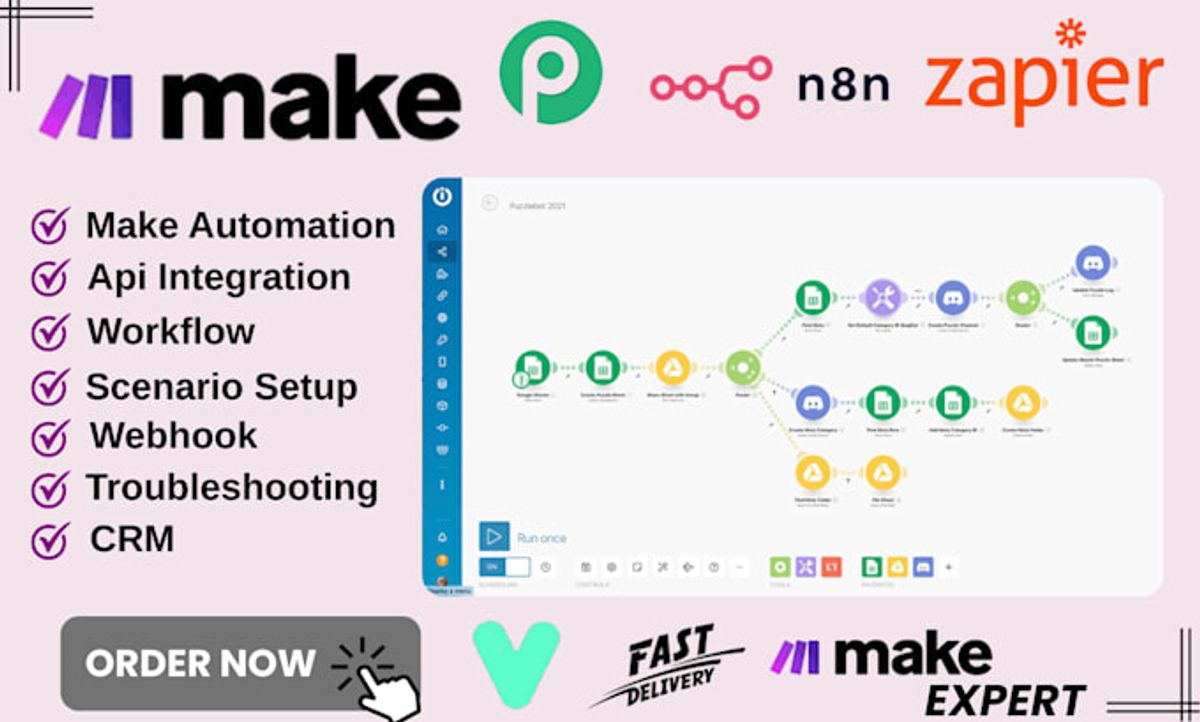
Key features
The visual scenario builder
Scenarios are built by dropping modules onto an open canvas and wiring them together. Every connection can carry filters, and the whole thing runs visibly — you watch data travel the graph and can click any step to see exactly what went in and out, which changes debugging from archaeology to observation. The canvas also scales with complexity in a way lists cannot: a thirty-module scenario with four branches remains readable, and new team members understand a process by looking at it.
Iterators, aggregators and routers
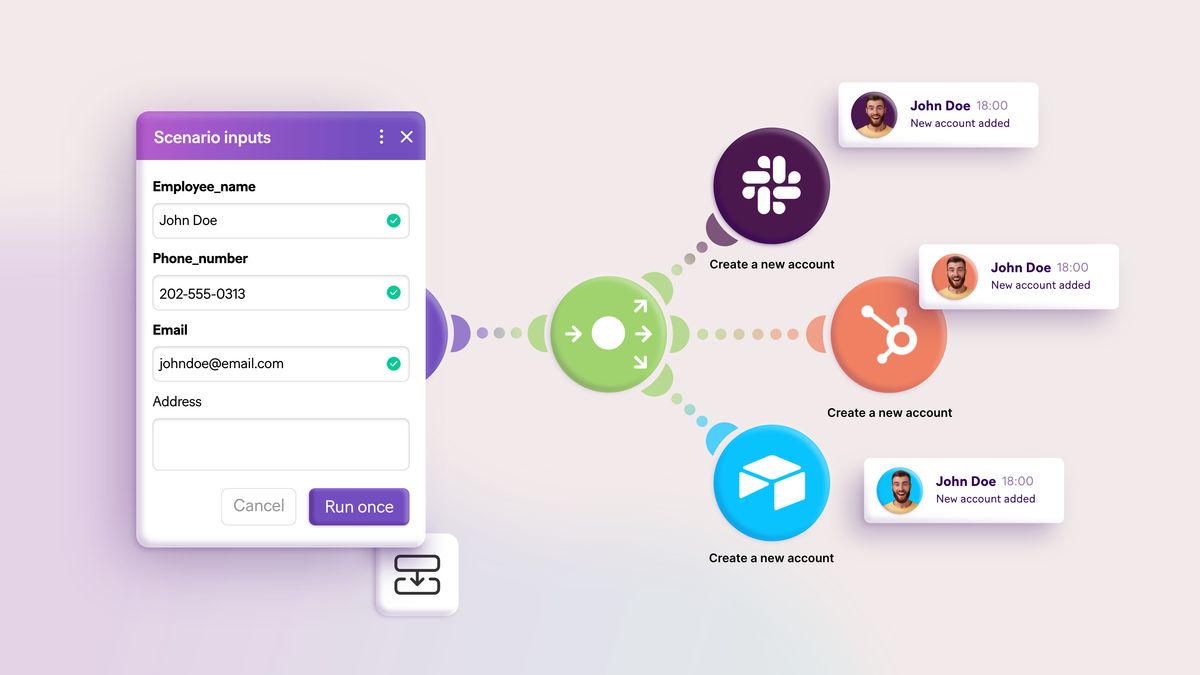
These three module types are Make’s superpower. An iterator takes an array — order line items, spreadsheet rows, search results — and runs the following modules once per item. An aggregator gathers items back into a single bundle: one summary email instead of forty. Routers split the flow into parallel branches with independent filters. Combined with native JSON handling, text parsers and math functions, they let Make express workflows that are effectively small programs — without the program.
2,000+ apps plus an HTTP escape hatch
The library covers the mainstream thoroughly — Google Workspace, Slack, Shopify, HubSpot, OpenAI, Airtable, Notion — with deep module sets per app rather than token coverage. When an app is missing, the generic HTTP module talks to any REST API, and webhooks (available even on the free plan) accept incoming data instantly. The practical gap versus Zapier is the long tail: regional or niche SaaS tools are more likely to need that HTTP workaround, which is exactly where non-technical users stall.
Scheduling, error handling and AI
Scenarios run on schedules as tight as one minute (instantly for webhooks), and error-handler routes define what happens when a module fails — retry, ignore, or divert the bad record to a review sheet. It is production-grade but opt-in: unconfigured scenarios simply stop on repeated errors. On the AI front, Make ships an assistant that scaffolds scenarios from text prompts, deep OpenAI and Claude modules, and developing AI-agent capabilities — earlier-stage than Zapier’s Copilot, but moving fast.
Plans & pricing
Make prices on operations per month, with all core features — the full visual editor, unlimited scenarios, webhooks — available from the free tier up. Paid tiers raise the operations allowance, add features like longer execution history, priority execution and advanced scheduling, and unlock team functionality at the higher levels. The figures below are the typical annual-billing shape at entry volumes; Make runs promotions and adjusts packaging, and extra-operation bundles change the math at scale, so check current pricing before you buy.
| Plan | Typical monthly (annual billing) | What you get |
|---|---|---|
| Free | $0 | 1,000 ops/mo, full editor, webhooks, 15-min minimum interval |
| Core | ~$9–10 | 10,000 ops/mo, 1-min scheduling, unlimited active scenarios |
| Pro | ~$16–19 | More ops, priority execution, custom variables, full-text log search |
| Teams | ~$29–34 | Team roles and shared scenarios; ops pooled across users |
| Enterprise | Custom | SSO, audit logs, dedicated support, compliance features |
The comparison that sells Make is per-run cost. A five-step workflow executing 2,000 times a month consumes roughly 10,000 operations — the entry Core tier, around ten dollars. The same workflow on task-based pricing typically costs several times that. The caveat runs the other way at tiny volumes: under a thousand actions a month, both platforms are nearly free, and the deciding factor should be ease, not economics.
How to get started
- Sign up free and complete the interactive tutorial scenario first — twenty minutes here saves hours of confusion about bundles and operations later.
- Build a two-module scenario from a template (form to spreadsheet, RSS to Slack) and run it once manually, clicking each bubble to inspect the data.
- Learn the iterator early: take any workflow with multiple records — order items, email attachments — and practice the iterate-then-aggregate pattern.
- Set scenario scheduling deliberately: webhook triggers where the app supports them, and the longest polling interval your use case tolerates, since every check costs operations.
- Add error-handler routes to anything business-critical before you trust it, so one malformed record diverts to a review sheet instead of halting the scenario.
Realistic expectations: your first working scenario takes half an hour, and the moment the canvas “clicks” arrives somewhere in the first week. Users coming from Zapier report the transition feels like moving from an automatic to a manual transmission — awkward for days, then permanently preferable for anything demanding.
Common setup mistakes to avoid
The classic Make mistakes are all about operations and data shape. Aggressive polling is the silent budget killer: a scenario checking a mailbox every minute burns over 43,000 operations a month doing mostly nothing — schedule realistically or use webhooks, which only fire on real events. Second, misunderstanding bundles: when a module returns ten records, everything downstream runs ten times, and new users regularly build scenarios that multiply operations (and side effects — ten duplicate emails) without realizing why; the iterator/aggregator pattern exists precisely to control this. Third, skipping error handlers on production scenarios: Make’s default response to repeated failure is to deactivate the scenario, which is safe but silent-ish — configure handlers and enable email notifications so a broken automation announces itself before your customers do.
Watch: Make in action
Make vs alternatives
The defining comparison is Zapier: three times the app library, a far gentler editor, a more polished AI Copilot — at per-run prices that are routinely five times Make’s at volume. The rule of thumb from our testing: below a few thousand actions a month, choose on comfort; above it, Make’s economics become hard to ignore, and for data-heavy workflows Make is better regardless of price. Self-hosted n8n undercuts even Make at massive scale — effectively free per run if you can operate a server — making it the graduation path for engineering teams, while Make remains the ceiling for sophisticated no-code operators. Against native platform automations in monday.com or Airtable, the usual logic applies: those automate within their own walls; Make is the cross-tool nervous system, and pairs particularly well with Airtable as the database layer.
Performance, support & value
Performance: scenario execution in our testing was fast and dependable, with webhook-triggered scenarios firing within seconds and scheduled ones running on the dot. The execution log deserves specific praise — every run stores the full input and output of every module, so diagnosing “why did Tuesday’s run skip three records” takes minutes, not guesswork. Throughput on big batches was solid, though very large scenarios benefit from breaking into sub-scenarios linked by webhooks.
Support: this is the honest weak spot. Lower tiers get ticket support with response times measured in business days, not minutes; priority support arrives with higher plans. The documentation is thorough and the community forum is active and genuinely expert, but a stuck beginner on a Tuesday night is mostly on their own with the (good) help center and (excellent) third-party YouTube ecosystem. Factor your team’s self-sufficiency into the decision.
Value: at volume, Make is the best deal in mainstream automation, full stop. The free tier is a real plan rather than a demo, the paid entry point costs less than lunch, and the operations model rewards exactly the efficient scenario design the platform teaches you. The spend you must budget honestly is time: the learning curve is the true price tag, paid once.
Our testing notes
We rebuilt our standard workflow set: lead enrichment into a CRM, an invoice chaser, a content pipeline, and — the differentiator — an order processor that splits multi-item orders, checks stock per item against a database, and emails one consolidated summary. On Zapier that last one had required awkward looping workarounds; on Make it was an iterator, a search module and an aggregator wired in fifteen minutes, and it read like a diagram of the business process itself. Watching the data bubbles flow through the canvas on the first successful run remains the most satisfying moment in this product category.
The friction was front-loaded exactly as advertised. Our first hour included genuine confusion about why a module ran ten times (bundles), why a scenario burned 400 operations overnight (five-minute polling), and what an aggregator wanted from us (a source module, it turns out). By day three build speed matched Zapier; by week two it exceeded it for anything complex. Operations for the full four-workflow set: roughly 7,800 a month — inside the cheapest paid tier, versus a bill several times higher on task-based rivals.
What real users say
User sentiment on Make clusters into two enthusiastic camps and one warning. Agencies and automation consultants are the loudest advocates — they cite the price-to-power ratio, the client-ready visual documentation the canvas provides for free, and the ability to express genuinely complex logic without code. Long-term Integromat veterans praise the platform’s depth and the execution log; “once it clicks, you never go back” is a near-verbatim recurring quote across G2, Reddit and community forums.
The warning is equally consistent: the learning curve is described as anything from “a weekend” to “brutal” depending on the reviewer’s technical comfort, and support response times draw regular criticism from lower-tier customers. A minority report scenarios stopping after unhandled errors and discovering it days later — the notification-configuration lesson learned publicly. Complaints about the core engine’s reliability or about billing surprises are rare; the recurring theme is that Make rewards investment and punishes casual use.
Who should use it — and who should not
Choose Make if you are the person the office calls “the spreadsheet wizard,” if you run an agency building automations for clients, or if your ops team pushes thousands of records a month and the automation bill has become a line item worth optimizing. It is also the right home for workflows Zapier handles awkwardly: line items, arrays, batch processing, multi-branch logic. The free tier makes evaluation costless — build your hardest workflow there before deciding anything.
Skip it if nobody on the team enjoys this kind of tool. A non-technical solo founder who needs three simple automations working by Friday will genuinely be happier on Zapier, and the price difference at that scale is coffee money. Similarly, if your critical apps sit in Zapier’s long tail rather than Make’s library, the HTTP-module workaround is a real skill barrier — check the integration list against your stack before investing the learning curve.
Honest limits
Make’s power is gated behind understanding, and no amount of interface polish has fully changed that: operations, bundles, iterators and error routes are concepts you must actually learn, and teams that will not invest the hours end up with half-built scenarios and a quiet return to old habits. The app library’s long tail is thinner than Zapier’s, human support is slow on cheap plans, and the AI assistance — while improving quickly — still trails the best in class for build-it-for-me convenience. Budget the learning curve honestly and none of these surprise you; skip that budgeting and Make will feel harder than it should.

Make deals
Make’s pricing is already the discount in this category, but annual billing trims roughly 15–20% further, and the company runs periodic promotions around Black Friday and product events. The permanently free 1,000-operation tier is the deal that matters most — it is enough to validate every workflow you plan to build before paying anything. We track working offers on our deals page as they appear.
Frequently asked questions
What counts as an operation in Make? Every time a module processes one bundle of data, that is one operation. A three-module scenario processing ten records uses roughly thirty operations — and a scheduled trigger check costs one even when it finds nothing.
Is Make really cheaper than Zapier? At meaningful volume, dramatically — the same busy workflow frequently costs one-third to one-fifth as much. At very low volume both are cheap or free, and ease of use should decide instead. See our Zapier review for the other side.
How hard is Make to learn, honestly? Plan on a few hours to be productive and a week or two for full comfort. The iterator/aggregator/bundle concepts are the hump; after that, most users report building faster than on checklist-style tools.
Can Make handle webhooks and custom APIs? Yes — instant webhooks are available on every plan including free, and the HTTP module can call any REST API, which effectively extends the library to anything with an API.
What happens when a scenario hits an error? By default Make retries and eventually deactivates the scenario after repeated failures. Error-handler routes let you override this per module — retry, ignore, or divert failed records — and email alerts tell you it happened.
Does Make have AI features? Yes: an assistant that drafts scenarios from text prompts, deep modules for OpenAI, Claude and other AI apps, and developing AI-agent capabilities. Useful, though Zapier’s Copilot is currently smoother for beginners.
Is the free plan enough to run real automations? Yes — 1,000 operations a month with the full editor and webhooks comfortably runs a handful of low-volume automations indefinitely, which makes Make the best free tier in the category.
How to choose an automation platform: a practical guide
Begin with an honest census of your workflows: list them, count the monthly runs and the steps in each, and multiply — that operations number, not any feature table, is the center of the decision. Price every candidate at that volume and again at three times it, because successful automation breeds more automation and the platform that is pleasant at today’s scale can be punitive at next year’s. Second, audit the data shape: if your workflows involve line items, arrays, batches or merging records from multiple sources, weight the platforms with real data tools — iterators, aggregators, native JSON — far above the ones that bolt loops on afterward. Third, match the tool to its future maintainer, not to the demo: the canvas that delights a systems thinker genuinely intimidates a non-technical colleague, and an automation nobody dares edit is technical debt. Fourth, check your specific apps against each library — one missing integration outweighs ten superior features. Finally, use free tiers as real trials: build your ugliest workflow, break it, and judge the debugging experience, because that is where you will actually live. Make’s near-unbeatable per-operation economics, first-class data handling and best-in-category execution visibility are exactly what that checklist rewards for power users — which is why it earns an 8.5 as our volume-and-complexity pick, with Zapier remaining the answer for teams who just want it easy.



