Password managers are the rare security product everyone agrees you should use and most people still put off, usually because the options feel either too fiddly or too expensive. NordPass is Nord Security’s answer to that hesitation: a deliberately clean, low-friction vault from the company behind NordVPN, built on newer cryptography than most of the category and priced to make the free-versus-paid decision easy. We moved a real, messy credential collection into it, tested the apps and browser extensions across platforms, ran the breach scanner against addresses we know have been exposed, and compared the results with every password manager and privacy tool we have already reviewed to see where NordPass genuinely leads and where the trade-offs live.
AnalyzeBench Score: 8.4/10
Best for: Individuals and families who want a modern, audited, zero-knowledge password manager that is easy enough for non-technical relatives, with breach monitoring and email masking rolled into one subscription.
What we loved:
- XChaCha20 encryption with a zero-knowledge architecture — newer cryptography than the AES-256 most rivals still run, and NordPass never sees your vault.
- Full passkey support, so you can store and sync passwordless logins alongside traditional credentials.
- The Data Breach Scanner watches your emails and cards and flags leaks without you lifting a finger.
- Email masking generates burner addresses that forward to your real inbox — a spam and tracking shield built into a password manager.
- The Family plan covers six users with separate vaults, which turns into one of the best per-person prices in the category.
What could be better:
- The free tier only allows one active device session at a time — usable, but the constant re-login nudges you to pay.
- There is no local-only or self-hosted vault option; your encrypted data lives in NordPass’s cloud, full stop.
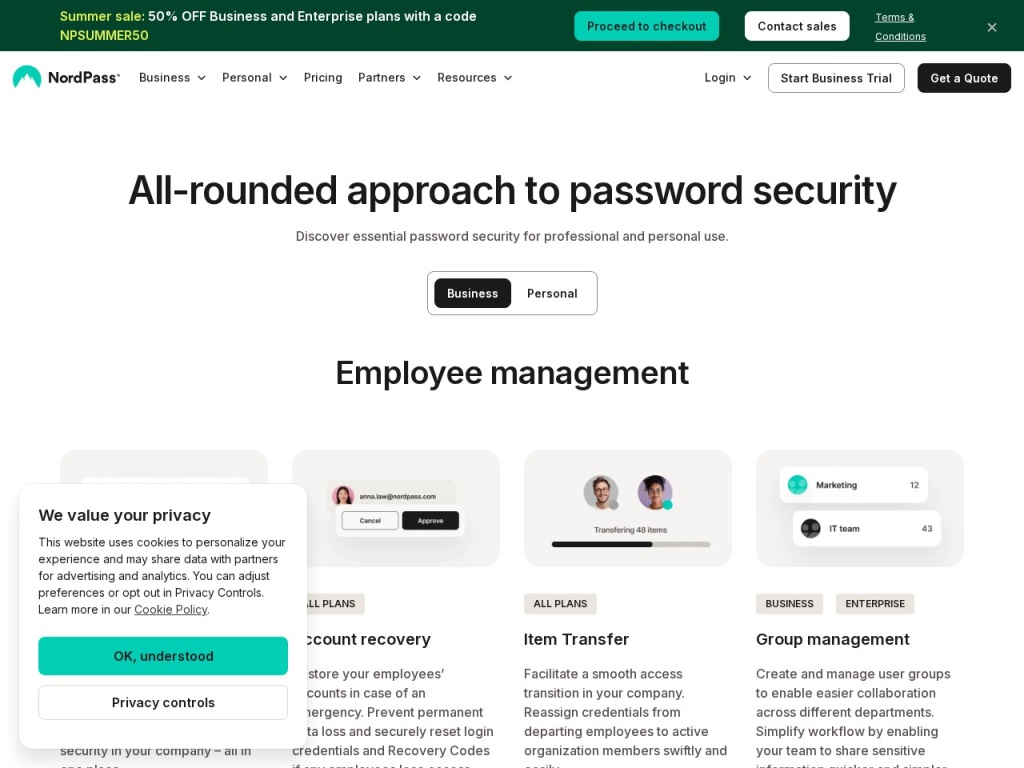
- Secure sharing, the breach scanner and email masking are all reserved for Premium, so the free plan is storage and autofill only.
- Power users coming from 1Password will miss a few refinements, such as travel-style vault hiding and deeper item customization.
What makes NordPass different
Most password managers are a decade old and carry a decade of interface debt. NordPass launched in 2019, and it shows in the right ways: the apps are uncluttered, the onboarding assumes nothing, and the cryptography skipped a generation. Where nearly everyone in the category runs AES-256, NordPass encrypts vaults with XChaCha20, a modern cipher that is faster on mobile hardware and considered more future-resistant by many cryptographers. The architecture is zero-knowledge — encryption and decryption happen on your device, the master password never leaves it, and the company holds nothing it could hand over or leak in usable form. The design has been independently audited, and the client code for key components has been opened for inspection, which matters more than any marketing claim.
The second thing that sets it apart is the ecosystem around it. NordPass is not a lone product fighting for survival; it is one pillar of Nord Security alongside NordVPN and NordLocker, which means sustained engineering investment, frequent feature releases — passkeys arrived early here — and bundle pricing that can make the password manager nearly incidental if you already pay for the VPN. For a product category where abandonment and acquisition have burned users before, that corporate stability is quietly one of the strongest arguments on the sheet.
Key features
XChaCha20 zero-knowledge vault
Every item in the vault — logins, notes, cards, personal information — is encrypted on your device with XChaCha20 before anything touches a server. The master password is the single key, protected by modern key-derivation, and NordPass cannot reset it for you; a recovery code you generate in advance is the only safety net. That is the correct trade-off for a zero-knowledge product, but it puts real responsibility on you: print the recovery code, store it somewhere physical, and treat the master password like the key to everything, because it is.
Passkeys, autofill & cross-platform apps
NordPass stores and syncs passkeys — the cryptographic, phishing-resistant logins that Google, Apple and a growing list of sites now support — so your passwordless future is not locked to one browser or phone brand. Traditional autofill is handled by extensions for Chrome, Firefox, Edge, Safari and friends, plus native apps on Windows, macOS, Linux, iOS and Android. In our testing, fill accuracy was strong on standard login forms and only occasionally hesitant on multi-step or unusually built pages, which is par for the category.
Data Breach Scanner & Password Health
Premium subscribers get continuous breach monitoring: add your email addresses and card numbers, and NordPass checks them against known leak databases, alerting you when something surfaces so you can rotate the affected password immediately. The companion Password Health tool grades your vault for weak, reused and old passwords and gives you a ranked to-do list. Together they turn the vault from passive storage into an early-warning system — the feature that most changes behavior in practice, because it tells you which fires to put out first.
Email masking & secure sharing
Email masking lets you hand out generated burner addresses that forward to your real inbox; when a retailer leaks or sells the mask, you delete it and the spam dies with it, while the leak scanner tells you exactly who was careless. Secure item sharing sends logins to other NordPass users with encryption intact and permissions you control — read-only or full rights — which beats the family group chat as a way to share the streaming password by every measure that matters.
Plans & pricing
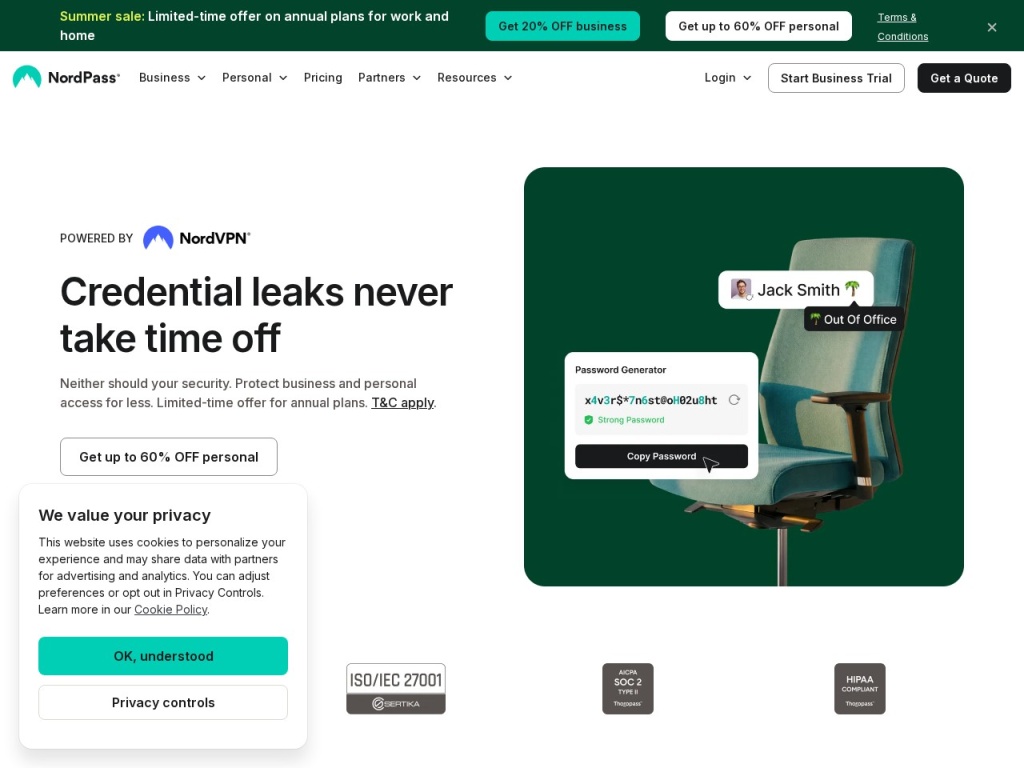
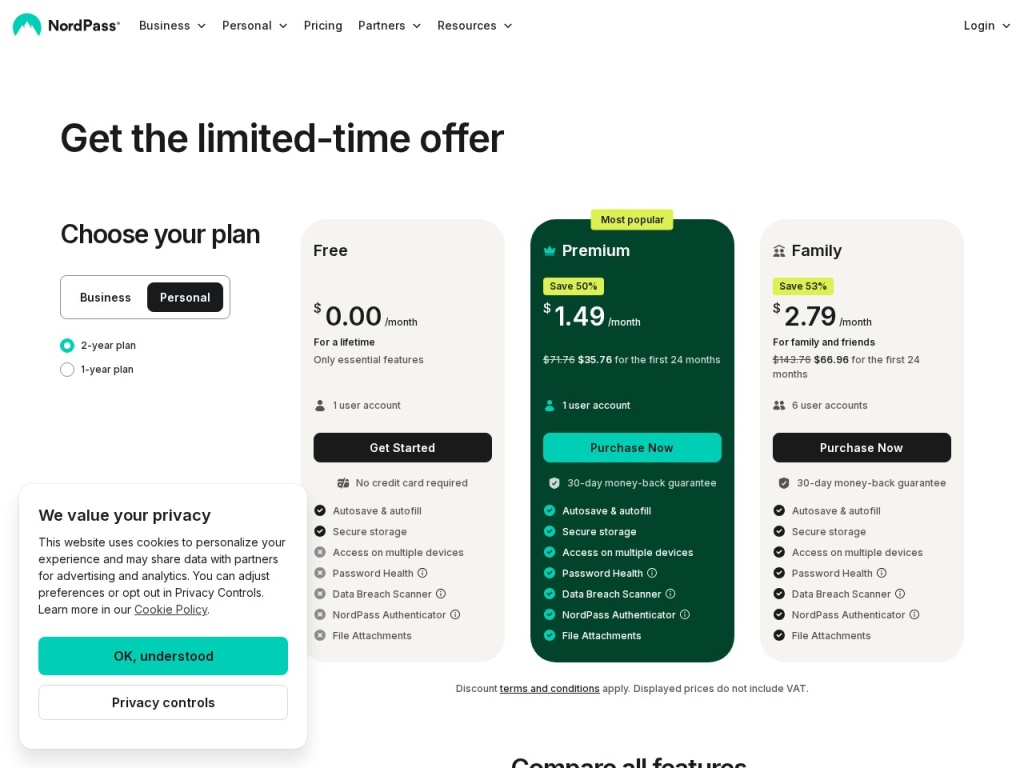
NordPass keeps the lineup simple: a genuinely free tier, a Premium plan for individuals, and a Family plan covering six accounts. Pricing follows the Nord playbook — modest monthly rates that drop sharply on one-year and especially two-year terms, with frequent promotions on top. The numbers below reflect typical long-term rates at the time of writing; exact figures move with promotions and renewal terms, so check the current price before you buy, and read the renewal rate specifically, since it is usually higher than the introductory one.
| Plan | Covers | Headline features | Typical price (long-term billing) |
|---|---|---|---|
| Free | 1 user, 1 active device at a time | Unlimited passwords, passkeys, autofill, sync | $0 |
| Premium | 1 user, unlimited devices | Breach scanner, email masking, secure sharing, health reports | ~$1.5–$3/month |
| Family | 6 users, separate vaults | Everything in Premium for each member | ~$3.5–$6/month total |
The Family plan is the standout value: divided six ways it lands well under a dollar per person per month, cheaper than almost any comparable family offer in the category. A 30-day money-back guarantee covers paid plans, and if you already subscribe to NordVPN, watch for bundle deals that fold NordPass in for a small increment — often the cheapest route of all.
How to get started
- Create a Nord Account, choose a plan (the free tier is fine for testing), and set a long, unique master password — a four-word passphrase you have never used anywhere else.
- Generate and print your recovery code immediately. This is the only way back in if you forget the master password, because NordPass cannot reset it.
- Import your existing passwords. NordPass reads CSV exports from browsers and every major competitor — Chrome, 1Password, Bitwarden, LastPass — and maps the fields automatically.
- Install the browser extension and mobile apps, sign in, and turn off your browser’s built-in password saving so the two do not fight over autofill.
- Run Password Health and the Data Breach Scanner, then spend one evening rotating the worst offenders — reused passwords on email and banking first.
The whole process takes under an hour for a typical vault, and most of that is the cleanup in step five — which, to be fair, is the entire point of the exercise.
Common setup mistakes to avoid
Three missteps cause most NordPass regrets. Skipping the recovery code: zero-knowledge means no password reset, and every month someone learns this the hard way — generate the code on day one and store it on paper, not in the vault it unlocks. Leaving Chrome’s password manager enabled: two autofill systems produce duplicate prompts and half-saved logins, and the confusion gets blamed on NordPass; disable the browser’s manager and let one tool own the job. And importing without cleaning: a decade of browser-saved logins includes dead sites and triplicate entries — run the import, then use Password Health to delete and deduplicate ruthlessly, or the clutter will slowly push you back to bad habits.
Watch: NordPass review and walkthrough
NordPass vs alternatives
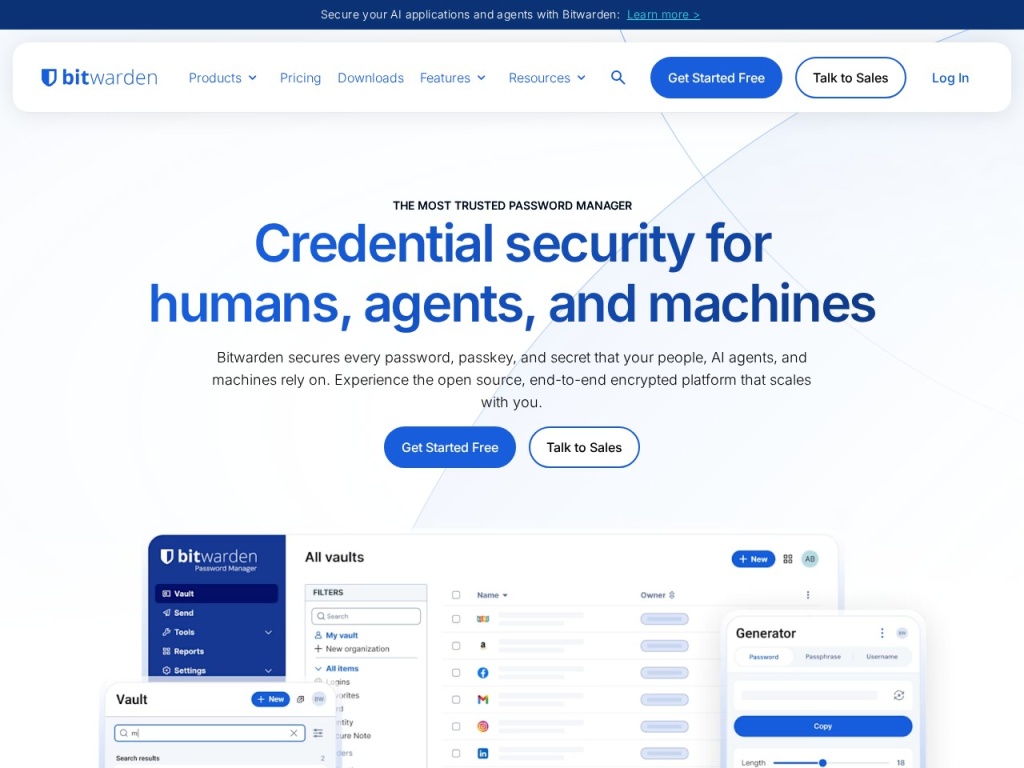
Against 1Password, NordPass concedes some polish — 1Password’s travel mode, item templates and family administration remain the category’s most refined — but NordPass counters with lower prices, newer encryption and a friendlier learning curve for non-technical users. Against Bitwarden, the calculus flips: Bitwarden is open-source with an unusually generous free tier that allows unlimited devices and even self-hosting, so tinkerers and budget purists should look there first; NordPass answers with slicker apps, better autofill on mobile, and extras like email masking that Bitwarden does not bundle. Against Proton Pass, from the same privacy-first school as Proton VPN, it is a close call that mostly comes down to which ecosystem you already inhabit. And that is the real NordPass argument: if you use NordVPN — still one of the strongest picks on our best VPNs list — or want to add data-broker cleanup via a tool like Incogni, the Nord family bundles routinely make NordPass the cheapest serious option on the table.
Performance, support & value
Performance: the apps are quick — vault unlock is near-instant with biometrics, sync across devices took seconds in our testing, and the extension adds no perceptible page-load weight. Autofill correctly handled the overwhelming majority of login forms we threw at it, including two-page username-then-password flows, with only occasional misses on exotic form markup where every manager stumbles.
Support: Premium users get 24/7 live chat and email; free users are limited to email and a solid self-serve knowledge base. Our chat sessions reached a human quickly and the answers were competent rather than scripted. There is no phone support, which is normal for the category, and the help center covers migration from every major competitor in step-by-step detail.
Value: the free tier is a real product — unlimited passwords and passkeys with sync, hobbled only by the single-active-session rule. Premium at a couple of dollars a month on long plans undercuts 1Password meaningfully, and the Family plan is arguably the best per-person deal in mainstream password management. The only cheaper serious route is Bitwarden’s free tier, which buys you thriftiness at the cost of convenience.
Security in depth
The architecture is the story here. XChaCha20 encryption happens client-side; the master password never transmits; key derivation uses Argon2, the current gold standard, making brute-force attacks against stolen vault files impractical. NordPass has commissioned independent audits of its software and processes, and Nord Security’s scale funds a bug-bounty program and a dedicated security team — resources a small standalone vendor cannot match. Two-factor authentication protects the account layer, with support for authenticator apps and hardware security keys, and biometric unlock on mobile keeps convenience from eroding the master password’s secrecy.
The honest caveats: zero-knowledge protects you from NordPass, but nothing protects you from a weak master password or a compromised device — a keylogger defeats any manager. And because there is no offline-only or self-hosted mode, you are trusting NordPass’s cloud to hold your encrypted blob; the encryption means a breach should yield attackers nothing usable, but users who require their vault never to touch third-party servers should be running Bitwarden self-hosted or KeePass instead. For everyone else, this is a textbook-correct modern design.
What real users say
Aggregated review sentiment for NordPass is strongly positive, with app-store ratings and Trustpilot scores that sit near the top of the category. The recurring praise matches our experience: people who abandoned clunkier managers describe NordPass as the first one that did not feel like a chore, the breach alerts get specific gratitude — several reviewers credit them with catching compromised accounts early — and family-plan buyers highlight how painless it was to onboard parents and teenagers.
The criticisms cluster predictably. Free-tier users grumble about being logged out when they switch devices, which is working as designed but still grates. A minority report autofill hiccups on specific sites after browser updates, usually resolved by an extension update within days. And long-time 1Password users who switched for the price occasionally miss niche features more than they expected. Notably rare are the complaints that actually frighten us in this category — sync data loss, lockouts without recourse, or billing hostility — and the tone of negative reviews is “annoying”, not “catastrophic”.
Who should use it — and who should not
Choose NordPass if you want a modern, audited password manager that non-technical family members will actually use, if breach monitoring and email masking appeal as a bundled package, or if you already live in the Nord ecosystem and can pick it up in a discounted bundle. The Family plan is the specific product we would hand to most households, and the free tier is the right on-ramp for anyone graduating from browser-saved passwords on a single device.
Skip it if you require open-source code and self-hosting as a matter of principle — Bitwarden exists for exactly you — or if your workflow depends on 1Password’s deeper organizational features, or if you need a vault that never touches a vendor’s cloud. Businesses with compliance requirements should evaluate the separate NordPass Business product rather than stretching the consumer plans.
Honest limits
NordPass is cloud-only: there is no local-vault mode and no self-hosting, which is a philosophical dealbreaker for a slice of the security community even though the zero-knowledge design is sound. The free tier’s one-active-session rule makes it a trial in practice for multi-device users. The best features — breach scanning, masking, sharing — all sit behind Premium, so evaluate the paid product, not the free one. And while the two-year promotional prices are excellent, renewal rates climb, so diarize the renewal date and renegotiate like you would with any subscription. None of this changes our recommendation; all of it belongs in the decision.
NordPass deals
NordPass discounts follow a steady rhythm: two-year plans carry the deepest standard pricing, seasonal sales — Black Friday above all — push effective rates lower still, and Nord Security bundles that pair NordPass with NordVPN or NordLocker are frequently the best value of all. Because promotional and renewal prices differ, the smart move is to buy the longest term you are comfortable with at the promo rate. We track the current working offers on our deals page as they appear and expire.
Frequently asked questions
Is NordPass safe to use? Yes by every available measure: XChaCha20 client-side encryption, a zero-knowledge architecture, Argon2 key derivation, independent audits and a corporate parent with a serious security team. The residual risks are yours — a weak master password or an infected device.
What happens if I forget my master password? NordPass cannot reset it. Your recovery code — which you should generate and print on day one — is the only way back in. Without it, the vault is unrecoverable by design.
Is the free version of NordPass actually usable? Yes, with one real constraint: unlimited passwords and sync, but only one active device session at a time. Fine for a single-device user, tiresome for everyone else.
Does NordPass support passkeys? Yes — you can create, store and sync passkeys across devices and platforms, which keeps passwordless logins from being trapped in one browser or phone ecosystem.
Can I import from LastPass, 1Password or Chrome? Yes. NordPass imports CSV exports from all major browsers and password managers, and the help center has step-by-step guides for each source.
Is NordPass better than Bitwarden? It is more polished and easier for non-technical users, with extras like email masking; Bitwarden is open-source, self-hostable and more generous for free. Pragmatists lean NordPass, purists lean Bitwarden.
Does NordPass work offline? The apps cache your vault, so you can read entries without a connection; changes sync when you are back online. There is, however, no permanently offline or local-only mode.
How to choose a password manager: a practical guide
Start with the architecture question, because it is the one you cannot change later: any manager worth considering must be zero-knowledge, meaning the vendor mathematically cannot read your vault — NordPass, 1Password, Bitwarden and Proton Pass all qualify; your browser’s built-in storage mostly does not. Second, decide where you sit on the convenience-versus-control spectrum: cloud-synced products like NordPass are effortless across devices, while self-hosted options trade that ease for total custody. Third, count the humans: family plans change the math dramatically, and the best manager is the one your least technical relative will actually adopt, because their reused password is your household’s weakest link. Fourth, look past storage to the security services around it — breach monitoring, password health audits, email masking and passkey support are what turn a vault into a defense system. Finally, run the renewal math, not the promo math, and test the free tier or money-back window before committing. NordPass scores as well as it does here because it clears every one of those bars at a price that removes the last excuse.