I’ve spent three weeks running everyday writing through QuillBot — student essays, client emails, blog drafts, even a chunk of this review — to see whether it still holds up in 2026 against a much more crowded field of AI writing tools. Short version: it’s still one of the fastest ways to rephrase a clunky sentence, tighten a paragraph, and check whether text reads as AI-generated. Whether it’s worth a Premium subscription depends heavily on which of its tools you’ll actually use.
QuillBot started as a single-purpose paraphrasing tool and has since grown into a full writing suite: Paraphraser, Grammar Checker, Summarizer, AI Detector, AI Humanizer, Translator, Citation Generator, a plagiarism checker, and a Word/Chrome extension. In this review, we tested each tool directly, compared the free tier against paid plans, checked how it stacks up against Grammarly and Wordtune, and pulled together what real users say on G2 and Capterra — flagging where it falls short, because no tool this broad is perfect at everything.
Short answer: QuillBot is a strong pick if you need a paraphrasing-first workflow with grammar and AI-detection built in, and the free plan is generous enough to test-drive before you spend anything. Try QuillBot and see how it handles your own writing before deciding on Premium.
AnalyzeBench Score: 8.2 / 10
Best for: Students, non-native English writers, content marketers, and anyone who needs to rephrase, tighten, or grammar-check text faster than they could by hand.
What we loved:
- The Paraphraser genuinely understands context and rarely produces the robotic, thesaurus-swap output older paraphrasing tools were known for.
- Nine-plus paraphrasing modes (Standard, Fluency, Formal, Academic, Creative, and more) let you match tone instead of getting one generic rewrite.
- The free plan is unusually usable for a freemium AI tool — grammar checking, AI detection, translation, and citations are all included, just with lower limits.
- The Chrome extension and Word add-in mean you can paraphrase and check grammar inside Gmail, Docs, and Word without copy-pasting into a separate tab.
- The AI Humanizer and AI Detector are bundled together, so you can check a passage and immediately try to smooth out whatever triggered the detector.
Watch out for:
- The free Paraphraser caps out at 125 words per pass, which feels short if you’re rewriting full paragraphs or essays.
- Premium is priced noticeably higher than some single-purpose competitors if you only need one feature, like just a grammar checker.
- Heavier academic or technical writing can come back with subtly changed meaning, so you still need to proofread the output.
- AI detection and humanizing tools are inherently unreliable across the industry — QuillBot’s are no exception, and results vary by detector and by draft.
- Some longtime users report the interface has gotten busier as more tools were added to the suite, making it slightly harder to find a specific feature quickly.
What makes QuillBot different
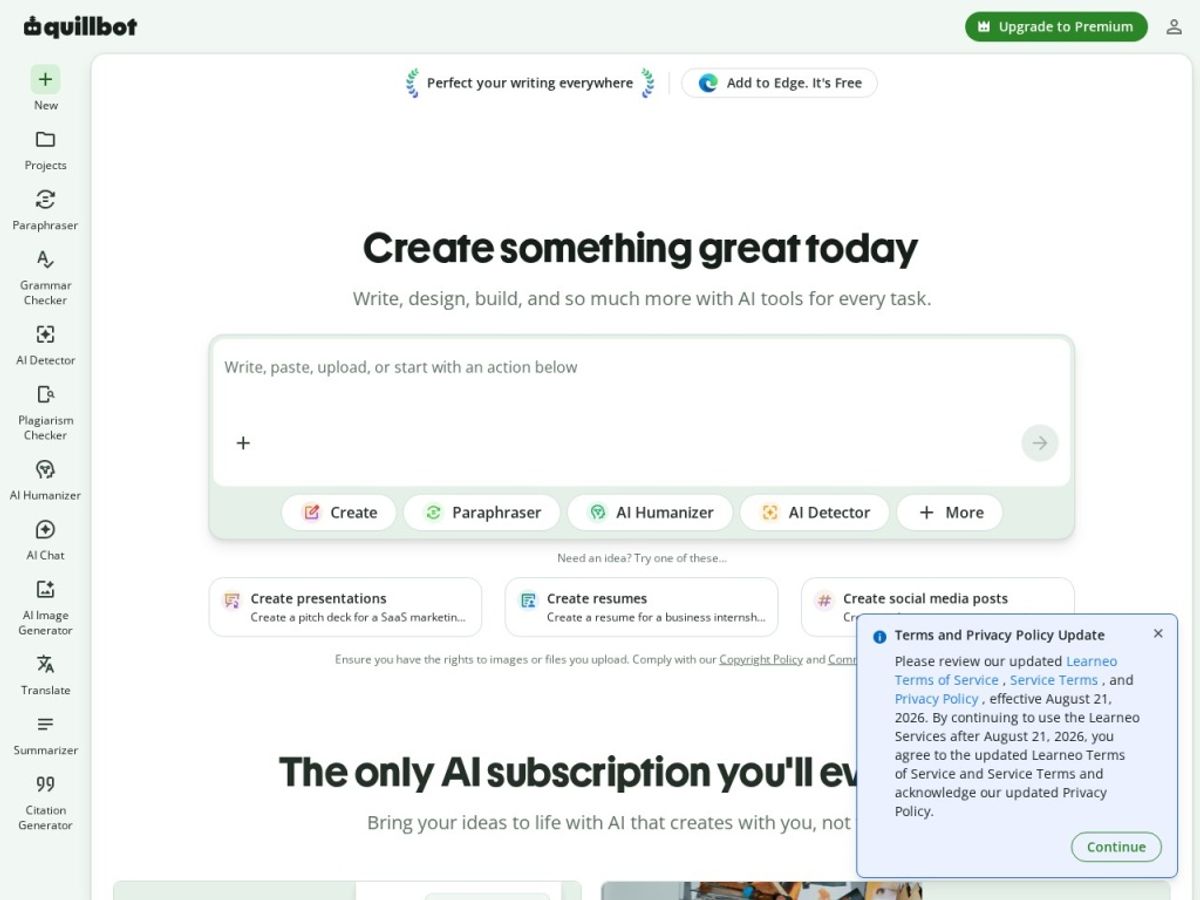
Most AI writing tools pick a lane — Grammarly built its name on grammar and tone, Wordtune leans into sentence-level rewriting, and newer entrants focus purely on AI detection or humanizing. QuillBot’s pitch is breadth: instead of stitching together three or four subscriptions, it bundles paraphrasing, grammar, summarizing, translation, citations, plagiarism checking, and AI detection/humanizing into one account with one price tag.
That breadth is where QuillBot earns its reputation. The Paraphraser remains the strongest part of the suite in our testing — it holds onto the original meaning far better than the “spin the article” tools of a few years ago, and the mode selector (Standard, Fluency, Formal, Academic, Creative, Expand, Shorten, and custom modes on Premium) actually changes the output in a noticeable, useful way rather than just tweaking a few synonyms. For anyone who writes in a second language, that’s the feature worth paying for.
Where it gets more interesting for 2026 is the AI Detector and Humanizer pairing. As more student and workplace writing gets flagged by AI-detection software, QuillBot built a loop where you check a paragraph, see what’s tripping the detector, and run it through the Humanizer to reduce “AI-sounding” patterns. We’ll be direct about the limits of that later, but it’s more useful than having separate, disconnected tools for detection and humanizing. Try QuillBot’s free plan to test the Paraphraser and Detector yourself.
The core features
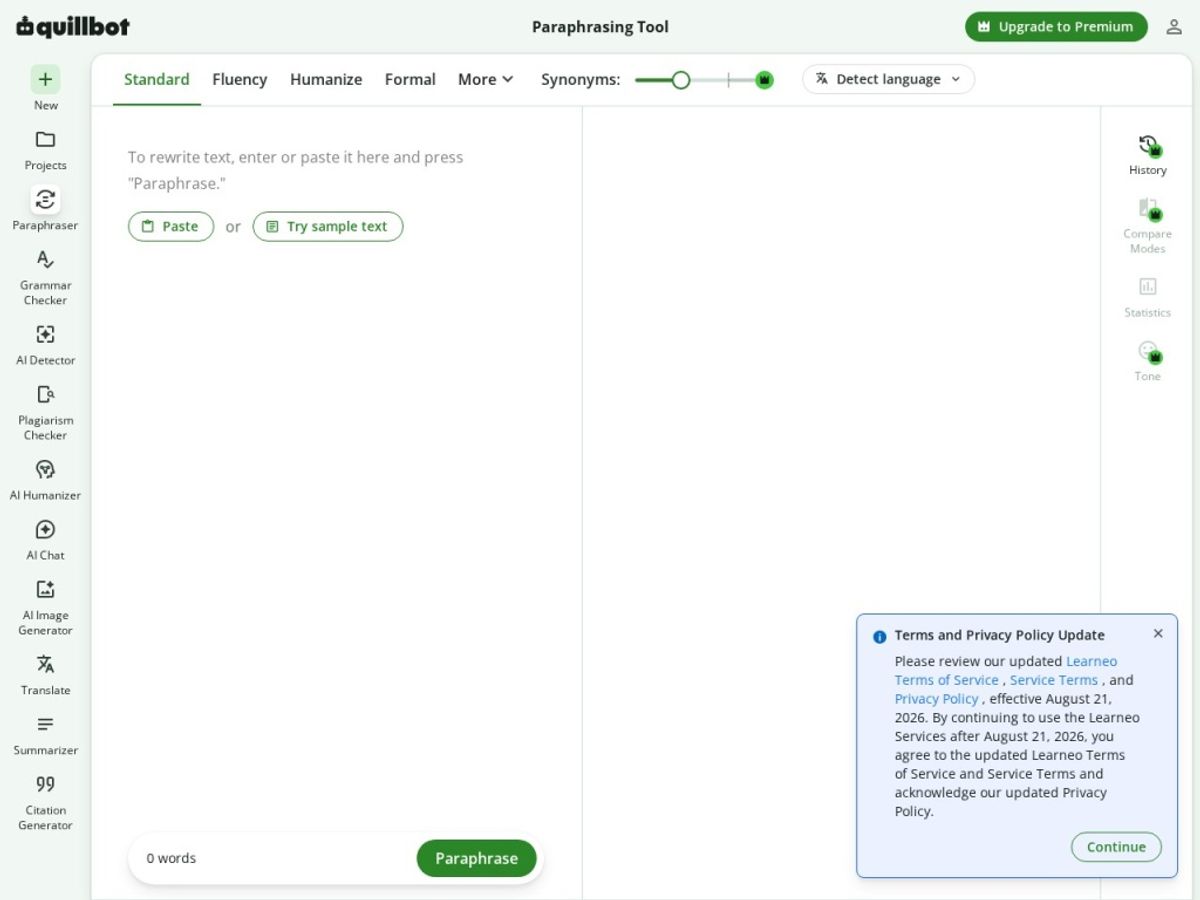
QuillBot’s suite has grown well beyond paraphrasing. Here’s how each core tool performed when we tested it directly.
Paraphraser
This is still QuillBot’s flagship tool and the reason most people sign up. You paste in text, pick a mode, and get a rewrite that keeps the original meaning while changing sentence structure and word choice. In our tests, Standard and Fluency modes produced the most natural-sounding output, while Academic and Formal shifted tone toward more formal phrasing without becoming stiff. The free plan limits you to 125 words per paraphrase and two modes; Premium unlocks the full mode list, unlimited word count, and a “Custom” mode where you can nudge formality and creativity sliders yourself.
Grammar Checker
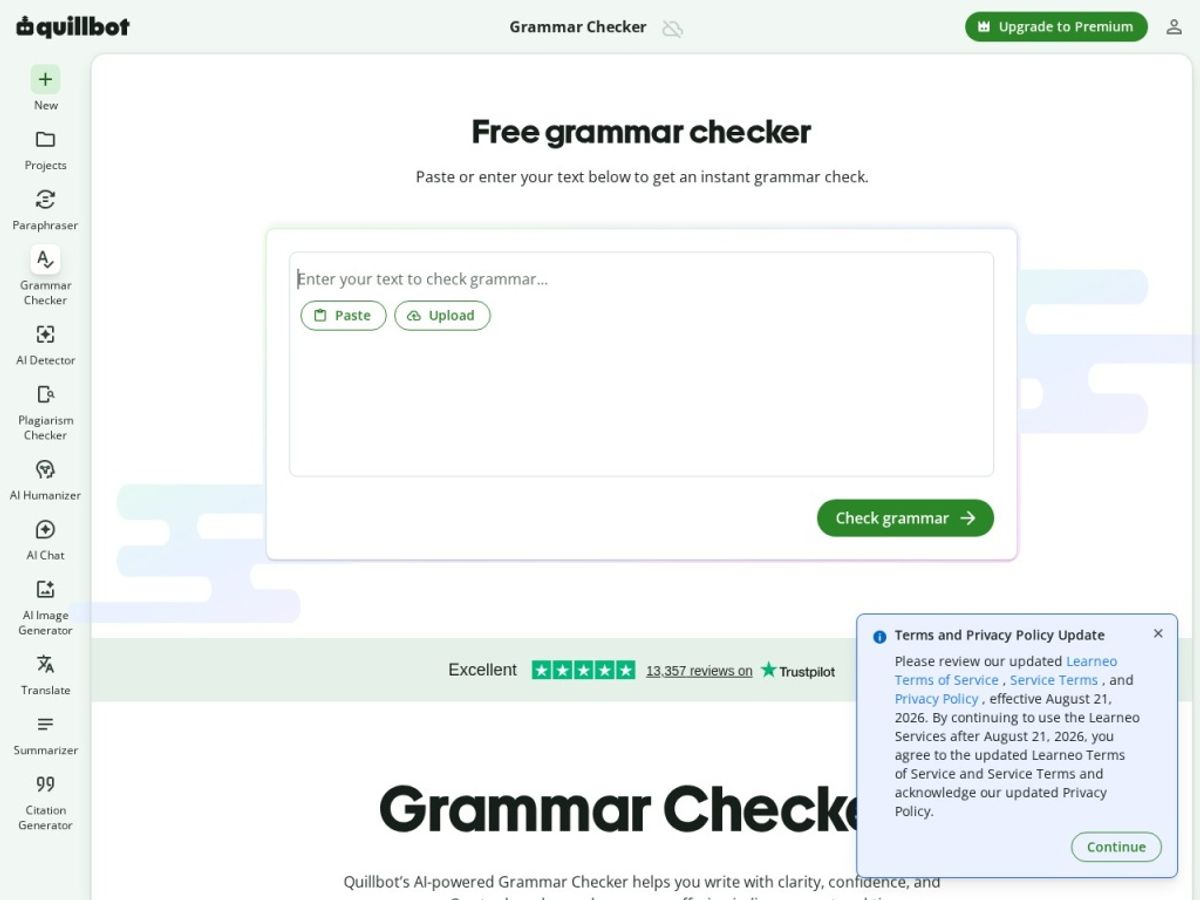
QuillBot’s Grammar Checker catches typos, subject-verb agreement issues, and punctuation slips, and also flags wordiness and passive voice with one-click fixes. It’s not quite as deep as Grammarly’s tone and clarity scoring in our side-by-side testing, but it’s fast, shares an account with the Paraphraser, and is genuinely free for basic checks with no hard word cap.
Summarizer
Paste in an article, report, or long email thread, and the Summarizer returns a paragraph-style summary or a bulleted key-points list. Free users are capped around 1,200 words per summary, while Premium raises that ceiling to roughly 6,000 words. We found it genuinely useful for skimming long PDFs or prepping meeting notes, though like any AI summarizer, it can occasionally flatten nuance out of dense technical material.
AI Detector & Humanizer
The AI Detector scans text and estimates the likelihood it was AI-generated, while the Humanizer rewrites AI-sounding text so it reads more naturally and scores lower on detection tools. We ran the same paragraphs through QuillBot’s detector and several third-party detectors and got inconsistent results across the board — true of every AI detector on the market, not just QuillBot’s. The Humanizer did measurably reduce “AI-sounding” phrasing in our tests, but we wouldn’t treat a passing score as a guarantee against every detector a school or employer might use.
Translator & Citation Generator
The Translator supports dozens of languages and is handy for a quick draft translation, though it’s not a replacement for a dedicated translation service on nuanced or professional work. The Citation Generator is a quiet standout — it formats references in APA, MLA, Chicago, and other styles from a URL, DOI, or manual entry, and it’s free to use without Premium, a nice bonus for students who never touch the Paraphraser.
Extensions (Chrome & Word)
The Chrome extension brings the Grammar Checker and Paraphraser into Gmail, Google Docs, and most text fields across the web, underlining issues in real time. The Word add-in does something similar inside Microsoft Word. Both worked reliably in our testing without slowing down typing, removing much of the copy-paste friction that makes other AI writing tools annoying to use daily.
Plans & pricing
QuillBot’s pricing has shifted more than once, and region or promotions can change the figures, so treat the numbers below as directional and confirm the current price on QuillBot’s official pricing page before you buy.
Free
The free plan includes the Grammar Checker, a 125-word Paraphraser (Standard and Fluency modes only), a roughly 1,200-word Summarizer, the AI Detector, the Translator, and the Citation Generator. It’s genuinely one of the more usable free tiers in this category — enough to test every tool before you decide whether Premium is worth it.
Premium (monthly)
The monthly Premium plan has generally run around $19.95/month, unlocking unlimited paraphrasing across all modes, the full AI Humanizer, a larger Summarizer limit, the Plagiarism Checker, and faster processing. Monthly billing is the most expensive way to buy Premium and makes the most sense if you only need it for a single project or a short stretch of the semester.
Premium (annual/semi-annual)
QuillBot typically offers semi-annual billing (roughly $13–14/month, billed every six months) and annual billing, which has historically landed somewhere between roughly $4 and $8 per month depending on current promotions — a substantial discount over paying monthly. If you know you’ll use QuillBot regularly for more than a couple of months, the annual plan is almost always the better value, but the exact discount moves around with sales, so check the live price before checkout.
Teams
QuillBot also offers a Teams/multi-seat plan aimed at classrooms, departments, and small businesses, which bundles Premium features across multiple licenses with centralized billing. Pricing scales with seat count and isn’t published as a flat rate, so it’s worth requesting a quote directly if you’re buying for a group.
Whichever tier you’re considering, it’s worth starting from the official page rather than a screenshot in this review, since QuillBot adjusts pricing and promotions periodically. Check current QuillBot pricing before you commit to a plan.
How to get the best value
If you’re on the fence, start on the free plan and use it for a week or two before paying for anything. Run real drafts — not test sentences — through the Paraphraser and Grammar Checker so you can judge whether the output matches your writing style and subject matter.
Once you decide Premium is worth it, billing cadence matters more than almost anything else in the price you pay. Monthly billing is convenient but the most expensive per month by a wide margin; annual (or semi-annual) billing brings the effective cost down substantially. If you only need Premium for a finite stretch — a semester, a big project, a launch season — semi-annual billing is a reasonable middle ground.
It’s also worth auditing which features you’ll actually use before upgrading. If all you need is the Citation Generator and basic grammar checking, the free plan may cover you indefinitely. If you’re leaning on unlimited paraphrasing, the Humanizer, or the Plagiarism Checker regularly, that’s when Premium starts paying for itself.
Watch: QuillBot in action
If you’d rather see QuillBot’s current interface in motion before reading the rest of this review, the walkthrough below is a solid, up-to-date demo of the paraphrasing workspace and how the broader suite fits together.
For a closer look specifically at the AI Humanizer’s real-world performance against detection tools, this second video is worth watching too.
QuillBot vs alternatives
QuillBot doesn’t exist in a vacuum — Grammarly and Wordtune are the two tools we get asked about most as alternatives, and each has a different center of gravity. Grammarly leans hardest into grammar, tone, and clarity scoring with a huge free user base; Wordtune is built almost entirely around sentence-level rewriting suggestions as you type. QuillBot sits in between, with paraphrasing as its anchor feature and everything else — grammar, summarizing, detection, citations — built around it.
| Tool | Best for | Standout strength | Free option |
|---|---|---|---|
| QuillBot | Paraphrasing-first writing workflows | Context-aware rewriting across multiple tone modes | Yes — generous free tier with limits |
| Grammarly | Grammar, tone, and clarity at scale | Deep grammar/tone engine, huge browser footprint | Yes — free tier, Premium for advanced checks |
| Wordtune | Sentence-by-sentence rewriting while drafting | Inline rewrite suggestions as you type | Yes — limited free rewrites |
Our take after testing all three: if paraphrasing quality and tone control matter most, QuillBot wins. If you want the most thorough grammar and tone coaching with the widest browser support, Grammarly is the stronger pick. If your workflow is “write a sentence, get an instant alternative,” Wordtune’s inline style fits better than either. Many writers we spoke with use two of the three together — QuillBot for rewriting, Grammarly for a final polish pass.
Output quality & value
On pure output quality, QuillBot’s Paraphraser held up well across the content we threw at it — marketing copy, academic-style paragraphs, and casual emails all came back readable and largely faithful to the original meaning. The mode variety is a real advantage; switching between Formal and Creative for the same source text, rather than getting one fixed rewrite, is something many single-mode competitors don’t offer.
On value, the calculation depends on which features you actually use. If you’d otherwise pay separately for a paraphrasing tool, a grammar checker, and a basic AI detector, bundling all three (plus summarizing, translation, and citations) into one Premium subscription is a reasonable deal, especially at the annual rate. If you only need one tool occasionally, the free plan or a cheaper single-purpose competitor may serve you just as well.
Who should use it — and who should not
QuillBot makes the most sense for students juggling essays and citations, non-native English writers who want help with fluency and tone, and content marketers who need to quickly reword or repurpose existing copy. If you’re already inside Google Docs or Gmail most of the day, the browser extension makes adoption almost frictionless.
It makes less sense if you need deep, publication-grade editing (a human editor or a specialized tone tool will outperform any AI paraphraser on nuance), or if your main need is airtight AI-detection avoidance for high-stakes academic situations — no humanizer, including QuillBot’s, should be treated as a guaranteed workaround. It’s also overkill if all you need is a basic spell-checker; simpler free tools may cover that without any subscription.
Honest limits
QuillBot’s biggest limitation is shared by the whole AI-detection category: detector and humanizer results are inconsistent, vary by tool and by draft, and shouldn’t be treated as a reliable pass/fail signal for anything with real stakes, like an academic integrity review. We’d also note that as QuillBot has added more tools, the interface has gotten a bit busier, and first-time users sometimes need a minute to find the feature they came for.
Finally, while the Paraphraser is strong, it’s not infallible on dense technical writing — we saw a handful of instances where a rewrite subtly softened a precise technical claim, a reminder to always proofread AI-rewritten text before publishing or submitting it.
QuillBot discount codes & deals
We didn’t find any legitimate, currently working “secret” QuillBot coupon codes floating around the web, and we’d be skeptical of any site promising one. The real, reliable discount is simply choosing annual or semi-annual billing over monthly — that’s where the actual savings live, and QuillBot occasionally runs its own seasonal promotions on top (back-to-school and New Year periods are common windows). Skip the coupon-code hunting and compare billing cycles directly on the pricing page. See QuillBot’s current plans and pricing to check what’s live right now.
Frequently asked questions
Is QuillBot free to use?
Yes. QuillBot has a genuinely usable free plan that includes a limited Paraphraser (125 words, two modes), Grammar Checker, AI Detector, a capped Summarizer, Translator, and Citation Generator. Premium removes the word limits and unlocks additional modes and tools.
Is QuillBot safe to use for academic writing?
QuillBot can help smooth grammar and phrasing, but check your institution’s policy on AI-assisted writing before using any paraphrasing or humanizing tool on graded work — policies vary widely, and no AI detector or humanizer should be relied on as a guaranteed way around academic integrity checks.
Does QuillBot’s AI Humanizer actually beat AI detectors?
It can reduce some of the phrasing patterns that trigger AI detectors, and our testing showed measurable improvement in some cases, but results were inconsistent across different third-party detectors. Treat it as a writing-quality tool rather than a guaranteed detection bypass.
Can I cancel QuillBot Premium anytime?
QuillBot subscriptions are generally self-service and cancellable through your account settings, and the company has offered a short money-back window for new subscribers in the past. Confirm the current cancellation and refund terms on QuillBot’s official site before subscribing.
Does QuillBot have a Word add-in or Chrome extension?
Yes. QuillBot offers both a Chrome extension (for Gmail, Google Docs, and most web text fields) and a Microsoft Word add-in, letting you paraphrase and check grammar without leaving the app you’re already writing in.
Is QuillBot better than Grammarly?
They’re built for slightly different jobs. QuillBot leads on paraphrasing quality and mode variety; Grammarly leads on grammar depth, tone coaching, and browser-wide coverage. Many writers use both together rather than picking just one.
Does QuillBot have an affiliate or referral program?
Yes, QuillBot runs an affiliate program (via PartnerStack) offering recurring commissions that vary by plan type, which is how sites like AnalyzeBench may earn a commission if you subscribe through our link.
How to get great results from any AI writing tool
Start with a clean draft, not a blank page. AI paraphrasing and grammar tools work best when they’re refining something you’ve already written, rather than generating your ideas from scratch — you’ll keep your own voice and catch factual errors an AI tool wouldn’t know to flag.
Always proofread the output. Every tool in this category, QuillBot included, can occasionally shift meaning or introduce an awkward phrase. Treat AI rewrites as a strong first draft, not a final one.
Match the mode to the audience. Formal and Academic modes suit reports and essays; Fluency and Standard suit everyday emails and casual content. Picking the wrong mode is the most common reason people say an AI paraphraser “doesn’t sound like them.”
Don’t lean on AI detectors as a final verdict. Whether you’re checking your own writing or someone else’s, treat detector scores as a signal to investigate further, not a definitive judgment — false positives and false negatives happen across every detector on the market.
Test the free tier before you pay. Almost every tool in this category, including QuillBot, offers enough free usage to judge output quality on your own writing. Spend a week there before deciding whether the paid tier’s limits are actually worth removing.