If you’ve spent any time comparing AI writing tools, you’ve probably noticed a pattern: the good ones tend to cost $40-$60 a month, and the cheap ones tend to produce mushy, generic copy. Rytr set out to break that pattern back in 2021, and in 2026 it’s still one of the few AI writers that genuinely delivers on the “affordable but capable” promise. We spent several weeks putting it through its paces across blog posts, ad copy, emails, and a chat-based drafting workflow to see whether it still holds up against pricier competitors like Jasper and Copy.ai.
Our short answer: Rytr isn’t going to replace a skilled human editor, and it won’t out-write the frontier chatbots on complex, nuanced pieces. But for solopreneurs, small agencies, and anyone who needs a high volume of short-to-medium form content on a tight budget, it’s one of the best value picks in the category. The free plan alone is generous enough that you can trial the entire feature set before spending a dollar.
Below, we break down what Rytr actually does well, where it falls short, what it costs in 2026, and how it stacks up against the alternatives. If you want to jump straight in and see it for yourself, you can try Rytr free — no credit card required.
AnalyzeBench Score: 7.8 / 10
Best for: Freelancers, small business owners, and content teams who need fast, decent-quality short-form copy (ads, emails, product descriptions, social posts) without paying premium AI-writer prices.
What we loved:
- Genuinely usable free plan with access to the full template library and plagiarism checker, not a crippled trial
- Unlimited plan starts at roughly $9/month, undercutting most competitors by a wide margin
- 40+ use-case templates cover an unusually wide range of everyday writing tasks
- Rytr Chat gives you a flexible, ChatGPT-style interface when the templates don’t fit what you need
- Built-in SEO analyzer, plagiarism checker, and brand voice cloning are bundled in rather than sold as pricey add-ons
Watch out for:
- Long-form content (2,000+ words) can get repetitive and needs heavier editing than pricier tools
- Factual accuracy isn’t guaranteed — you still need to verify names, stats, and claims yourself
- The character-based free-plan limit runs out fast if you’re writing anything beyond short snippets
- Fewer collaboration and workflow features than team-oriented tools like Jasper or Copy.ai
- Image generation quotas are modest even on paid plans, so it’s not a real substitute for a dedicated image tool
What makes Rytr different
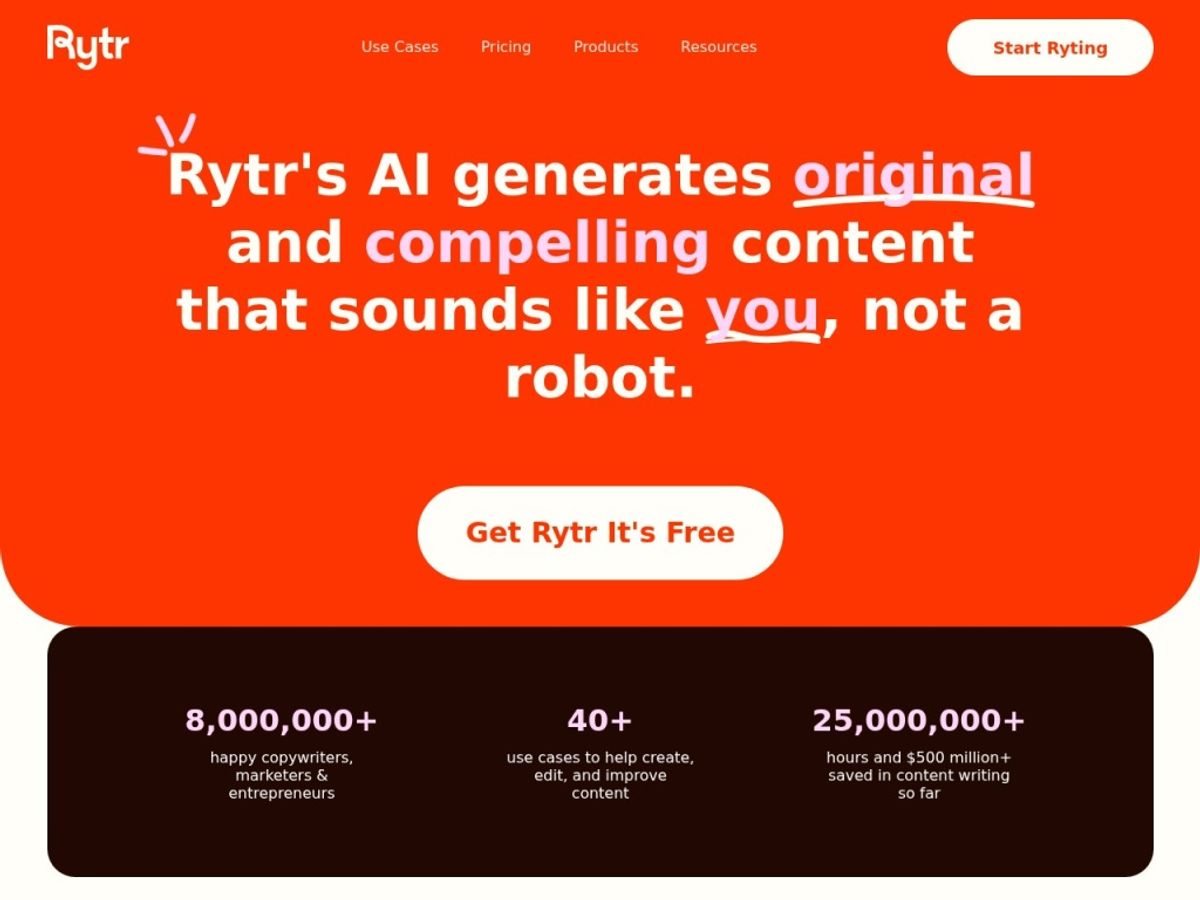
Most AI writing tools try to win you over with either raw output quality or an ever-expanding feature list. Rytr takes a third path: it optimizes for price-to-value ratio above almost everything else. Where a tool like Jasper positions itself as an enterprise content platform with a price tag to match, Rytr has stayed laser-focused on solo users and small teams who need to produce a lot of everyday copy without burning through their budget.
That focus shows up in small but meaningful ways. The onboarding is fast — you pick a use case, describe what you need, choose a tone, and get multiple variations in seconds. There’s no steep learning curve, no mandatory demo call, and no confusing tier of “credits” that quietly runs out mid-project. Rytr also doesn’t gate its core quality-control features (plagiarism checking, tone selection, multi-language support) behind its most expensive tier the way some competitors do, which matters a lot if you’re trying to keep monthly software costs under control.
The tradeoff is that Rytr isn’t trying to be everything. It doesn’t have the deep workflow automation, brand-kit governance, or multi-seat approval chains that larger marketing teams sometimes need. If you’re a five-person content team producing dozens of long, heavily-researched articles a week, you’ll likely outgrow it. If you’re a freelancer, small business owner, or lean startup team who needs solid first drafts fast, it’s built almost exactly for you. You can see the free tier for yourself and try Rytr before deciding if it fits your workflow.
The core features
Rytr’s feature set is broader than its budget price tag might suggest. Here’s what you actually get across the platform, based on our hands-on testing.
Use cases & templates
Rytr ships with 40+ use-case templates covering blog idea generation, blog section writing, SEO meta descriptions, product descriptions, email copy, social media captions, video scripts, and more. Each template asks for a short input (a topic, a keyword, or a few bullet points) and returns several variations you can mix, edit, or regenerate. We found the templates most useful for short- and medium-form tasks — ad headlines, product blurbs, outreach emails — where the structure does most of the heavy lifting.
Rytr Chat
For anything that doesn’t fit neatly into a template, Rytr Chat offers a conversational interface similar to ChatGPT. You can ask follow-up questions, request rewrites in a specific tone, or iterate on a draft without starting from scratch. It’s not as sophisticated as a dedicated frontier chatbot, but it’s a useful escape hatch when the structured templates feel too rigid, and it keeps you inside the same billing plan rather than needing a second subscription.
Tones & languages
Rytr supports 20+ tones (convincing, friendly, formal, worried, and more) on lower tiers, and writes in 30+ languages across the board, with the Premium plan unlocking the widest language coverage. In our testing, tone switching produced noticeably different outputs rather than just swapping a few adjectives, which is more than we can say for some competitors at this price point.
SEO analyzer
Rytr bundles an SEO analyzer and keyword/SERP-style tool that scores your content and suggests related keywords to work in. It won’t replace a dedicated SEO suite, but for bloggers and small business owners who don’t already pay for one, it’s a genuinely useful bonus that saves a separate subscription.
Plagiarism checker & brand voice
Every plan, including the free one, includes plagiarism checking, with higher monthly check allowances on paid tiers. Rytr also offers a “My Voice” brand voice feature that analyzes a writing sample and mirrors your tone in future outputs — handy for freelancers juggling multiple client voices or brands trying to keep AI drafts on-brand.
Browser extension & image generation
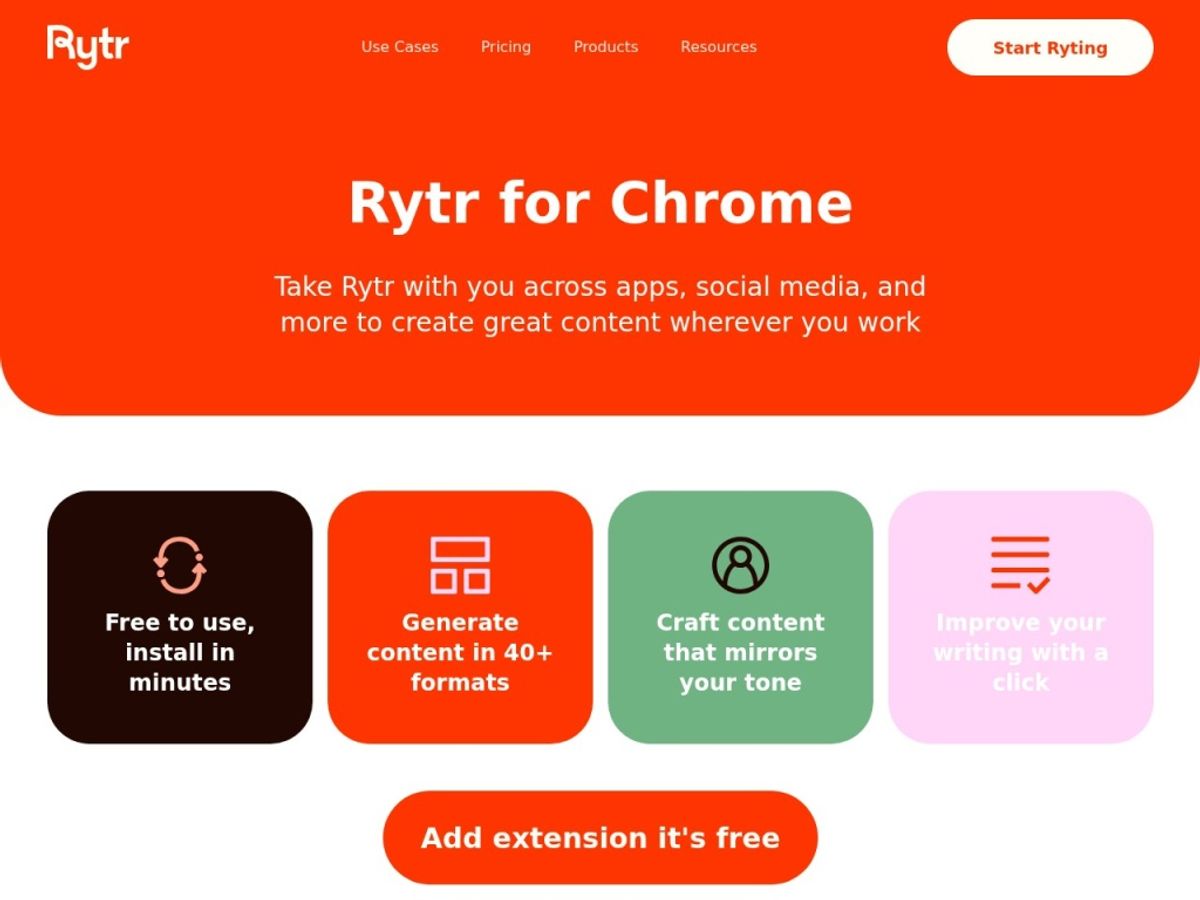
A Chrome extension lets you use Rytr’s templates inside Gmail, Google Docs, and other web forms without switching tabs, which we found genuinely useful for email-heavy workflows. Rytr also includes a basic AI image generator, with monthly image quotas that scale by plan (a handful on Free, more on Unlimited and Premium). It’s a nice-to-have, not a replacement for a dedicated image generator.
Plans & pricing
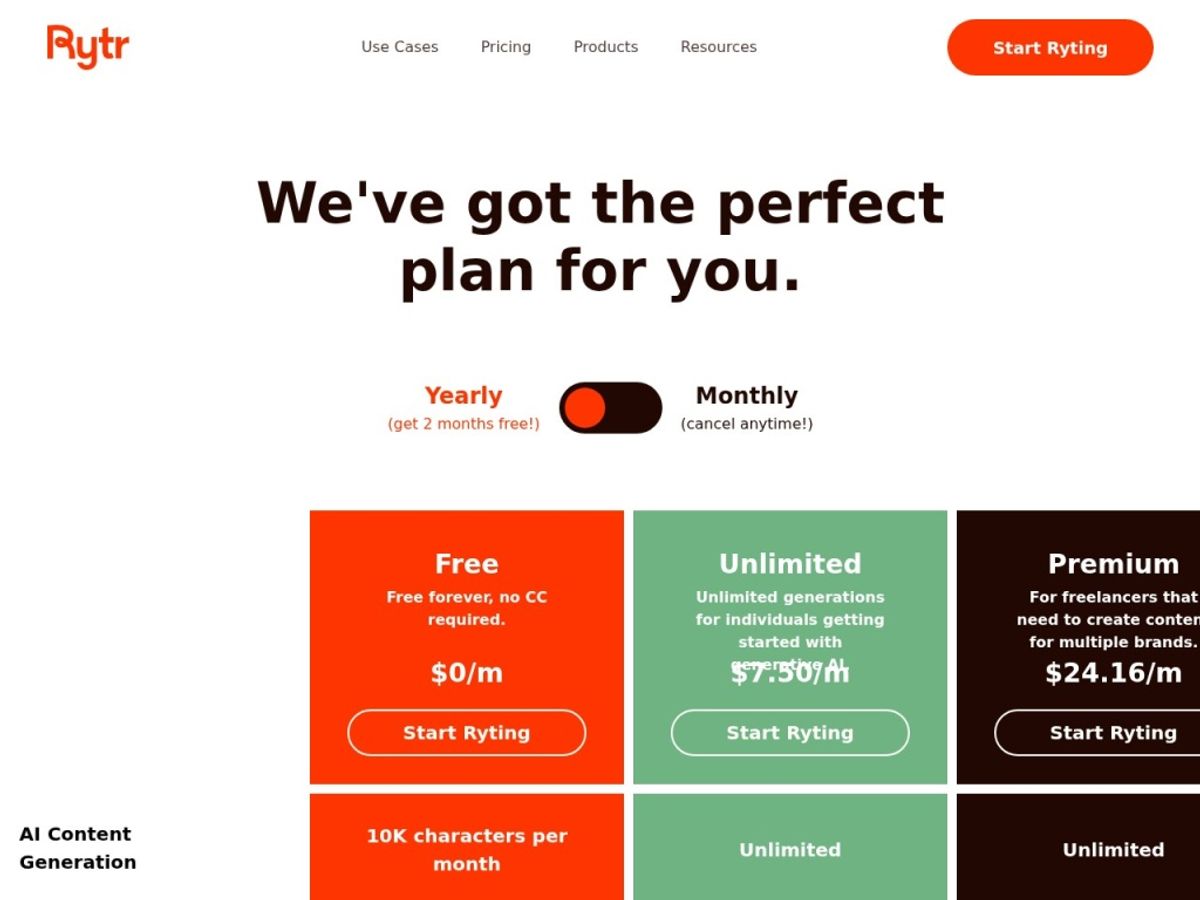
Rytr’s pricing has stayed refreshingly simple over the years, though as with any SaaS product, exact numbers and limits can shift — always check the current pricing page before you buy, since we’re reporting figures as of mid-2026 and Rytr periodically adjusts quotas and tier names.
Free
The Free plan gives you roughly 10,000 characters (about 1,500-2,000 words) of generation per month, with access to the full library of 40+ use cases, 20+ tones, and the plagiarism checker. There’s no time limit — it’s a genuine free tier, not a 7- or 14-day trial, which makes it one of the more generous entry points in the category.
Unlimited (Saver)
The Unlimited plan (sometimes labeled “Saver”) runs around $9/month billed monthly, or roughly $7.50/month billed annually. It removes the character cap entirely, bumps plagiarism checks up to around 50/month, and unlocks the Chrome extension. This is Rytr’s most popular tier and, in our view, the sweet spot for most solo users and freelancers.
Premium
The Premium plan lands around $29/month (roughly $24/month billed annually) and adds the widest language coverage (35+), a higher input limit per generation, around 100 plagiarism checks/month, custom use-case creation, and priority support. It’s aimed at power users and small agencies producing high volumes of varied content.
Whichever tier you’re eyeing, it’s worth starting on the free plan to get a feel for output quality before committing. You can try Rytr free right now and upgrade only once you’ve hit the character ceiling.
How to get the best value
A few practical tips from our testing that will stretch your Rytr subscription further:
Start on the free plan and actually use it for two to three weeks before upgrading. Ten thousand characters is enough to test every major template category, and you’ll get a realistic sense of whether the output quality matches your needs before you spend anything.
Pay annually once you’re sure. The roughly 20% discount on annual billing is one of the better deals in the AI-writer space, and because Unlimited is already inexpensive, the annual price works out to just a few dollars a month.
Use Rytr Chat for anything iterative. Templates are fast for first drafts, but if you’re refining a piece over several rounds, switching to Chat avoids burning through generations on a template that keeps giving you the wrong structure.
Lean on the brand voice feature if you write for multiple clients or a specific company tone. It cuts down editing time significantly once it’s dialed in, though it takes a decent writing sample to train well.
Batch similar tasks together. Because Unlimited removes the character cap, there’s no cost reason to ration your usage — the actual constraint becomes your own editing time, not your quota.
Watch: Rytr in action
If you’d rather see Rytr in action before signing up, a couple of independent walkthroughs do a good job showing the interface, template selection, and real output in real time. Watching a live demo is often the fastest way to judge whether the writing style fits your needs.
Rytr vs alternatives
Rytr’s closest comparisons are Copy.ai and Jasper, both of which occupy different price and use-case brackets. Here’s how the three stack up on the fundamentals.
| Tool | Best for | Standout strength | Free option |
|---|---|---|---|
| Rytr | Budget-conscious freelancers & solo creators | Lowest cost per feature; generous permanent free tier | Yes — ongoing, ~10,000 characters/month |
| Copy.ai | Marketing teams wanting workflow automation | Workflow builder and GTM-focused automations | Yes — permanent, ~2,000 words/month |
| Jasper | Larger teams & brand-governed content ops | Brand voice governance and enterprise integrations | No — trial only, no permanent free tier |
Our verdict: if budget is the deciding factor and you’re working solo or in a very small team, Rytr wins outright. Copy.ai makes more sense once you need multi-step workflow automation across a marketing team, and Jasper is worth the higher price only if you need enterprise-grade brand controls and don’t mind paying for them. For most of the readers who land on this page, Rytr’s cost-to-capability ratio is hard to beat.
Output quality & value
In our test drafts — product descriptions, cold outreach emails, blog intros, and social captions — Rytr’s output was consistently usable as a first draft. It rarely nailed the final copy on the first try, but it reliably got us 70-80% of the way there, which is exactly what you want from a tool at this price. Short-form content (under 300 words) came out the cleanest; the model handles compact, punchy copy noticeably better than sprawling long-form pieces.
Where value really shows is in the math: at roughly $9/month for unlimited generation, Rytr costs a fraction of what Jasper or Copy.ai’s paid tiers charge, while covering a similar breadth of everyday use cases. You’re not getting Jasper’s polish or Copy.ai’s workflow depth, but if your actual need is “write me a lot of decent short copy, fast, cheaply,” Rytr’s output-to-dollar ratio is genuinely one of the best in the category.
Who should use it — and who should not
Rytr is a strong fit for freelance writers who need to speed up first drafts, e-commerce sellers churning out product descriptions at scale, small business owners handling their own marketing copy, and solo content creators who can’t justify a $50+/month tool. The free plan makes it especially attractive if you’re just testing whether AI writing fits into your workflow at all before spending anything.
It’s a weaker fit for large marketing teams that need multi-user approval workflows, brands that require strict governance over voice and compliance across dozens of contributors, and anyone producing long, heavily-researched, fact-dense content where accuracy and depth matter more than speed. Those users will likely get more mileage out of Jasper’s enterprise features or a more research-capable general chatbot, even at a higher price.
Honest limits
Rytr is not a research tool and shouldn’t be treated as one — it will confidently generate plausible-sounding facts, statistics, and claims that need independent verification before publishing. We also noticed output quality dipping on longer pieces, with repeated phrasing and looser structure creeping in past the 1,000-1,500 word mark. If your primary use case is long-form authority content, budget extra editing time or lean on Rytr mainly for outlines and section drafts rather than a finished article.
The free plan’s character limit is also easy to underestimate — 10,000 characters sounds like a lot until you’re a few product descriptions and one blog intro into the month. It’s genuinely useful for testing, but most regular users will bump into the Unlimited plan within the first few weeks.
Rytr discount codes & deals
We don’t publish fake or expired coupon codes — most “20% off Rytr” codes floating around the web are outdated or simply don’t work at checkout. The one reliable discount we can confirm is Rytr’s standard annual billing discount, which knocks roughly 20% off both the Unlimited and Premium plans compared to paying monthly. If you’re confident you’ll stick with it past a couple of months, annual billing is the legitimate way to save. You can check current pricing and any live promotions by visiting through our link and clicking try Rytr.
Frequently asked questions
Is Rytr actually free to use?
Yes. Rytr’s free plan is ongoing (not a time-limited trial) and includes roughly 10,000 characters of generation per month, plus access to the full template library, tones, and the plagiarism checker.
How much does Rytr cost per month?
As of our 2026 research, the Unlimited plan runs around $9/month (about $7.50/month billed annually), and Premium runs around $29/month (about $24/month billed annually). Always confirm current pricing on Rytr’s site, since figures can change.
Is Rytr good for SEO content?
Rytr includes a built-in SEO analyzer and keyword suggestions that help with on-page optimization, but it’s not a substitute for a dedicated SEO platform. It’s best used to speed up first drafts that you then optimize further with a specialized tool.
Can Rytr write in languages other than English?
Yes, Rytr supports 30+ languages, with the widest coverage (35+) available on the Premium plan.
Does Rytr have a plagiarism checker?
Yes, and unlike some competitors, it’s included even on the free plan, with higher monthly check allowances as you move up to Unlimited and Premium.
How does Rytr compare to ChatGPT for writing?
ChatGPT (and similar general chatbots) offer more conversational depth and reasoning, but Rytr’s structured templates are faster for repetitive, formulaic content like product descriptions or ad copy, and its plagiarism checker and SEO tools are bundled in rather than requiring separate subscriptions.
Is there a Rytr free trial for paid plans?
Rytr doesn’t require a credit card for its permanent free tier, and there’s no separate “trial” needed — you can simply use the free plan indefinitely and upgrade whenever you hit its limits.
How to get great results from any AI writing tool
Be specific in your prompts. Vague inputs produce vague output — the more detail you give about audience, goal, and tone, the less editing you’ll need afterward.
Always fact-check generated claims. No AI writing tool, including Rytr, verifies facts against real-time sources by default, so treat statistics and specific claims as drafts to confirm, not final copy.
Use tone settings deliberately. Matching the tone to your actual brand voice up front saves far more editing time than fixing a mismatched tone after the fact.
Iterate rather than accept the first draft. Regenerating a few variations and combining the best lines from each usually beats trying to fix one weak draft.
Keep a human editing pass in the loop. Every AI writing tool on the market, at every price point, still benefits from a final human read-through for accuracy, brand fit, and natural flow.