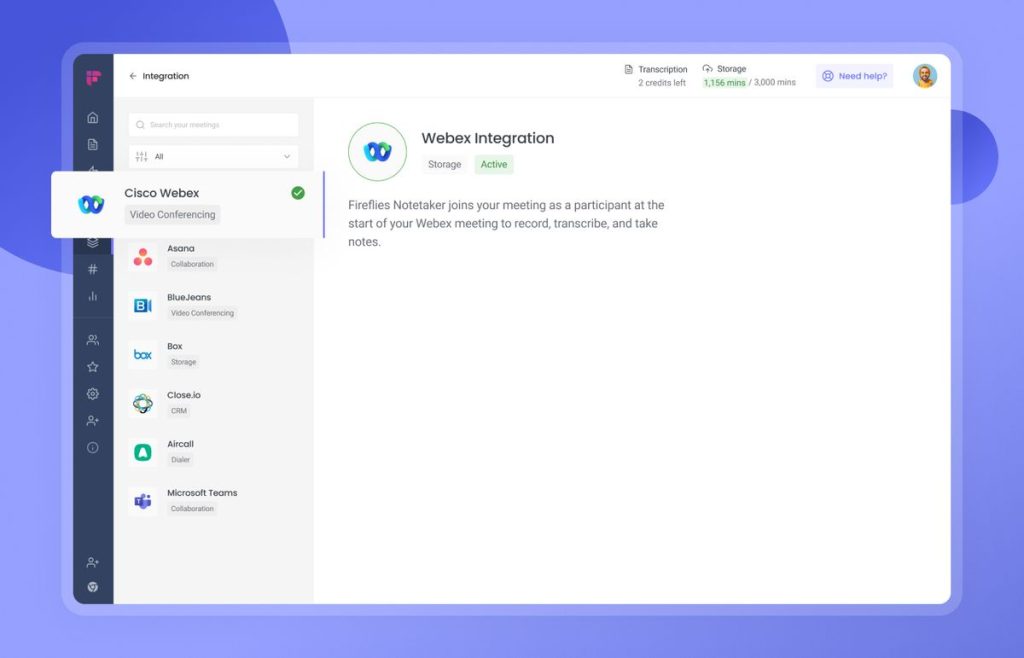
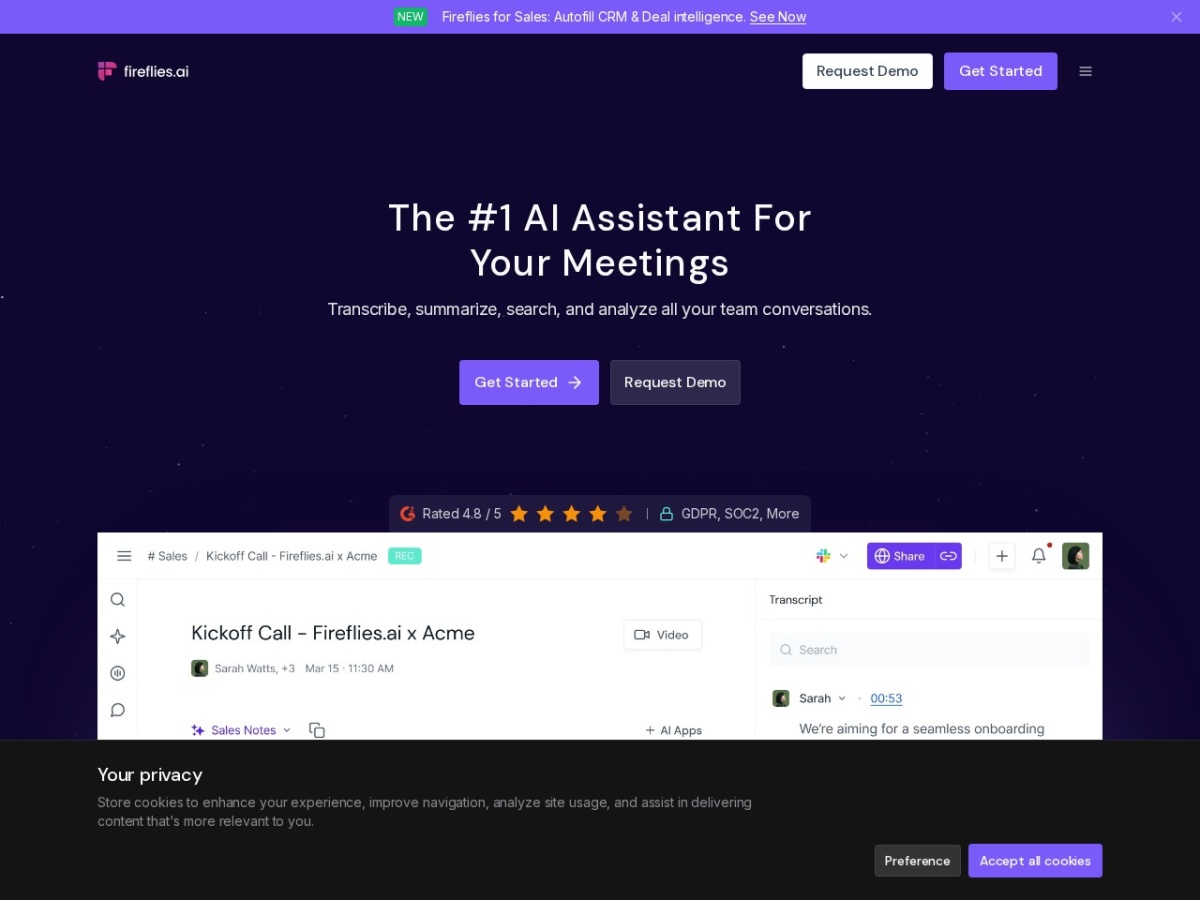
Fireflies.ai turned the meeting note into infrastructure. The AI notetaker joins your Zoom, Meet and Teams calls (or ingests uploads), transcribes in 100+ languages, then does the part that matters: summaries, action items, speaker analytics, a searchable archive of everything anyone said, and automations that push it all into your CRM and task tools. Pricing: free tier with limited credits, Pro ~$10-18/user/month, Business ~$19-29, Enterprise above — annual billing markedly cheaper.
The strategic value compounds with volume: one meeting transcribed is a convenience; a quarter's worth is an organisational memory you can query — "what did the client say about budget in March?" becomes a search, not an archaeology dig.
Our verdict: the best price-to-capability notetaker for teams living in external meetings — sales, agencies, consulting, recruiting. Individuals with light meeting loads have good-enough free options, including this one's. Score: 8.3 / 10.
→ Try Fireflies.ai — see current pricing
What makes Fireflies different
Coverage and plumbing: the bot attends everything on your calendar automatically, the AskFred assistant answers questions across your whole meeting archive, topic trackers flag every mention of competitors or pricing across months of calls, and the integration surface — CRM logging (HubSpot, Salesforce), task creation (Asana, ClickUp), Slack recaps — turns transcripts into workflows without manual relay. Speaker talk-time and sentiment analytics give managers coaching material no memory could reconstruct.
Pricing
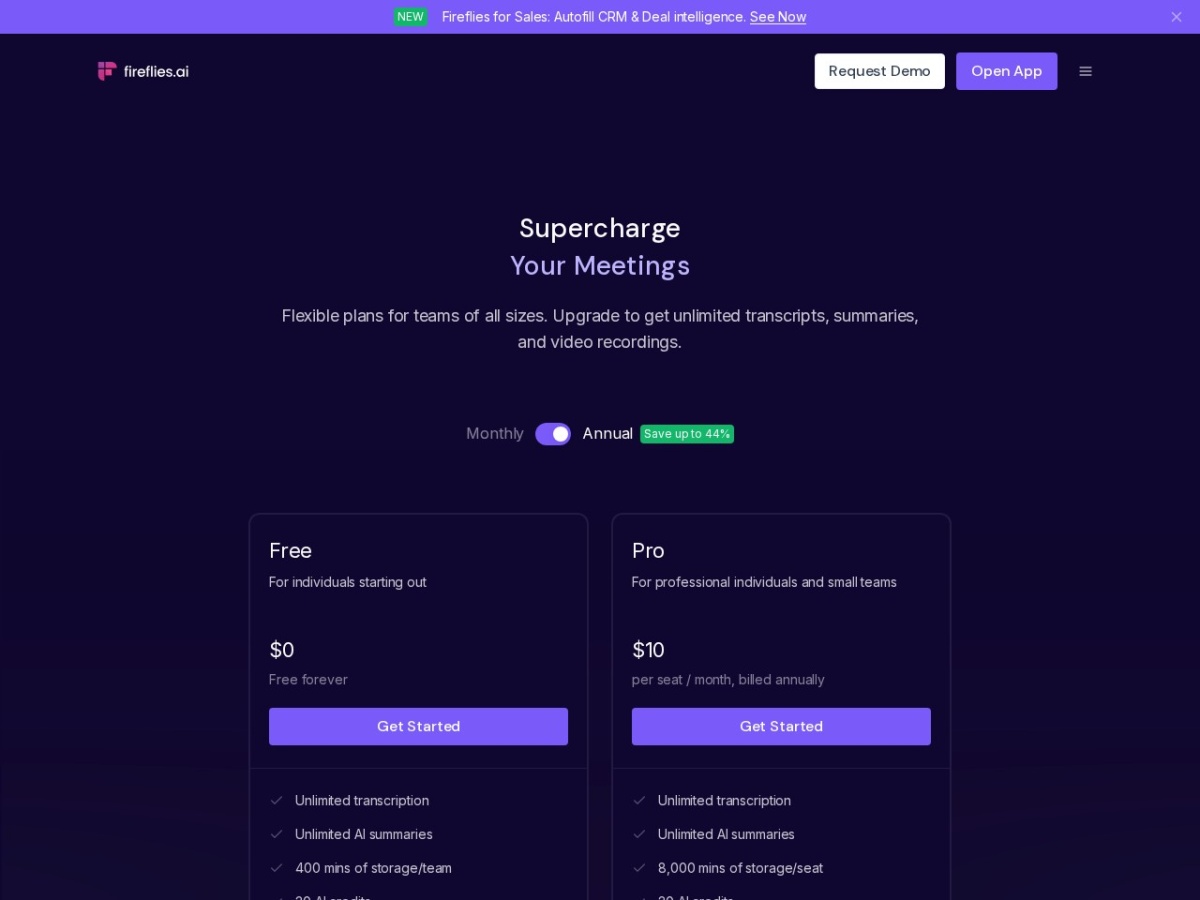
| Plan | Price (annual) | Reality |
|---|---|---|
| Free | $0 | Limited transcription credits, core summaries — a real trial |
| Pro | ~$10/user/mo | Unlimited transcription, downloads, integrations |
| Business | ~$19/user/mo | Video capture, analytics, team features |
| Enterprise | custom | SSO, retention rules, private storage options |
→ Get started with Fireflies.ai
The per-seat maths against the labour it replaces — fifteen minutes of note-writing per meeting, times a sales team's calendar — is the shortest ROI case in this batch of reviews.
Accuracy and the honest caveats
Clean-audio English transcription runs comfortably above 90% accuracy; summaries capture decisions and owners reliably. The decay pattern mirrors every ASR product: crosstalk, heavy accents, jargon and bad mics pull quality down, and the fix is meeting hygiene as much as software. Vietnamese and other Southeast Asian languages are supported and usable, with proper-noun stumbles worth a glossary entry. The disciplines that matter: announce the bot (consent norms and law vary by region — make it policy, not improvisation), and review action items before they auto-file anywhere client-visible.
Fireflies vs Otter vs Fathom vs built-in AI
Against Otter: the classic matchup — Otter's live-transcript UX is slicker for personal note-taking; Fireflies wins integrations, search depth and team workflows. Against Fathom: Fathom's free tier is famously generous for individuals; Fireflies scales better into team analytics and automation. Against Zoom/Meet built-in AI summaries: convenient, platform-locked and shallow — no cross-meeting search, no CRM plumbing, no unified archive across platforms. Multi-platform teams end up on a dedicated tool; the only question is which.
Pros, cons and limits
Pros: unlimited transcription from the cheap tier; archive-wide AI search; deep integration catalogue; 100+ languages; talk-time analytics; painless multi-platform coverage.
Cons: bot-in-the-room changes some meetings' candour; summary quality dips on chaotic calls; per-seat costs stack at company scale; privacy posture needs deliberate configuration; occasional join failures need a monitoring habit.
Fireflies deals
Free tier without card; annual billing saves ~40% versus monthly on Pro. Start free, upgrade the people with the heaviest calendars first.
AskFred and the search layer: the archive as an oracle
The cross-meeting intelligence deserves concrete illustration, because it is the feature that converts subscribers into evangelists. Real queries from production use: "What objections did prospects raise about pricing this quarter?" returns a themed summary with links to the exact moments across a dozen calls. "What did we promise the client in the March calls?" surfaces commitments with speakers and timestamps — the receipts that settle scope disputes in seconds. "Summarise everything discussed about the warehouse migration" assembles a project narrative from meetings nobody attended in full. The mechanism — semantic search over the transcript archive with generative synthesis on top — means the value compounds with archive depth: month one answers questions about meetings; month six answers questions about the business. The governance implication arrives with the power: an archive this queryable is an asset and a discovery liability simultaneously, which is why the retention-rules conversation belongs in week one of any rollout, not after the first awkward search.
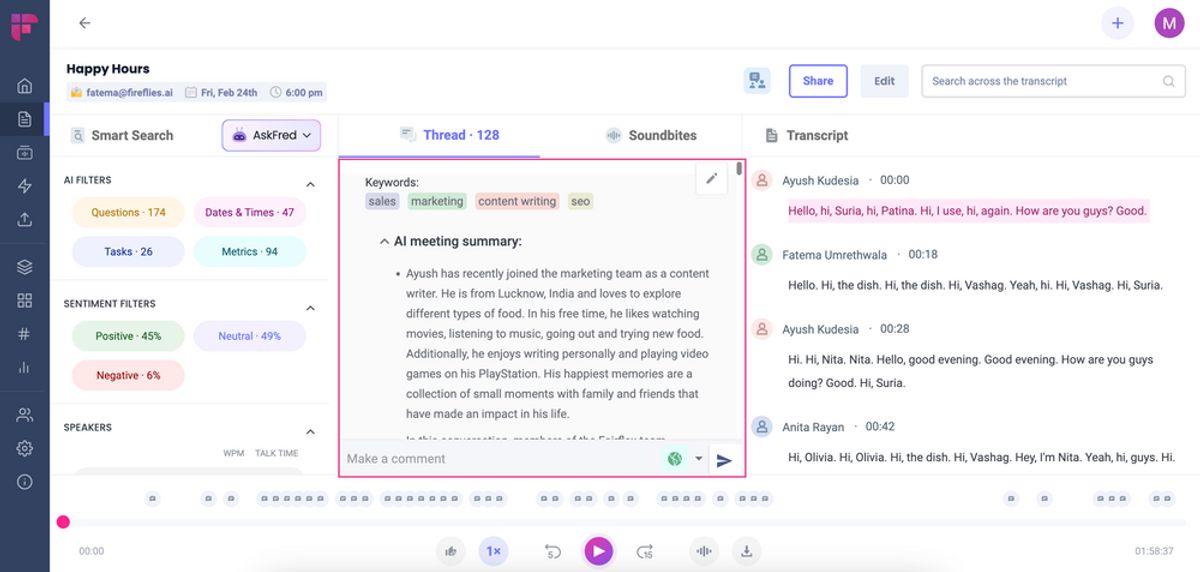
The workflow habit that extracts the value: route every "does anyone remember" question to search before Slack, and pin the recurring queries (client commitments, competitor mentions, decision logs) as saved views — the team's institutional memory, self-maintaining.
Topic trackers and conversation intelligence for revenue teams
The sales-specific layer turns transcripts into coaching and pipeline signal. Topic trackers flag every mention of configured terms — competitor names, pricing objections, feature requests, compliance concerns — across all calls, trending them over time: the dashboard that shows a competitor surging in deal conversations two months before the win-rate dip would have revealed it. Talk-time analytics expose the ratios that correlate with outcomes (the reps talking 70% of discovery calls, discovered); question-rate and monologue-length metrics give managers specific, evidence-based coaching material instead of ride-along impressions. Deal-level views assemble every call with an account into one timeline. The honest calibration: this is conversation intelligence, not conversation magic — the insights are correlational prompts for human judgment, the sentiment analysis remains rough-grained, and teams that treat the dashboards as coaching inputs outperform teams that treat them as rep surveillance, a distinction with measurable morale consequences. Against dedicated conversation-intelligence platforms (Gong-class, at several times the seat price), Fireflies covers the core 70% — the gap is advanced deal-risk modelling, not the daily coaching loop.
The automation plumbing: where notes become work
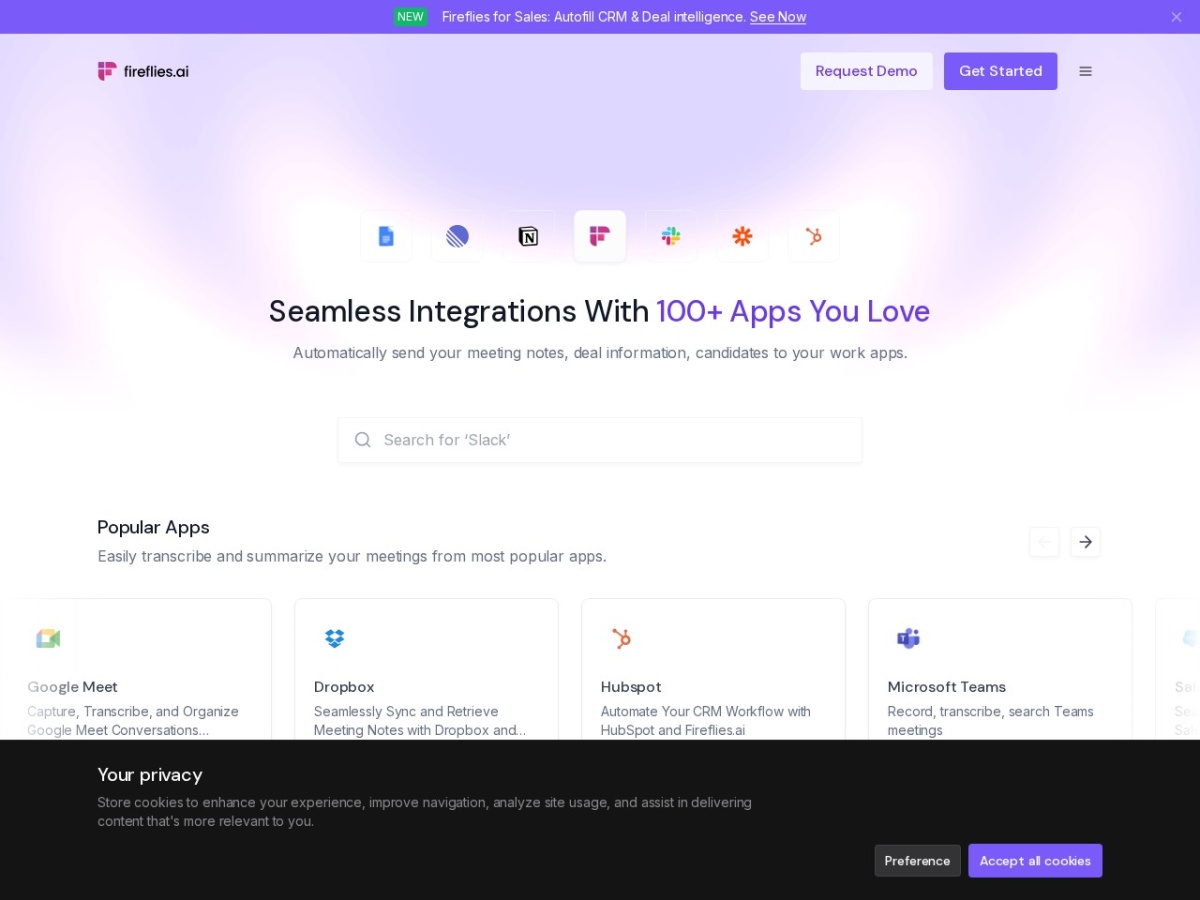
The integration catalogue's depth decides whether Fireflies is a notetaker or infrastructure. The patterns that stick: CRM auto-logging (call summaries and action items attached to the matched contact and deal in HubSpot/Salesforce — the data-hygiene win sales ops celebrates most, because rep-entered notes are the emptiest field in every CRM); task extraction (action items flowing to Asana/ClickUp/Todoist with owners and due dates parsed from the conversation); Slack channel recaps (the meeting's summary posted where the team already reads, collapsing the "what did I miss" thread); and webhook/Zapier lanes for custom flows — the operations teams this site serves route action items into spreadsheet trackers and escalation flows without engineering. Setup discipline matters once: matching rules (which calendar events log to which CRM objects), summary templates per meeting type (sales calls extract next steps; standups extract blockers), and a no-log list for the meetings that should never sync anywhere. Configured in an afternoon, the plumbing converts the fifteen-minutes-per-meeting saving from personal convenience into organisational throughput.
Privacy architecture and the consent playbook
The compliance section every team postpones, condensed to the working essentials. Platform posture: SOC 2 Type II, GDPR alignment, encryption in transit and at rest, configurable retention windows, and enterprise options for stricter data handling — the checklist answers procurement expects, current attestations verifiable at signature time. The operational playbook that actually manages risk: announce recording in calendar invites (a one-line footer normalises it), configure the bot's visible name honestly ("[Company] Notetaker" beats a human-sounding alias), maintain the no-bot list for legal/HR/personnel conversations, set retention to the shortest window the use case tolerates, and restrict archive search permissions by team rather than defaulting to org-wide. Jurisdictional note for international teams: consent requirements vary (one-party versus all-party regimes), and the bot's announced presence generally satisfies the stricter standard — but policy belongs to counsel, not defaults. The cultural note that outweighs the legal one: teams that discuss the notetaker openly in week one report it fading into furniture; teams that let it appear unexplained report weeks of guarded meetings — the tool's value depends on candour it can accidentally suppress, and a five-minute team conversation is the entire mitigation.
Fireflies for solo operators and freelancers
The team framing dominates reviews, but the solo case deserves its paragraph. For a freelancer or consultant, the Pro seat's ~$10 buys: client-call records that settle he-said disputes, scope-creep receipts with timestamps, proposal follow-ups drafted from the actual conversation within minutes of hanging up, and the multilingual transcription that lets a Vietnamese operator serve international clients with confidence that nothing said was lost. The billable-hours arithmetic is immediate — one avoided re-explanation call monthly covers the seat — and the professional-polish effect (summaries sent to clients after each call, unprompted) differentiates in markets where follow-through is the scarce commodity. The free tier's credit allowance covers a light client load indefinitely, making the on-ramp costless. Solo users should still adopt the one-person version of the governance playbook: announce, configure retention, and keep sensitive prospect conversations off the record — professionalism scales down as well as up.
Common rollout mistakes and the fixes
The failure catalogue from teams that churned, inverted into prevention. Auto-joining everything on day one — the bot appearing in a sensitive personnel conversation is how rollouts die politically; start with external calls and opt-in expansion. Skipping summary-template configuration — generic summaries underwhelm compared to meeting-type-specific extraction, and the ten-minute setup is where perceived quality lives. Nobody owns the action items — extracted tasks flowing to a tool nobody triages just relocates the forgetting; assign the triage ritual with the rollout. Treating accuracy complaints as tool failure — half trace to audio hygiene (laptop mics in echo rooms), and a $30 headset policy outperforms a platform switch. Letting the archive grow ungoverned — retention defaults and org-wide search permissions age into liability; the quarterly governance review is the unsexy habit that keeps legal comfortable. And the adoption mistake: rolling out as surveillance instead of service — the framing decides whether reps feed the system or route around it, and no feature list survives a team that wants the tool to fail.
The closing synthesis: Fireflies wins its category on the compounding asset — not the per-meeting summary (commoditising fast across all rivals) but the queryable organisational memory that only accumulates where coverage, search and integrations meet at a price teams actually roll out broadly. The $10 seat is the lowest toll for that compounding currently on the market, and the thirty-day pilot this review prescribed measures it in your own meetings rather than anyone's benchmarks. Organisations think out loud; the ones that remember what they said compound faster. Score: 8.3 / 10.
Fireflies' language coverage in working detail
The 100+ language claim earns operational specifics for international teams. Tier-one performance (English, Spanish, French, German, Portuguese) runs near-flawless on clean audio; major Asian languages including Vietnamese, Thai and Indonesian sit in the reliably-usable band — full transcripts with proper-noun stumbles, summaries that capture decisions correctly; and code-switching meetings (the Vietnamese-English blend of regional business calls) handle better than expected, with the dominant language anchoring and switches tracked. The optimisation levers: set the meeting's primary language rather than relying on auto-detect for consistent results, feed the custom vocabulary with your recurring names and terms, and apply the universal audio hygiene. For distributed teams, the translation layer — summaries rendered in each member's language regardless of meeting language — quietly solves the documentation half of cross-border collaboration.
Pricing against the category, one table deep
The comparison shoppers deserve the matrix in prose: Otter's equivalent tiers price similar but meter minutes tighter at the low end; Fathom's free tier beats everyone for individuals while its team pricing converges with Fireflies; Gong-class conversation intelligence starts at multiples of the Business tier and earns it only for large revenue orgs; and the platform-native summaries (Zoom AI Companion bundled into existing licences) are the true budget rival — adequate for single-platform teams, structurally incapable of the cross-platform archive that is Fireflies' whole thesis. The decision tree stays short: single platform and shallow needs, use what you already pay for; multi-platform team wanting the compounding archive, Fireflies' Pro tier is the category's value anchor.
FAQ
Is it legal to record meetings?
Consent rules vary by jurisdiction and context — the bot announces itself, but policy is your job: inform participants, honour objections, configure retention. This is a compliance topic, not a settings toggle.
How good is the search, really?
The compounding feature: AskFred answers questions across months of meetings with citations to the moment. Teams report it replacing "does anyone remember…" Slack threads within weeks.
Fireflies or Otter for a sales team?
Fireflies — CRM logging, topic trackers on objections and competitors, and coaching analytics are sales-shaped in a way Otter's personal-productivity DNA is not.
Does it work with in-person meetings?
Via mobile recording and uploads, yes — transcription quality tracks mic distance, so a phone at the table's centre matters more than the plan tier.
What about sensitive calls?
Keep a no-bot list (legal, HR, personnel) and use retention rules. The archive's value and its risk are the same property; govern it.
The 30-day organisational-memory pilot
Week one: bot on every external call for two volunteers, integrations off — just watch accuracy on your real audio. Week two: CRM logging on; compare the pipeline notes against the pre-bot baseline. Week three: AskFred week — every "what did they say about…" question goes to search first; count the minutes recovered. Week four: talk-time review with the team (gently — the ratios surprise people), then the rollout decision with actual numbers. Meetings are where organisations think out loud; Fireflies' pitch is that the thinking should not evaporate at the closing click — and thirty days of searchable memory makes the case better than any review can. Score: 8.3 / 10.