
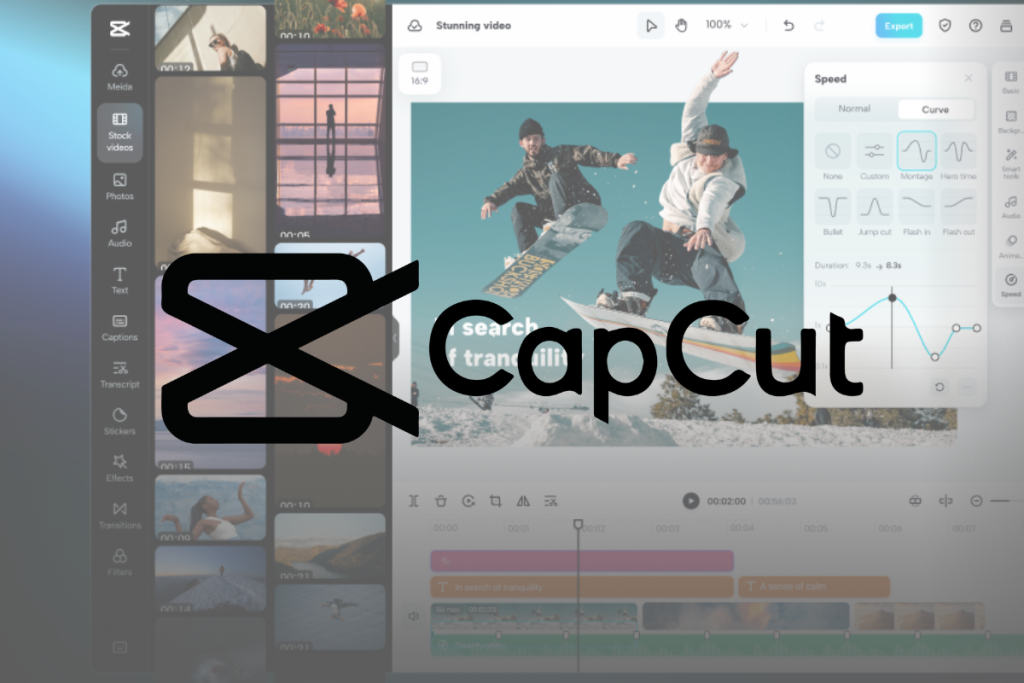
CapCut started as the app teenagers used to edit TikToks. In 2026, it is arguably the most complete free-to-start video editor on the planet — a full multi-track timeline on desktop and mobile, auto-captions that rival paid tools, and an AI toolkit covering text-to-video, avatars, voice cloning and background removal. Owned by ByteDance, it is tuned for exactly the content the algorithm era rewards.
The 2026 restructure split the offering into Free, Standard ($9.99) and Pro ($19.99) tiers, moving some beloved features around and putting heavy AI behind a credit pool — which caused real grumbling. We tested what each tier genuinely delivers and where the free version still wins.
Our verdict: CapCut remains the best value video editor for social creators — a genuinely capable free tier, powerful Pro AI tools, and the fastest path from raw clip to platform-ready video — as long as you accept the credit system and ByteDance ecosystem. Score: 8.5 / 10.
→ Try CapCut — see current pricing

What is CapCut and who is it for
CapCut is a video editor available on mobile, desktop and web, built by ByteDance (TikTok parent). Its identity is speed-to-published: trims, transitions, effects, auto-captions and trending templates are all optimised for short-form vertical video, while the desktop app has quietly grown into a legitimate multi-track editor capable of long-form work too.
It is aimed at social creators, marketers, small businesses and anyone producing TikTok, Reels, Shorts or YouTube content without wanting Premiere-level complexity. The template ecosystem means a beginner can produce something trend-ready in minutes.
Professional colourists and feature filmmakers will still want DaVinci or Premiere. And creators wary of ByteDance data practices or needing broadcast workflows should weigh that context.

CapCut pricing: Free vs Standard vs Pro
The free tier is still remarkable: full timeline editing, cut/split, multi-track, keyframe animation, chroma key, stabilisation, 1080p export, auto-captions, templates and basic AI effects. For many creators it is genuinely enough.
Standard at $9.99/month (monthly billing only) adds a middle rung, while Pro at $19.99/month or $179.99/year unlocks the full arsenal: 4K/HDR export, the complete AI toolkit (camera tracking, vocal isolation, speaker-ID captions, AI voice effects, text-to-video, avatar generation, voice cloning, bulk background removal), 1TB cloud storage with cross-device sync, and 1,200 AI credits per month.
Those credits matter: everyday editing costs nothing, but generative features (AI video, voice cloning, image generation) draw from the pool, with top-ups around $4.99 per 100 credits. Heavy AI users should budget accordingly.
| Tier | Price | Highlights |
|---|---|---|
| Free | $0 | Full timeline, 1080p, captions, templates |
| Standard | $9.99/mo | Middle tier, monthly only |
| Pro | $19.99/mo or $179.99/yr | 4K/HDR, full AI kit, 1TB cloud, 1,200 credits |
Editing features
The core editor is fast and surprisingly deep: multi-track timeline, keyframes, masks, chroma key, speed ramping, stabilisation and a huge effects/transition library. Auto-captions are among the best anywhere — accurate, stylable and multi-language — which alone saves social teams hours weekly.
Templates deserve their reputation: trending formats update constantly, and applying one takes seconds. For teams, cloud sync on Pro keeps projects moving between phone and desktop seamlessly.

The AI toolkit
Pro AI covers an enormous range: text-to-video generation, AI avatars for presenter-style clips, voice cloning and AI voice effects, vocal isolation, camera tracking, speaker-diarised captions, bulk background removal and image generation. Quality varies by tool — captions, background removal and vocal isolation are excellent; raw text-to-video is serviceable for social rather than cinematic (Runway-class tools still lead there).
The honest frame: CapCut AI is about production speed for social content, not film-grade generation — and at that job it excels.
Ease of use
CapCut is one of the most approachable editors ever made. The mobile app is instantly usable; the desktop app layers pro features without burying beginners; and templates give instant results while you learn. Tutorials are everywhere given its creator base.
Power users will find real depth — keyframes, masks, curves — but nothing forces complexity on you. It grows with you, which is exactly right for its audience.
CapCut vs the alternatives
Against rivals: VEED is browser-first and team-friendly but pricier; InVideo leans template marketing; Descript owns podcast/transcript editing; DaVinci is free and pro-grade but far harder. CapCut sweet spot is social-first editing with the best free tier and the fastest workflow.
| Tool | Best for | Free tier | Edge |
|---|---|---|---|
| CapCut | Social creators | Excellent | Speed + templates |
| VEED | Teams in browser | Limited | Collaboration |
| Descript | Podcasts/talking video | Yes | Text-based editing |
| InVideo | Marketing video | Yes | Templates |
Pros and cons
Pros: Outstanding free tier with full timeline and 1080p; best-in-class auto-captions; huge trending template library; Pro adds 4K/HDR, 1TB cloud and a sweeping AI toolkit; excellent mobile-desktop sync; gentle learning curve with real depth; unbeatable speed to published.
Cons: Heavy AI gated behind a monthly credit pool; 2026 restructure moved some features up-tier; ByteDance ownership raises data questions for some; text-to-video is social-grade, not cinematic; Standard tier is monthly-only.
Who should use CapCut — and who should not
Use it if you create TikTok, Reels, Shorts or YouTube content and want the fastest edit-to-publish pipeline, great captions and templates — free to start, Pro when your volume justifies it.
Look elsewhere if you need broadcast/film-grade colour and audio pipelines, transcript-first editing for podcasts (Descript), or you avoid ByteDance products on principle.
Frequently asked questions
Is CapCut really free?
Yes — the free tier includes full timeline editing, 1080p export, auto-captions, templates and basic AI. Pro ($19.99/mo or $179.99/yr) adds 4K/HDR, the full AI kit, 1TB cloud and 1,200 monthly AI credits.
What are CapCut AI credits?
A monthly pool (1,200 on Pro) consumed by generative features like text-to-video, voice cloning and image generation. Normal editing and captions cost nothing; top-ups run about $4.99 per 100 credits.
Is CapCut good for YouTube, not just TikTok?
Yes — the desktop app handles long-form multi-track projects well, and Pro 4K export covers YouTube needs.
Does CapCut watermark videos?
Standard exports are watermark-free; some template and AI outputs may carry marks on free — easily avoided by checking before export.
CapCut vs Premiere — which should I learn?
For social-first content, CapCut wins on speed and cost. For film, broadcast or agency delivery pipelines, Premiere/DaVinci remain the professional standard.
The bottom line
CapCut earned its dominance honestly: the free tier is genuinely capable, the paid tier is genuinely powerful, and nothing gets social video from phone to feed faster. The credit system and ByteDance context deserve eyes-open acceptance, but for creators and marketers living in short-form video, CapCut is the default for a reason. Score: 8.5 / 10.
{“@context”:”https://schema.org”,”@type”:”Review”,”name”:”CapCut review”,”itemReviewed”:{“@type”:”SoftwareApplication”,”name”:”CapCut”,”applicationCategory”:”MultimediaApplication”,”operatingSystem”:”Windows, macOS, iOS, Android, Web”},”reviewRating”:{“@type”:”Rating”,”ratingValue”:”8.5″,”bestRating”:”10″,”worstRating”:”1″},”author”:{“@type”:”Organization”,”name”:”AnalyzeBench”},”publisher”:{“@type”:”Organization”,”name”:”AnalyzeBench”}}



