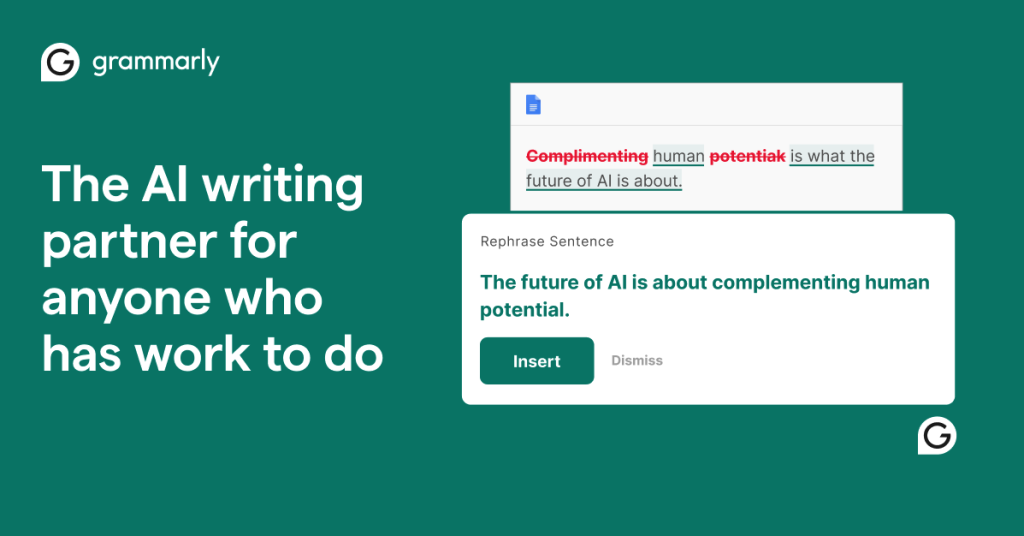
If you write anything for a living, or even just write a lot, you have almost certainly bumped into Grammarly. It has been the default name in AI writing assistance for more than a decade, and in that time it has grown from a simple browser spell-checker into a sprawling suite that drafts, rewrites, and coaches your tone across nearly every app you use. But a familiar name is not the same as the right tool for you, and Grammarly is no longer the cheap, obvious upgrade it once was. Prices have climbed, generative AI competitors have multiplied, and the product itself has been folded into the Superhuman platform. So the honest question in 2026 is not “is Grammarly good?” but “is Grammarly worth its price for the way you actually write?” This review works through that question in detail, with real pros and real cons, so you can decide before you pay.
We spent time with the free tier and the paid experience across the browser extension, desktop app, and mobile keyboard, and cross-checked our impressions against a wide range of user reviews. If you already know you want it, you can Try Grammarly and skip ahead. If you want the full picture first, keep reading.
AnalyzeBench Score: 8.6 / 10
Best for: professionals, students, non-native English writers, and teams who write in English every day and want fast, reliable polishing plus light generative AI, all inside the apps they already use.
What we loved:
- Genuinely strong grammar, spelling, and clarity corrections that catch more than Word or Google Docs.
- Works almost everywhere: browser, desktop, mobile keyboard, Google Docs, and Microsoft Office.
- A free plan that is actually useful, not just a teaser.
- Tone detection and rewrite suggestions that help you sound the way you intend.
- A clear stance on privacy: Grammarly states it does not sell user content or let third parties train models on it.
Watch out for:
- The headline monthly price only applies if you commit to an annual plan; paying month to month is far more expensive.
- Suggestions can flatten a distinctive voice into safe, generic phrasing.
- English only, with no offline mode.
- The plagiarism and AI-detection tools are helpful but should not be treated as authoritative.
What makes Grammarly different
Plenty of tools can flag a misspelled word. What has kept Grammarly ahead is context. Rather than checking spelling in isolation, it reads the whole sentence, and increasingly the whole document, to understand what you are trying to say. It knows the difference between a casual Slack message and a formal contract, and it adjusts the aggressiveness and formality of its suggestions accordingly. That contextual awareness is the reason its corrections feel less like a robotic grammar drill and more like a second set of eyes.
The second differentiator is ubiquity. Grammarly does not want you to paste text into a special editor. It embeds itself into wherever you already type: Gmail, LinkedIn, WordPress, Google Docs, Microsoft Word and Outlook, Slack, and even your phone’s keyboard. That means the tool works with your existing habits instead of asking you to change them, which is a big part of why it has stuck around for so long.
The third piece is the shift toward generative AI. The assistant no longer just fixes what you wrote; it can draft from a prompt, rewrite a paragraph for a different tone, shorten or expand text, and summarize long threads. Grammarly has also layered in agent-style features such as an AI detector, a humanizer, and reader-reaction previews. In 2026, Grammarly sits under the Superhuman umbrella, which signals its ambition to be a full productivity partner rather than a narrow proofreader. Whether you need all of that is a separate question, and one we will get to.
The core features
At its foundation, Grammarly does four things well.
Grammar, spelling, and clarity
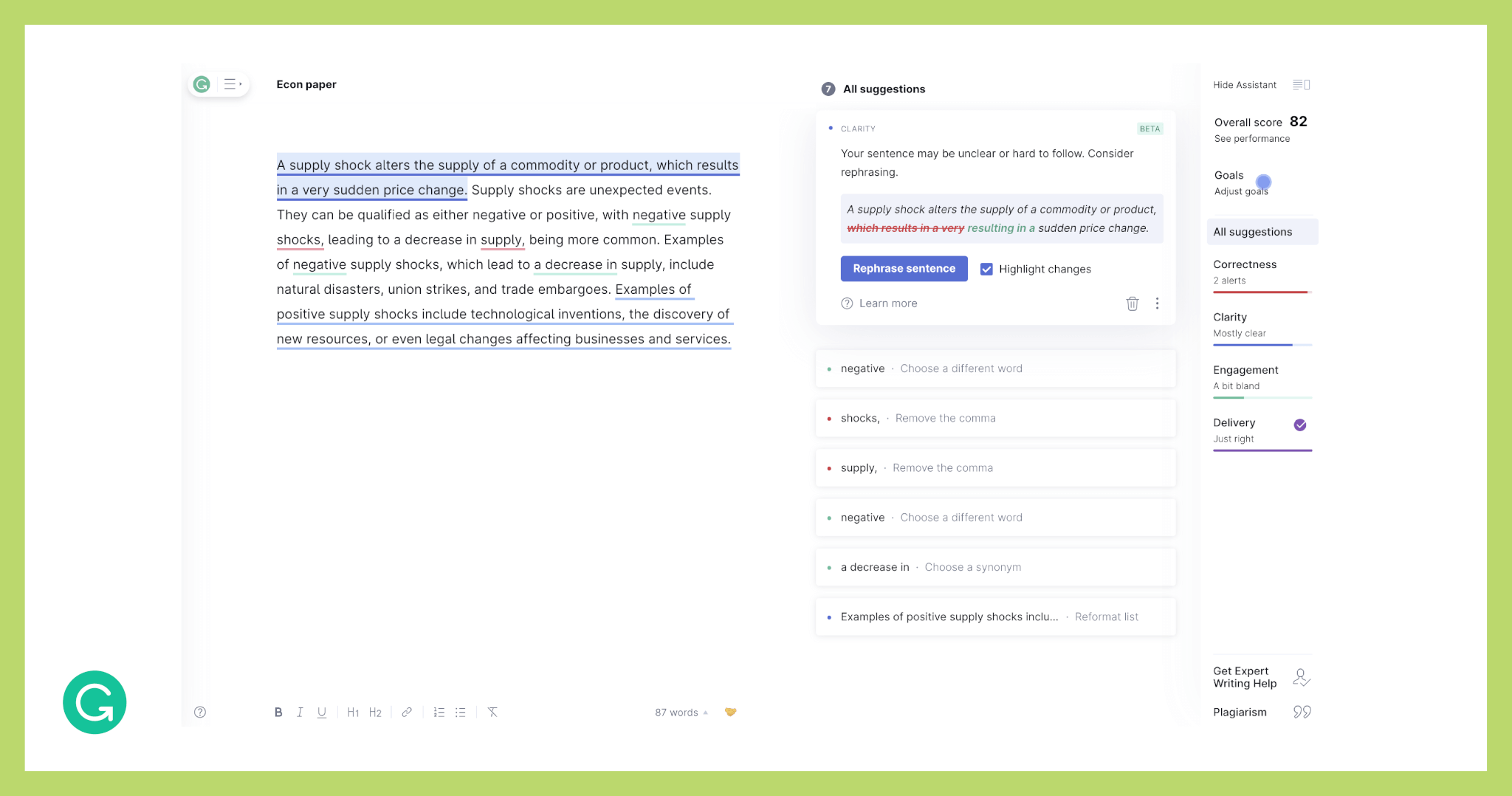
This is the bread and butter, and it remains excellent. Grammarly reliably catches comma splices, subject-verb disagreements, misplaced modifiers, and the commonly confused words that slip past most checkers. Its clarity suggestions flag wordy sentences, redundant phrasing, and passive constructions, then propose tighter alternatives. Across independent reviews, its accuracy on standard English is consistently rated well above the built-in checkers in Word and Google Docs.
Tone and voice
Grammarly detects the tone your writing is likely to convey, whether that reads as confident, formal, friendly, or hesitant, and lets you adjust it. For anyone who has ever fired off an email that landed more bluntly than intended, this is a quietly valuable safeguard. Paid tiers add full-sentence rewrites and tone adjustments that can reshape a paragraph to sound warmer or more authoritative in a click.
Generative AI
The generative assistant can draft content from a prompt, brainstorm, reply to emails, rewrite for tone, and summarize. It is capped by a monthly prompt allowance that scales with your plan. It is competent for everyday tasks, though it is not trying to out-write a dedicated long-form AI like ChatGPT or Claude, and it should not be mistaken for one.
Plagiarism, citations, and AI detection
For students and academics, Grammarly’s plagiarism checker compares your text against billions of web pages and can flag passages that need citation, with citation-generation support to match. It also offers an AI detector and a humanizer. These are useful as a sanity check, but our honest advice is to treat their scores as directional rather than definitive; no plagiarism or AI detector on the market is perfectly reliable.
All of this is delivered through the browser extension, desktop apps for Windows and Mac, mobile keyboards for iPhone and Android, and dedicated integrations for Google Docs and Microsoft Office. If you want to see how it feels inside your own workflow, you can Try Grammarly free before deciding on an upgrade.
Plans & pricing
Grammarly’s structure is straightforward, but the pricing has a couple of traps worth understanding before you commit.
Free
The free plan is genuinely useful. It covers grammar and spelling corrections, tone detection, and a monthly allowance of around 100 AI generation prompts, with no credit card required. For casual writers, this alone may be enough, and it is more capable than the free checkers built into most word processors.
Pro
Pro is the tier most individual writers will consider. It is listed at $12 per member per month when billed annually, which works out to roughly $144 up front, and $30 per month if you pay month to month. Pro unlocks full-sentence rewrites, tone adjustments, brand-consistency suggestions, plagiarism and AI-text detection, and a much larger allowance of around 2,000 AI prompts per month. The gap between the annual and monthly rate is steep, so the effective value depends heavily on committing for a year.
Business & Enterprise
For teams, Grammarly offers per-seat plans that add centralized billing, user management, shared style guides that enforce brand voice, team analytics, and admin controls. Third-party reports put the business tier in the region of $15 per seat per month billed annually, while Enterprise pricing is custom-quoted and adds SSO, confidential mode, data-loss prevention, granular permissions, and unlimited generative prompts. Because Enterprise is negotiated, we would not quote a fixed number; contact their sales team for an accurate figure.
One caveat we want to flag plainly: Grammarly raised prices in late 2025, so if you remember an older, cheaper figure, the current cost is higher. Always confirm the live price on their checkout before you subscribe.
How to get the best value / free plan
The smartest way to approach Grammarly is to start free and let your own usage tell you whether to upgrade. Install the browser extension and the desktop or mobile app, use it across your normal writing for a couple of weeks, and pay attention to how often you hit a locked suggestion or run out of AI prompts. If you rarely bump into limits, the free plan may be all you need indefinitely.
If you do upgrade, the annual Pro plan is where the value lives; the monthly rate is priced to nudge you toward the yearly commitment. The rough rule of thumb from long-time users is that if Grammarly saves you even ten minutes of editing a day, the annual plan pays for itself quickly. Students should check whether their institution offers a discounted or sponsored license before paying retail, and teams should compare a couple of business seats against individual Pro subscriptions. When you are ready, you can Try Grammarly and upgrade from inside the app.
Watch: Grammarly in action
Sometimes it is easier to judge a writing tool by watching it work than by reading about it. The walkthrough below shows how Grammarly’s suggestions appear as you type, how the rewrite and tone features behave, and how the extension slots into everyday apps.
Grammarly vs alternatives
Grammarly is not the only serious option, and the right choice depends on what you write. Here is how it stacks up against two of the most common alternatives.
| Feature | Grammarly | ProWritingAid | QuillBot |
|---|---|---|---|
| Core strength | Real-time grammar, clarity, and tone across all apps | Deep style and structure reports for long-form writing | Paraphrasing and rewriting |
| Best for | Professionals, students, teams, everyday writing | Novelists, bloggers, and heavy long-form authors | Students and writers who rewrite or summarize a lot |
| Generative AI | Yes, with prompt allowances by plan | Yes, integrated AI assistant | Yes, focused on paraphrasing and summarizing |
| Integrations | Very broad: browser, desktop, mobile, Docs, Office | Broad, including Scrivener for authors | Browser, docs, and Word |
| Pricing feel | Premium, annual commitment for best rate | Often cheaper, with a lifetime option | Affordable, generous free tier |
In short: choose Grammarly if you want the most polished, universal, real-time assistant. Choose ProWritingAid if you write books or long articles and want detailed craft reports. Choose QuillBot if paraphrasing and rewriting are your main need and budget matters most.
Accuracy & value
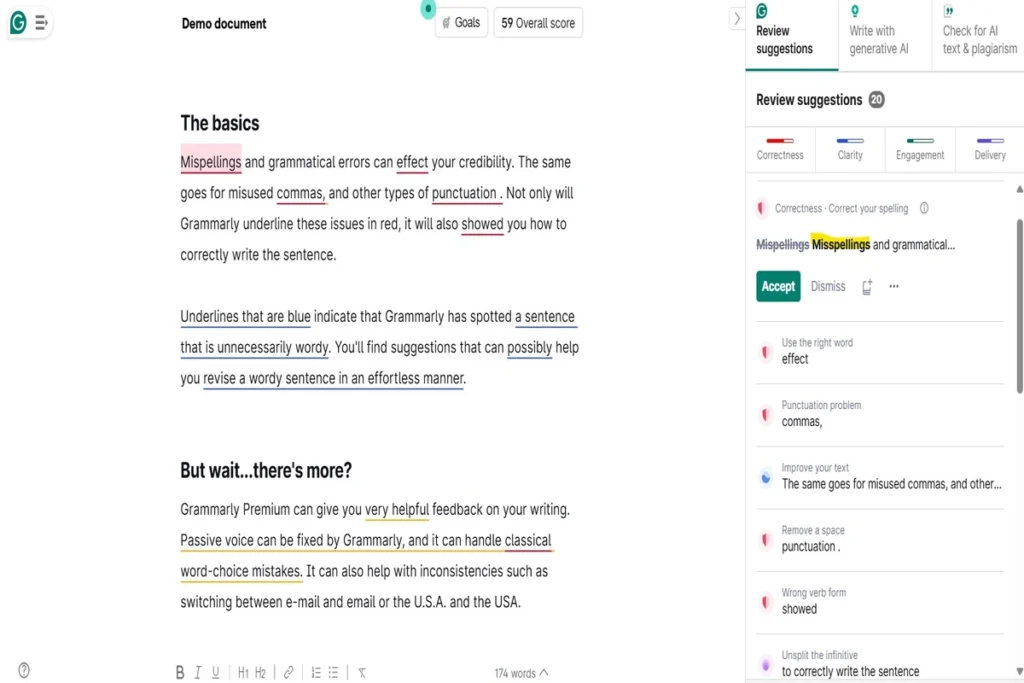
On accuracy, Grammarly earns its reputation. For standard English grammar and spelling, it catches the large majority of errors and is consistently more thorough than the checkers baked into Word and Google Docs. Its clarity and conciseness suggestions are where a lot of the real value hides, because they nudge you toward tighter, more readable prose rather than just fixing mechanics.
It is not flawless. It can occasionally miss a subtle spelling error, and like any automated tool it sometimes suggests changes that are technically valid but tonally wrong for your piece. The plagiarism and AI detectors, as noted, are useful guides rather than final verdicts. None of this undermines the core product; it just means Grammarly is a strong assistant, not an infallible authority.
On value, the calculus comes down to volume. If you write in English every day for work or study, the time saved and the confidence gained justify the annual cost for most people. If you write only occasionally, the free plan is the sensible home, and the paid tier is hard to justify. Value here is entirely a function of how much you write.
Who should use it — and who should not
Grammarly is an easy recommendation for a specific set of people. Professionals who live in email, documents, and chat will appreciate the always-on polishing. Students benefit from the clarity coaching, citation help, and plagiarism check. Non-native English speakers get one of the most reliable safety nets available for sounding natural and correct. Teams that need a consistent brand voice will find the shared style guides genuinely useful.
It is a weaker fit for others. If you write primarily in a language other than English, Grammarly cannot help you, since it is English-only. Creative writers with a strong, deliberate voice may find its preference for safe, formal phrasing more of an irritant than an aid, and should lean on it selectively. Anyone who needs offline editing will be frustrated, because the tool depends on a connection. And bargain-focused occasional writers should simply stay on the free plan rather than paying for capacity they will not use.
Honest limits
No review is complete without the caveats, so here they are without spin. Grammarly is English only, which rules it out for multilingual work. It has no true offline mode, so it needs an internet connection to function. Its suggestions can homogenize writing, steering distinctive prose toward a smoother but blander middle, which matters most for creative and brand-driven work. Its generative AI is capable but capped by prompt allowances and is not a substitute for a dedicated long-form AI model. Its plagiarism and AI-detection scores should be read as indicators, not proof. And the pricing, after the late-2025 increase, asks for an annual commitment to feel reasonable. None of these are dealbreakers for the right user, but you should go in with clear eyes.
Grammarly discount codes & deals
Grammarly’s own pricing is fairly fixed, and the biggest saving is structural rather than promotional: choosing the annual Pro plan instead of paying monthly is by far the largest discount most individuals will see. Beyond that, keep an eye out for seasonal offers around back-to-school and year-end, student or institutional licenses if you are eligible, and occasional bundle promotions tied to the broader Superhuman platform. We do not publish fake coupon codes or invent time-limited “flash” deals, because those tactics rarely reflect real savings. The honest move is to check the current live offer before subscribing. You can see today’s pricing and any active promotion when you Try Grammarly directly.
Frequently asked questions
Is Grammarly’s free plan actually good enough?
For many casual writers, yes. The free tier covers grammar, spelling, tone detection, and a modest allowance of AI prompts, and it outperforms the checkers built into most word processors. You only need to upgrade if you regularly hit its limits or want full rewrites, plagiarism checking, and a larger AI allowance.
Does Grammarly work inside Google Docs and Microsoft Word?
Yes. Grammarly offers dedicated integrations for Google Docs and Microsoft Office, alongside its browser extension, desktop apps, and mobile keyboards. It is designed to appear wherever you already type rather than forcing you into a separate editor.
Is my writing kept private?
Grammarly states that it does not sell or monetize user content, does not use it for advertising, and does not allow third-party providers to train their models on it. It publishes security accreditations and a trust center. As with any cloud tool, sensitive or confidential material still warrants caution, and enterprise plans add a confidential mode for stricter needs.
How accurate is the plagiarism and AI detector?
Both are useful as a first pass, but neither should be treated as definitive. Automated plagiarism and AI-detection tools across the industry produce false positives and negatives, so use the results as a prompt to review rather than as a final judgment.
Can Grammarly check languages other than English?
No. Grammarly currently supports English only. If you write in another language, you will need a different proofreading tool for that work.
Is Grammarly worth paying for in 2026?
If you write in English daily for work or study, the annual Pro plan is generally worth it, because it saves editing time and raises the quality and consistency of everything you send. If you write only occasionally, the free plan is the better choice.
What is the cheapest way to get Grammarly Pro?
The annual plan is significantly cheaper per month than paying month to month, so committing for a year is the single biggest saving. Students may also qualify for discounted or institution-sponsored access.
The bigger picture: can AI writing tools replace a human editor?
It is worth stepping back from Grammarly specifically to ask what tools like it can and cannot do, because the honest answer shapes how much you should rely on them. AI writing assistants are extraordinary at the mechanical and the repetitive: catching typos, enforcing consistency, tightening bloated sentences, and flagging tone that might land wrong. For that layer of work, they are faster and more tireless than any human, and they free you to focus on ideas rather than commas.
What they cannot yet replace is editorial judgment. A skilled human editor understands your audience, your argument, and your intent in a way that pattern-matching does not. They know when a “grammatically wrong” sentence is right because it carries rhythm or emphasis, when to break a rule for effect, and when a piece has a structural problem that no sentence-level fix will solve. They push back on weak reasoning, spot what is missing, and protect the distinctive voice that makes writing yours rather than everyone’s. Those are acts of taste and understanding, not correction.
The most realistic framing, then, is partnership rather than replacement. Let a tool like Grammarly handle the first ninety percent of cleanup so that your own attention, or a human editor’s, can go to the ten percent that actually decides whether the writing works. Used that way, an AI assistant makes you faster and more consistent without dulling your judgment. Used as a crutch, it produces clean, correct, forgettable prose. The tool is only as good as the writer directing it, and that, more than any feature list, is the honest bottom line. If that partnership sounds like what you need, you can Try Grammarly and see how much of your editing it quietly takes off your plate.