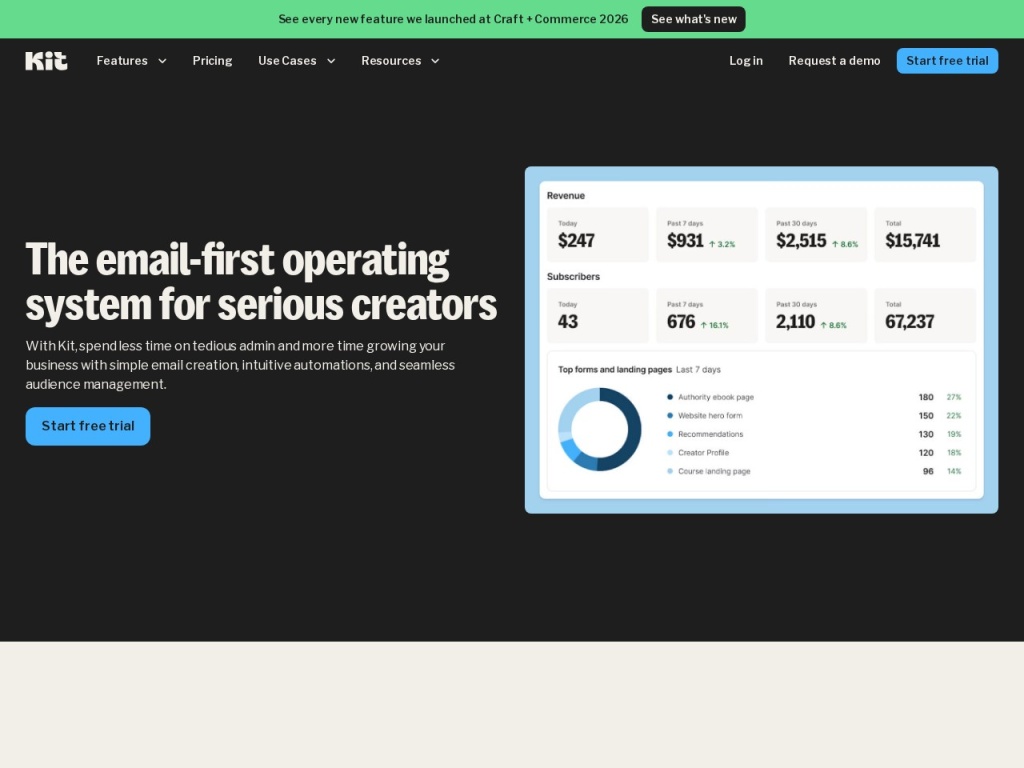
When ConvertKit renamed itself Kit in 2024, the rebrand told you the strategy: the company no longer wants to be an email tool creators use, but the operating system creators run their businesses on. Founded by Nathan Barry in 2013 and built unapologetically for bloggers, YouTubers, podcasters and newsletter writers, Kit combines a subscriber-first email engine, the cleanest visual automation builder we have used, native paid newsletters and digital product sales, and a Creator Network that turns other newsletters into your growth channel. The free tier now stretches to 10,000 subscribers — an almost absurd allowance by industry standards. We ran audiences, automations and a test storefront through the platform, priced its climb against the alternatives, and weighed the deliberately plain aesthetic against what creators actually need.
AnalyzeBench Score: 8.5/10
Best for: Individual creators and small media businesses — writers, podcasters, YouTubers, course sellers — who make money from their audience and want email, automation and commerce in one purpose-built tool.
What we loved:
- Subscriber-centric tags and segments instead of duplicated lists — each person exists once, however many interests they have.
- The visual automation builder is the clearest in the industry: sequences, branches and events you can actually read at a glance.
- Built-in commerce: sell digital products, run paid newsletter subscriptions and accept tips without leaving the platform.
- The Creator Network cross-recommendation system is a genuine, measurable subscriber-growth loop.
- A free tier up to 10,000 subscribers with unlimited broadcasts, landing pages and forms — enough to build a real audience before paying a cent.
What could be better:
- Subscriber-count pricing climbs steadily — a growing list means a growing bill, and big lists get expensive.
- Templates are deliberately plain; brands wanting image-rich, designed emails will find the options thin.
- Reporting is light compared with mature marketing platforms — enough for a creator, thin for a data team.
- The free tier withholds the visual automation builder, which is much of the reason to choose Kit.
What makes Kit different
Most email platforms were built for companies and later marketed to creators; Kit was built from its first commit for a person whose product is their voice. That origin shows in the data model: instead of lists that duplicate a subscriber who likes two topics — and platforms that bill you twice for the privilege — Kit stores each subscriber once, layered with tags and segments describing what they clicked, bought and care about. It shows in the editor, which defaults to fast, personal, text-first emails because those are what land in a reader’s primary inbox and feel like a letter rather than a catalog. And it shows in the automation builder, a visual canvas of readable paths — join form, get sequence, buy product, branch left — that a non-technical writer can maintain without an ops hire.
The rebrand to Kit came with the more ambitious pieces. Commerce is native: digital products, paid newsletter tiers, and tip jars run inside the platform for a transaction fee, no Gumroad or Stripe wiring required. The Creator Network lets established newsletters recommend each other to new subscribers, an engine that top users credit with hundreds or thousands of free, high-intent signups a month — a distribution advantage no template gallery can match. The free tier’s extension to 10,000 subscribers completed the strategy: get every serious beginner in the door, let the network effects and switching costs do the rest. It is a sharper, more opinionated product than any general-purpose rival — which is exactly why it fits creators and frustrates everyone else.
Key features
Tags and segments instead of lists
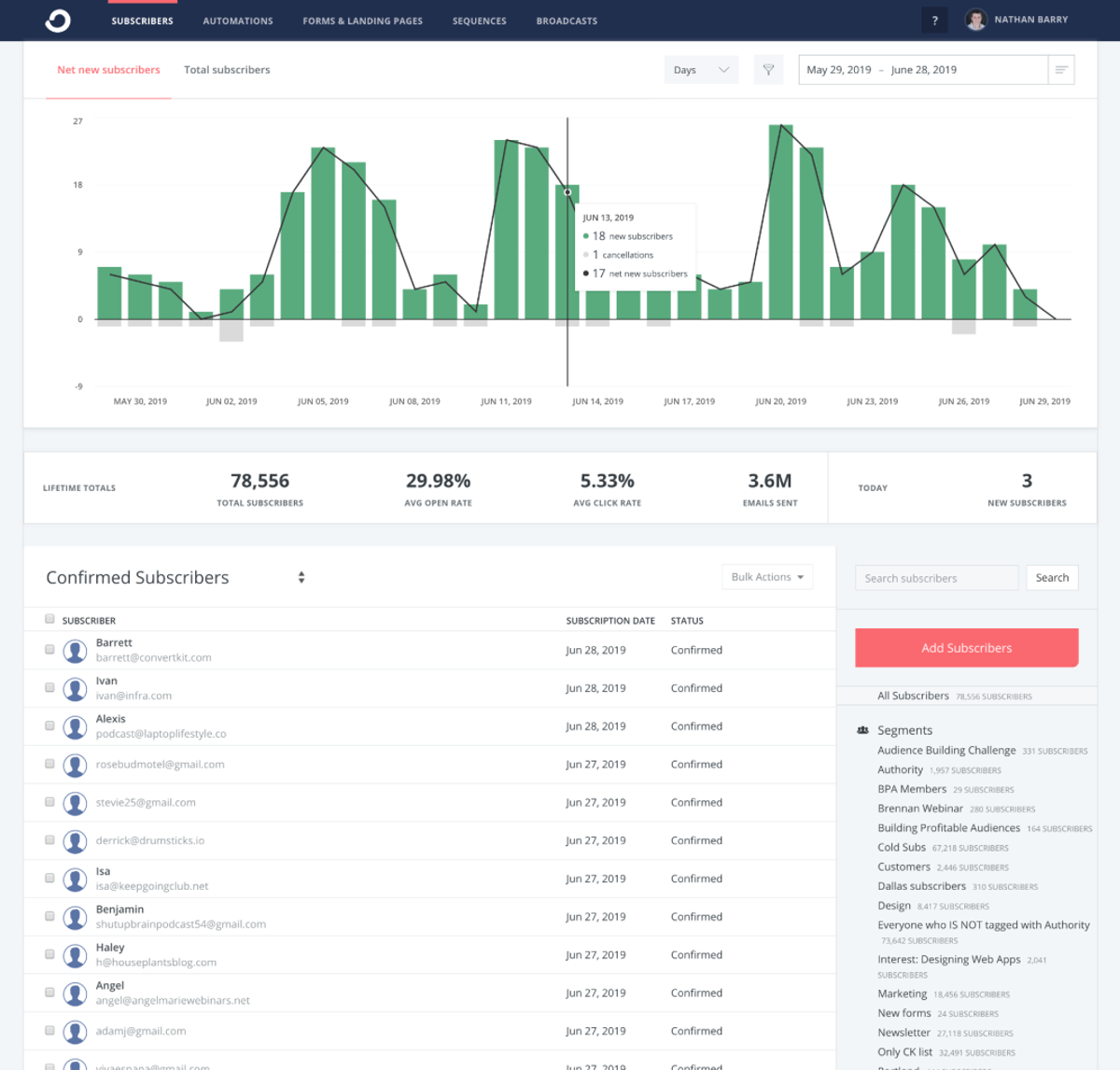
Every subscriber is a single record enriched with tags (facts you assign: bought the course, came from YouTube) and segments (live filters: engaged in 90 days AND interested in productivity). Broadcasts target any slice without duplication, and you are never billed twice for one human. Coming from list-based platforms, this alone eliminates a whole category of bookkeeping.
Visual automations that read like flowcharts
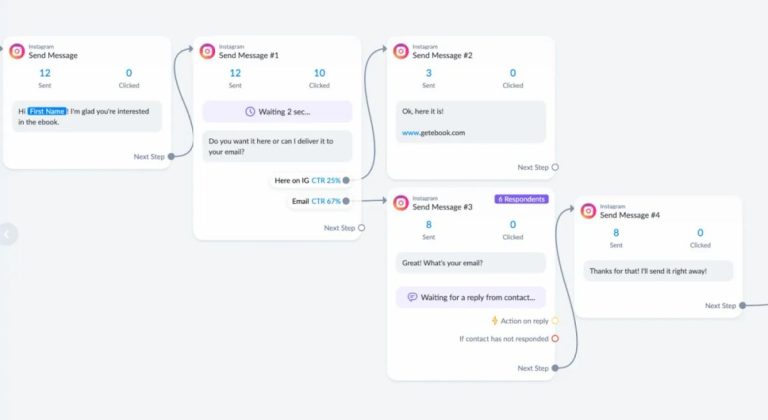
Kit’s automation canvas chains forms, email sequences, tags, events and conditional branches into paths you can follow visually — a launch funnel or evergreen course pitch is legible at a glance six months after you built it. Sequences themselves are simple drag-ordered emails with per-message timing. It is the feature users cite most when explaining why they switched, and in our testing it earned the reputation: powerful enough for real funnels, simple enough to maintain alone.
Creator commerce built in
Kit Commerce sells digital downloads, presets, ebooks and courses; runs recurring paid newsletter subscriptions; and accepts one-off tips — with checkout, delivery and payouts handled natively for a small transaction fee on top of payment processing. For a creator earning from a modest audience, this replaces a separate storefront subscription, and because purchases become tags, your automations know exactly who bought what.
The Creator Network growth loop
Opt in, and after someone subscribes to a participating newsletter, they see a curated set of recommended newsletters — including, potentially, yours. Recommendations are reciprocal and quality-filtered, and for mid-size newsletters the network has become a meaningful organic acquisition channel that costs nothing but participation. No mainstream competitor has an equivalent at this scale.
Plans & pricing
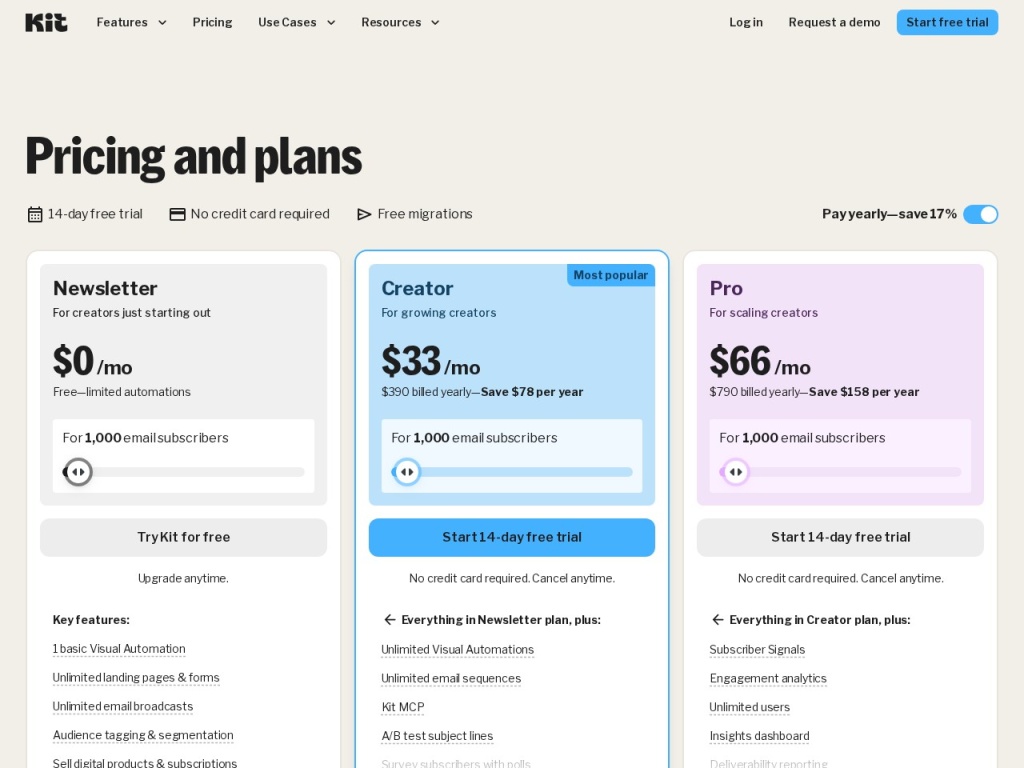
Kit prices by subscriber count across three tiers. The Newsletter (free) plan covers up to 10,000 subscribers with unlimited broadcasts, one basic automation and one email sequence, landing pages, forms and commerce. Creator — starting around $25/month billed annually for 1,000 subscribers as of this writing — unlocks the visual automation builder, unlimited sequences, integrations and free migration. Creator Pro, from roughly $50/month at the same list size, adds the newsletter referral system, subscriber scoring, advanced reporting and priority support. All prices climb with subscriber count, which is where budgeting attention belongs; verify current brackets on the pricing page.
| Plan | Typical price at 1,000 subs (annual) | What it adds |
|---|---|---|
| Newsletter (Free) | $0 up to 10,000 subs | Unlimited broadcasts, landing pages, forms, commerce, 1 automation & 1 sequence |
| Creator | ~$25/mo | Visual automations, unlimited sequences, integrations, migration support |
| Creator Pro | ~$50/mo | Referral system, subscriber scoring, deeper reporting, priority support |
| Commerce fees | ~3.5% + $0.30 per transaction | Applies to product, tip and paid-newsletter sales (plus processing) |
Two budgeting notes. First, the ladder is real: the same Creator plan costs several times more at 25,000 subscribers than at 1,000, so a growing list is a growing bill — prune cold subscribers ruthlessly. Second, the free tier’s single-automation limit means the platform’s signature feature is effectively a paid unlock; treat the free plan as a runway, not a destination.
How to get started
- Sign up free, verify your sending domain (SPF and DKIM records), and set your default from-address — deliverability starts here, not at your first broadcast.
- Import subscribers with tags describing their source and interests, or use Kit’s free concierge migration if you are on a paid plan.
- Build one signup form or landing page and place it everywhere your audience already is — bio links, video descriptions, episode notes.
- Create a welcome sequence (free plan allows one) that introduces you, sets expectations and links your best work.
- Publish a consistent broadcast cadence for a month before adding complexity — automation multiplies a habit, it does not replace one.
Creators moving from another platform should map old lists to tags on paper before importing; ten minutes of planning prevents the classic mess of orphaned segments. Kit’s migration team handles the mechanical part free on paid tiers, including recreating forms and sequences.
Common setup mistakes to avoid
The most common mistake is recreating list-thinking inside Kit — importing “Newsletter List” and “Customers List” as two blobs instead of one clean subscriber base with source and purchase tags, which forfeits the whole point of the data model. Second, skipping domain authentication and sending from a free Gmail address: modern inbox providers will junk that mail no matter how good the platform’s reputation is. Third, over-automating on day one — a five-branch evergreen funnel serving nine subscribers is procrastination dressed as strategy; earn complexity with list growth. Finally, watch the billing ladder: leaving thousands of cold, never-opening subscribers on your list inflates your monthly bill for the privilege of hurting your deliverability. Kit makes cold-subscriber cleanup easy; schedule it quarterly.
Watch: Kit (formerly ConvertKit) platform walkthrough
Kit vs alternatives
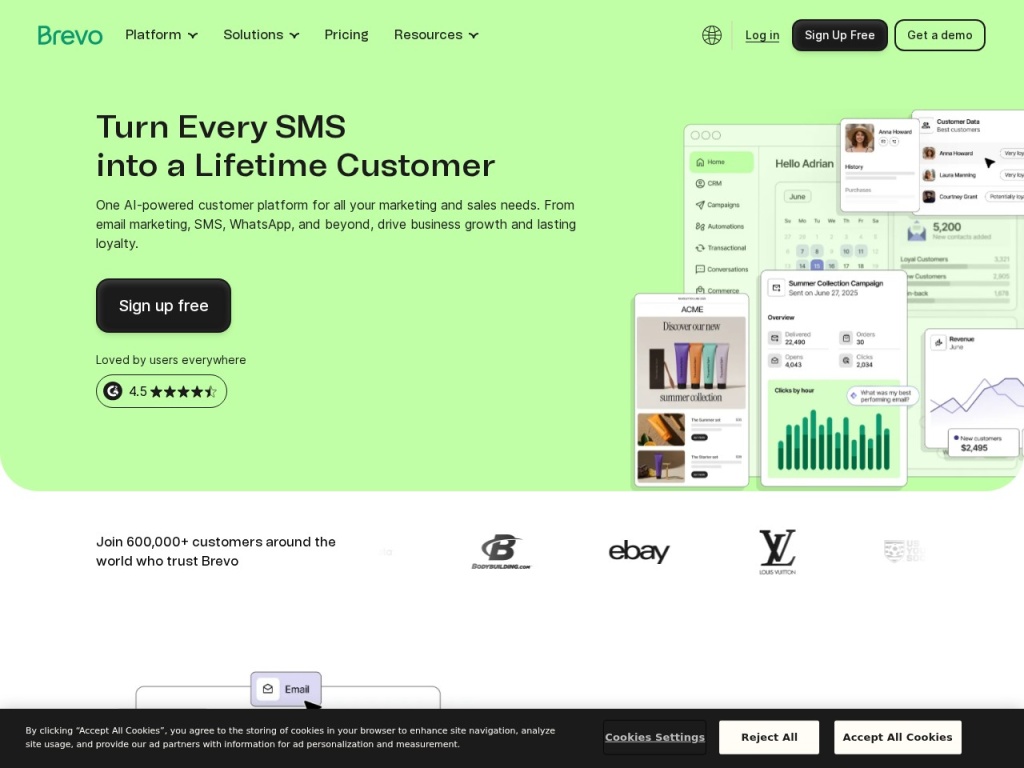
Against Substack, the comparison every writer runs: Substack is free until it takes 10% of your paid-subscription revenue forever, offers a network and a hosted publication, but owns the relationship mechanics; Kit charges a predictable subscription plus small transaction fees, hands you the full email list, automations and product sales — and past a modest paid-revenue level, Kit’s math wins decisively. Against Brevo, the audiences diverge: Brevo’s pay-per-send model and CRM suit businesses with big lists and receipts to send, while Kit’s creator tooling — Creator Network, tip jars, paid newsletters — has no Brevo equivalent. Against GetResponse, you are trading Kit’s focus for GetResponse’s breadth (webinars, funnels, a website builder) and richer templates. The pattern holds across the category: platforms beat Kit on features-per-dollar; nothing beats it on fit-per-creator.
Performance, support & value
Deliverability: Kit’s text-first defaults are a structural advantage — simple, personal-looking emails from authenticated domains land in primary inboxes more reliably than image-heavy promotional designs, and independent seed tests generally rate Kit among the stronger performers in the category. The platform’s strict stance on list quality (cold-subscriber tooling, spam-complaint monitoring) protects the shared reputation that makes this work.
Support: email and chat support on paid plans with priority queues on Pro, an extensive creator-education library, and free migration concierge — a real cost saver. Response quality in our checks was strong on product questions and honest about limitations. Free-tier support is docs-and-community, which is standard, but notable given how many users the 10,000-subscriber free plan now carries.
Value: at small list sizes, arguably the best deal in email — free to 10,000 subscribers is unmatched among serious platforms. At mid sizes, the Creator plan’s price buys automation quality and commerce that would otherwise require two subscriptions. At large sizes the subscriber-count ladder bites, and a 50,000-subscriber creator should price alternatives honestly — though by then, switching costs and the Creator Network’s free acquisition usually argue for staying. The transaction-fee commerce model scales fairly: Kit earns when you do.
Our testing notes: the automation builder earns its reputation
We rebuilt a realistic creator funnel — lead magnet form, five-email welcome sequence, a branch on link clicks into a product pitch, purchase tagging, and a re-engagement sweep for cold subscribers — in under an hour, most of it writing copy rather than fighting the tool. The visual canvas stayed legible as the flow grew, sequence editing in place worked as advertised, and event triggers (tag added, product purchased, date reached) covered every step without workarounds. Coming back to the flow days later, we could read it like a diagram — which, for a solo creator maintaining their own systems, is the feature.
The trade-offs surfaced exactly where expected. The email editor is fast and clean for text-forward messages but limiting for designed layouts; the template gallery is intentionally small. Reporting answered the creator questions — opens, clicks, subscriber growth, revenue per email — but analysts wanting cohort views or attribution depth will be exporting data quickly. And the free plan’s single-automation cap meant our test funnel required the paid tier almost immediately, confirming our read that the free plan is a generous runway with a deliberate ceiling.
What real users say
Creator sentiment on Kit is strongly positive with remarkably consistent themes: the automation builder (“finally, funnels I can read”), deliverability that improved after switching, support that answers like humans, and the Creator Network as a real growth surprise — mid-size newsletter authors report meaningful monthly subscriber gains at zero cost. The 2024 rebrand generated grumbling about the generic new name, but little about the product itself, and the 10,000-subscriber free tier earned broad goodwill from beginners.
The criticisms are equally consistent: price climbs that sting as lists grow (“I love it, but I audit my cold subscribers before every renewal”), plain templates that force design-minded brands elsewhere, reporting that runs out of depth, and occasional frustration that the best features — visual automations, the referral system — sit behind paid tiers. A smaller thread notes the editor’s occasional quirks with complex layouts. What you rarely find are deliverability horror stories or billing ambushes — the two complaints that actually kill email platforms.
Who should use it — and who should not
Choose Kit if you are a creator whose income flows from an audience — newsletter writers, course sellers, podcasters, YouTubers — and you want a tool where email, automation, digital products and audience growth live in one place. It is the strongest recommendation we make for solo creators between zero and low six figures of list size, and the free tier makes starting a no-risk decision.
Skip it if you are an e-commerce brand needing designed, image-rich campaigns and deep revenue analytics, a business wanting CRM and multichannel messaging — Brevo covers that ground — or a team that needs webinars and funnel software bundled in, where GetResponse makes more sense. And if you want zero costs until revenue and accept a 10% toll forever, Substack remains the simpler on-ramp; just understand what that percentage compounds to.
Honest limits
Kit’s focus is its limit. The templates are plain by philosophy, and no setting makes them a design studio. Reporting is creator-grade, not analyst-grade. The subscriber-count ladder means success raises your bill on a schedule, and the free tier withholds the visual automation builder that defines the product. Commerce fees stack on top of payment processing, which high-volume sellers will notice. None of this is hidden and none of it is accidental — Kit has chosen its customer precisely — but if you are not that customer, the gaps are real.
Kit deals
Kit’s standing offers are structural rather than seasonal: the free Newsletter plan to 10,000 subscribers, roughly two months free on annual billing, a 14-day trial of paid tiers, and free concierge migration that saves real money if you are leaving another platform. Occasional promotions appear around creator events and Black Friday. We track current Kit offers alongside competing email platforms on our deals page.
Frequently asked questions
Is Kit the same company as ConvertKit? Yes — ConvertKit rebranded to Kit in 2024. Same product, team and founder; the rename signaled the expansion from email tool to broader creator platform.
Is Kit really free up to 10,000 subscribers? Yes, the Newsletter plan covers up to 10,000 subscribers with unlimited broadcasts, landing pages, forms and commerce — but only one automation and one sequence; the visual automation builder requires a paid plan.
Can I sell products and paid newsletters through Kit? Yes, natively — digital products, recurring paid-newsletter subscriptions and tip jars, with a transaction fee (around 3.5% + $0.30) plus payment processing.
What is the Creator Network? A cross-recommendation system where participating newsletters suggest each other to new subscribers — a free, reciprocal growth channel that mid-size newsletters consistently credit with meaningful signups.
How does Kit compare with Substack for a paid newsletter? Substack is free upfront but takes 10% of subscription revenue forever; Kit charges a monthly subscription plus small transaction fees. Past a modest paid-revenue level, Kit is cheaper — and you get automations and full list ownership.
Does Kit work for e-commerce or B2B marketing? It can send the emails, but its plain templates, light reporting and creator-shaped features make business-first platforms a better fit for those use cases.
Will my bill grow as my list grows? Yes — pricing is by subscriber count, so budget for the ladder and clean cold subscribers regularly to keep the count honest.
How to choose a creator email platform: a practical guide
Start with how you will make money, because the platforms diverge exactly there: if your revenue is paid subscriptions and products from your own audience, you need native commerce, automations and full list ownership — Kit’s territory; if it is client work or e-commerce, business platforms with CRMs and designed templates fit better. Second, model the total cost of growth honestly: compare subscriber-count pricing, per-send pricing and revenue-share models at the list size you expect in two years, not the one you have today — a 10% toll looks free at zero revenue and extortionate at $5,000 a month. Third, test the automation builder with your actual funnel sketched on paper; you will maintain these flows alone at midnight, so legibility is a feature with compounding value. Fourth, weigh growth mechanics: a platform with a real recommendation network is quietly doing paid acquisition’s job for free. Finally, confirm you can leave — full list export, no content lock-in — because the best platform relationship is one either side could end. Kit’s standing atop our creator rankings comes from exactly these tests: the clearest automations, fair commerce economics, a genuine growth network, and an exit door that stays open.