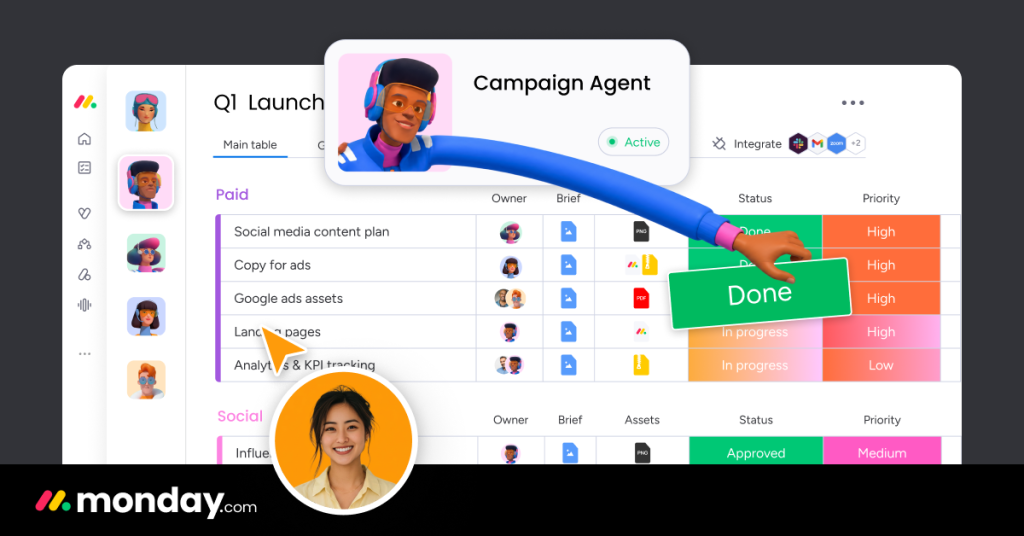
Most project management software fails the same way: the team stops updating it. monday.com built a multi-billion-dollar business on that insight, betting that colorful boards, satisfying status buttons and an interface people do not dread would matter more than feature-list supremacy. The company now calls itself a “Work OS” — a platform of boards, automations and dashboards that has spawned an entire product family covering work management, CRM and software development. We spent weeks running real projects on it, built the automations, priced the tiers against the fine print (including the 3-seat minimum most reviews skip), and compared it head-to-head with the tools it most often displaces to find out whether the prettiest project tracker is also a substantial one.
AnalyzeBench Score: 8.3/10
Best for: Visual, non-technical teams of roughly 5–50 seats who need project tracking the whole team will actually keep updated.
What we loved:
- The most adoption-friendly interface in the category — color-coded statuses and drag-and-drop boards that new users navigate without training.
- One click switches the same data between kanban, Gantt, calendar, timeline and table views, so every stakeholder gets their preferred lens.
- No-code automations (“when status changes to Done, notify the owner”) take seconds to set up and cover most day-to-day coordination.
- Dashboards pull live widgets from up to dozens of boards into genuinely useful management views.
- The product family — Work Management, CRM, Dev — shares one interface, so expanding does not mean retraining.
What could be better:
- Per-seat pricing with a 3-seat minimum means the real entry cost is triple the advertised per-user number.
- The features you will actually want — timeline views, meaningful automation quotas, integrations — start at the Standard tier, not Basic.
- Reporting depth and advanced permissions live behind Pro and Enterprise, where per-seat costs add up quickly.
- It is a structured tracker, not a docs-and-knowledge tool — teams wanting deep documents end up pairing it with Notion anyway.
What makes monday.com different
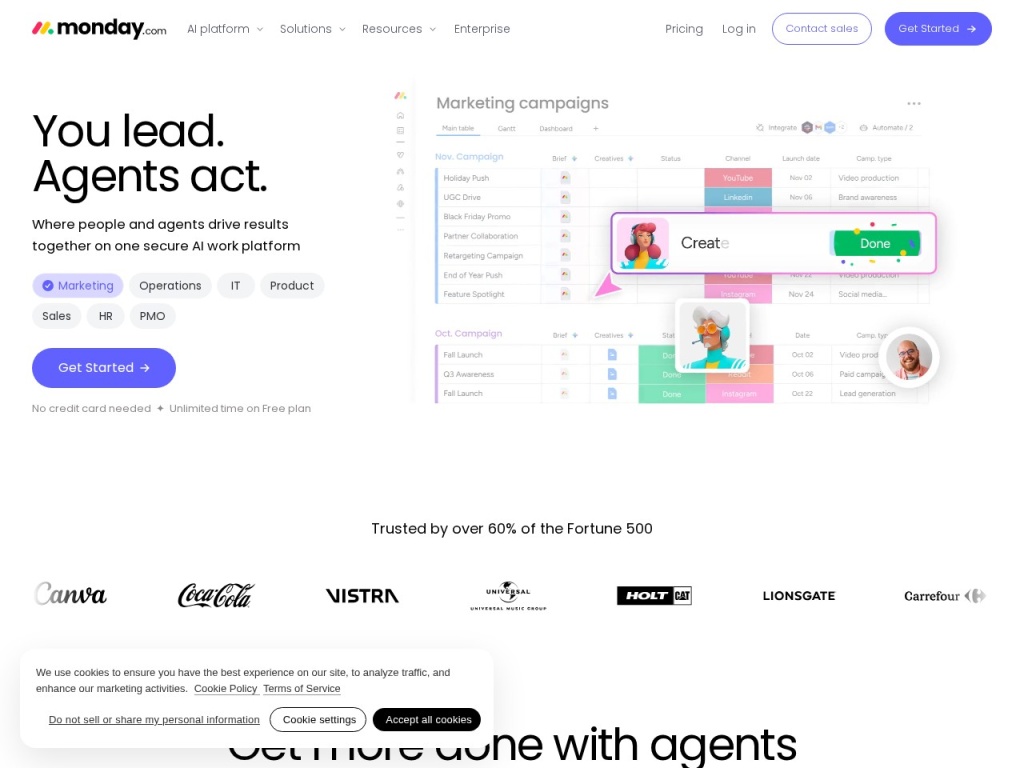
monday.com’s core object is the board: rows are items, columns are typed fields — status, person, date, number, formula — and the same board renders as a table, kanban, Gantt chart, calendar or workload view with one click. That flexibility sounds minor until you watch it defuse the oldest fight in project management: the engineer wants a kanban, the manager wants a Gantt, the executive wants a dashboard, and on monday.com they are all looking at the same underlying data. Layer on automations (trigger-condition-action recipes built in plain English) and integrations with the usual suspects, and boards stop being passive lists and start moving work along themselves.
The deeper differentiator is psychological, and we do not mean that dismissively. The product is engineered for the moment a reluctant teammate opens it: bright statuses, instant feedback, nothing that looks like enterprise software circa 2012. Adoption is the failure mode of this entire category — a tracker nobody updates is expensive fiction — and monday.com’s design consistently clears that bar in a way heavier tools do not. The company has doubled down by shipping purpose-built products (monday CRM, monday dev, monday service) on the same board engine, so a company can run sales pipeline and sprint planning in one visual language.
Key features
Boards and views
Every board is a small database wearing a friendly interface. Column types cover the practical range — status, people, timeline, numbers, formulas, dependencies, files — and views reshape the data instantly: kanban for flow, Gantt with dependencies for planning, calendar for deadlines, workload for capacity. Views can be saved, shared and set as defaults per person, which is how one board serves a whole hierarchy of stakeholders without duplication.
Automations
monday.com’s automation builder is the most approachable we have tested: pick a recipe like “when date arrives, and status is not Done, notify person,” fill in the blanks, done. Recipes cover assignment, notifications, status cascades, recurring task creation and cross-board syncing. Monthly automation actions are quota-limited by tier, which is fine for coordination but means heavy workflow logic belongs in a dedicated tool like Make connected via integration.
Dashboards
Dashboards aggregate widgets — charts, numbers, timelines, battery indicators, workload maps — from multiple boards into a single management view. A team lead sees capacity, a founder sees every project’s health at a glance, and nobody compiles a Monday status deck by hand. Widget variety is good and setup is genuinely fast; the constraint is tier-based, with the number of boards a dashboard can combine rising as you pay more.
The product family
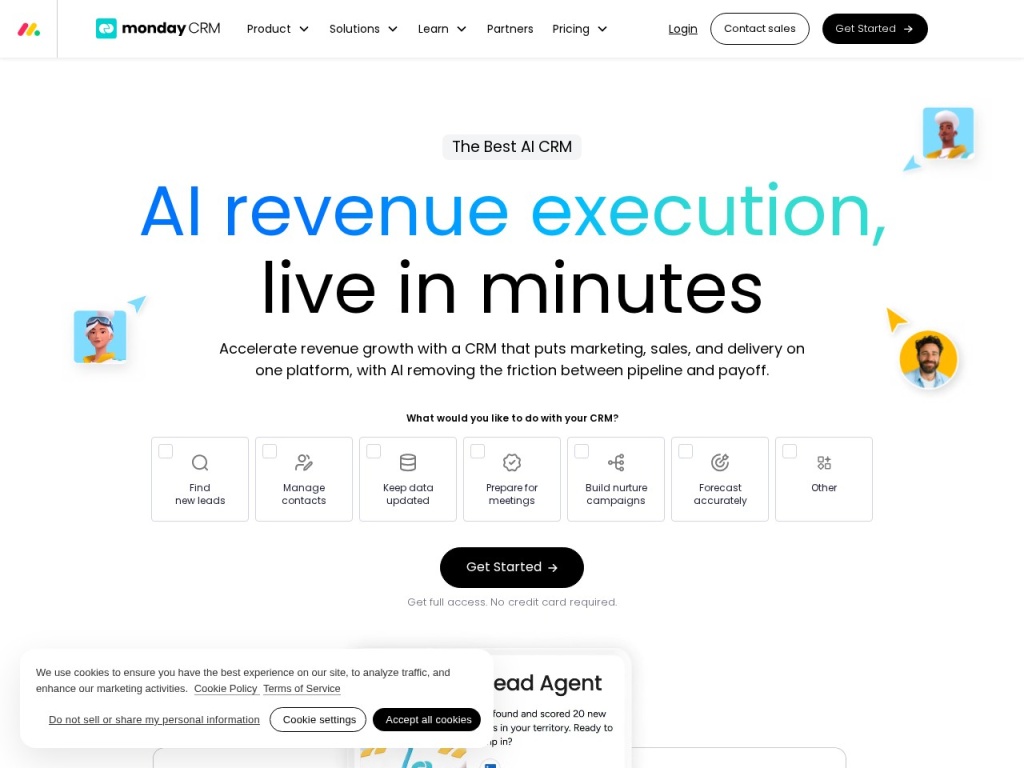
Work Management is the flagship, but monday CRM adds pipelines, email sync and lead scoring, while monday dev adds sprints, bug tracking and roadmaps — all built on the same boards, so the learning curve for product two is roughly zero. None of the specialized products is best-in-class alone; the pitch is coherence. For a 20-person company, replacing a separate CRM, tracker and sprint tool with one bill and one interface is a legitimately compelling trade.
Plans & pricing
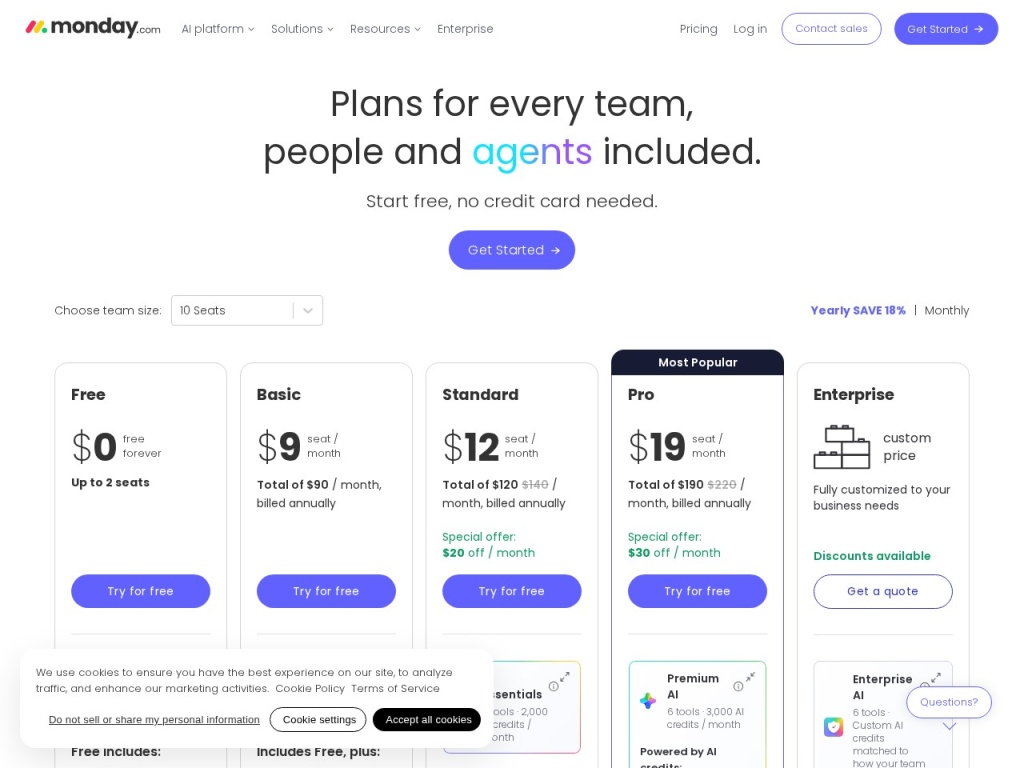
monday.com charges per seat, per month, with a critical detail: paid plans require a minimum of three seats, so the advertised per-seat price understates the real entry cost by a factor of three for solo users and pairs. A limited free tier covers up to two seats. Feature gating is the other lever — Basic is deliberately thin (no timeline view, minimal automations), Standard is the plan most teams actually need, and Pro adds private boards, time tracking, formula depth and bigger automation quotas. Prices below reflect typical annual billing; monday.com adjusts pricing and runs promotions, so check current pricing before you buy.
| Plan | Typical per seat/month (annual) | What you get |
|---|---|---|
| Free | $0 (2 seats max) | 3 boards, limited features — an extended demo |
| Basic | ~$9–12 | Unlimited items, 5 GB storage, basic views only |
| Standard | ~$12–14 | Timeline/Gantt/calendar, automations & integrations (250 actions/mo each), guest access |
| Pro | ~$19–24 | Private boards, time tracking, formula column, 25,000 automation actions/mo |
| Enterprise | Custom | Advanced security, permissions, analytics, premium support |
Do the real math before comparing: a 10-person team on Standard runs roughly $120–140 a month — reasonable. The traps are at the edges: a 3-seat minimum makes small setups pricier than advertised, and at 50+ seats the Pro tier bill rivals hiring decisions, which is when procurement starts asking hard questions about which features you actually use.
How to get started
- Start a free trial and build one real project as a board — not sample data; the evaluation only counts if your team’s actual work is on it.
- Set up the column types deliberately: status, owner and due date at minimum, and resist adding ten speculative columns nobody will fill.
- Create the views each stakeholder needs — kanban for the team, Gantt for planning, a dashboard for whoever asks “where are we?” weekly.
- Add three to five automations for the handoffs that always slip: status-change notifications, due-date reminders, auto-assignment on creation.
- Invite the whole team only after the board is real — first impressions decide adoption, and an empty confusing board squanders the product’s biggest strength.
A workable setup takes an afternoon; a good one takes a week of light iteration as the team discovers what it actually tracks. Resist the template gallery’s siren call to systematize everything at once — the teams that succeed start with one process, prove it, then expand.
Common setup mistakes to avoid
The most expensive mistake is over-structuring: building fifteen boards with thirty columns each before anyone has updated one of them. Boards nobody maintains are worse than no boards, and monday.com’s cheerful flexibility makes over-engineering feel productive right up until adoption dies. Start embarrassingly small. Second, buying Basic to save money: the tier lacks timeline views and meaningful automations — the features that make the product worth having — and nearly every disappointed review we read traces back to judging the platform from its hollowed-out entry plan. Third, ignoring the automation quotas: recipes silently stop when monthly actions run out, so put your quota into the handful of automations that prevent dropped handoffs rather than cosmetic ones that shuffle labels.
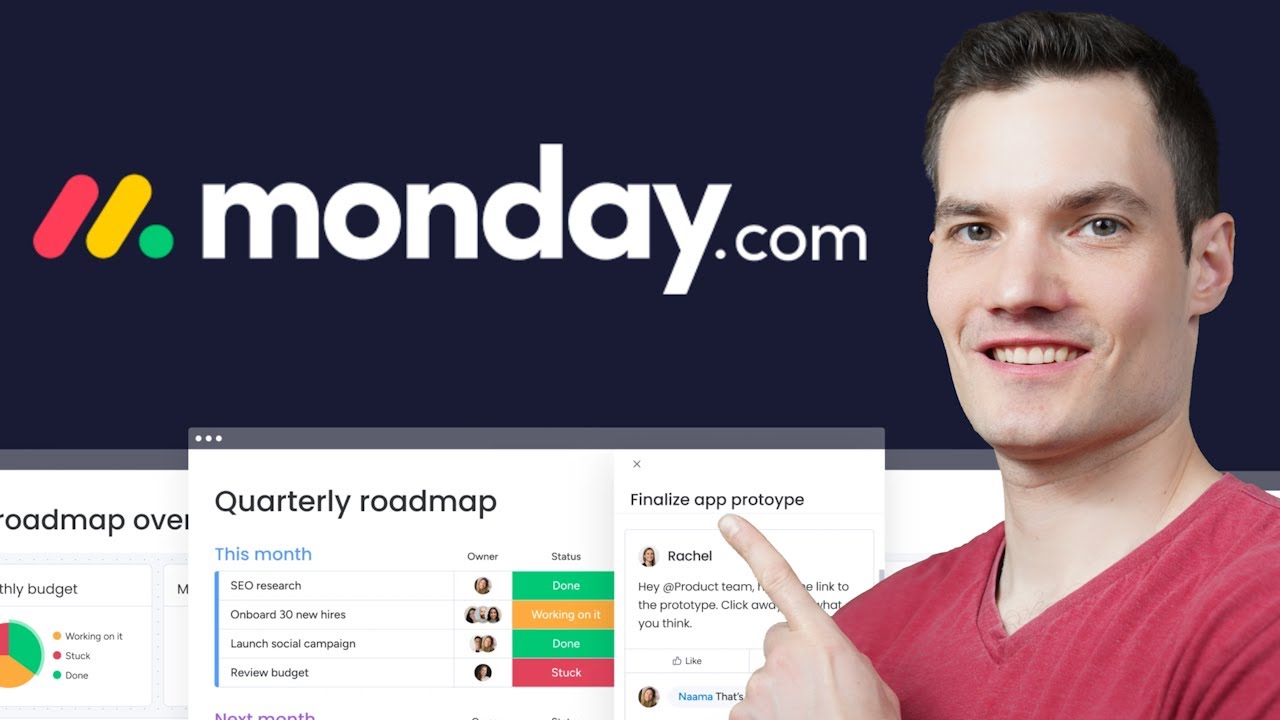
Watch: monday.com in action
monday.com vs alternatives
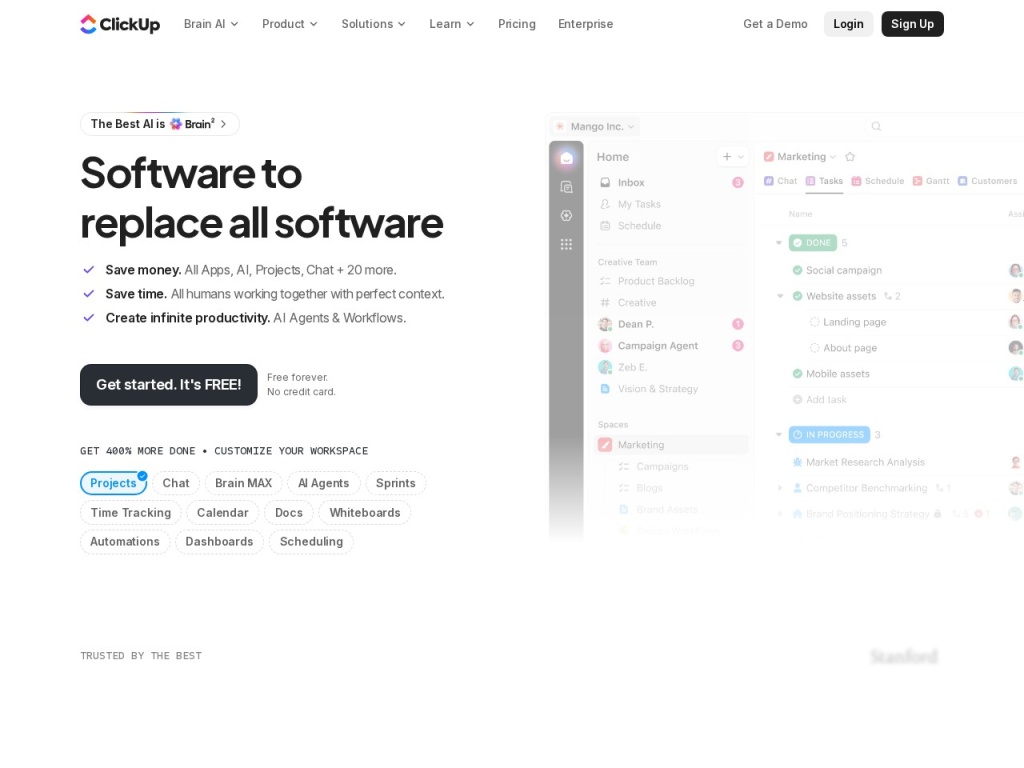
Against ClickUp, the trade is clean: ClickUp ships more features per dollar — docs, whiteboards, native time tracking, deeper hierarchy — while monday.com wins decisively on polish, speed of adoption and the odds that your least technical teammate keeps using it in month three. Against Notion, they barely overlap despite the constant comparison: Notion is a docs-and-knowledge workspace with databases attached, unbeatable for wikis and flexible thinkers, while monday.com is a structured work tracker with better statuses, dashboards and accountability; plenty of teams deliberately run both. Asana sits closest philosophically — mature, elegant task management with stronger workflow discipline — but its sparser aesthetic and per-seat costs at comparable tiers keep the choice down to taste and which interface your team will actually update. And if your “project management” is really structured data management — assets, inventories, editorial databases — Airtable is the better-shaped tool.
Performance, support & value
Performance: the app is fast in normal use, with board loads and status changes feeling instant at typical team scale. Very large boards — thousands of items with many formula and dependency columns — get noticeably slower, and the mobile app, while good for checking and updating, is not where you want to build anything. Uptime in our monitoring window was clean.
Support: monday.com advertises 24/7 support across plans, and our test tickets came back competently answered within hours, not days — better than most software at this price. The self-serve layer is strong: a thorough knowledge base, webinars, an active community, and enough third-party tutorials to solve almost anything. Enterprise buyers get tiered response commitments and customer success attention.
Value: mid-pack, and honest about it. You pay slightly more per seat than the feature-per-dollar champions and get the category’s best adoption odds in exchange. For a 5–50 seat team whose alternative is a tracker nobody opens, that premium is cheap insurance. The value equation weakens at the edges — tiny teams hit the seat minimum, big teams hit Pro-tier math — which is precisely where competitors should be shortlisted.
Our testing notes
We ran three real workstreams for several weeks: a content production pipeline, a light CRM on the sales product, and a cross-team launch plan with dependencies. Setup was as fast as advertised — the content board went from blank to operational, with automations, in under an hour. The launch plan showcased the view system’s real payoff: the same items served a working kanban, a dependency-aware Gantt and an executive dashboard, and nobody asked for a status meeting during the entire test window.
The friction we logged was tier-shaped rather than product-shaped. We hit the Standard plan’s automation quota in week three (the CRM board’s notification recipes were the culprit), formula columns required Pro, and combining many boards into one dashboard nudged us up-tier as well. Nothing broke; the product simply kept gesturing at the next price level. Teams should read the tier gates as part of the spec sheet, because that is where the real purchasing decision lives.
What real users say
Across G2, Capterra and community threads, monday.com’s reviews repeat two words: “visual” and “easy.” Users celebrate teams actually adopting it after failed rollouts of heavier tools, managers praise dashboards that ended status-report theater, and the automations earn consistent affection for being set up by normal humans rather than admins. Its review scores sit near the top of the category, with particular strength among marketing, operations and creative teams.
The criticisms are equally consistent: pricing complaints dominate — the seat minimum, the Standard-tier gate on basic-feeling features, and renewal math at growing seat counts. Power users grumble that reporting is shallower than expected until Pro or Enterprise, and a minority find the notification defaults noisy enough to mute (tune them early). The pattern mirrors our testing: affection for the product, friction with the packaging.
Who should use it — and who should not
Choose monday.com if you lead a visual, mixed-technical team in the 5–50 seat range and your last project tool died of neglect. It is the strongest pick in the category for marketing departments, agencies, operations teams and any group where adoption — not feature depth — is the binding constraint. Budget for Standard at minimum, treat Pro as likely within a year, and the platform will genuinely run your work.
Skip it if you are a solo operator or a pair (the seat minimum and feature gates make Notion or ClickUp’s free tiers better homes), if your team lives in documents and knowledge bases rather than task boards, or if you are an engineering organization wanting deep agile tooling — monday dev is credible, but dedicated dev platforms go deeper. Feature-per-dollar maximizers will be structurally happier on ClickUp and should not fight it.
Honest limits
monday.com’s weaknesses are the shadows of its strengths. The approachable board model gets stretched thin at enterprise complexity — deep permissions, portfolio rollups and serious reporting all push you to the top tiers, and heavily interlinked boards start to feel like a relational database being imitated rather than implemented. Documents are an afterthought, the automation quotas enforce a ceiling on native workflow logic, and costs scale linearly with headcount in a way flat-priced tools do not. None of this undermines the core proposition for its target team; all of it defines the boundary where that proposition ends.
monday.com deals
monday.com discounts annual billing by roughly 18% versus monthly, runs periodic promotions, and offers meaningful discounts for nonprofits and students. The free trial covers the Pro tier, which is the smart way to discover which gated features you would actually miss before choosing a plan. We track working offers on our deals page as they appear.
Frequently asked questions
Is there a real free plan? Yes, for up to two seats with three boards and trimmed features — genuinely useful for individuals, but designed to graduate you to paid tiers once a team arrives.
What does the 3-seat minimum mean in practice? Paid plans bill a minimum of three seats even for one or two users, so the true entry price is roughly triple the advertised per-seat figure. Factor it in before comparing with flat-priced rivals.
Which plan do most teams actually need? Standard. Basic omits timeline views and meaningful automations, which are most of the product’s point. Power users doing time tracking, formulas or private boards should budget for Pro.
Is monday.com a real CRM? monday CRM is a capable lightweight-to-mid CRM built on the board engine — excellent for teams already in the ecosystem, less deep than dedicated platforms for complex sales organizations.
How good are the automations? Excellent for coordination — notifications, assignments, status cascades — and quota-limited by tier. For heavy cross-app workflow logic, pair it with a dedicated automation platform like Make.
Does monday.com integrate with our existing tools? Standard and above integrate with Slack, Gmail, Teams, Zoom, and the major dev and marketing tools, with monthly action quotas. Anything missing is reachable via Zapier or Make.
Is it secure enough for enterprise? The platform carries SOC 2 Type II and ISO certifications with GDPR compliance; SAML SSO, audit logs and HIPAA support arrive on Enterprise.
How to choose project management software: a practical guide
Start with the brutal question: who has to update this every day, and what is the most friction they will tolerate? Feature matrices lose to that answer every time — a tool with half the features that your team actually updates beats an unupdated masterpiece, which is why adoption-first products keep winning deals on paper they should lose. Second, map your work’s true shape: task lists with deadlines suit structured trackers like monday.com or Asana; knowledge-and-docs cultures suit Notion; structured data suits Airtable; feature-hungry power users suit ClickUp — mismatching shape to tool is the most common regret in this category. Third, price the plan you will really need at the seat count you will really have in a year, including minimums and the tier where your must-have features actually live, because advertised entry prices in this category are marketing, not budgets. Fourth, run a two-week pilot with real work and your most skeptical teammate as the judge. Finally, check the exits: export quality and API access determine whether this year’s choice is a decision or a sentence. monday.com’s adoption advantage, view flexibility and honest 24/7 support are exactly what this checklist rewards for visual mid-sized teams — which is why it earns an 8.3 despite packaging that requires you to read the fine print we just walked through.