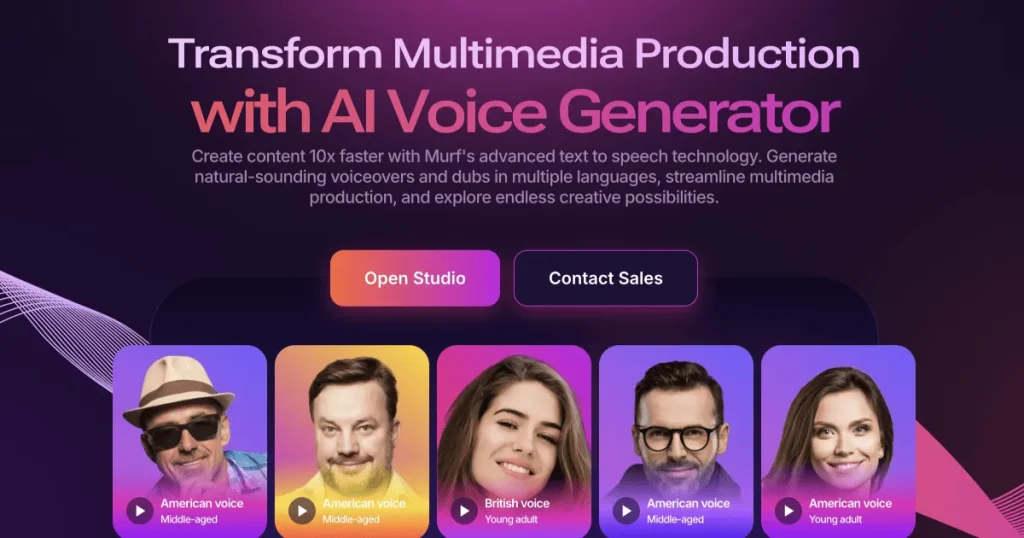
The gap between “text-to-speech” and “voiceover you would actually publish” used to be a recording booth and a freelancer’s invoice. Murf AI lives in that gap: a browser-based voiceover studio with 120+ AI voices across 20+ languages, built less like a demo box and more like an editing tool — you assemble narration block by block, tune emphasis and pauses word by word, and sync the result against your video before exporting. We produced real project audio in it, measured how far the quotas stretch, and put its voices side by side with the realism leaders to find out who Murf is actually for.
AnalyzeBench Score: 8.3/10
Best for: Course creators, product marketers, explainer-video teams and internal-comms producers who need consistent, editable, professional narration at scale — without booking studio time for every script revision.
What we loved:
- A genuine editing studio, not a text box: block-based scripts, per-word emphasis, pitch and pause controls make revisions surgical.
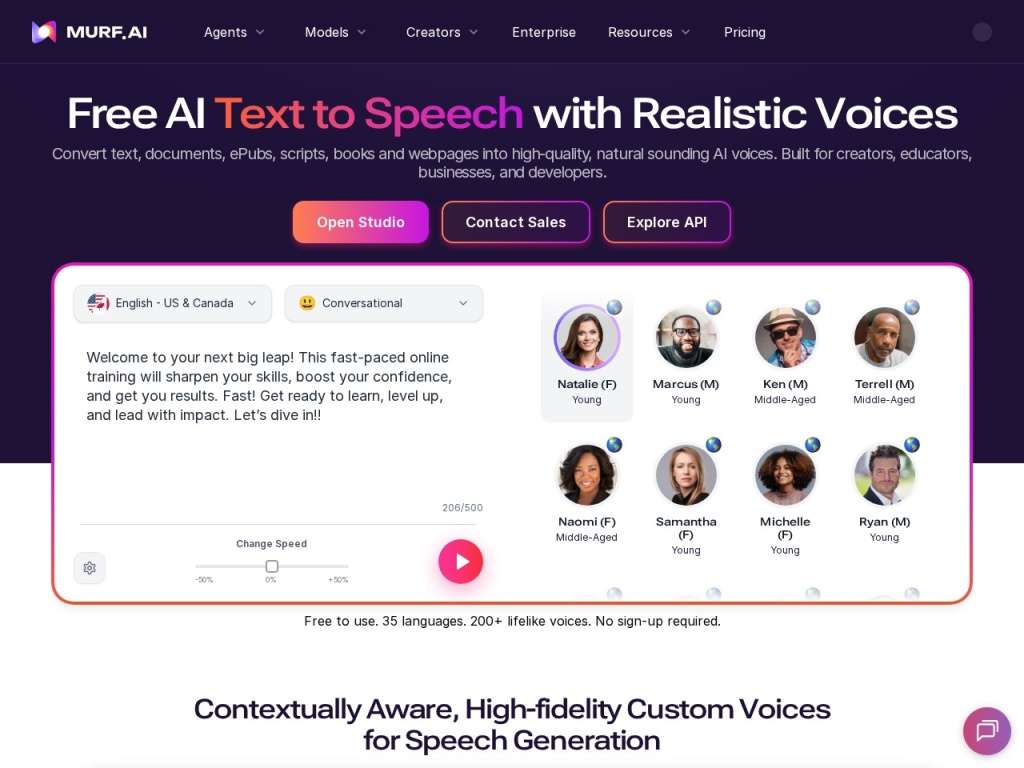
- 120+ voices across 20+ languages with multiple styles per voice, and consistent quality across the catalog rather than three good voices and filler.
- Sync-to-video: import your video or slides and time narration blocks against the picture inside the same tool.
- Regenerating one sentence after a script change costs seconds, not a re-recording session — the core economic argument for AI voiceover.
- Team workspaces and an API make it viable as production infrastructure, not just a solo toy.
What could be better:
- Peak realism trails ElevenLabs — Murf’s best voices are polished and professional rather than indistinguishably human.
- Quota-based pricing takes real math: generation allowances are consumed faster than first-time buyers expect once revisions are counted.
- Voice cloning is gated behind higher tiers and a consent process — the right policy, but budget for it.
- Emotional range is workmanlike; expressive character reads and dramatic narration are not its strength.
What makes Murf different
Most AI voice tools are generators: paste text, pick a voice, download a file, and pray you never need to change a sentence. Murf is built around the opposite assumption — that scripts change constantly — so it behaves like an audio editor. Scripts live as blocks, each independently voiced and re-renderable; a revised paragraph regenerates in seconds without touching the rest; and pronunciation fixes, emphasis shifts and inserted pauses are per-word operations rather than “regenerate everything and hope”. For anyone producing training modules or product videos that get updated quarterly, that workflow difference dwarfs any single-voice quality comparison.
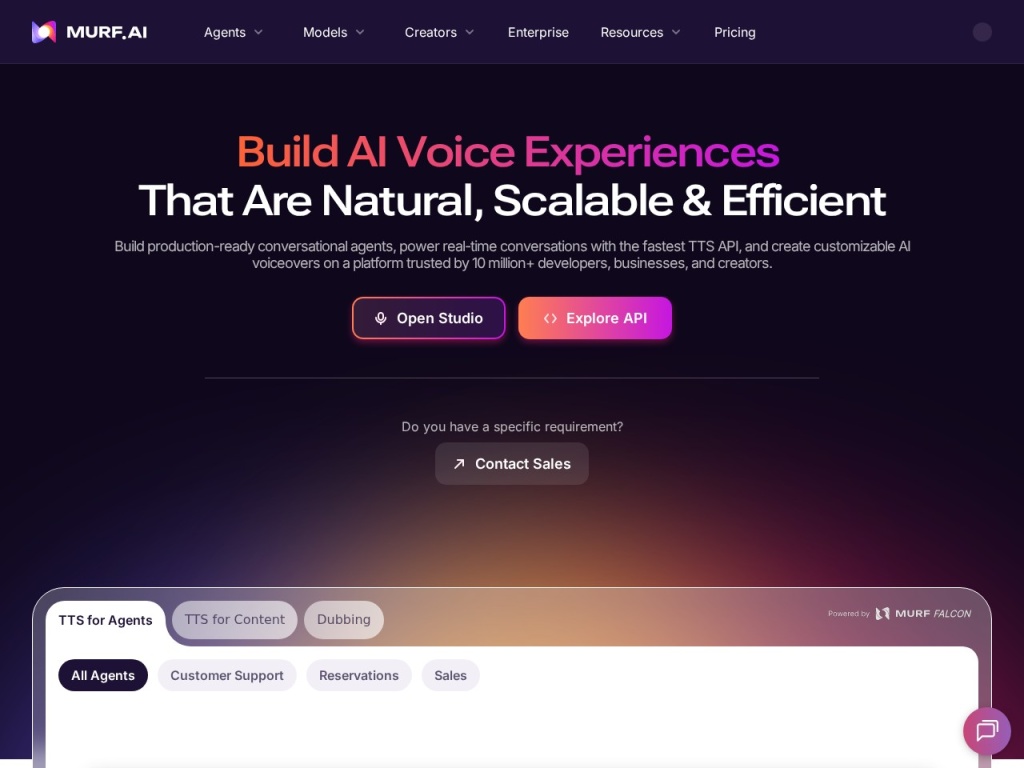
The second difference is breadth-with-consistency. Murf’s catalog of 120+ voices across 20+ languages is curated toward the professional register — narrators, presenters, e-learning and ad reads — with quality that stays even across languages, which matters enormously to teams localizing one course into six markets. Add sync-to-video, team workspaces, an API for programmatic generation, and consent-gated voice cloning, and Murf reads as a production platform for organizations rather than a playground for enthusiasts. That is a narrower ambition than the realism-at-any-cost labs chase, and a more useful one for its target buyer.
Key features
120+ voices in 20+ languages
The catalog spans ages, accents and speaking styles, with many voices offering multiple styles (conversational, promo, newscast) that change delivery without changing the speaker. Filters by use case make shortlisting fast, and the consistency across languages is the quiet standout: a brand can keep a coherent sonic identity across localized content instead of sounding like six different vendors. Voice quality sits comfortably in the “professional narrator” band — clean, well-paced, occasionally a touch too even on long emotional passages.
Block-based studio editing
Scripts are broken into blocks that render independently. Change one line and only that block regenerates; reorder sections by dragging; assign different voices to different blocks for dialogue or multi-presenter formats. The timeline underneath lets you nudge timing, layer background music from the built-in library, and adjust levels — not a replacement for a real DAW, but enough that many projects never need one.
Word emphasis, pitch and pauses
This is where Murf earns the “studio” label. Select a word and raise its emphasis; slow a sentence; insert a beat of silence before the key number; correct a pronunciation once and reuse it. These micro-controls are the difference between AI narration that sounds acceptable and narration that sounds directed — and they are exactly the controls bare-bones TTS tools omit.
Voice cloning, sync-to-video and API
Murf offers voice cloning with an explicit consent process — the voice’s owner must authorize the clone — which is the ethically correct gate even though it adds friction and sits on higher tiers. Sync-to-video imports your footage or slides so narration is timed against the picture inside Murf rather than in a round-trip with your video editor. The API extends the same voices to programmatic use: generating audio for hundreds of product descriptions or courseware modules without touching the UI.
Plans & pricing
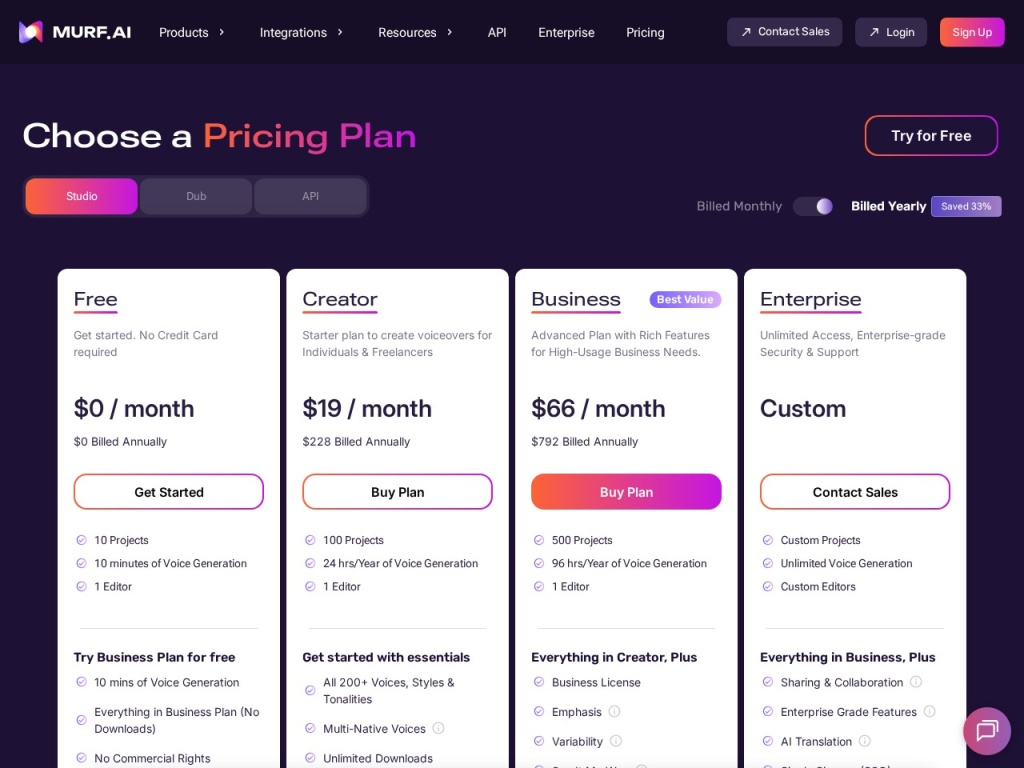
Murf sells subscription tiers separated by generation allowance, voice access, features and seats — a free tier exists for evaluation with heavily limited output. Allowances are quota-based (measured in generation time or characters depending on plan era), and this is the arithmetic to do before buying: as a rough guide, a 1,000-word script is in the neighborhood of six to seven minutes of finished audio, and every revision you render consumes quota too, so real consumption typically runs two to three times the length of your final output. Pricing has been adjusted over the years, so treat these as the recent ballpark and check current pricing.
| Plan | Typical monthly (annual billing) | Broad fit |
|---|---|---|
| Free | $0 | Evaluation only — limited generation, no commercial downloads |
| Creator | ~$19–29 | Solo creators; core voices and a workable monthly allowance |
| Business / Growth | ~$66–99 | Teams; larger quotas, more seats, collaboration and priority features |
| Enterprise | Custom | SSO, API scale, voice cloning arrangements, contractual terms |
The money question is revisions. A team producing one polished 10-minute video a month fits comfortably in a low tier; a course factory pushing hours of narration with iterative script reviews will burn through mid-tier quotas and should price the Business tier or an API arrangement from day one. Watch whether unused allowance rolls over on your plan (historically it often has not), and confirm commercial usage rights are included in the tier you pick — they are on paid plans, not the free one.
How to get started
- Shortlist three voices on the free tier using a paragraph of your actual script — marketing copy and technical narration expose different weaknesses than demo text.
- Break your script into blocks by paragraph or scene before generating anything; block discipline is what makes later revisions cheap.
- Do a full rough render first, then spend your quota on targeted fixes: pronunciation corrections, emphasis on key terms, pauses before important numbers.
- If the audio accompanies video, import the video and time blocks against the picture inside Murf rather than exporting early and cutting externally.
- Export in the format your pipeline needs and archive the project — the reusable project file, not the audio file, is where Murf’s long-term value lives.
Budget an afternoon for the first project and expect the second to take a fraction of the time. The controls are discoverable, the interface is genuinely friendly, and the main skill — writing scripts that read well aloud — transfers from any voiceover work you have ever commissioned.
Common setup mistakes to avoid
The expensive mistakes are all quota mistakes. Rendering full-length drafts repeatedly instead of proofing one representative block first — every throwaway render is paid generation time. Writing scripts for the eye instead of the ear, then burning revisions to fix what a read-aloud pass would have caught free: long clauses, unspoken abbreviations, numbers that need spelling out. Choosing a voice from the demo line instead of your own text, and discovering three renders in that it stumbles on your product names — fix pronunciations once, early, in the pronunciation library. Skipping block structure and pasting the whole script as one lump, which turns every future edit into a full re-render. And on teams: not setting a shared voice-and-style convention up front, which is how a course ends up narrated by four slightly different “brand voices”.
Watch: Murf AI studio walkthrough
Murf vs alternatives
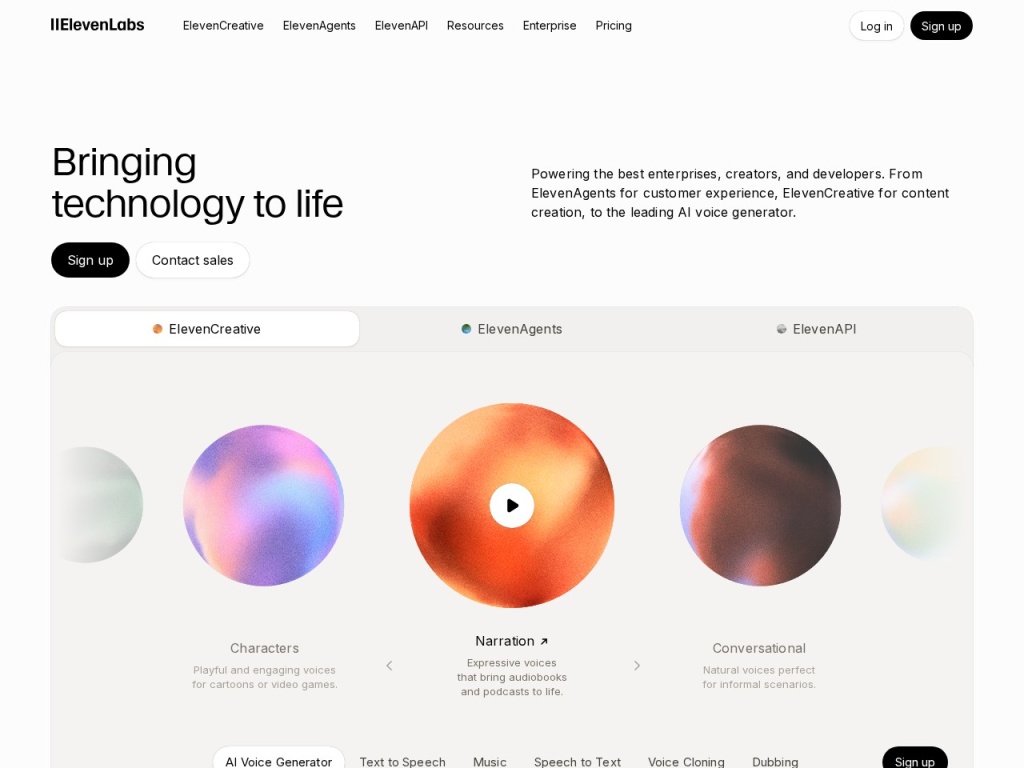
Against ElevenLabs: the realism benchmark — its best voices are more expressive and more human at the peak, and its cloning is the category’s strongest, but Murf counters with a more complete editing studio, tighter word-level direction, sync-to-video and a catalog tuned for professional narration; realism-first pick ElevenLabs, workflow-first pick Murf. Against Synthesia and HeyGen: different products — they generate avatar video with voices included, Murf generates voice for your video; teams that need a talking presenter go avatar, teams narrating screencasts and courses do not. Against Descript: Descript is an editor with voice features (overdub corrections inside recorded audio), Murf is voice generation with editing features — podcasters editing recordings want Descript, teams generating narration from scratch want Murf. The broader field is mapped in our AI video tools guide.
Performance, support & value
Voice quality: Murf’s output sits solidly in the professional-narrator band. On explainer scripts, e-learning modules and product walkthroughs — its home turf — the reads are clean, well-paced and consistent, and with ten minutes of emphasis-and-pause direction they get noticeably better than the raw render. On expressive material the ceiling shows: dramatic reads and emotional range are where the top realism engines pull ahead, and listeners with sharp ears will still clock long Murf passages as synthetic, even when they would not object to them.
Platform performance is a quiet strength. Renders come back fast — short blocks in seconds, long projects in minutes — the editor stays responsive on hour-long course projects, and we hit no meaningful instability in our testing window. Support runs email and chat with typical responses inside a business day, backed by solid documentation and tutorials; enterprise tiers get real onboarding. It is not the instant-answer support of a hosting company, but voiceover is rarely a 2 a.m. emergency.
Value comes down to what you are replacing. Against freelance voiceover at market rates, Murf pays for itself with the first revision cycle — the ability to change one sentence in a published course without rebooking talent is the entire business case. Against free TTS, you are paying for direction controls, catalog quality, licensing clarity and workflow, which casual users may not need. The buyers who get the most from it are the ones with recurring, revised, multilingual content — for them the subscription is infrastructure, not indulgence.
Our testing notes
We produced a mix of real material — product-explainer narration, a training-module segment and a set of short promo reads — and the pattern was consistent: the raw first render was publishable-adjacent, and twenty minutes of block-level direction (emphasis on key terms, inserted beats before numbers, two pronunciation fixes for product names) lifted it to something we would ship without apology. The pronunciation library proved its worth immediately; fixing a term once and having it hold across the whole project is exactly how this should work. Multi-voice dialogue blocks were fiddlier and needed more takes to sound natural.
The quota math matched our warning above: our finished ten minutes of audio consumed roughly two and a half times that in rendered generation across drafts and fixes, which is worth internalizing before choosing a tier. Sync-to-video saved a genuine round-trip with the video editor on the explainer project — timing narration against the picture inside Murf meant the export dropped into the edit with no re-cutting. Where we hit the ceiling was expressiveness: an intentionally emotional read stayed politely professional no matter how we directed it, confirming where Murf’s register ends.
What real users say
User sentiment clusters warmly around ease and workflow. Course creators and L&D teams are the loudest advocates — the recurring story is replacing a slow, expensive re-recording loop with same-day narration updates — and reviewers consistently praise the editor’s learnability, the voice catalog’s professional consistency, and the relief of licensing clarity compared with stitching together free TTS of uncertain provenance. Agencies mention the team workspaces and the client-revision economics: script changes that used to eat margin now cost minutes.
The criticisms repeat just as reliably. Quota consumption is the biggest: users report allowances disappearing faster than expected once revision renders are counted, and lapsed unused quota stings. The second theme is the realism ceiling — side-by-side comparisons with the top expressive engines usually favor the rival at the peak, and users producing narrative or character content say so plainly. A smaller thread covers occasional robotic artifacts on unusual words (fixable but annoying) and wishing lower tiers included more of the catalog and cloning. Very few users dispute that it does its core professional-narration job well.
Who should use it — and who should not
Choose Murf if you produce narrated content on a schedule: e-learning and corporate training, product and explainer videos, YouTube educational content, IVR and product audio, or localized versions of all of the above. The block-based revision workflow, pronunciation management and consistent multilingual catalog are built precisely for that recurring, iterated, brand-consistent work — and the API extends it to programmatic scale.
Skip it if your bar is “indistinguishable from a human actor” for narrative or character work — the realism leaders and, honestly, human talent still win there. Skip it for podcast editing (that is Descript’s territory), for avatar-presenter video (Synthesia and HeyGen), and for one-off projects where a freelancer’s single invoice beats a year of subscription. And if your voiceover needs are genuinely rare, the free tier plus patience covers you better than any paid plan.
Honest limits
Murf’s ceiling is emotional expressiveness: its voices are directed professionals, not actors, and no amount of emphasis-tweaking produces a genuinely moving read. Quota economics penalize heavy iterators unless they plan tiers carefully, and the best features — cloning, the full catalog, API scale — concentrate in higher tiers. The consent gate on cloning is the right call ethically but means you cannot clone a voice you do not control, full stop. And the category itself moves fast: voice models improve quarterly across the industry, so any realism ranking, including ours, has a shelf life. Buy Murf for the workflow, which is durable — not for a lead in voice quality, which nobody in this market can promise to keep.
Murf deals
Murf’s standing discount is annual billing, which typically lands meaningfully below the monthly rate, and seasonal promotions occasionally sweeten tiers or credit allowances. Because quotas and tier contents shift over time, confirm what an offer actually includes — minutes, seats, voice access — before committing for a year. We track verified current offers on our deals page.
Frequently asked questions
How many voices and languages does Murf offer? The catalog spans 120+ voices across 20+ languages, many with multiple speaking styles, with the strongest depth in professional-narration registers.
Can I use Murf voiceovers commercially? Yes on paid plans, which include commercial usage rights; the free tier is for evaluation and does not license commercial downloads.
Does Murf support voice cloning? Yes, on higher tiers and through an explicit consent process — the voice’s owner must authorize the clone, so you cannot replicate arbitrary voices.
How does the quota system work? Plans include a generation allowance, and every render draws from it — including revision renders — so real consumption usually runs well past the length of your finished audio; do the math against your revision habits.
Is Murf better than ElevenLabs? Different strengths: ElevenLabs leads on peak realism and expressiveness, Murf leads on studio workflow, word-level direction, sync-to-video and a narration-tuned catalog.
Can Murf sync narration to my video? Yes — import video or slides and time narration blocks against the picture inside the editor, then export finished audio or combined output.
Is there an API? Yes, for programmatic text-to-speech at scale — typically arranged on business and enterprise tiers; check current access terms.
How to choose an AI voiceover tool: a practical guide
Start by naming your real job, because the category hides three different products under one label. If you need maximum human realism for narrative content, judge tools purely by blind-listening to your own script — not vendor demos, which are cherry-picked — and expect to pay for the leaders. If you need recurring, revised, professional narration (courses, product videos, localized content), workflow beats peak realism: insist on block-level editing, per-word pronunciation and emphasis control, a pronunciation library that persists across projects, and painless partial re-renders, because those features determine your cost per revision, which is where all the money actually goes. If you need voice inside video with a presenter, you are shopping for avatar platforms, a different aisle entirely. Then do the quota arithmetic honestly: estimate your monthly finished minutes, multiply by two or three for revisions, and price tiers against that number rather than the headline allowance. Verify commercial licensing on your tier, check whether cloning requires consent (it should — treat any tool that clones voices without it as a legal risk, not a feature), and confirm the languages you will need next year, not just this quarter. Finally, run one real project end to end on a trial or minimum tier before any annual commitment — an afternoon of actual production reveals more than every comparison table on the internet, including this one.