Site speed optimization is usually a stack of separate decisions: a caching plugin, a critical-CSS generator, an image compressor, a lazy-load script, a CDN — each with its own settings page and its own way of conflicting with the others. NitroPack compresses that entire stack into one cloud service behind one plugin: connect your site, pick an optimization mode, and caching, critical CSS, image conversion, lazy loading and CDN delivery all happen on NitroPack’s infrastructure rather than your server. The pitch is speed without the tuning, and for a lot of sites it delivers visibly within the hour. We installed it on real WordPress sites across cheap and premium hosting, watched the scores, broke a checkout, and read the field data to find out when NitroPack is worth its subscription — and when it is not.
AnalyzeBench Score: 8.0/10
Best for: Site owners on average shared hosting who want a large, fast speed improvement without learning performance engineering — bloggers, small businesses and agencies managing many modest client sites.
What we loved:
- Genuinely all-in-one: caching, critical CSS, WebP/AVIF image conversion, lazy loading and a built-in CDN from a single plugin.
- Results arrive fast — on a mediocre shared host we saw scores and load times transform in under an hour.
- The heavy lifting runs in NitroPack’s cloud, so your server does not burn CPU generating optimizations.
- Sensible defaults: the Medium mode fixed most issues without breaking anything on our test sites.
- A free tier exists, so you can measure the improvement on your own site before paying.
What could be better:
- Pageview-based pricing climbs steeply as traffic grows — successful sites pay meaningfully more every tier.
- Aggressive modes can break JavaScript-dependent features; checkouts and forms need testing after every mode change.
- Lab scores can flatter — always verify improvements in real-user field data, not just PageSpeed numbers.
- On premium managed hosting the gains shrink, because good hosts already do much of what NitroPack sells.
What makes NitroPack different
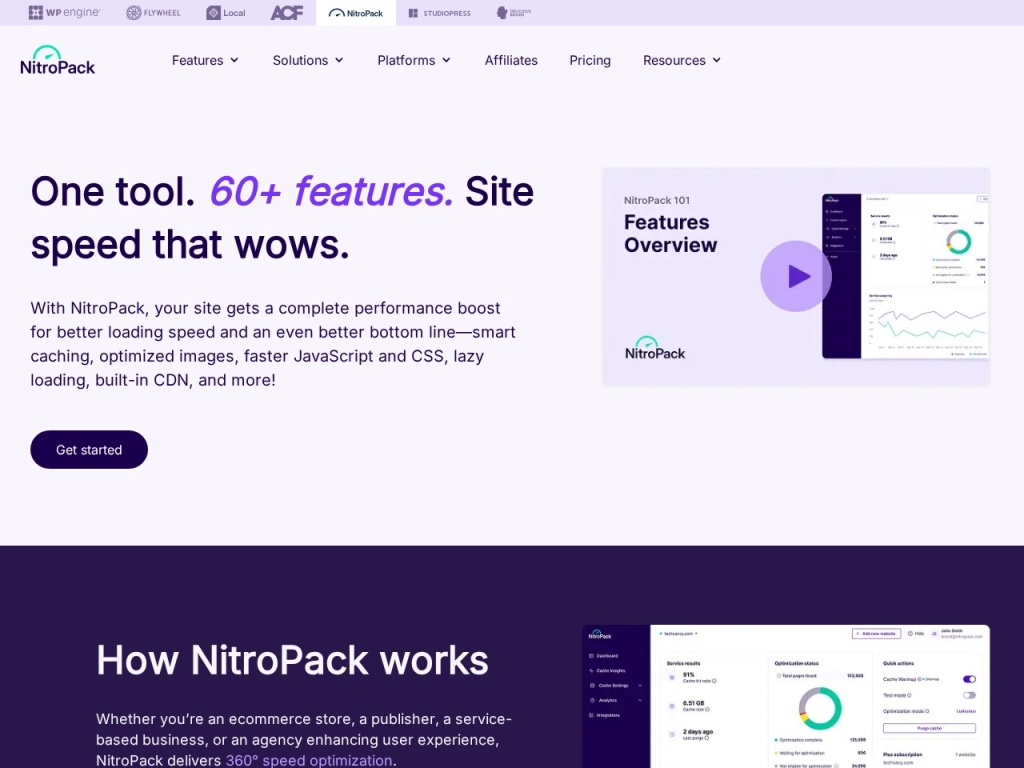
Traditional speed plugins run on your server: they generate cache files, inline critical CSS and compress images using your hosting plan’s CPU, and they leave the CDN as your problem. NitroPack moved the whole factory off-site. Your pages are analyzed and rebuilt in its cloud — HTML optimized, CSS reduced to the critical path, JavaScript deferred or delayed, images converted to WebP or AVIF and resized per device — then served through a built-in CDN. The plugin on your site is just a connector. That architecture is why it works so well on weak hosting: the optimization cost lands on NitroPack’s hardware, not on the $6-a-month shared server that was the bottleneck in the first place.
The other difference is posture. NitroPack does not hand you forty toggles and wish you luck; it hands you four modes — Standard, Medium, Strong and Ludicrous — that trade aggressiveness against risk. That opinionated design is exactly right for its audience, and it is also the source of the product’s main hazard: the aggressive modes rewrite how scripts load, which can break sliders, forms and checkout flows on complex sites. The product is honest about the trade; users who click Ludicrous and walk away are sometimes not.
Key features
Caching and critical CSS in the cloud
NitroPack generates full-page caches and per-layout critical CSS on its own infrastructure, so first paint happens before the browser has fetched the full stylesheet. Cache invalidation is automatic on content changes, and because generation is off-server, even weak hosting plans get the treatment that normally requires a tuned VPS. In our tests this pairing produced the largest single chunk of the improvement.
Image optimization: WebP, AVIF and adaptive sizing
Images are converted to modern formats, compressed, resized to the visitor’s actual viewport and lazy-loaded below the fold — the complete image checklist, automated. A media-heavy test page dropped by more than half its transfer weight with no visible quality loss at default settings. Sites that hoard 4000-pixel uploads will feel this feature the most.
Built-in CDN and lazy loading
Optimized assets are served from NitroPack’s CDN edge rather than your origin, which shortens delivery distance for global audiences and shields cheap hosts from traffic spikes. Lazy loading covers images and iframes, with an exclusion list for above-the-fold assets so your hero image does not pop in late — set that exclusion, it matters for LCP.
Optimization modes and safety valves
The four modes escalate from safe caching to aggressive JavaScript delay. Medium suits most sites; Strong and Ludicrous chase top scores by delaying scripts until interaction, which is where breakage risk lives. The safety valves are good: per-URL exclusions, per-resource rules and a test mode that lets you preview optimizations before shipping them to visitors — use it.
Plans & pricing
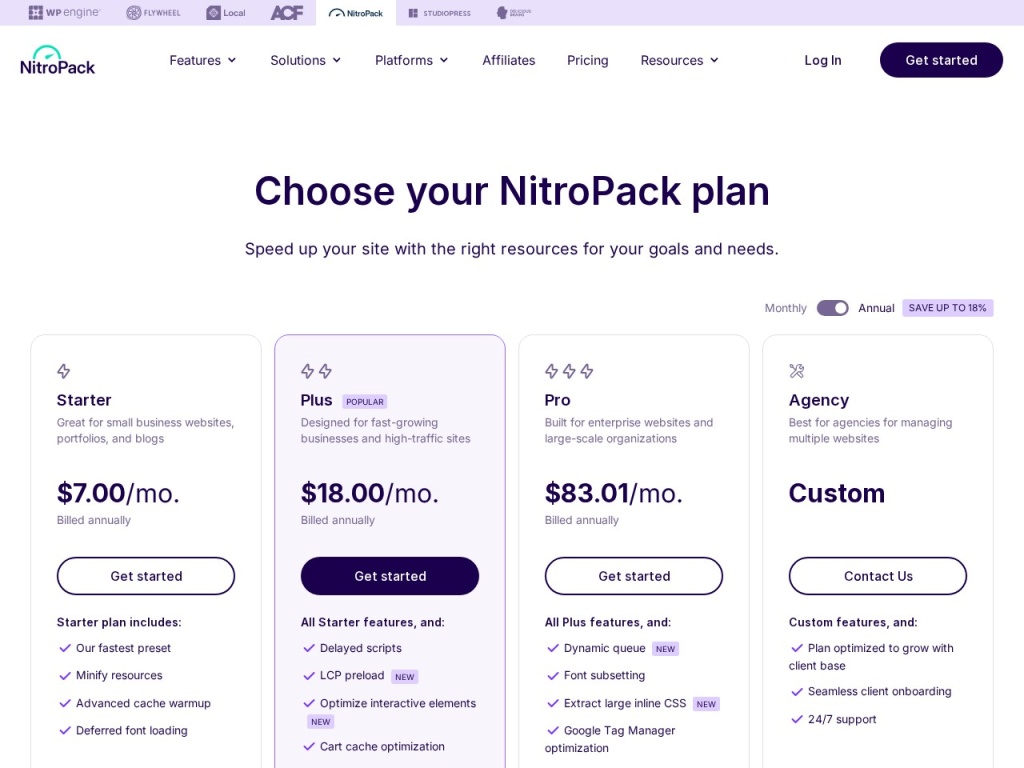
NitroPack prices by monthly pageviews and CDN bandwidth per site, from a free branded tier through Business, Growth and Scale plans. The numbers shift with promotions and annual-versus-monthly billing, so treat the figures below as a snapshot and verify current pricing before you buy — and note that exceeding your pageview allowance triggers upgrade pressure, so count your real traffic first.
| Plan | Approx. monthly pageviews | Typical monthly (annual billing) |
|---|---|---|
| Free | ~5,000 | $0, with NitroPack branding |
| Business | ~50,000 | ~$18–21 |
| Growth | ~200,000 | ~$43–51 |
| Scale | ~1,000,000 | ~$150–176 |
The pricing conversation is really a hosting conversation. At Business-tier traffic, NitroPack plus cheap hosting often beats the total cost of premium hosting. At Scale-tier traffic, the subscription rivals a serious managed host’s entire bill — and at that point moving to better infrastructure may deliver more than optimizing around weak infrastructure. Run both numbers before renewing upward.
How to get started
- Benchmark first: record PageSpeed scores, LCP and a real stopwatch load of your key pages — you cannot judge a speed tool without a before.
- Install the plugin, connect your NitroPack account and start on the Medium mode, not Ludicrous.
- Click through your money paths immediately — menus, search, forms, cart, checkout, login — on desktop and phone.
- Exclude your above-the-fold hero image from lazy loading and add any broken scripts to the exclusion rules.
- Re-run your benchmarks after the cache warms, then check real-user field data over the following weeks to confirm the lab gains are real.
Total hands-on time is under an hour for most sites. The step people skip — clicking through checkout on a phone — is the one that prevents the only truly painful NitroPack failure mode, so do not skip it.
Common setup mistakes to avoid
Three missteps cause most NitroPack horror stories. Stacking it on another optimization plugin: leftover caching or minification plugins double-process pages, serve stale content and produce bugs that look like NitroPack’s fault — remove the old stack completely, including hosting-level page caches where possible. Choosing Ludicrous mode on a store: delayed JavaScript is a score-chasing trick that can silently break add-to-cart buttons and payment fields, and the revenue you lose dwarfs the milliseconds you gain — WooCommerce sites belong on Medium or Strong with a tested exclusion list. And trusting lab scores alone: a 99 in PageSpeed with unchanged real-user metrics means you optimized for the test, not the audience — check your field data in Google’s CrUX report before declaring victory.
Watch: NitroPack in action
NitroPack vs alternatives
The classic DIY alternative is WP Rocket plus a separate image optimizer and a CDN: bought annually, that stack usually costs less than NitroPack’s paid tiers and keeps every knob under your control, but it runs on your server, demands real configuration skill, and never quite matches the hands-off completeness — NitroPack is the pay-for-convenience option, WP Rocket the pay-once-and-tune option. The other alternative is better hosting: premium managed hosts like Kinsta, WP Engine and Rocket.net ship server-level caching and enterprise CDNs that shrink NitroPack’s value-add to the frontend-only tricks, while on budget hosts like Hostinger the same subscription is transformative. A performance-tuned middle path like Cloudways plus WP Rocket splits the difference. In short: the cheaper your hosting, the stronger the NitroPack case.

Performance, support & value
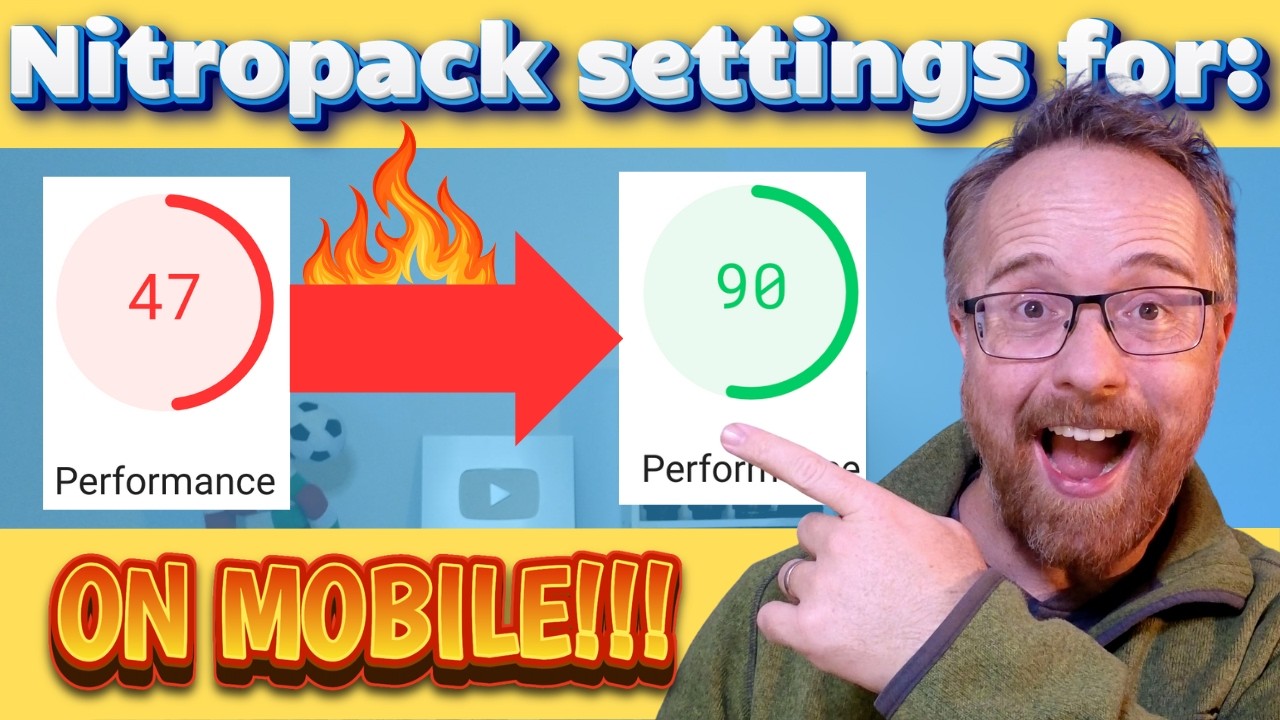
Performance: on a stock WordPress site riding a mediocre shared host, NitroPack’s Medium mode took our mobile PageSpeed score from the low 50s into the 90s and cut LCP from over four seconds to under two — within the first hour, with no manual tuning. On a premium managed host the same treatment produced a much smaller improvement, mostly from image conversion and critical CSS, confirming the pattern: NitroPack’s headline gains come from fixing what weak hosting leaves broken.
Support: documentation is thorough and refreshingly candid about which features can break which kinds of scripts. Ticket support was responsive in our experience, with the free tier waiting longer, and the team’s exclusion-rule suggestions actually fixed our deliberately broken slider — the answer was specific, not boilerplate. Live chat is reserved for higher tiers.
Value: judged as a replacement for a caching plugin, an image service, a CDN subscription and the hours to configure them, the Business tier is fairly priced for non-technical owners. Judged at Scale-tier traffic against simply buying better hosting, the math tightens considerably. The free tier — branded, but functional — makes the evaluation risk-free, which we credit.
Our testing notes: lab scores versus field data
The most important thing we can tell you about NitroPack is also the most important thing about the entire speed-tool category: lab scores and real-user experience are related but not identical. NitroPack’s aggressive modes are extremely good at the lab test — deferred scripts and instant-looking paints produce spectacular PageSpeed numbers — and our test sites duly hit the high 90s. The real-user picture was more modest and more honest: LCP improved substantially, interaction readiness improved somewhat, and on script-heavy pages the Ludicrous mode’s delayed JavaScript created a brief window where taps did nothing, which no lab score captures.
Our verdict from the data: run Medium or Strong, judge success by CrUX field metrics after a few weeks of traffic, and treat a perfect lab score as marketing rather than mission accomplished. Used that way, NitroPack produced real, user-visible improvements on every ordinary-hosting site we tried it on — pages felt faster, not just scored faster — and the two failures we engineered (a broken checkout and a late-loading hero) were both preventable with the setup checklist above. The tool is powerful; the operator still matters.
What real users say
Aggregated review sentiment is genuinely divided, which itself is informative. The satisfied majority — typically bloggers, small businesses and agencies on ordinary hosting — report exactly what we measured: dramatic score improvements in the first hour, visibly faster pages, and relief at replacing a shelf of plugins with one service. Agencies in particular praise the consistency of deploying the same known-good configuration across dozens of client sites.
The critical minority clusters around three themes: JavaScript breakage on complex sites (almost always on aggressive modes), pageview pricing that climbed as sites grew, and the lab-versus-field gap — users who bought a 99 score and later noticed their Core Web Vitals moved less than the number implied. Store owners are the most polarized group: those who tested carefully report solid gains, while those who set Ludicrous and forgot it tell checkout horror stories. The pattern in thousands of reviews matches our lab: outcomes depend heavily on mode choice and testing discipline.
Who should use it — and who should not
Choose NitroPack if you are on average-to-cheap hosting, your PageSpeed report is a wall of red, and you want the fastest route to a visibly quicker site without becoming a performance engineer. It is the default recommendation we give bloggers and small businesses on shared hosting, and agencies standardizing speed across many modest client sites — the free tier makes the trial decision trivial.
Skip it if you already pay for premium managed hosting with server-level caching and an enterprise CDN — measure first, because your gains may not justify the subscription. Skip the aggressive modes (not necessarily the product) if you run a complex WooCommerce build with many third-party scripts. And skip it entirely if you enjoy tuning: a hand-configured WP Rocket stack costs less and teaches you more, at the price of your evenings.
Honest limits
NitroPack optimizes delivery, not architecture: it cannot fix a slow database query, a bloated page builder or a plugin making remote calls on every load — TTFB on uncached dynamic requests is still your host’s problem. Aggressive modes trade robustness for scores. Pageview pricing punishes success. The branding on the free tier is visible to visitors. And some of its value evaporates on hosting that already does caching and CDN well. None of this contradicts the core case — it just defines the customer: the further your hosting is from premium, the more NitroPack is worth.
NitroPack deals
NitroPack discounts annual billing by roughly two months and runs recurring promotions — Black Friday reliably the deepest — plus occasional first-year discounts on higher tiers. Because pricing is per site, agencies should ask about multi-site arrangements before paying list. We track working offers on our deals page as they appear.
Frequently asked questions
Does NitroPack really work in under an hour? On ordinary shared hosting, usually yes — connect, pick Medium mode, let the cache warm, and both scores and real load times improve the same day.
Will NitroPack break my site? The safe modes rarely do; the aggressive modes can break JavaScript-dependent features like sliders, forms and checkouts, which is why testing your money paths after setup is non-negotiable.
Is NitroPack worth it on Kinsta or WP Engine? Often only marginally — premium hosts already provide server caching and enterprise CDNs, so measure a before-and-after on a staging site before paying; see our Kinsta review for what good hosting includes.
Does NitroPack replace WP Rocket and my image plugin? Yes — running them together causes conflicts; NitroPack is designed to replace the caching, minification, image and CDN stack entirely.
Is the free plan usable? Yes for small sites, with NitroPack branding and a ~5,000-pageview ceiling — it is best treated as a full-featured trial.
Why did my PageSpeed score jump but my Core Web Vitals barely move? Lab tests reward techniques like delayed JavaScript more than real users experience them; judge NitroPack by CrUX field data after a few weeks, not by the lab score alone.
Does NitroPack work on WooCommerce? Yes, with care: cart, checkout and account pages are excluded from caching automatically, but you should still run Medium or Strong mode and test the full purchase flow after every settings change.
How to choose a site speed tool: a practical guide
Start with a diagnosis, not a purchase: run PageSpeed and read your CrUX field data to learn whether your problem is server response, render-blocking assets, oversized images or third-party scripts, because each points to a different fix and no tool solves all of them. Next, be honest about your hosting: if your TTFB is slow, a frontend optimizer is a bandage, and the money might belong in better infrastructure first — whereas if hosting is fine and the frontend is heavy, a tool like NitroPack or a tuned WP Rocket stack is exactly the right spend. Third, decide who does the work: all-in-one services cost more and demand less skill, DIY stacks cost less and demand configuration and maintenance — both reach similar destinations, and the honest variable is your time. Fourth, price against your traffic trajectory, since pageview-based billing that is cheap today can rival a hosting bill after your growth arrives. Finally, adopt one rule forever: test your revenue paths after every optimization change, and judge success by field data rather than lab trophies. NitroPack’s speed-to-results, breadth and honest safety valves earn its score here — with the caveat, baked into that score, that the operator’s discipline decides the outcome.