
Roughly one in four WordPress sites you visit was likely assembled, at least in part, by the same tool. Elementor is the most popular page builder in the WordPress world — north of ten million active installs — and it earned that position by making a simple promise: design a real, custom website by dragging things around a live preview, no code required. We built landing pages, full theme templates and popups with it, measured what it does to page weight, tested the free version against Pro, and compared the experience with the block editor and the rival builders we have used to see whether the default choice is still the right one.
AnalyzeBench Score: 8.3/10
Best for: Non-coders, freelancers and small agencies who want pixel-level design control over WordPress sites — custom headers, landing pages, popups and all — without touching PHP or CSS.
What we loved:
- True live drag-and-drop editing — what you see while building is genuinely what visitors get, down to responsive tweaks per device.
- The free version is a real product: dozens of widgets and the core editor, enough to build a respectable site without paying.
- Theme Builder (Pro) extends the same visual editing to headers, footers, archives and single-post templates — the whole theme, not just pages.
- The popup builder and form widget replace two or three plugins an ordinary business site would otherwise need.
- Flexbox containers and steady performance work have measurably slimmed the markup compared with the old section-and-column era.
What could be better:
- It adds real weight — CSS, JavaScript and DOM depth — so an unoptimized Elementor site will trail a lean theme in speed tests.
- Pro is priced per site tier, and costs climb quickly for agencies managing many installs.
- Heavy reliance on one plugin creates lock-in: switching builders later means rebuilding, since content lives in Elementor’s markup.
- Updates have occasionally broken layouts or third-party add-ons, so staging-first updating is effectively mandatory.
What makes Elementor different
Plenty of tools promise visual website building; Elementor’s difference is the combination of depth and ubiquity. Depth, because it long ago stopped being a landing-page toy: the Pro Theme Builder lets you visually design every template WordPress renders — headers, footers, blog archives, single posts, WooCommerce product pages — with dynamic content pulled from custom fields, which is genuine site-architecture work done by drag-and-drop. Ubiquity, because ten-million-plus installs created the largest ecosystem in the category: hundreds of third-party add-on packs, thousands of template kits, and the practical guarantee that any freelancer you ever hire already knows the tool. That network effect is self-reinforcing and is half the reason Elementor remains the default recommendation despite sharper competition than it has ever faced.
The recent story is modernization under pressure. The flexbox container system replaced the rigid old section-and-column model with leaner, more flexible layouts and less generated markup; performance releases have trimmed CSS and deferred scripts; and Elementor AI arrived woven into the editor — generating copy, images, custom CSS and even containers from prompts, which is more useful in practice than the bolted-on AI features most competitors shipped. The company clearly heard a decade of performance criticism and is answering it, even if the answer remains incomplete.
Key features
The live drag-and-drop editor
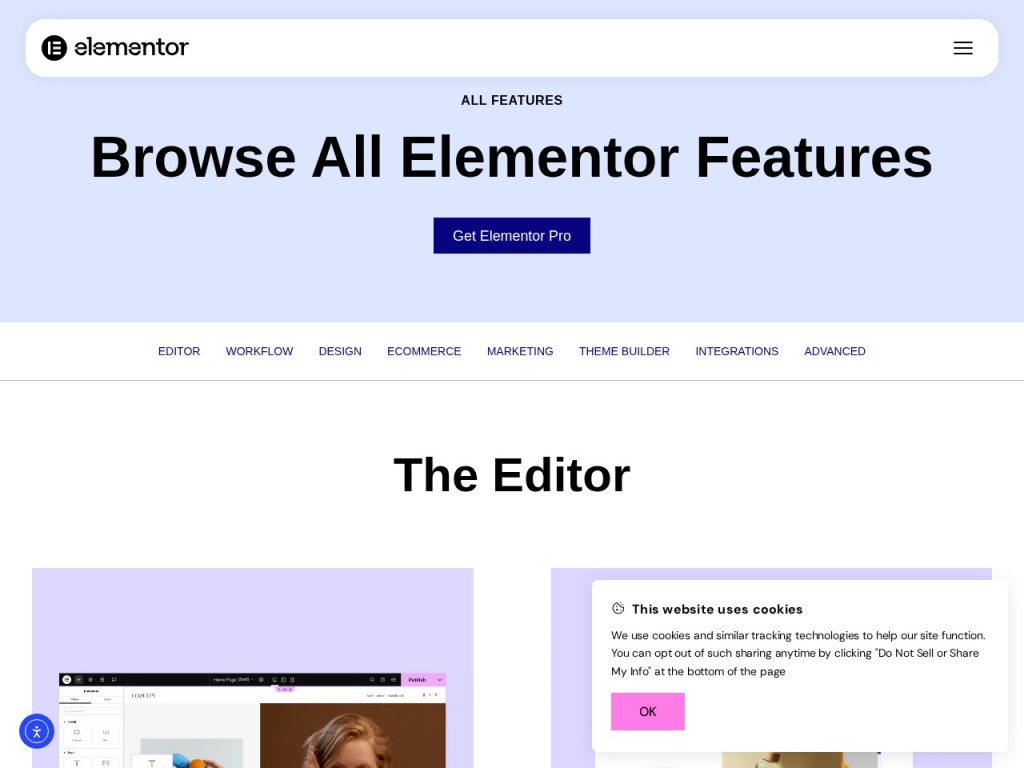
The core experience remains the category benchmark: drag a widget from the panel onto a live preview, click anything to edit it in place, and adjust spacing, typography and colors with immediate feedback. Responsive controls let you restyle per breakpoint — hide this on mobile, shrink that heading on tablet — and global colors and fonts keep a site coherent as it grows. New builders are productive within an hour, which no code-first workflow can claim.
Theme Builder & dynamic content
Pro’s Theme Builder is the feature that turns Elementor from a page tool into a site tool. You design templates for headers, footers, 404s, archives and single posts visually, set display conditions — this header everywhere, that one on landing pages — and bind widgets to dynamic data like post titles, featured images and custom fields. Paired with a lightweight base theme like Hello, it effectively replaces traditional theme development for the majority of business sites.
Popup builder, forms & WooCommerce widgets
Pro bundles what would otherwise be a small plugin stack: a popup builder with triggers and targeting rules for email capture and announcements, a proper form widget with integrations into major email platforms, and WooCommerce widgets for visually customizing product and shop pages. Consolidation cuts both ways — fewer plugins to manage, but more eggs in Elementor’s basket — and for most small sites the convenience wins.
Elementor AI & template kits
Elementor AI drafts headlines and body copy in place, generates and edits images, writes custom CSS from plain-English requests, and can rough out whole container layouts from a prompt — a legitimate accelerant for first drafts, sold as a separate subscription with a free trial allowance. The template kit library, meanwhile, offers hundreds of full-site designs you can import and reskin, which is how a lot of real-world freelance work actually starts.
Plans & pricing
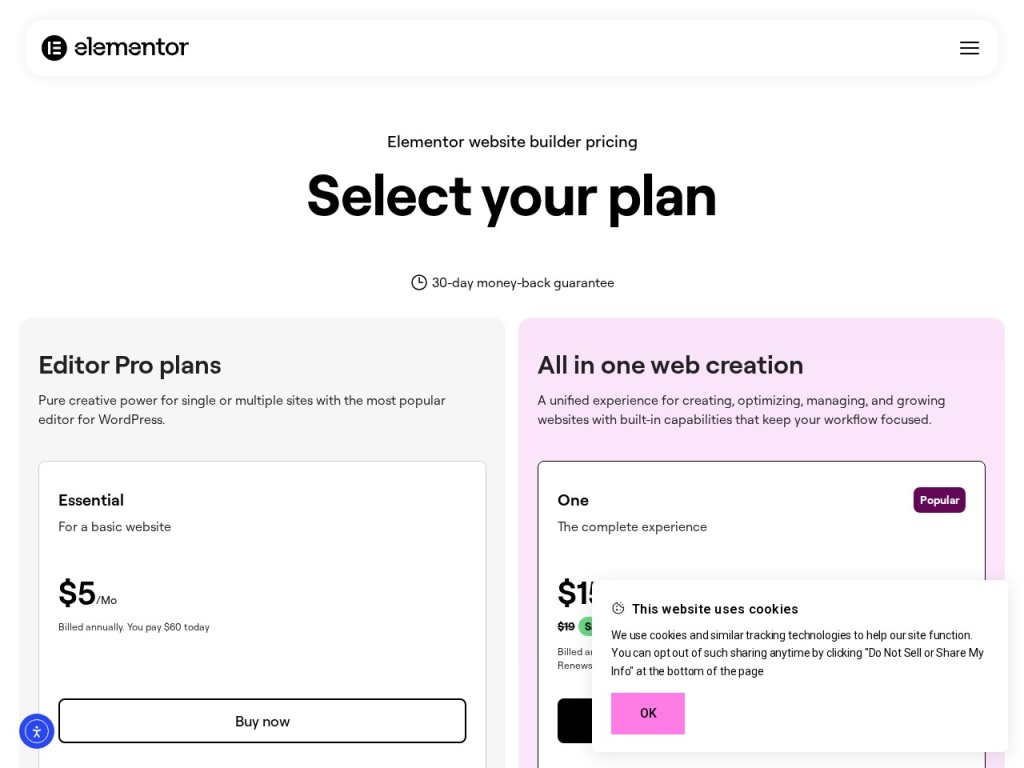
The free plugin is genuinely capable and remains the right starting point. Elementor Pro is sold as an annual subscription tiered by the number of sites — historically around $59–$69 per year for a single site, with multi-site tiers stepping up toward a few hundred dollars annually for agency-scale counts. Elementor AI bills separately, and the company also sells bundled hosting. Prices and tier structures have shifted several times in recent years and promotions are frequent, so treat the figures below as orientation and check the current pricing page before you commit.
| Tier | Sites covered | Highlights | Typical price |
|---|---|---|---|
| Free | Unlimited | Core editor, 40+ widgets, containers | $0 |
| Pro (single site) | 1 | Theme Builder, popups, forms, WooCommerce widgets | ~$59–$69/year |
| Pro (multi-site tiers) | 3–1,000 | Everything in Pro across more installs | ~$100–$400/year |
| Elementor AI | Add-on | AI copy, images, CSS and layout generation | Separate subscription |
The single-site Pro license is easy money for a business site — it replaces a premium theme plus two or three plugins. The math gets less friendly for agencies, where per-site tiers meaningfully exceed what lifetime-deal rivals charge; if you manage dozens of client sites, model the three-year cost honestly. A 30-day money-back guarantee covers Pro purchases.
How to get started
- Install the free Elementor plugin from the WordPress repository, and pair it with a lightweight theme — Elementor’s own Hello theme is the standard choice.
- Set your global site settings first: brand colors, fonts and container widths in Site Settings, so every page you build inherits them automatically.
- Build one page from a template kit rather than a blank canvas — import, swap the copy and images, and learn the editor by editing rather than inventing.
- Upgrade to Pro when you hit the free tier’s walls — usually the moment you want a custom header, a popup or a real form — and build your theme templates.
- Install a caching or optimization layer and test your Core Web Vitals before and after, so performance stays a habit rather than a rescue project.
A competent first site takes a weekend; the global-settings discipline in step two is what separates sites that stay maintainable from the ones that accumulate a thousand one-off style overrides.
Common setup mistakes to avoid
Three habits create most “Elementor is slow and messy” outcomes. Building on a heavyweight theme: running Elementor on top of a feature-stuffed multipurpose theme doubles the machinery — use Hello or another minimal base and let the builder do the design. Styling every element by hand: ignoring global colors and fonts means a rebrand later touches hundreds of widgets individually; set globals on day one. And updating blindly: Elementor, its Pro companion, your theme and any add-on packs form a dependency chain, and a major update occasionally breaks layouts — update on a staging copy first, especially before major-version jumps, and keep backups you have actually tested restoring.
Watch: Elementor tutorial and honest walkthrough
Elementor vs alternatives
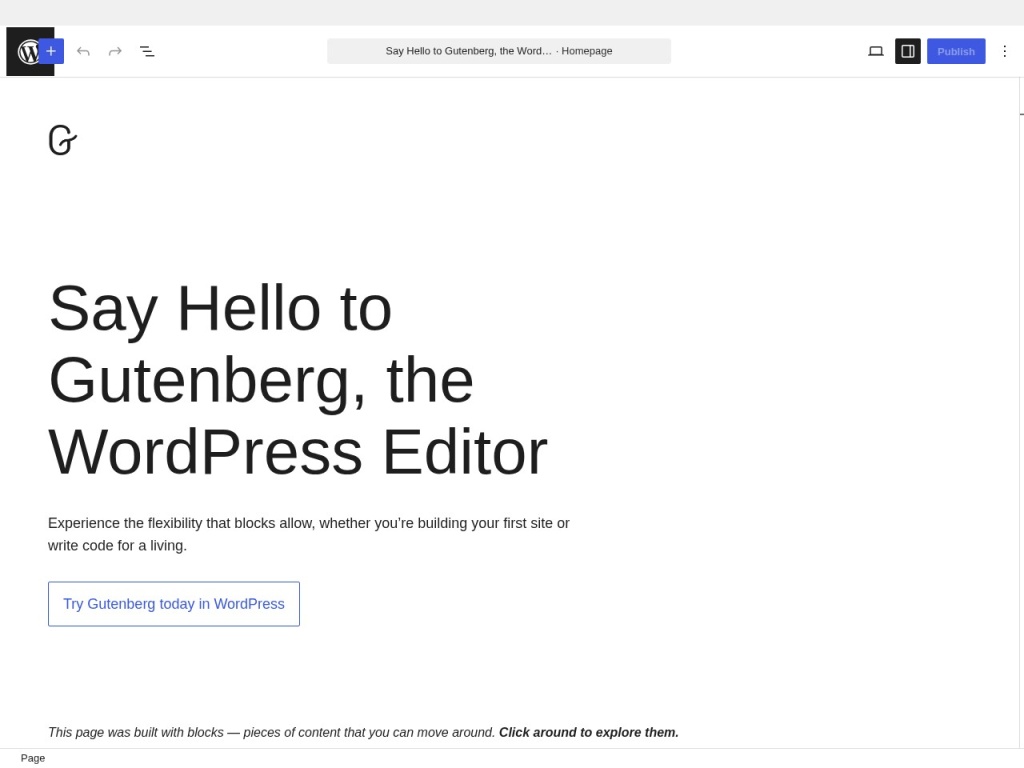
Against Gutenberg, the block editor built into WordPress, the gap keeps narrowing: Gutenberg is free, lean and increasingly capable of full-site editing, and for blogs and simple business sites it is now a legitimate answer — but it still cannot match Elementor’s design precision, popup and form tooling, or template ecosystem, so design-heavy sites and non-coders still land on Elementor. Against Divi, the other mass-market builder, Elementor wins on editor speed and third-party ecosystem while Divi counters with unlimited-site licensing that agencies love; against Bricks, the developer-crowd favorite, Elementor loses the clean-code argument but wins decisively on approachability. The performance criticism, meanwhile, is best answered outside the plugin: quality managed hosting like Kinsta or WPX plus an optimization layer like NitroPack routinely takes an Elementor site to green Core Web Vitals, and even budget hosting reviewed in our Hostinger review can carry a well-built Elementor site respectably. The honest summary: alternatives beat Elementor on specific axes, but nothing matches its blend of power, ecosystem and gentle learning curve.
Performance, support & value
Performance: this is the eternal Elementor argument, so here is the fair version. The builder adds CSS, JavaScript and DOM depth that a hand-coded theme would not carry, and lab tests reflect it — identical designs built in Bricks or vanilla blocks score better out of the box. But the gap has narrowed materially: flexbox containers, reduced DOM output and script deferral have trimmed the overhead, and in our tests a container-based Elementor page on good hosting with caching passed Core Web Vitals without heroics. Sloppy building, not the plugin alone, produces the horror-story scores.
Support: Pro customers get ticket-based support with priority at higher tiers, and responses in our experience were competent if not fast. The real support story is the ecosystem — the official Academy’s courses, an enormous YouTube tutorial supply, and community groups where virtually every question has been answered twice. Free users rely on forums and that community, which in Elementor’s case is a genuinely workable arrangement.
Value: for a solo business site, Pro at roughly sixty dollars a year replacing a premium theme, a form plugin and a popup plugin is plainly good value. For agencies the calculus tightens — per-site tiers accumulate, and rivals with unlimited licenses undercut them — but the hiring-pool argument cuts the other way: every WordPress freelancer on earth can maintain an Elementor site, and that liquidity is worth real money over a site’s life.
Our testing notes: weight, and what fixes it
We built the same landing page three ways: Elementor free on a multipurpose theme, Elementor with containers on Hello, and native Gutenberg blocks. The naive build was the cautionary tale — the extra theme machinery and legacy section markup dragged mobile scores down hard. The container build on Hello was a different animal: page weight dropped substantially, the DOM slimmed, and with standard caching the page passed Core Web Vitals on mobile. The Gutenberg version remained the lightest, as expected, but the visual gap between it and what we could design in Elementor in the same hour was not close.
The lesson we keep relearning: Elementor performance is a stack question. The same page moved from budget shared hosting to a tuned managed host cut its time-to-first-byte dramatically before we touched a single widget, and an optimization layer handled the rest. Elementor gives you enough rope to build something slow; it no longer forces you to. Budget for good hosting and one optimization tool as part of the true cost, and the criticism mostly dissolves.
What real users say
With an install base this large, Elementor’s review footprint is enormous and mostly warm: the WordPress.org plugin rating sits in the mid-fours across thousands of reviews, and the recurring praise is exactly the founding promise — non-coders describing the first custom site they ever built themselves, freelancers crediting it with their business model, and long-time users noting the container era genuinely improved their scores.
The complaints are equally consistent. Performance skeptics remain loud, though the tone has softened since the flexbox and optimization releases. Update anxiety is real — threads about a major version breaking a layout or an add-on appear after most big releases, which is why experienced users update staging first. And a vocal contingent resents pricing changes over the years, particularly agencies watching per-site tiers climb. What you almost never read is “I could not figure it out” — whatever else divides opinion, the learning curve keeps winning.
Who should use it — and who should not
Choose Elementor if you want custom-designed WordPress sites without writing code: small-business owners building their own site, freelancers and small agencies producing client work at speed, and marketers who need landing pages and popups without a developer in the loop. Start free, upgrade to Pro when you need the Theme Builder or forms, and pair it with decent hosting from day one. It is the default recommendation for non-coders for the same reason it has ten million installs — the ratio of design power to required skill is unmatched.
Skip it if raw performance is your top priority and you have the skills for leaner tools — developers will be happier in Bricks or well-built block themes; if your site is a simple blog that Gutenberg now handles free and fast; or if you manage a large portfolio and the per-site licensing math offends you. And if long-term portability matters more than convenience, remember the lock-in: leaving any builder later means rebuilding.
Honest limits
Elementor’s weight is managed, not eliminated — it will always carry more markup and script than hand-coded output, and it relies on you to supply the hosting and optimization that mask it. The plugin is a dependency your whole site design lives inside, so its update cadence becomes your maintenance calendar, and switching away later is a rebuild, not a migration. Pro pricing has trended upward and the AI features bill separately, so the true cost of the full experience exceeds the headline license. None of this dents the core proposition for its target user; all of it should be priced into the decision, especially at agency scale.
Elementor deals
Elementor discounts are steady rather than dramatic: the free plugin is the permanent entry deal, Pro promotions appear around Black Friday and the company’s anniversary sales with meaningful percentages off the first year, and multi-site tiers effectively discount the per-site price for anyone managing several installs. Renewals generally bill at full rate, so the first-year discount is the one to maximize. We track the currently working offers on our deals page as they appear.
Frequently asked questions
Is the free version of Elementor enough to build a real site? Yes, for pages: the core editor, containers and dozens of widgets are free. You will want Pro the moment you need custom headers and footers, popups, forms or WooCommerce styling.
Does Elementor slow down your website? It adds measurable weight, but a container-based build on a lightweight theme, decent hosting and a caching or optimization layer passes Core Web Vitals routinely. Slow Elementor sites are usually stack problems compounded by heavy building habits.
Is Elementor better than Gutenberg? For design control, templates, popups and non-coder friendliness, yes. Gutenberg is lighter, free and improving fast — for simple blogs and basic business sites it is now a real alternative.
What theme should I use with Elementor? A minimal one. Elementor’s own Hello theme is the standard pairing, since the Theme Builder replaces the design work a heavyweight theme would otherwise duplicate.
Can I switch away from Elementor later? Not cleanly. Your layouts live in Elementor’s markup, so deactivating it leaves content intact but designs broken — moving to another builder or blocks means rebuilding pages.
What is Elementor AI and does it cost extra? An in-editor assistant that generates copy, images, custom CSS and layout suggestions. It includes a free trial allowance and then bills as a separate subscription on top of Pro.
Is Elementor Pro a one-time purchase? No — it is an annual subscription per site tier. The plugin keeps working if you lapse, but you lose updates and support, which is unwise for a security-relevant dependency.
How to choose a WordPress page builder: a practical guide
Start by asking who will maintain the site, because that answer outranks every feature list: a tool the actual owner can confidently edit beats a technically superior one that requires calling a developer, which is the strongest practical argument for Elementor’s ubiquity and gentle learning curve. Second, define your performance floor before you build — check Core Web Vitals on real devices, and remember the stack matters as much as the builder: quality hosting and an optimization layer will do more for an average site’s scores than switching builders will. Third, count total cost honestly: license tiers, renewal rates, the add-ons you will inevitably want and the hosting the builder deserves, projected over three years rather than one. Fourth, weigh lock-in with open eyes — every visual builder embeds your design in its own markup, so commit to one you can imagine using for the site’s whole life. Finally, prototype before deciding: build the same key page in the free version of each candidate and in Gutenberg, and let the experience — not the marketing — pick the winner. Elementor scores as it does here because for its core audience of non-coders it keeps winning that exact test.